design-dna
Extract, define, and apply design DNA across three dimensions: design system (tokens), design style (qualitative feel), and visual effects (Canvas, WebGL, 3D, particles, shaders, scroll effects, etc.). Use this skill when: (1) a user wants to see the full 3-dimension design structure/schema, (2) a user provides images, screenshots, or URLs of reference designs and wants them analyzed into a structured JSON profile covering all three dimensions, (3) a user has a Design DNA JSON and content and wants a design generated from it, or (4) any combination of these phases. Triggers on "design DNA", "extract design style", "analyze design", "design tokens from reference", "generate design from JSON", "design system from screenshot", "design profile", "style guide JSON", "visual effects analysis", "design with effects", "3d design analysis".
Safety scan
A static text scan, not a guarantee. Select the badge to see what was scanned and every finding.
Badge for your README

Markdown
[](/listings/zanwei-design-dna)HTML
<a href="/listings/zanwei-design-dna"><img src="/api/listings/zanwei-design-dna/badge.svg" alt="findsafeskills safety rating" /></a>Install
Install instructions from the README
As written by the repo's author. findsafeskills has not verified these steps.
Quick Install (Recommended)
npx skills add zanwei/design-dna
Install to Specific Agent
# Cursor only, non-interactive, global install
npx skills add zanwei/design-dna -a cursor -g -y

# Claude Code only
npx skills add zanwei/design-dna -a claude-code -g -y
Install from Local Clone
git clone https://github.com/zanwei/design-dna.git
npx skills add ./design-dna -y
List Available Skills
npx skills add zanwei/design-dna --list
What was scanned
The files the safety scan read, as written by the repository's author and shown as plain text. Lines with a finding are marked.
SKILL.md · Manifest · 114 lines
View this file on GitHub (read at the repository's current version: the scan did not record which commit it read)
This file has changed since it was scanned, so this is not exactly the text that was scanned, and no line is marked. The findings are listed with the safety scan above.
- ---
- name: design-dna
- description: >-
- Extract, define, and apply design DNA across three dimensions: design system
- (tokens), design style (qualitative feel), and visual effects (Canvas, WebGL,
- 3D, particles, shaders, scroll effects, etc.). Use this skill when: (1) a user
- wants to see the full 3-dimension design structure/schema, (2) a user provides
- images, screenshots, or URLs of reference designs and wants them analyzed into
- a structured JSON profile covering all three dimensions, (3) a user has a
- Design DNA JSON and content and wants a design generated from it, or (4) any
- combination of these phases. Triggers on "design DNA", "extract design style",
- "analyze design", "design tokens from reference", "generate design from JSON",
- "design system from screenshot", "design profile", "style guide JSON",
- "visual effects analysis", "design with effects", "3d design analysis".
- ---
- # Design DNA
- A 3-phase workflow for extracting, structuring, and applying design identity across three dimensions:
- 1. **Design System** — measurable tokens (color, typography, spacing, layout, shape, elevation, motion, components)
- 2. **Design Style** — qualitative perception (mood, visual language, composition, imagery, interaction feel, brand voice)
- 3. **Visual Effects** — special rendering (Canvas, WebGL, 3D, particles, shaders, scroll effects, cursor effects, SVG animations, glassmorphism, etc.)
- ## Phases
- ### Phase 1: Structure — Output the Schema
- When the user asks for the structural dimensions or schema:
- 1. Read [references/schema.md](references/schema.md)
- 2. Present the full schema with field descriptions
- 3. Explain the three dimensions and their roles:
- - **design_system**: What you can measure — exact hex values, pixel sizes, rem scales
- - **design_style**: What you can feel — mood, personality, composition strategy
- - **visual_effects**: What you can see but can't express in CSS alone — WebGL scenes, particle systems, shader distortions, scroll-driven animations
- 4. Ask if the user wants to customize or extend any dimensions
- ### Phase 2: Analyze — Extract DNA from References
- When the user provides images, screenshots, or links representing a target design style:
- 1. Read [references/schema.md](references/schema.md) for the full field list
- 2. For each reference provided:
- - If image/screenshot: **first run the deterministic color measurement** (see below), then analyze the remaining visual properties directly
- - If URL: fetch and analyze the page's visual design
- 3. For every field in the schema, extract or infer a value from the references
- 4. When multiple references conflict, note the dominant pattern and mention variants
- 5. Output a complete Design DNA JSON — every field populated, no empty strings
- 6. After output, ask: "Want to adjust any values before using this for generation?"
- **Analysis approach per dimension:**
- #### Dimension 1: design_system
- - **color**: Do not estimate hex values by eye — perceived colors drift toward familiar palette defaults (often by a ΔE of 10+). When the reference is an image file, measure instead. Resolve `SKILL_ROOT` to the absolute directory containing this `SKILL.md`; never assume the current project directory contains the skill's `scripts/` folder. Use absolute paths for the reference and output, and keep one uniquely named measurement file per reference:
- ```bash
- npm install --prefix "$SKILL_ROOT/scripts" --silent
- node "$SKILL_ROOT/scripts/measure-colors.mjs" "$REFERENCE_IMAGE" > "$MEASUREMENT_JSON"
- ```
- Use the measured hexes verbatim in the DNA JSON: map the `background` role to `surface.background`; map `text` to the end of `neutral.scale` that contrasts with the measured background and document that foreground use in `neutral.usage`; and map `accent` to `accent.hex`. Keep both the measured palette and its `measurement` configuration in `design_system.color.measured_palette` and `design_system.color.measurement` so verification can reuse the same clustering configuration. Coverage values are fractions from `0` to `1`. Only fall back to visual sampling when measurement is impossible (for example, a URL-only reference that cannot be screenshotted). Choose primary and secondary colors by semantic role, use accent for CTA emphasis, and order the neutral scale from lightest to darkest regardless of theme.
- - **typography**: Identify font families by visual characteristics (geometric, humanist, serif class). Estimate scale ratios from heading/body size relationships.
- - **spacing**: Assess density by element proximity. Measure rhythm by section gap consistency.
- - **layout**: Identify grid by content alignment patterns. Note max-width, column count, asymmetry.
- - **shape**: Measure border-radius by comparing to element height. Note border and divider presence.
- - **elevation**: Classify shadow softness, spread, and layering approach.
- - **motion**: If observable (video/interactive), note easing curves and duration feel.
- #### Dimension 2: design_style
- - Synthesize holistic impressions — mood, personality, composition strategy
- - Compare against genre archetypes (SaaS, editorial, brutalist, etc.)
- - Note ornamentation level and whitespace philosophy
- #### Dimension 3: visual_effects
- - **From code**: Scan for `<canvas>`, WebGL contexts, Three.js/Pixi.js imports, GSAP/Lottie usage, custom shaders, IntersectionObserver scroll triggers, SVG `<animate>` elements
- - **From screenshots**: Describe visible effects that go beyond standard CSS — glowing particles, 3D object renders, noise textures, gradient animations, parallax depth, cursor trails, text distortions, glassmorphic surfaces. Note these in `composite_notes` when exact implementation can't be determined.
- - **From video/interaction demos**: Note scroll behaviors, hover distortions, transition choreography, loading sequences
- - Set `enabled: false` for any effect category not present in the reference
- - Rate `overview.effect_intensity` and `overview.performance_tier` based on what's observed
- ### Phase 3: Generate — Apply DNA to Content
- When the user provides DNA JSON + content to design:
- 1. Read [references/generation-guide.md](references/generation-guide.md)
- 2. Parse the DNA JSON and extract all tokens across three dimensions
- 3. Build CSS custom properties from `design_system` values
- 4. Apply `design_style` qualitative fields to guide subjective design decisions
- 5. When the design needs assets or source materials, fetch them from the original source whenever possible. If the user provided a URL, retrieve the real asset from that URL instead of recreating, approximating, or substituting it.
- 6. Implement `visual_effects` using appropriate technologies:
- - Lightweight effects → CSS animations, SVG, vanilla JS
- - Medium effects → Canvas 2D, GSAP, Lottie
- - Heavy effects → Three.js, custom GLSL shaders, Pixi.js
- 7. Generate the design output (default: self-contained HTML with inline CSS/JS)
- 8. Run quality checks from the generation guide
- 9. **Verify (when the DNA contains a measured palette)**: save the current Design DNA JSON if it is not already a file, screenshot the generated output, then score it against that DNA file. Resolve `SKILL_ROOT` from this `SKILL.md` and use absolute paths; do not assume a temporary file named `measured-colors.json` exists:
- ```bash
- node "$SKILL_ROOT/scripts/verify.mjs" "$IMPLEMENTATION_SCREENSHOT" "$DESIGN_DNA_JSON"
- ```
- A standalone measurement JSON may be used instead of the DNA file when that is the only persisted artifact. For multiple image references, verify against each reference's measurement separately. The report gives per-color ΔE and coverage drift with PASS/FAIL thresholds. If it fails, fix the offending colors and re-verify instead of asking the user to judge fidelity by eye.
- **If the user provides only content without DNA JSON**, ask whether to:
- - Analyze a reference first (go to Phase 2)
- - Use a described style (extract DNA from description, then generate)
- ## Phase Combinations
- Users may invoke any combination:
- - **Phase 1 only**: "Show me the design structure/schema"
- - **Phase 2 only**: "Analyze this design" (with images/links)
- - **Phase 2 → 3**: "Analyze this design and build me a landing page in the same style"
- - **Phase 1 → 2 → 3**: Full pipeline
- - **Phase 3 only**: User already has DNA JSON
- Detect which phase(s) are needed from context and execute accordingly.
README.md · README · 139 lines
View this file on GitHub (read at the repository's current version: the scan did not record which commit it read)
This file has changed since it was scanned, so this is not exactly the text that was scanned, and no line is marked. The findings are listed with the safety scan above.
- <h1 align="center">design-dna</h1>
- <p align="center">
- English | <a href="README.zh-CN.md">中文</a> | <a href="README.ja.md">日本語</a> | <a href="README.ko.md">한국어</a> | <a href="README.es.md">Español</a> | <a href="README.zh-TW.md">繁體中文</a>
- </p>
- An agent skill for extracting, structuring, and applying visual design identity as machine-readable "Design DNA" across three dimensions: design tokens, qualitative style, and visual effects.
- 
- https://github.com/user-attachments/assets/00e0a28d-42ce-4a08-a0c0-1ecf8b9f7e97
- <h3 align="center">Other cases</h3>
- https://github.com/user-attachments/assets/80793608-930d-42ca-951f-eb21ac188d54
- https://github.com/user-attachments/assets/cd4cba94-cd2c-480f-8efa-4ac86e00ae1f
- ## Prerequisites
- - [Node.js](https://nodejs.org/) environment installed
- - Ability to run `npx` commands
- ## Installation
- ### Quick Install (Recommended)
- ```bash
- npx skills add zanwei/design-dna
- ```
- ### Install to Specific Agent
- ```bash
- # Cursor only, non-interactive, global install
- npx skills add zanwei/design-dna -a cursor -g -y
- # Claude Code only
- npx skills add zanwei/design-dna -a claude-code -g -y
- ```
- ### Install from Local Clone
- ```bash
- git clone https://github.com/zanwei/design-dna.git
- npx skills add ./design-dna -y
- ```
- ### List Available Skills
- ```bash
- npx skills add zanwei/design-dna --list
- ```
- ## What It Does
- | Dimension | Role |
- |-----------|------|
- | **Design System** | Measurable tokens: color, typography, spacing, layout, shape, elevation, motion, components |
- | **Design Style** | Qualitative perception: mood, visual language, composition, imagery, interaction feel, brand voice |
- | **Visual Effects** | Beyond plain CSS: Canvas, WebGL, 3D, particles, shaders, scroll-driven motion, cursor effects, SVG animation, glassmorphism, etc. |
- The skill drives a **three-phase** workflow:
- 1. **Structure** — Surface the full schema and field meanings (see `references/schema.md`).
- 2. **Analyze** — From screenshots, images, or URLs, produce a complete JSON profile (every field filled; conflicts noted).
- 3. **Generate** — Given DNA JSON plus content, implement the design (default: self-contained HTML/CSS/JS), following `references/generation-guide.md`.
- Phases can be used alone or chained (e.g. Analyze → Generate).
- ## How It Works
- Pipeline at a glance ([Mermaid](https://github.blog/news-insights/product-news/github-now-supports-mermaid-diagrams-in-markdown/) renders on GitHub):
- ```mermaid
- flowchart LR
- A["Reference designs<br/>Screenshots · URLs · images<br/><br/>Any design you admire"]
- B["Design DNA JSON<br/>Quantified spec<br/><br/>Structured profile"]
- C["Final output<br/>Faithful implementation<br/><br/>Production-ready UI"]
- A -->|"Analyze — extract every visual property"| B
- B -->|"Generate — apply DNA to your content"| C
- B -.-> D["Save · reuse · version control"]
- ```
- **Step 1 — Curate references.** Collect screenshots, images, or live URLs of designs whose visual identity you want to capture. Multiple references can be combined; the skill identifies dominant patterns and notes variants.
- **Step 2 — Extract DNA.** Feed the references to the agent. It inspects every visual property across all three dimensions and outputs a complete, quantified Design DNA JSON — no empty fields, no guesswork. This JSON becomes a portable, reusable design specification.
- **Step 3 — Generate from DNA.** Provide the DNA JSON together with your own content. The agent produces implementations that faithfully reproduce the original design language while adapting to your material.
- The DNA JSON is the key artifact. Once extracted, it can be **committed to version control**, **shared across teams**, **reused across projects**, and **iteratively refined** — turning subjective "make it look like that site" into a precise, reproducible specification that any agent can consume.
- > [!TIP]
- > **Refining visual richness.** If the first pass still feels visually thin or under-detailed next to your references, run a deliberate **polish iteration**: re-attach the **same URLs or screenshots**. This narrows the gap between a workable draft and a reference-faithful, visually rich result without starting over.
- >
- > **Prompt:** **Against the reference, audit hierarchy, ornamentation, typographic rhythm, motion, materiality, and overall UI—then merge your conclusions back into the current implementation.**
- ## Deterministic Measurement (optional)
- LLM color perception drifts toward familiar palette defaults — a brand pink like `#ff90e8` gets "seen" as `#ec4899` (ΔE ≈ 29). Two optional scripts make the Analyze and Generate phases measurable:
- The manual commands below are for a local clone of this repository. Run them from the clone's root:
- ```bash
- npm install --prefix ./scripts
- # Analyze: measure the exact palette from a reference screenshot
- node scripts/measure-colors.mjs reference.png > measured-colors.json
- # Generate: score the implementation screenshot against the reference
- node scripts/verify.mjs implementation.png measured-colors.json
- ```
- When installed as an agent skill via Quick Install, the agent must resolve these scripts from the absolute directory containing the loaded `SKILL.md`; users do not need a `scripts/` directory in their project root.
- `measure-colors.mjs` runs deterministic k-means clustering over the actual pixels (with perceptual ΔE merging of anti-aliasing noise) and outputs exact hexes, coverage as `0..1` fractions, background/text/accent roles, and the clustering `k`. `verify.mjs` reuses the recorded `k`, re-measures the generated output, and reports per-color ΔE and coverage drift with PASS/FAIL thresholds, giving the agent a self-correction loop instead of relying on the user's eye. The skill instructs agents to use both automatically when references are image files; no API keys required.
- Same reference (bun.sh's hero), same agent — perceived rebuild vs measured rebuild:
- 
- ## Compatibility
- Follows the [Agent Skills specification](https://agentskills.io). Installable via [`skills` CLI](https://github.com/vercel-labs/skills) to all [supported agents](https://github.com/vercel-labs/skills#supported-agents) including Cursor, Claude Code, Codex, GitHub Copilot, and [39 more](https://github.com/vercel-labs/skills#supported-agents).
- ## Contributing
- Issues and pull requests are welcome. For substantive behavior changes, update `SKILL.md` and any affected files under `references/` so the skill stays internally consistent.
- ## License
- MIT
- ## Star History
- [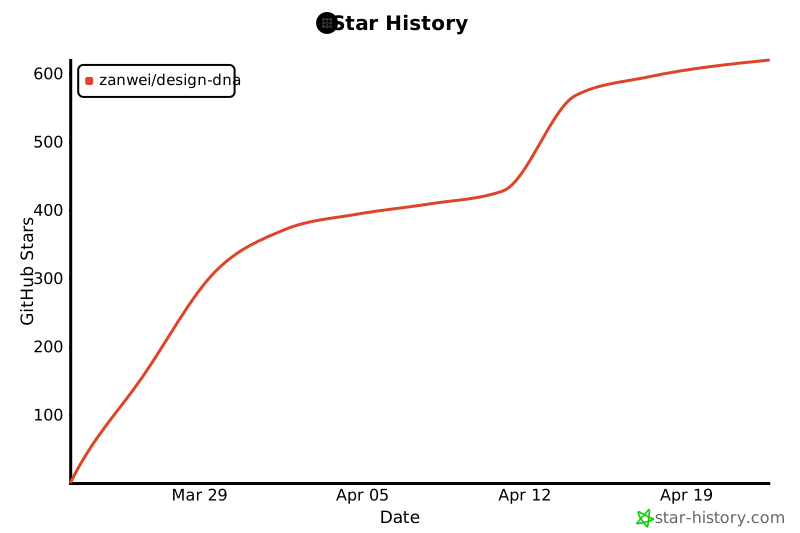](https://star-history.com/#zanwei/design-dna&Date)
Ratings and comments
Sign in to rate this skill.
Sign inFree to use. If it’s helped, pass it on.