coding-tools-mcp
Give any AI agent the ability to code
Safety scan
A static text scan, not a guarantee. Select the badge to see what was scanned and every finding.
Badge for your README

Markdown
[](/listings/xytom--coding-tools-mcp)HTML
<a href="/listings/xytom--coding-tools-mcp"><img src="/api/listings/xytom--coding-tools-mcp/badge.svg" alt="findsafeskills safety rating" /></a>Install
Install instructions from the README
As written by the repo's author. findsafeskills has not verified these steps.
Run it with whichever toolchain you already have (the server is Python ≥ 3.11 from PyPI; the npm package is a thin launcher that starts it via `uv` or `pipx`):
uvx coding-tools-mcp --stdio --workspace /path/to/repo   # Python toolchain
npx coding-tools-mcp --stdio --workspace /path/to/repo   # Node toolchain
Wire it into Claude Desktop, Claude Code, Codex, Cursor, VS Code, Windsurf, Gemini CLI, or Cline — the JSON is the same everywhere (swap `uvx` for `npx` if you prefer Node):
{
  "mcpServers": {
    "coding-tools": {
      "command": "uvx",
      "args": ["coding-tools-mcp", "--stdio", "--workspace", "/path/to/repo"]
    }
  }
}Then ask your client: *"run the test suite and fix the first failure."*
Prefer HTTP? Drop `--stdio` and the server speaks Streamable HTTP on `http://127.0.0.1:8765/mcp`. Both protocol eras are served on either transport: MCP `2026-07-28` in full, with `tools` as the only advertised capability, and the handshake era `2025-11-25` with `2025-06-18` compatibility. Neither has sessions. A one-line installer, per-client walkthroughs, and troubleshooting live in [docs/quickstart.md](docs/quickstart.md) and [docs/mcp-client-config.md](docs/mcp-client-config.md).
What was scanned
The files the safety scan read, as written by the repository's author and shown as plain text. Lines with a finding are marked.
README.md · README · 228 lines
View this file on GitHub (read at the repository's current version: the scan did not record which commit it read)
- # Coding Tools MCP
- **English** | [简体中文](README.zh-CN.md)
- > Give any AI chat or agent a safe pair of hands on your codebase.
- [](https://pypi.org/project/coding-tools-mcp/)
- [](https://www.npmjs.com/package/coding-tools-mcp)
- [](https://pypi.org/project/coding-tools-mcp/)
- [](https://github.com/xyTom/coding-tools-mcp/actions/workflows/compliance.yml)
- [](https://github.com/xyTom/coding-tools-mcp/actions/workflows/release.yml)
- [](LICENSE)
- Coding Tools MCP is a **model-neutral coding runtime** served over the
- [Model Context Protocol](https://modelcontextprotocol.io): file reading and
- search, structured multi-file patches, command execution, interactive
- sessions, and git — one server that any MCP client can drive. Claude Desktop,
- Claude Code, Codex, Cursor, Cline, VS Code, Windsurf, Gemini CLI, or an agent
- you build yourself gets the default catalog of 18 battle-tested tools, confined
- to one workspace and gated by permission modes.
- [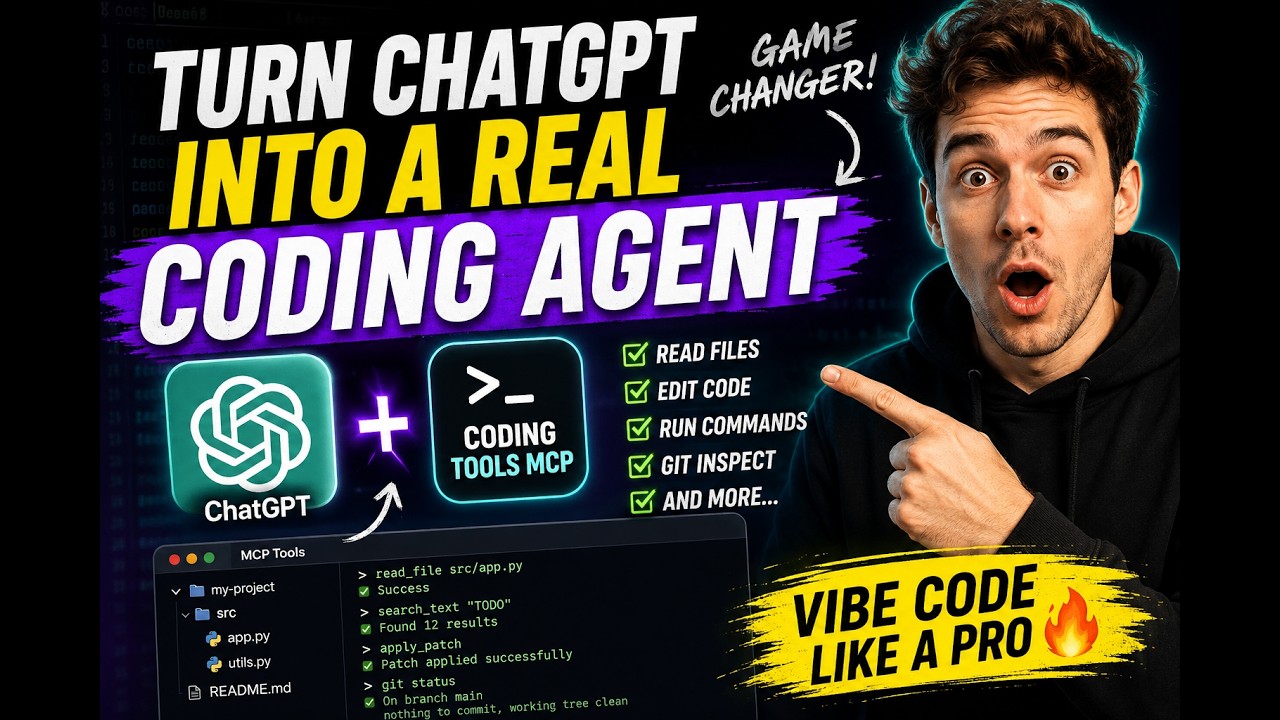](https://youtu.be/N9lQaXt1eqQ?si=LyEwvzzQF6QjUxR0)
- ## Why people use it
- - **It turns a chat app into a coding agent.** Claude Desktop — or any MCP
- chat client — gets real repo access with the subscription you already have.
- No extra product required.
- - **Safety is the product, not an afterthought.** One workspace root per
- server. Absolute paths, `..` traversal, and symlink escapes are rejected.
- Permission modes gate network access, shell expansion, inline scripts, and
- destructive commands. On Linux, [Landlock](docs/security-boundary.md) adds
- kernel-level filesystem confinement.
- - **It is model- and vendor-neutral.** A truthfully annotated, mode-aware
- catalog — no profile switching, no annotation games. Swap models or clients
- freely; the runtime contract stays put.
- - **It is engineered for context windows.** Results are summarized, paginated,
- and capped by design; serialized tool-result bytes dropped 37%
- release-over-release on the deterministic dogfood workload with unchanged
- task completion.
- ## Quickstart
- Run it with whichever toolchain you already have (the server is Python ≥ 3.11
- from PyPI; the npm package is a thin launcher that starts it via `uv` or
- `pipx`):
- ```bash
- uvx coding-tools-mcp --stdio --workspace /path/to/repo # Python toolchain
- npx coding-tools-mcp --stdio --workspace /path/to/repo # Node toolchain
- ```
- Wire it into Claude Desktop, Claude Code, Codex, Cursor, VS Code, Windsurf,
- Gemini CLI, or Cline — the JSON is the same everywhere (swap `uvx` for `npx`
- if you prefer Node):
- ```json
- {
- "mcpServers": {
- "coding-tools": {
- "command": "uvx",
- "args": ["coding-tools-mcp", "--stdio", "--workspace", "/path/to/repo"]
- }
- }
- }
- ```
- Then ask your client: *"run the test suite and fix the first failure."*
- Prefer HTTP? Drop `--stdio` and the server speaks Streamable HTTP on
- `http://127.0.0.1:8765/mcp`. Both protocol eras are served on either
- transport: MCP `2026-07-28` in full, with `tools` as the only advertised
- capability, and the handshake era `2025-11-25` with `2025-06-18`
- compatibility. Neither has sessions. A one-line installer, per-client
- walkthroughs, and troubleshooting live in
- [docs/quickstart.md](docs/quickstart.md) and
- [docs/mcp-client-config.md](docs/mcp-client-config.md).
- ## Seven things to try
- **1. Make Claude Desktop your coding agent.** The config above is all it
- takes — the chat window you already pay for can now read, patch, test, and
- commit-review a real repository.
- **2. Code on your own machine from anywhere.**
- ```bash
- CODING_TOOLS_MCP_AUTH_MODE=bearer ./integrations/tunnels/tunnel.sh cloudflared /path/to/repo
- ```
- Loopback bind + authenticated HTTPS tunnel (`cloudflared`, `ngrok`, or
- Microsoft Dev Tunnel). Point claude.ai on your phone at
- `https://<tunnel-host>/mcp` and drive your home workstation from anywhere.
- ChatGPT and Grok connect through their connector settings the same way.
- Bearer tokens and OAuth 2.1 + PKCE (with RFC 7591 dynamic registration) are
- built in. → [docs/remote-mcp.md](docs/remote-mcp.md)
- **3. Let an agent loose on untrusted code — inside a disposable sandbox.**
- ```bash
- docker build -t coding-tools-mcp-sandbox:local .
- docker run --rm --init -it -p 8765:8765 -v "$PWD:/workspace" coding-tools-mcp-sandbox:local
- ```
- A containerized server with toolchains and caches preconfigured, safe to point
- at a sketchy PR and destroy afterwards. → [docs/docker.md](docs/docker.md)
- **4. Spin up a cloud sandbox with one MCP call.** The bundled
- [Cloudflare Worker control plane](infra/cloudflare/sandbox-control/README.md) exposes
- `start_coding_tools_sandbox` as an MCP tool: one call dispatches a GitHub
- Actions runner that boots the Docker sandbox and publishes it behind an
- authenticated Cloudflare Tunnel. Ephemeral compute, no server of your own.
- **5. Drive it from a GUI.**
- ```bash
- python -m pip install "coding-tools-mcp[desktop]"
- coding-tools-mcp-desktop
- ```
- Per-workspace profiles, server and tunnel start/stop, credential setup with
- clipboard helpers, live health checks. English and 简体中文.
- **6. Keep an interactive command alive.** `exec_command` starts a REPL or
- debugger under a real PTY; `write_stdin` feeds it across turns; `read_output`
- pages long output; `kill_command` cleans up. Long-running processes are
- first-class, with deadline watchdogs and bounded buffers.
- **7. Give your own agent production-grade hands.** Building an agent loop with
- the Anthropic SDK or anything else? Don't hand-roll file and exec tools —
- speak MCP to this server and inherit the whole safety boundary. →
- [docs/embedding.md](docs/embedding.md)
- ## The tool catalog
- The registry contains 19 truthfully annotated tools. The default `safe` and
- `trusted` modes advertise 18; `dangerous` also advertises
- `request_permissions`, the only mode in which that tool can grant anything.
- `apply_patch` and `apply_changes` are the file-mutation primitives: both are
- staged, baseline-checked, atomic across files, and support rollback.
- | Group | Tools |
- | --- | --- |
- | Files & search | `read_file` · `list_dir` · `list_files` · `search_text` · `apply_patch` · `apply_changes` · `view_image` |
- | Execution | `exec_command` · `write_stdin` · `read_output` · `kill_command` · `request_permissions` (`dangerous` only) |
- | Git | `git_status` · `git_diff` · `git_log` · `git_show` · `git_blame` |
- | Runtime | `server_info` · `check_exec_environment` |
- Root `AGENTS.md`/`CLAUDE.md` files load automatically and come back in the
- `instructions` of `initialize`, or of `server/discover` for a client that
- never handshakes. Tool `content` is concise agent-facing text;
- `structuredContent` carries the complete machine result. Schemas and result
- envelopes: [docs/tools-and-schemas.md](docs/tools-and-schemas.md) ·
- [docs/runtime-contract-v0.3.md](docs/runtime-contract-v0.3.md).
- ## Safety Boundary
- | Mode | Meant for | What it allows |
- | --- | --- | --- |
- | `safe` (default) | day-to-day agent work | file tools and vetted commands; network-looking commands, shell expansion, inline scripts, and destructive commands all require explicit permission |
- | `trusted` | local development | opens network, shell expansion, and inline scripts; keeps secret filtering and destructive-command checks |
- | `dangerous` | isolated containers/VMs only | disables `exec_command` permission gates; workspace path boundaries still apply |
- Recursive listing and search exclude `.git`, `node_modules`, build outputs,
- virtualenvs, and caches. Commands run with workspace-bound cwd, scrubbed
- environment, timeouts, and output caps. Linux hosts with Landlock get
- kernel-enforced filesystem confinement; other platforms get an explicit
- warning — this is still not a complete OS sandbox, so use the Docker image or
- a VM for genuinely untrusted work. Details:
- [SECURITY.md](SECURITY.md) · [docs/security-boundary.md](docs/security-boundary.md) ·
- [docs/permission-modes.md](docs/permission-modes.md)
- ## Telemetry
- The server sends anonymous usage telemetry (per-tool success/latency counters
- and version/platform dimensions — never paths, arguments, commands, or file
- contents) to help prioritize fixes. Disable it with
- `CODING_TOOLS_MCP_TELEMETRY=off` or `DO_NOT_TRACK=1`; it is automatically off
- in CI. `CODING_TOOLS_MCP_TELEMETRY=debug` prints every event to stderr instead
- of sending. The full event list and guarantees are in
- [docs/telemetry.md](docs/telemetry.md).
- ## Evidence, Dogfood and SWE-bench
- Every release ships through a tag-triggered pipeline in which the compliance
- suite, real-workload benchmark, and SWE-bench harness run from the same commit
- that publishes to PyPI and npm — both via trusted publishing, npm with
- provenance. Dogfood efficiency metrics are reproducible (`make dogfood-smoke`)
- and checked in under `reports/`. This repository does not claim a
- model-generated SWE-bench leaderboard result — see
- [docs/swe-bench.md](docs/swe-bench.md) for exactly what is and is not
- measured. More: [COMPLIANCE.md](COMPLIANCE.md) · [BENCHMARK.md](BENCHMARK.md) ·
- [docs/dogfood.md](docs/dogfood.md)
- ## Documentation
- | | |
- | --- | --- |
- | Documentation map | [Browse docs by topic](docs/README.md) |
- | Getting started | [Quickstart](docs/quickstart.md) · [Client configuration](docs/mcp-client-config.md) · [Troubleshooting](docs/troubleshooting.md) |
- | Remote & sandboxed | [Remote MCP](docs/remote-mcp.md) · [Docker sandbox](docs/docker.md) · [Cloud sandbox worker](infra/cloudflare/sandbox-control/README.md) |
- | Tools & contract | [Tools and schemas](docs/tools-and-schemas.md) · [Runtime contract](docs/runtime-contract-v0.3.md) · [Migrating to 0.3](docs/migration-0.3.md) · [Permission modes](docs/permission-modes.md) |
- | Execution | [Exec recipes](docs/exec-command-recipes.md) · [Exec troubleshooting](docs/troubleshooting-exec.md) |
- | Integration | [Embedding](docs/embedding.md) · [npm launcher](packages/npm-launcher/README.md) |
- | Security & quality | [Security policy](SECURITY.md) · [Security boundary](docs/security-boundary.md) · [CI and tests](docs/ci-and-tests.md) · [Limitations](docs/limitations.md) · [Competitive analysis](docs/competitive-analysis.md) |
- ## Development
- ```bash
- python -m pip install -e ".[dev]"
- make ci # lint, typecheck, tests, protocol/integration suites, gates
- ```
- The full gate matrix is in [docs/ci-and-tests.md](docs/ci-and-tests.md).
- ## License
- This project is licensed under the [Apache License 2.0](LICENSE).
- If you use code, documentation, substantial implementation details, or
- derivative work from this project, preserve the copyright notice, license
- notice, and [NOTICE](NOTICE) file, and clearly attribute the original project.
- Project: Coding Tools MCP
- Author: Coding Tools MCP Contributors
- Source: https://github.com/xyTom/coding-tools-mcp
- Citation metadata is available in [CITATION.cff](CITATION.cff).
Ratings and comments
Sign in to rate this skill.
Sign inFree to use. If it’s helped, pass it on.