ecommerce-video-skills
12 个电商短视频 Agent Skills:3秒钩子、卖点分镜、图生视频提示词、edge-tts 配音、字幕花字、ffmpeg 自动成片、抖音/TikTok Shop/视频号导出、直播切片、多语言配音、封面A/B · Claude Code / Codex / Cursor
Safety scan
A static text scan, not a guarantee. Select the badge to see what was scanned and every finding.
Badge for your README

Markdown
[](/listings/xianyu110--ecommerce-video-skills)HTML
<a href="/listings/xianyu110--ecommerce-video-skills"><img src="/api/listings/xianyu110--ecommerce-video-skills/badge.svg" alt="findsafeskills safety rating" /></a>Install
Install instructions from the README
As written by the repo's author. findsafeskills has not verified these steps.
npx skills add xianyu110/ecommerce-video-skills          # 一行安装(skills CLI)
# 或在 Claude Code 里:/plugin marketplace add xianyu110/ecommerce-video-skills
手动安装:
git clone https://github.com/xianyu110/ecommerce-video-skills.git && cd ecommerce-video-skills
mkdir -p ~/.claude/skills && cp -r skills/* ~/.claude/skills/     # Claude Code(或项目内 .claude/skills/)
mkdir -p ~/.codex/skills  && cp -r skills/* ~/.codex/skills/      # Codex
mkdir -p .cursor/skills   && cp -r skills/* .cursor/skills/       # Cursor(项目内)
pip install -r requirements.txt                                    # pillow numpy edge-tts;另需 ffmpeg(含 libass)
每个 skill 文件夹自带所需脚本,互不依赖,只复制需要的即可。
What was scanned
The files the safety scan read, as written by the repository's author and shown as plain text. Lines with a finding are marked.
.claude-plugin/marketplace.json · Manifest · 34 lines
View this file on GitHub (read at the repository's current version: the scan did not record which commit it read)
- {
- "name": "ecommerce-video-skills",
- "owner": {
- "name": "xianyu110",
- "url": "https://github.com/xianyu110"
- },
- "metadata": {
- "description": "13 Agent Skills for ecommerce short videos: viral remake/breakdown, hooks, storyboards, image-to-video prompts, edge-tts voice-over, subtitles, ffmpeg auto-assembly, platform export, live clips, reviews, dubbing and cover A/B",
- "version": "0.2.0"
- },
- "plugins": [
- {
- "name": "ecommerce-video-skills",
- "description": "Chinese-first ecommerce short-video toolkit (13 skills, including viral remake) for Douyin, TikTok Shop, WeChat Channels, Xiaohongshu, Taobao and Amazon — with a working ffmpeg + edge-tts + subtitle pipeline.",
- "source": "./",
- "strict": false,
- "skills": [
- "./skills/ai-voiceover-edge-tts",
- "./skills/cover-title-ab",
- "./skills/ffmpeg-auto-assemble",
- "./skills/hook-3s-script",
- "./skills/image-to-video-shots",
- "./skills/live-stream-clips",
- "./skills/multi-model-shot-prompts",
- "./skills/multilingual-dubbing",
- "./skills/platform-spec-export",
- "./skills/selling-point-storyboard",
- "./skills/subtitles-and-text-effects",
- "./skills/unboxing-comparison-review",
- "./skills/viral-remake"
- ]
- }
- ]
- }
README.md · README · 215 lines
View this file on GitHub (read at the repository's current version: the scan did not record which commit it read)
- <div align="center">
- # 🎬 Ecommerce Video Skills
- **One product photo → a ready-to-post 9:16 ecommerce video. 13 Agent Skills for hooks, viral remake, storyboards, edge-tts voice-over and a local ffmpeg render — no API key.**<br>
- **13 个电商短视频 Agent Skills · 一张商品图 → 带配音、字幕、BGM 的 9:16 带货视频**<br>
- **13 Agent Skills for ecommerce short videos — 抖音 · TikTok Shop · 视频号 · 小红书 · 淘宝主图视频 · Amazon**
- [](#-skills--技能列表)
- [](#-安装)
- [](#-安装)
- [](#-安装)
- [](skills/ffmpeg-auto-assemble/SKILL.md)
- [](skills/ai-voiceover-edge-tts/SKILL.md)
- [](LICENSE)
- [](https://github.com/xianyu110/ecommerce-image-skills)
- [中文](#-中文) · [English](#-english) · [效果 Demo](#-效果--demo) · [Skills](#-skills--技能列表) · [Related](#-related--相关链接)
- <br>
- <img src="https://upload.maynor1024.live/file/1791169827501_evs-one-photo-demo.gif" width="300" alt="ecommerce-video-skills demo: one product photo rendered into a 15s 9:16 video by scripts/assemble.py">
- <sub>👆 输入只有<b>一张</b>手机随手拍的商品图;配音、字幕花字、转场、BGM 全由 <code>scripts/assemble.py</code> 本地渲染(14.6 秒,1080×1920,无需 API Key)· <a href="https://upload.maynor1024.live/file/1791169831745_evs-one-photo-demo-9x16.mp4">下载 MP4</a><br>
- 👆 Input: <b>one</b> phone photo. Voice-over, captions, transitions and BGM rendered locally by <code>scripts/assemble.py</code> — no API key.</sub>
- <img src="https://upload.maynor1024.live/file/1791169828136_evs-one-photo-to-video.jpg" width="860" alt="one product photo in, 15-second 9:16 video out">
- ```bash
- npx skills add xianyu110/ecommerce-video-skills
- ```
- </div>
- ---
- ## 🇨🇳 中文
- 把「写脚本 → 找钩子 → 分镜 → 图生视频 → 配音 → 字幕花字 → 剪辑 → 导出 → 封面」拆成 **13 个可单独安装的 Agent Skill**。丢几张商品图给 Claude Code / Codex / Cursor,它会写钩子和分镜、出多模型镜头提示词,并且**真的在本地把视频剪出来**。
- > 💡 怎么区分同名项目:本仓库的成片步骤是**本地 Python + ffmpeg 渲染**(edge-tts 配音免 Key),**不需要任何 API Key、不依赖云端视频服务**;图生视频模型只是可选项。<br>
- > Not to be confused with other repos of the same name (e.g. `iart-ai/ecommerce-video-skills`): this one renders the final video **locally with ffmpeg — no API key, no cloud service required**.
- **和一堆提示词的区别:**
- - 🎬 **爆款拆解复刻**:丢链接或转写 → 拆 5-beat 结构 → 换成你的商品 → 直接出 storyboard.json
- - 🎞 **能跑的流水线**:`storyboard.json` → edge-tts 逐句配音 → Ken Burns 镜头 → xfade 转场 → ASS 字幕/花字 → BGM 自动闪避 → 两遍响度标准化(≈ -14 LUFS)→ MP4 + SRT。纯 Python + ffmpeg,无需剪辑软件、无需 API Key。
- - 🔒 **商品一致性锁**:图生视频提示词第一步先锁定形状/颜色/Logo,减少「视频很酷但商品变了」。
- - 🧠 **模型中立**:同一份分镜适配 Seedance / 可灵 / Veo / Runway / 海螺 / 万相 …;**不编造任何模型的价格或参数**,每个镜头都有本地 Ken Burns 兜底。
- - 📐 **平台规格 + 安全区**:抖音 / TikTok Shop / 视频号 / 小红书 / 淘宝主图视频 / Amazon 一键导出,字幕自动避开底部商品卡和右侧按钮。
- - 🌏 **出海友好**:同一份 storyboard 加 `line_en` 等字段,`--lang en` 直接渲染英文版(东南亚、日韩、拉美音色已列好)。
- - ⚖️ **合规意识**:钩子/评测模板内置广告法绝对化用语检查、「只写测过的数据」、公平对比规则。
- ### 📦 安装
- ```bash
- npx skills add xianyu110/ecommerce-video-skills # 一行安装(skills CLI)
- # 或在 Claude Code 里:/plugin marketplace add xianyu110/ecommerce-video-skills
- ```
- 手动安装:
- ```bash
- git clone https://github.com/xianyu110/ecommerce-video-skills.git && cd ecommerce-video-skills
- mkdir -p ~/.claude/skills && cp -r skills/* ~/.claude/skills/ # Claude Code(或项目内 .claude/skills/)
- mkdir -p ~/.codex/skills && cp -r skills/* ~/.codex/skills/ # Codex
- mkdir -p .cursor/skills && cp -r skills/* .cursor/skills/ # Cursor(项目内)
- pip install -r requirements.txt # pillow numpy edge-tts;另需 ffmpeg(含 libass)
- ```
- 每个 skill 文件夹自带所需脚本,互不依赖,只复制需要的即可。
- ### ⚡ 30 秒跑通示例
- ```bash
- python scripts/assemble.py examples/aura-bottle/storyboard.json -o out/aura.mp4 # 中文版
- python scripts/assemble.py examples/aura-bottle/storyboard.json --lang en --voice en-US-AndrewNeural -o out/aura-en.mp4 --build build/en
- python scripts/export_platform.py out/aura.mp4 --platform douyin tiktok-shop channels xiaohongshu taobao-main amazon
- python scripts/cover_ab.py out/aura.mp4 --images build/still00.png build/still03.png --titles "冰水撑不到中午?|早上的冰,晚上还在"
- ```
- ### 🚀 对 agent 这样说
- ```text
- 用 viral-remake 拆这条抖音爆款,换成我的保温杯复刻一条 15 秒分镜
- 用 hook-3s-script 给这个保温杯写 8 个前三秒开场,标出推荐 Top 3
- 用 selling-point-storyboard 按 ./photos 里的图做一条 15 秒抖音分镜,并输出 storyboard.json
- 用 ffmpeg-auto-assemble 把 storyboard.json 渲染成片,然后导出抖音和小红书版本
- 把这条视频本地化成美国英语和印尼语版本(multilingual-dubbing)
- 这是 3 小时直播录像和字幕,帮我切 8 条 30 秒高光(live-stream-clips)
- ```
- ### 🧭 流水线
- ```text
- 商品图 ──► hook-3s-script ──► selling-point-storyboard ──► storyboard.json
- │ ▲ │
- │ └── viral-remake(爆款链接/转写 → 拆 5-beat → 复刻分镜)
- └► image-to-video-shots ◄── multi-model-shot-prompts(可选:任意视频模型出镜头)
- ▼
- ai-voiceover-edge-tts ─► subtitles-and-text-effects ─► ffmpeg-auto-assemble ─► MP4 + SRT
- │
- platform-spec-export ◄──────────────────────────────────────┤
- cover-title-ab ◄────────────────────────────────────────────┤
- multilingual-dubbing(--lang en / id / th …)◄──────────────┘
- 直播录像 ─► live-stream-clips ─► 9:16 切片 开箱/评测 ─► unboxing-comparison-review
- ```
- ---
- ## 🎞 效果 / Demo
- **多图示例**:6 张商品图 → 17 秒成片(`examples/aura-bottle`):
- <img src="https://upload.maynor1024.live/file/1791117575952_evs-aura-demo.gif" width="300" alt="17s 9:16 product video rendered from 6 images by scripts/assemble.py">
- | 中文成片(帧) | English version (frames) |
- |---|---|
- | <img src="https://upload.maynor1024.live/file/1791117345401_evs-aura-gallery.jpg" width="420" alt="zh frames"> | <img src="https://upload.maynor1024.live/file/1791117349101_evs-aura-gallery-en.jpg" width="420" alt="en frames"> |
- | [▶ MP4 中文](https://upload.maynor1024.live/file/1791117346796_evs-aura-bottle-9x16-zh.mp4) · 仓库内 [docs/media/aura-bottle-9x16.mp4](docs/media/aura-bottle-9x16.mp4) | [▶ MP4 English](https://upload.maynor1024.live/file/1791117344714_evs-aura-bottle-9x16-en.mp4) |
- **封面 A/B**(`cover-title-ab`,用干净底图 + 3 种标题/版式):
- <img src="https://upload.maynor1024.live/file/1791209582741_ab_sheet.jpg" width="640" alt="cover A/B sheet">
- > 规格:1080×1920 · 30fps · H.264 + AAC · ≈ -14 LUFS · 17.0 秒 · 配音 edge-tts `zh-CN-YunxiNeural` / `en-US-AndrewNeural` · BGM 由 `make_bgm.py` 实时合成(免版权)。<br>
- > 商品「AURA」是 [ecommerce-image-skills](https://github.com/xianyu110/ecommerce-image-skills) 用 AI 生成的虚构商品,「24h 保冰」等卖点仅作演示。
- ---
- ## 🧩 Skills / 技能列表
- | Skill | 中文说明 | 脚本 |
- |---|---|---|
- | [`image-to-video-shots`](skills/image-to-video-shots/SKILL.md) | **主图转视频**:商品图 → 图生视频镜头提示词(运镜/动作/约束)+ 商品一致性锁 + 本地 Ken Burns 兜底 | assemble.py |
- | [`viral-remake`](skills/viral-remake/SKILL.md) | **爆款拆解复刻**:链接/转写 → 8 维拆解 + 5-beat → 3 个复刻角度 → 可渲染 storyboard.json | — |
- | [`hook-3s-script`](skills/hook-3s-script/SKILL.md) | **3 秒钩子脚本**:9 种钩子类型 + 2026 高完播角度,一次出 6–10 版(台词+画面+花字),广告法自检 | — |
- | [`selling-point-storyboard`](skills/selling-point-storyboard/SKILL.md) | **卖点分镜表**:15/30/60 秒结构公式,一镜一信息,直接输出可渲染的 storyboard.json | — |
- | [`multi-model-shot-prompts`](skills/multi-model-shot-prompts/SKILL.md) | **多模型镜头提示词适配**:通用骨架 + 运镜词表 + 文生/首帧/首尾帧写法,不编造价格/参数 | — |
- | [`ai-voiceover-edge-tts`](skills/ai-voiceover-edge-tts/SKILL.md) | **AI 口播配音**:edge-tts 逐句合成、去静音、时长统计、缓存;口播稿改写规则与音色推荐 | tts_edge.py |
- | [`subtitles-and-text-effects`](skills/subtitles-and-text-effects/SKILL.md) | **字幕与花字**:ASS 四种样式(字幕/弹出花字/贴纸/CTA)、关键词高亮、安全区 | make_subs.py |
- | [`ffmpeg-auto-assemble`](skills/ffmpeg-auto-assemble/SKILL.md) | **ffmpeg 自动拼接成片**:一条命令出片(配音、转场、字幕、BGM 闪避、响度标准化) | assemble.py 等 5 个 |
- | [`platform-spec-export`](skills/platform-spec-export/SKILL.md) | **TikTok Shop / 抖音 / 视频号规格导出**:9:16 / 3:4 / 1:1 / 16:9,模糊填充或裁切,安全区预览 | export_platform.py |
- | [`live-stream-clips`](skills/live-stream-clips/SKILL.md) | **直播切片**:时间戳 / 字幕关键词 / 停顿提议三种选段,批量导出竖屏切片 | live_clip.py |
- | [`unboxing-comparison-review`](skills/unboxing-comparison-review/SKILL.md) | **开箱 / 对比评测模板**:结构、拍摄清单、公平对比规则、storyboard 示例 | make_cards.py |
- | [`multilingual-dubbing`](skills/multilingual-dubbing/SKILL.md) | **多语言本地化配音**:本地化改写 + 各市场音色 + `--lang` 一键渲染多语言版本 | assemble.py |
- | [`cover-title-ab`](skills/cover-title-ab/SKILL.md) | **封面与标题 A/B**:自动挑清晰帧/干净底图 + 多标题版式,对比图与测试记录表 | cover_ab.py |
- ---
- ## 🔑 需要模型 / API 吗?
- 不需要。这些 skill 在任何能读 `SKILL.md` 的 agent 里都能用,本地剪辑脚本**不需要任何 API Key**;只有在你想用图生视频模型生成镜头时才需要对应模型的账号。第三方模型/接口入口见文末 [Related](#-related--相关链接)。
- ---
- ## 👭 姊妹仓库 / Sister repo
- - **[ecommerce-image-skills](https://github.com/xianyu110/ecommerce-image-skills)** —— 12 个电商出图 Skill(白底主图、场景图、卖点图、A+、小红书封面、详情长图…)。**先出图,再用本仓库把图变成视频**:本仓库示例视频的素材就来自它。
- - **[gptimage2.asia](https://gptimage2.asia/?utm_source=github&utm_medium=readme&utm_campaign=ecommerce-video-skills)** —— 在线使用 GPT Image 2.5,无需 API Key,快速做出视频要用的商品图 / run GPT Image 2.5 online.
- ## 🤝 Contributing
- 详见 [CONTRIBUTING.md](CONTRIBUTING.md)。欢迎 PR:新的平台规格(附官方链接)、更好的钩子/分镜模板、更多脚本。请保持每个 skill 自包含(`skills/<name>/SKILL.md` + `scripts/`);修改 `scripts/` 后运行 `python tools/sync_scripts.py` 同步到各 skill。
- ## 📜 致谢与许可
- MIT © xianyu110。内容为原创编写;参考项目(MoneyPrinterTurbo · MIT、shuohao-skills · Apache-2.0、reelbench-skills · Apache-2.0、ffmpeg-skill · MIT 等)只借鉴了结构思路,未复制文本或代码,详见 [docs/credits.md](docs/credits.md)。edge-tts 为 LGPL-3.0 依赖;FFmpeg 由用户自行安装。平台规则经常变化,上传前请以各平台官方说明为准。
- ---
- ## 🇺🇸 English
- Thirteen installable Agent Skills that take an ecommerce product from **a few photos to a finished 9:16 short video** — hooks, storyboards, model-agnostic image-to-video prompts, free edge-tts voice-over, styled subtitles, **a working local ffmpeg render pipeline**, platform exports (TikTok Shop, Douyin, WeChat Channels, Xiaohongshu, Taobao, Amazon), live-stream clipping, unboxing/comparison templates, multilingual dubbing and cover/title A/B tests. Chinese-first, English included.
- ```bash
- npx skills add xianyu110/ecommerce-video-skills # or: /plugin marketplace add xianyu110/ecommerce-video-skills
- pip install -r requirements.txt # + ffmpeg with libass
- python scripts/assemble.py examples/aura-bottle/storyboard.json --lang en --voice en-US-AndrewNeural -o out/aura-en.mp4
- ```
- - **Viral remake**: paste a Douyin/TikTok link or transcript → 5-beat breakdown → map to your product → `storyboard.json` ready to render.
- - **Real pipeline, no API key**: storyboard.json → per-line edge-tts → Ken Burns shots → xfade → ASS captions & pop-up titles → ducked BGM → two-pass loudnorm (≈ -14 LUFS) → MP4 + SRT.
- - **Model-agnostic prompts**: one shot list adapted for any image-to-video model, with a product-identity lock and a local fallback for every shot. No invented prices or model limits.
- - **Localisation**: add `line_en` / `sub_en` / `title_en` fields and render with `--lang en`; voices listed for US/UK/SEA/JP/KR/LATAM.
- - Skills: `viral-remake` · `image-to-video-shots` · `hook-3s-script` · `selling-point-storyboard` · `multi-model-shot-prompts` · `ai-voiceover-edge-tts` · `subtitles-and-text-effects` · `ffmpeg-auto-assemble` · `platform-spec-export` · `live-stream-clips` · `unboxing-comparison-review` · `multilingual-dubbing` · `cover-title-ab` (see the table above).
- - No API key needed for the render. Third-party model/API options are listed under [Related](#-related--相关链接).
- - Need product images first? `https://gptimage2.asia/` runs GPT Image 2.5 in the browser.
- - Images first? See the sister repo **[ecommerce-image-skills](https://github.com/xianyu110/ecommerce-image-skills)**.
- ---
- ## 🔗 Related / 相关链接
- > 以下为第三方服务,**与本项目无隶属关系**;标注「推广链接」的为作者的邀请/返利链接。本仓库的脚本不依赖其中任何一个。<br>
- > Third-party services, not affiliated with this project. Links marked *referral* are the author's affiliate links. Nothing in this repo requires them.
- - [claude-opus.top](https://claude-opus.top/) — Claude 国内镜像站,可把 SKILL.md 粘进对话按步骤出脚本、分镜和提示词 / Claude mirror for mainland China.
- - [tryallapi.com](https://tryallapi.com/register?aff=5A6A)(推广链接 / *referral*)— 一站式 OpenAI 兼容 API(视频 / 图像 / 大模型);需要在脚本里调模型时可设 `OPENAI_BASE_URL=https://tryallapi.com/v1`(任何 OpenAI 兼容网关均可)。
- ## 🔗 友情链接 / Friends
- - [LINUX DO](https://linux.do) — 新的理想型社区 / A new ideal community
- ## ⭐ Star History
- [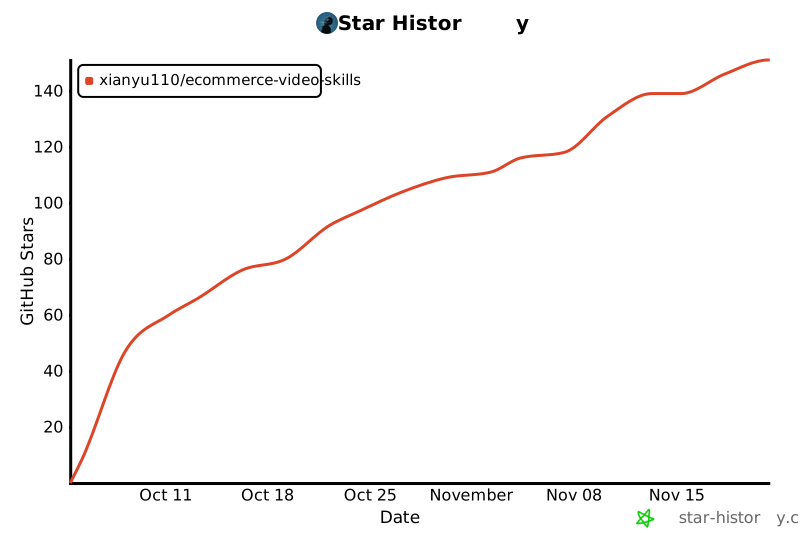](https://star-history.com/#xianyu110/ecommerce-video-skills&Date)
- ---
- <div align="center">
- 我是 MaynorAI 团队,分享 AI 编程、AI SaaS 工具出海、一人团队搭建经验。
- </div>
Ratings and comments
Sign in to rate this skill.
Sign inFree to use. If it’s helped, pass it on.