auto-deep-researcher-24x7
🔥 An autonomous AI agent that runs your deep learning experiments 24/7 while you sleep. Zero-cost monitoring, Leader-Worker architecture, constant-size memory.
Safety scan
A static text scan, not a guarantee. Select the badge to see what was scanned and every finding.
Badge for your README

Markdown
[](/listings/xiangyue-zhang--auto-deep-researcher-24x7)HTML
<a href="/listings/xiangyue-zhang--auto-deep-researcher-24x7"><img src="/api/listings/xiangyue-zhang--auto-deep-researcher-24x7/badge.svg" alt="findsafeskills safety rating" /></a>Install
Install instructions from the README
As written by the repo's author. findsafeskills has not verified these steps.
> **Complete beginner?** Follow every step below. You'll go from zero to a running experiment agent in ~10 minutes. > > **Prefer AI-guided setup?** Open [`AI_GUIDE.md`](AI_GUIDE.md) in Claude Code, ChatGPT, or Codex — the AI will walk you through everything interactively.
Step 0: What You Need
| Requirement | Why | How to Check | |-------------|-----|-------------| | Python 3.10+ | Runtime | `python3 --version` | | [Claude Code](https://claude.ai/claude-code) | The AI backbone | `claude --version` | | 1+ NVIDIA GPU | For training | `nvidia-smi` | | Anthropic API key | LLM calls | `echo $ANTHROPIC_API_KEY` |
Don't have an API key? Get one at [console.anthropic.com](https://console.anthropic.com/) and set it:
export ANTHROPIC_API_KEY="sk-ant-xxxxx"
# Add to ~/.bashrc or ~/.zshrc to make it permanent
Step 1: Install
# Clone the repo
git clone https://github.com/Xiangyue-Zhang/auto-deep-researcher-24x7.git
cd auto-deep-researcher-24x7

# Install Python dependencies
pip install -r requirements.txt

# Install 8 Claude slash commands and 8 Codex local skills
python install.py

# Verify everything works
python -m core.loop --check
You should see:
  Deep Researcher Agent — Installer
  ========================================

    ✓ Claude /auto-experiment
    ✓ Claude /experiment-status
    ✓ Claude /gpu-monitor
    ✓ Claude /daily-papers
    ✓ Claude /paper-analyze
    ✓ Claude /conf-search
    ✓ Claude /progress-report
    ✓ Claude /obsidian-sync
    ✓ Codex $auto-experiment
    ...

Done! 8 Claude commands and 8 Codex skills installed.Step 2: Create Your First Project
Let's say you want to train a ResNet on CIFAR-100. Create a project folder with a `PROJECT_BRIEF.md`:
mkdir ~/my-first-experiment
cd ~/my-first-experiment
Now write the brief — **this is the most important file**. It tells the agent what you want:
cat > PROJECT_BRIEF.md << 'EOF'
# Goal
Train a ResNet-50 on CIFAR-100 to reach 80%+ test accuracy.

# Codebase
The agent should create the training code from scratch using PyTorch.
- Use torchvision for the dataset (auto-download)
- Save checkpoints to ./checkpoints/
- Log metrics to ./logs/

# What to Try
- Start with a basic ResNet-50, lr=0.1, SGD, 100 epochs
- If accuracy < 75%, try cosine annealing + warmup
- If accuracy 75-80%, try adding mixup or cutout augmentation
- If accuracy > 80%, the goal is reached

# Constraints
- Use GPU 0 only
- Max 100 epochs per run
- Batch size 128

# Current Status
No experiments run yet. Starting from scratch.
EOF
**Tips for writing a good brief:** - Be specific about the goal (metric + target value) - Tell it where the code/data is (or say "create from scratch") - List constraints (which GPU, max epochs, etc.) - Give it a decision tree ("if X, try Y") — this guides the agent like you would guide a junior student
Step 3: Launch the Agent
**Option A: Through Claude Code (recommended)**
Open Claude Code and type:
/auto-experiment --project ~/my-first-experiment --gpu 0
**Option B: Through Python directly**
python -m core.loop \
  --project ~/my-first-experiment \
  --gpu 0 \
  --max-cycles 5    # Stop after 5 cycles (remove for unlimited)
Step 4: Watch What Happens
The agent will now do everything automatically. Here's what each cycle looks like:
=== Cycle 1 ===

[THINK] Reading PROJECT_BRIEF.md...
        Goal: ResNet-50 on CIFAR-100, target 80%+
        No previous experiments. Starting with baseline.
        Plan: Basic ResNet-50, lr=0.1, SGD with momentum, 100 epochs.

[EXECUTE] Creating train.py...
          Creating config.yaml...
          Running dry-run (2 steps)... ✓ No errors
          Launching training: nohup python train.py --config config.yaml
          PID: 12345, Log: logs/exp001.log

[MONITOR] Training in progress... (zero LLM cost)
15:00 — PID alive, GPU 98%, Epoch 12/100, loss=2.34What was scanned
The files the safety scan read, as written by the repository's author and shown as plain text. Lines with a finding are marked.
README.md · README · 1,204 lines
View this file on GitHub (read at the repository's current version: the scan did not record which commit it read)
- <p align="center">
- <img src="assets/banner.png" alt="Deep Researcher Agent" width="700"/>
- </p>
- <h1 align="center">Deep Researcher Agent</h1>
- <h3 align="center">24/7 Autonomous Deep Learning Experiment Agent</h3>
- <p align="center">
- <strong>An AI agent that autonomously runs your deep learning experiments 24/7 while you sleep.</strong>
- </p>
- <p align="center">
- <a href="README.md">English</a> |
- <a href="docs/README_CN.md">中文</a> |
- <a href="docs/README_JP.md">日本語</a> |
- <a href="docs/README_KR.md">한국어</a>
- </p>
- <p align="center">
- <a href="#quickstart"><img src="https://img.shields.io/badge/-Quick_Start-blue?style=for-the-badge" alt="Quick Start"/></a>
- <a href="docs/architecture.md"><img src="https://img.shields.io/badge/-Architecture-orange?style=for-the-badge" alt="Architecture"/></a>
- </p>
- <p align="center">
- <img src="https://img.shields.io/badge/python-3.10+-blue.svg" alt="Python"/>
- <img src="https://img.shields.io/badge/Claude_Code-compatible-blueviolet.svg" alt="Claude Code"/>
- <img src="https://img.shields.io/badge/Codex_CLI-compatible-green.svg" alt="Codex CLI"/>
- <img src="https://img.shields.io/badge/license-Apache_2.0-green.svg" alt="License"/>
- <a href="https://github.com/Xiangyue-Zhang/auto-deep-researcher-24x7/stargazers"><img src="https://img.shields.io/github/stars/Xiangyue-Zhang/auto-deep-researcher-24x7?color=yellow&logo=github&label=Stars" alt="Stars"/></a>
- </p>
- <p align="center">
- <a href="https://arxiv.org/abs/2604.05854"><img src="https://img.shields.io/badge/Technical%20Report-2604.05854-b31b1b.svg" alt="Technical Report"/></a>
- </p>
- ---
- ## Recent Updates
- **2026-06-03 — Domestic LLM API presets**
- - Run the agent on a **Chinese LLM API instead of a Claude/Codex subscription** by
- setting `agent.provider` to a one-word preset — `deepseek`, `qwen` (`dashscope`),
- `kimi` (`moonshot`), or `glm` (`zhipu`). The preset auto-fills the OpenAI-compatible
- `base_url` and the default key env (`DEEPSEEK_API_KEY` / `DASHSCOPE_API_KEY` /
- `MOONSHOT_API_KEY` / `ZHIPUAI_API_KEY`); you just set `model` to that vendor's model
- id. `base_url` / `api_key_env` stay overridable for self-hosted or proxied endpoints.
- This is a thin alias over the existing OpenAI-compatible path — no new dependency.
- (`core/agents.py`)
- ```yaml
- agent:
- provider: "deepseek" # or qwen / kimi / glm
- model: "deepseek-chat" # vendor's model id
- ```
- **2026-06-02 — Slurm execution backend + truthful experiment outcomes**
- - **Slurm execution backend** — added `execution.mode: "slurm"` so the agent can
- drive experiments on a Slurm cluster. The controller stays local; training is
- submitted to the login node with `sbatch --parsable` over a single transient
- SSH call that exits immediately — **no process is ever left running on the
- login node**. `sacct` is the sole liveness authority (Slurm enforces `--time`),
- GPU status is read from the partition's `squeue` occupancy, and two bounds
- inside the liveness check (consecutive-unknown grace + a `--time`-derived
- wall-clock backstop) guarantee the monitor loop terminates even if the cluster
- goes unreachable — without ever reaping a job `sacct` still reports as queued
- or running. File and repo-reading ops reuse the SSH path (the login node shares
- the NFS workspace). (`core/execution.py`)
- - **Truthful experiment outcomes** — the monitor now asks the backend for a
- finished job's real terminal state via `final_status()`, so a `FAILED` /
- `TIMEOUT` / `CANCELLED` run is no longer silently recorded as `completed`. The
- outcome flows into `state.json`, the experiment ledger, and the REFLECT
- context, so the agent reasons over what actually happened. On Slurm the state
- comes from `sacct`; pid-only backends (`local`/`ssh`) report it as
- indeterminate and keep prior behavior. (`core/monitor.py`, `core/loop.py`)
- - Additive and opt-in; `local`/`ssh` behavior is unchanged. (+21 unit tests, no
- cluster required.)
- **2026-06-01 — v2.0 (major update)**
- This release gives the agent (a) a persistent, queryable memory of its own
- experiments, (b) explicit progress/quality/safety signals derived from that
- memory, and (c) much stronger code- and literature-reading tools. Every change
- is additive and backward-compatible — existing projects keep working unchanged,
- the new gate and rate limit are opt-in, and the whole suite is unit-tested
- without a GPU or network (60 → 99 tests).
- *New: autonomy layer*
- - **Experiment ledger** — every cycle's hypothesis, metrics, and outcome are appended to `workspace/experiments.jsonl`. Crash-safe, zero token cost, and fed back into planning so the agent remembers what it already tried. (`core/ledger.py`)
- - **Data-driven stagnation signal** — the planner is told, from the ledger's metric trajectory, whether results are still improving or have stalled (set `ledger.metric_key`), instead of only a binary repeat-counter.
- - **Append-only research journals** — `DEAD_ENDS.md` (failed approaches — do not retry) and `INSIGHTS.md` (durable observations). Never compacted; rotated to dated backups when large, so history is never silently dropped. (`core/journal.py`)
- - **Zero-cost violation scanner + advisory phase gate** — surface stuck/stale states and whether a baseline metric bar is met, as pure functions over state + ledger. (`core/safety.py`, `core/ledger.py`)
- - **Proactive anti-burn rate limiting** — optional `agent.max_cycles_per_hour` cap protects budget when the agent is stuck in a loop.
- *New: agent tools*
- - **Code comprehension** — `search_code` (regex grep across the workspace), `list_tree` (recursive, depth-limited repo map), and `read_file` line ranges so large files are no longer blindly truncated. Symlink-safe (never escapes the workspace).
- - **Literature** — `get_paper` (paper details + reference/citation snowballing) and `search_arxiv` (freshest preprints), alongside the existing Semantic Scholar search.
- - All new tools work identically in **local and SSH** execution modes.
- *Config:* new optional sections `ledger:`, `stagnation:`, `journal:`, `safety:`, `gates:`, and `agent.max_cycles_per_hour` — all default to current behavior. See `config.yaml`.
- **2026-04-22**
- - Added explicit compatible-API configuration, dual Claude/Codex skill installation, and safer skill-installer ownership checks.
- **2026-04-21**
- - Added an optional SSH execution backend so the controller can stay local while code edits, training, logs, PID checks, and GPU queries run on one remote host.
- **2026-04-19**
- - Added a real multi-turn worker tool-use loop with authoritative tool-result handoff, stricter CLI behavior, and safer tool-call parsing.
- **2026-04-18**
- - Added subscription-backed `claude_cli` and `codex_cli` provider modes with fail-fast provider validation and more defensive CLI subprocess handling.
- **2026-04-09**
- - Reduced token growth and tightened loop/tool safeguards with leader-history resets, no-progress fallback, and stronger path and shell protections.
- **2026-04-08**
- - Added progress tracking exports with optional Obsidian sync and local text fallback when no vault is configured.
- ## Start In 3 Steps
- If you only want the shortest path to a working experiment loop, do this:
- 1. Create a project folder with one file: `PROJECT_BRIEF.md`
- 2. Run `/auto-experiment --project /path/to/project --gpu 0`
- 3. Check progress with `/experiment-status` or optional Obsidian/local text notes
- Prefer AI-guided setup? Open [`AI_GUIDE.md`](AI_GUIDE.md) in Claude / ChatGPT / Codex and let the assistant walk you through it.
- ## What You Actually Need
- | Requirement | Required | Notes |
- |-------------|----------|-------|
- | Python 3.10+ | Yes | Runtime |
- | 1+ NVIDIA GPU | Yes | For training |
- | API key | Yes | Anthropic-compatible or OpenAI-compatible endpoint |
- | `PROJECT_BRIEF.md` | Yes | Main control file |
- | Project `config.yaml` | Optional | Only if you want to override defaults |
- | Obsidian vault | Optional | If absent, notes fall back to local text files |
- ## Minimum Working Example
- The smallest project you can launch looks like this:
- ```text
- my-first-experiment/
- ├── PROJECT_BRIEF.md
- └── workspace/ # auto-created
- ```
- Minimal `PROJECT_BRIEF.md`:
- ```md
- # Goal
- Train a ResNet-50 on CIFAR-100 to reach 80%+ accuracy.
- # Codebase
- Create the training code from scratch in PyTorch.
- # What to Try
- - Start with a basic ResNet-50 baseline.
- - If accuracy < 75%, improve optimization and schedule.
- - If accuracy is 75-80%, try augmentation.
- - If accuracy > 80%, stop and report.
- # Constraints
- - Use GPU 0 only
- - Max 100 epochs per run
- ```
- That is enough to start. Everything else is optional refinement.
- ## What This Project Is Good At
- This project is for people who already know what experiment they want to run, but do not want to babysit the loop:
- - edit code
- - launch training
- - monitor runs
- - parse logs
- - decide the next variation
- - keep going while you sleep
- It is not trying to replace the researcher. It is trying to take over the repetitive experiment-ops layer.
- ## Why It Feels Different From A Simple Script
- - It does not just launch one run. It keeps iterating.
- - It does not just monitor. It reflects and decides the next step.
- - It stays cheap because training-time monitoring makes zero LLM calls.
- - It stays controllable because the human can override direction at any cycle.
- - It now supports persistent progress notes in Obsidian or local text files.
- ## How You Stay In Control
- You control the research direction through three files:
- - `PROJECT_BRIEF.md`: stable goal, constraints, allowed search space
- - `HUMAN_DIRECTIVE.md`: temporary redirect for the next cycle
- - `workspace/MEMORY_LOG.md`: rolling memory of results and decisions
- Common control patterns:
- ```md
- # Keep the search narrow
- - Only tune augmentation.
- - Do not change the backbone.
- - Keep training budget fixed.
- ```
- ```md
- # Make the agent stop exploring a weak direction
- - If gain stays below 0.3 points for 3 runs, stop this branch.
- - Return to the last trusted baseline and try a different idea.
- ```
- ```md
- # Force result verification
- - If a result looks unusually strong, rerun with the same seed and one new seed.
- - Do not claim improvement until both reproduce.
- ```
- ## How You See Progress
- You should never have to guess what the agent is doing.
- - `/experiment-status` shows current goal, best result, cycle count, running status, and recent decisions
- - `/progress-report` generates a structured summary
- - `/obsidian-sync` refreshes persistent notes manually
- - `workspace/progress_tracking/` stores local text notes when no Obsidian vault is configured
- If you want a dashboard outside the terminal:
- ```yaml
- obsidian:
- enabled: true
- vault_path: "~/Documents/MyObsidianVault" # Optional
- auto_append_daily: true
- ```
- If `vault_path` is empty, the same information is saved locally:
- ```text
- workspace/progress_tracking/Dashboard.txt
- workspace/progress_tracking/Daily/YYYY-MM-DD.txt
- ```
- ---
- ## 💛 A Note on Why We Built This — and How We Hope You'll Use It
- > **Our hope is simple: science stays pure, and the human stays in the loop.**
- We built this framework for one reason — to take the *repetitive, mechanical* parts of running deep learning experiments off the researcher's plate (launching jobs, watching GPUs, parsing logs, sweeping hyperparameters) so that more of your time can go into **the part that actually matters: thinking**.
- If you're here because you want to spend less time babysitting training runs and more time reading, reasoning, and chasing your own ideas — welcome. That's exactly who we built this for.
- **A gentle thought we'd love every user to share with us:**
- The agent is happy to run the experiments. But please let the *ideas*, the *interpretation*, and the *scientific judgment* remain yours. We don't see automation and academic integrity as being in tension — quite the opposite. The hours this tool gives back are meant to be reinvested in **deeper thinking**, not in skipping it.
- So we'd kindly ask that this project not be used to fabricate results, to generate "research" with no human in the loop, or to shortcut the parts of science that depend on a human actually understanding what they're doing. That isn't the future we want to help build — and we don't think it's the one most of you want either.
- > **Science should stay pure. The agent can run the experiments — but the ideas, the interpretation, and the responsibility belong to the human.**
- >
- > **学术应当保持纯粹。** Agent 可以替你跑实验,但 idea、判断与责任,请留给人来承担。我们真心希望每一位使用者都能 **human in the loop 地去思考**,把这个工具省下来的时间,投入到真正属于你自己的研究方向里。
- >
- > **科学は純粋であるべきです。** Agent は実験を走らせることができますが、アイデア・解釈・責任は、どうか人間の手に残してください。
- >
- > **과학은 순수해야 합니다.** Agent는 실험을 대신 실행해 줄 수 있지만, 아이디어와 해석, 그리고 책임은 부디 사람의 몫으로 남겨주세요.
- We trust the people who pick up this tool to take that seriously — and we built it because we believe most of you already do. Thank you for being one of them. 💛
- ---
- ## The Core Idea
- You design the experiment. The agent handles the repetitive loop.
- **Deep Researcher Agent**:
- 1. **Thinks** — Reads your project brief, analyzes previous results, plans the next experiment
- 2. **Executes** — Modifies code/configs, runs a dry-run, launches training on GPU
- 3. **Monitors** — Watches training at **zero LLM cost** (just process checks + log reads)
- 4. **Reflects** — Parses results, compares with baselines, decides what to try next
- 5. **Repeats** — 24/7, without human intervention
- ```
- You sleep 8 hours → Agent runs 3 experiment cycles
- You go on vacation → Agent explores 50+ hyperparameter configs
- You write your paper → Agent already has the results table ready
- ```
- ---
- ## Battle-Tested Results
- > Not benchmarks. Real results from months of 24/7 autonomous operation across research projects.
- | Metric | Result |
- |--------|--------|
- | Autonomous experiment cycles completed | 500+ |
- | Best single-project improvement | 52% over baseline (across 200+ auto-run experiments) |
- | Concurrent projects managed | 4 projects across 4 GPU servers |
- | Longest continuous autonomous operation | 30+ days without human intervention |
- | Average LLM cost per 24h cycle | ~$0.08 |
- ---
- ## Key Innovation: Zero-Cost Monitoring
- The #1 concern with running LLM agents 24/7: **cost**.
- Most agent frameworks call the LLM every few minutes to "check progress". That's $50+/day.
- Experiment Agent **sleeps** during training — zero API calls. It only wakes the LLM when training finishes.
- ```
- LLM Active Zero Cost LLM Active
- ┌────────────┐ ┌─────────────────────┐ ┌────────────┐
- │ THINK │ │ TRAIN & MONITOR │ │ REFLECT │
- │ (5-10 min) │ │ (hours/days) │ │ (5-10 min) │
- │ │ │ │ │ │
- │ • Analyze │ │ • kill -0 $PID │ │ • Parse │
- │ • Plan │ │ • nvidia-smi │ │ logs │
- │ • Code │ │ • tail log │ │ • Compare │
- │ │ │ │ │ • Decide │
- │ ~$0.05 │ │ $0.00 │ │ ~$0.03 │
- └────────────┘ └─────────────────────┘ └────────────┘
- ```
- **24-hour cycle with 8 hours of training: ~$0.08 in LLM calls.**
- ---
- ## Architecture
- ### The THINK → EXECUTE → REFLECT Loop
- ```
- ┌──────────────────────────────────────────────────────┐
- │ ┌──────────┐ ┌──────────┐ ┌──────────┐ │
- │ │ THINK │───→│ EXECUTE │───→│ REFLECT │──┐ │
- │ │ │ │ │ │ │ │ │
- │ │ Analyze │ │ Dry-run │ │ Evaluate │ │ │
- │ │ Plan │ │ Launch │ │ Compare │ │ │
- │ │ Decide │ │ Monitor │ │ Update │ │ │
- │ └──────────┘ └──────────┘ └──────────┘ │ │
- │ ↑ │ │
- │ └─────────────────────────────────────────┘ │
- │ ↻ 24/7 Loop │
- └──────────────────────────────────────────────────────┘
- ```
- ### Leader-Worker Agent System
- Only ONE worker runs at a time. Others idle at zero cost.
- ```
- ┌───────────────┐
- │ Leader │ Persistent conversation
- │ (Planner) │ within each cycle
- └───┬───┬───┬───┘
- │ │ │
- ┌───────┘ │ └───────┐
- ↓ ↓ ↓
- ┌──────────┐ ┌──────────┐ ┌──────────┐
- │ Idea │ │ Code │ │ Writing │
- │ Agent │ │ Agent │ │ Agent │
- │ (4 tools)│ │ (5 tools)│ │ (3 tools)│
- └──────────┘ └──────────┘ └──────────┘
- ```
- ### Two-Tier Memory (Constant Size Forever)
- ```
- ┌─────────────────────────────────────────┐
- │ Tier 1: PROJECT_BRIEF.md │
- │ • Frozen project reference │
- │ • Max 3,000 chars │
- ├─────────────────────────────────────────┤
- │ Tier 2: MEMORY_LOG.md │
- │ • Key Results (auto-compact at 1,200ch) │
- │ • Recent Decisions (rolling last 15) │
- │ • Max 2,000 chars │
- ├─────────────────────────────────────────┤
- │ Total: ~5K chars / ~1,500 tokens │
- │ SAME whether running 1 day or 6 months │
- └─────────────────────────────────────────┘
- ```
- ### Cost Control Strategies (8 Total)
- | # | Strategy | Savings |
- |---|----------|---------|
- | 1 | Zero-LLM monitoring during training | 90%+ of runtime is free |
- | 2 | Two-Tier memory with auto-compaction | Fixed context window |
- | 3 | Leader conversation persists within cycle | Brief sent once per cycle |
- | 4 | Anthropic prompt caching | System/tools cached |
- | 5 | Per-agent minimal tool sets (3-5 tools) | Less schema overhead |
- | 6 | Slim system prompts | Fewer input tokens |
- | 7 | State trimmed before sending | No bloat |
- | 8 | Single worker at a time | No parallel LLM costs |
- ---
- <a name="quickstart"></a>
- ## Getting Started (Step by Step)
- > **Complete beginner?** Follow every step below. You'll go from zero to a running experiment agent in ~10 minutes.
- >
- > **Prefer AI-guided setup?** Open [`AI_GUIDE.md`](AI_GUIDE.md) in Claude Code, ChatGPT, or Codex — the AI will walk you through everything interactively.
- ### Step 0: What You Need
- | Requirement | Why | How to Check |
- |-------------|-----|-------------|
- | Python 3.10+ | Runtime | `python3 --version` |
- | [Claude Code](https://claude.ai/claude-code) | The AI backbone | `claude --version` |
- | 1+ NVIDIA GPU | For training | `nvidia-smi` |
- | Anthropic API key | LLM calls | `echo $ANTHROPIC_API_KEY` |
- Don't have an API key? Get one at [console.anthropic.com](https://console.anthropic.com/) and set it:
- ```bash
- export ANTHROPIC_API_KEY="sk-ant-xxxxx"
- # Add to ~/.bashrc or ~/.zshrc to make it permanent
- ```
- ### Step 1: Install
- ```bash
- # Clone the repo
- git clone https://github.com/Xiangyue-Zhang/auto-deep-researcher-24x7.git
- cd auto-deep-researcher-24x7
- # Install Python dependencies
- pip install -r requirements.txt
- # Install 8 Claude slash commands and 8 Codex local skills
- python install.py
- # Verify everything works
- python -m core.loop --check
- ```
- You should see:
- ```
- Deep Researcher Agent — Installer
- ========================================
- ✓ Claude /auto-experiment
- ✓ Claude /experiment-status
- ✓ Claude /gpu-monitor
- ✓ Claude /daily-papers
- ✓ Claude /paper-analyze
- ✓ Claude /conf-search
- ✓ Claude /progress-report
- ✓ Claude /obsidian-sync
- ✓ Codex $auto-experiment
- ...
- Done! 8 Claude commands and 8 Codex skills installed.
- ```
- ### Step 2: Create Your First Project
- Let's say you want to train a ResNet on CIFAR-100. Create a project folder with a `PROJECT_BRIEF.md`:
- ```bash
- mkdir ~/my-first-experiment
- cd ~/my-first-experiment
- ```
- Now write the brief — **this is the most important file**. It tells the agent what you want:
- ```bash
- cat > PROJECT_BRIEF.md << 'EOF'
- # Goal
- Train a ResNet-50 on CIFAR-100 to reach 80%+ test accuracy.
- # Codebase
- The agent should create the training code from scratch using PyTorch.
- - Use torchvision for the dataset (auto-download)
- - Save checkpoints to ./checkpoints/
- - Log metrics to ./logs/
- # What to Try
- - Start with a basic ResNet-50, lr=0.1, SGD, 100 epochs
- - If accuracy < 75%, try cosine annealing + warmup
- - If accuracy 75-80%, try adding mixup or cutout augmentation
- - If accuracy > 80%, the goal is reached
- # Constraints
- - Use GPU 0 only
- - Max 100 epochs per run
- - Batch size 128
- # Current Status
- No experiments run yet. Starting from scratch.
- EOF
- ```
- **Tips for writing a good brief:**
- - Be specific about the goal (metric + target value)
- - Tell it where the code/data is (or say "create from scratch")
- - List constraints (which GPU, max epochs, etc.)
- - Give it a decision tree ("if X, try Y") — this guides the agent like you would guide a junior student
- ### Step 3: Launch the Agent
- **Option A: Through Claude Code (recommended)**
- Open Claude Code and type:
- ```
- /auto-experiment --project ~/my-first-experiment --gpu 0
- ```
- **Option B: Through Python directly**
- ```bash
- python -m core.loop \
- --project ~/my-first-experiment \
- --gpu 0 \
- --max-cycles 5 # Stop after 5 cycles (remove for unlimited)
- ```
- ### Step 4: Watch What Happens
- The agent will now do everything automatically. Here's what each cycle looks like:
- ```
- === Cycle 1 ===
- [THINK] Reading PROJECT_BRIEF.md...
- Goal: ResNet-50 on CIFAR-100, target 80%+
- No previous experiments. Starting with baseline.
- Plan: Basic ResNet-50, lr=0.1, SGD with momentum, 100 epochs.
- [EXECUTE] Creating train.py...
- Creating config.yaml...
- Running dry-run (2 steps)... ✓ No errors
- Launching training: nohup python train.py --config config.yaml
- PID: 12345, Log: logs/exp001.log
- [MONITOR] Training in progress... (zero LLM cost)
- 15:00 — PID alive, GPU 98%, Epoch 12/100, loss=2.34
- 15:15 — PID alive, GPU 97%, Epoch 25/100, loss=1.87
- 15:30 — PID alive, GPU 98%, Epoch 38/100, loss=1.54
- ...
- 17:45 — PID alive, GPU 97%, Epoch 100/100, loss=0.82
- 18:00 — PID terminated. Training complete.
- [REFLECT] Parsing logs... test accuracy = 76.3%
- Result: 76.3% — below 80% target
- Brief says: "If < 75%, try cosine annealing"
- 76.3% > 75%, so try augmentation instead.
- Decision: Add mixup augmentation, keep lr=0.1 + cosine
- Milestone logged: "Exp001: ResNet-50 baseline, 76.3%"
- === Cycle 2 ===
- [THINK] Best so far: 76.3% (Exp001)
- Plan: Add mixup (alpha=0.2) + cosine annealing schedule
- ...
- ```
- ### Step 5: Check Progress Anytime
- While the agent is running, you can check on it:
- ```bash
- # In Claude Code:
- /experiment-status --project ~/my-first-experiment
- # Or check GPU usage:
- /gpu-monitor
- ```
- You'll see something like:
- ```
- # Experiment Status — my-first-experiment
- ## Goal
- ResNet-50 on CIFAR-100 → 80%+ accuracy
- ## Progress
- - Cycles completed: 3
- - Current best: 79.1% (Exp003: ResNet-50 + mixup + cosine)
- - Status: TRAINING (PID 12389, GPU 0, running 1.5h)
- ## Key Results
- [04-07 15:00] Exp001: ResNet-50 baseline, 76.3%
- [04-07 18:30] Exp002: + cosine annealing, 77.8%
- [04-07 22:00] Exp003: + mixup α=0.2, 79.1% ← best
- ## Current Training
- Epoch 67/100 | loss: 0.71 | acc: 79.4%
- ```
- ### Step 5.5: Save Progress to Obsidian or Local Text
- Enable progress export in your project `config.yaml`:
- ```yaml
- obsidian:
- enabled: true
- vault_path: "~/Documents/MyObsidianVault" # Optional
- project_subdir: "DeepResearcher/{project_name}"
- auto_append_daily: true
- ```
- If `vault_path` is set, the agent writes:
- ```text
- DeepResearcher/my-first-experiment/Dashboard.md
- DeepResearcher/my-first-experiment/Daily/YYYY-MM-DD.md
- ```
- If `vault_path` is empty, it falls back to project-local files:
- ```text
- workspace/progress_tracking/Dashboard.txt
- workspace/progress_tracking/Daily/YYYY-MM-DD.txt
- ```
- Manual refresh:
- ```bash
- /obsidian-sync --project ~/my-first-experiment
- # or
- python -m core.obsidian --project ~/my-first-experiment
- ```
- ### Step 6: Intervene If Needed
- Want to change direction? Three ways, from anywhere:
- ```bash
- # Way 1: Drop a directive file (agent reads it next cycle)
- echo "Stop trying ResNet. Switch to ViT-B/16, start with lr=1e-3" \
- > ~/my-first-experiment/workspace/HUMAN_DIRECTIVE.md
- # Way 2: Command-line flag
- python -m core.loop --project ~/my-first-experiment \
- --directive "Try label smoothing 0.1"
- # Way 3: Edit memory directly (for permanent changes)
- vim ~/my-first-experiment/workspace/MEMORY_LOG.md
- ```
- ## Human-in-the-Loop Playbook
- Use the agent as an operator, not a replacement researcher.
- ```text
- Human decides:
- - goal
- - constraints
- - forbidden directions
- - when to pivot
- Agent executes:
- - code edits
- - runs
- - monitoring
- - summaries
- ```
- Write stable rules in `PROJECT_BRIEF.md`, and temporary steering in `HUMAN_DIRECTIVE.md`.
- ```md
- # HUMAN_DIRECTIVE.md
- - Do not change the dataset.
- - Try label smoothing 0.1 before changing the backbone.
- - Stop this direction if gain stays below 0.3 for 3 runs.
- - Compare against the last trusted baseline, not just the latest run.
- ```
- Case 1: Safer ablation
- ```md
- - Only change augmentation.
- - Keep model, optimizer, and training budget fixed.
- - Report a clean comparison table after each run.
- ```
- Case 2: Deliberate pivot
- ```md
- - Current ResNet line is saturated.
- - Switch to ViT-B/16 only if the last 3 runs plateau.
- - Before switching, write a short rationale.
- ```
- Case 3: Suspicious result
- ```md
- - Accuracy jumped unexpectedly.
- - Re-run with the same seed and one new seed.
- - Do not claim improvement until both runs reproduce.
- ```
- Rule of thumb: let the agent handle repetition, but keep direction, interpretation, and responsibility human.
- ### Step 7: Mobile Monitoring with [Happy Coder](https://github.com/slopus/happy) (Optional)
- Want to check experiments from your phone? Install [Happy Coder](https://happy.engineering/) ([iOS](https://apps.apple.com/us/app/happy-codex-claude-code-app/id6748571505) / [Android](https://play.google.com/store/apps/details?id=com.ex3ndr.happy)):
- ```bash
- # Install CLI (one time)
- npm install -g happy-coder
- # Start session through Happy instead of claude
- happy
- # Inside the session, launch your experiment:
- /auto-experiment --project ~/my-first-experiment --gpu 0
- ```
- Now on your phone you can:
- - Get **push notifications** when experiments finish or the agent needs input
- - **Check results** while commuting
- - **Send directives** ("try learning rate 1e-5") from anywhere
- - **Switch between phone and desktop** seamlessly
- - All communication is **end-to-end encrypted**
- ```
- ┌──────────┐ encrypted ┌──────────┐
- │ Desktop │ ◄──────────────► │ Phone │
- │ Claude │ relay │ Happy │
- │ Code │ │ Coder │
- ├──────────┤ ├──────────┤
- │ Agent │ ← push notify ── │ "Try │
- │ running │ │ lr=1e-5"│
- │ 24/7 │ ── status ────► │ ✓ Got it │
- └──────────┘ └──────────┘
- ```
- ### What a Good PROJECT_BRIEF.md Looks Like
- The brief is your main lever. Here are examples for different scenarios:
- <details>
- <summary><b>Example: Fine-tuning a pretrained model</b></summary>
- ```markdown
- # Goal
- Fine-tune ViT-B/16 (pretrained on ImageNet-21K) on Oxford Flowers-102.
- Target: 95%+ test accuracy.
- # Codebase
- - Training script: finetune.py (already exists)
- - Config: configs/vit_flowers.yaml
- - Data: /data/flowers102/ (already downloaded)
- - Pretrained weights: /models/vit-b16-21k.pth
- # What to Try
- 1. First: freeze backbone, train classifier head only (10 epochs, lr=1e-2)
- 2. Then: unfreeze all, fine-tune end-to-end (30 epochs, lr=1e-4)
- 3. If stuck below 93%: try layer-wise lr decay (0.65)
- 4. If above 94%: try test-time augmentation
- # Constraints
- - GPU 0, batch size 64
- - Save best checkpoint based on val accuracy
- ```
- </details>
- <details>
- <summary><b>Example: Hyperparameter search</b></summary>
- ```markdown
- # Goal
- Find the best hyperparameters for our GAN on CelebA-HQ 256x256.
- Target: FID < 15.
- # Codebase
- - train_gan.py, configs/celeba_gan.yaml
- - Data: /data/celeba_hq_256/
- - Evaluation: eval_fid.py --real_dir /data/celeba_hq_256/val
- # Search Space
- - Learning rate: [1e-4, 2e-4, 5e-4]
- - Beta1: [0.0, 0.5]
- - Discriminator steps per generator step: [1, 2, 5]
- - Spectral norm: [yes, no]
- # Strategy
- Start with lr=2e-4, beta1=0.0, d_steps=1, spectral_norm=yes (baseline).
- Change ONE variable at a time. Run each for 50K steps.
- Always evaluate FID after training.
- # Constraints
- - GPU 0-1 (can use both)
- - Max 50K steps per run (~4 hours)
- ```
- </details>
- <details>
- <summary><b>Example: Debugging a training issue</b></summary>
- ```markdown
- # Goal
- Figure out why our transformer model diverges after epoch 20.
- Currently: loss explodes from 0.5 to NaN around epoch 20-25.
- # Codebase
- - train_transformer.py, model/transformer.py
- - Config: configs/base.yaml
- - Logs from failed runs: logs/failed_run_001.log, logs/failed_run_002.log
- # What to Investigate
- 1. Check gradient norms — add gradient clipping (max_norm=1.0)
- 2. Try lower learning rate (current: 1e-3, try: 1e-4, 5e-5)
- 3. Check if it's a specific layer — add per-layer gradient logging
- 4. Try warmup (1000 steps) if not already present
- 5. Check data — are there any NaN/Inf in the dataset?
- # Constraints
- - GPU 0, run each test for 30 epochs (enough to see if it diverges)
- - Log gradient norms every 100 steps
- ```
- </details>
- ### FAQ
- <details>
- <summary><b>Q: How much does it cost to run?</b></summary>
- About $0.08 per 24-hour cycle (if training takes 8 hours). The secret: zero LLM calls during training. You only pay for the THINK and REFLECT phases (~10 min each).
- </details>
- <details>
- <summary><b>Q: Can it modify my existing code?</b></summary>
- Yes. The Code Agent can read, write, and modify any file in your project. It will make changes, dry-run to verify, then launch training. It won't touch protected files (PROJECT_BRIEF.md, MEMORY_LOG.md).
- </details>
- <details>
- <summary><b>Q: What if the agent goes in a wrong direction?</b></summary>
- Drop a directive: `echo "Stop. Go back to the ResNet approach" > workspace/HUMAN_DIRECTIVE.md`. The agent reads it next cycle with highest priority.
- </details>
- <details>
- <summary><b>Q: Can I run multiple projects at the same time?</b></summary>
- Yes. Launch separate agent instances in different terminals/tmux sessions, each pointing to a different project and GPU.
- </details>
- <details>
- <summary><b>Q: What happens if training crashes?</b></summary>
- The monitor detects the process died, captures the error log, and passes it to REFLECT. The agent will analyze the crash, fix the code, and retry.
- </details>
- <details>
- <summary><b>Q: Can I use it with PyTorch / TensorFlow / JAX?</b></summary>
- Yes. The agent works with any training framework. It just launches shell commands and reads log files — it doesn't care what framework produces them.
- </details>
- ---
- ## One-Click Install (Claude + Codex)
- All features are packaged as Claude Code slash commands and Codex local skills.
- **One command to install:**
- ```bash
- python install.py
- ```
- After installation, you get:
- - **8 slash commands** in Claude Code
- - **8 local skills** in Codex (restart Codex after install)
- ### Core Skills
- | Command | What It Does |
- |---------|-------------|
- | `/auto-experiment` | Launch the 24/7 autonomous THINK→EXECUTE→REFLECT experiment loop |
- | `/experiment-status` | Check running experiments: progress, metrics, cycle count, GPU usage |
- | `/gpu-monitor` | Quick GPU status: free/busy, memory, utilization, running processes |
- ### Research Skills
- | Command | What It Does |
- |---------|-------------|
- | `/daily-papers` | Daily arXiv recommendations with automatic dedup |
- | `/paper-analyze 2312.12345` | Deep paper analysis + extract real figures from arXiv source |
- | `/conf-search --venue CVPR2025 --query "motion"` | Search CVPR/NeurIPS/ICML/ICLR/AAAI/ECCV... |
- | `/progress-report` | Generate structured progress report with metrics |
- | `/obsidian-sync` | Refresh Obsidian or local progress notes |
- ### Usage Example
- ```bash
- # Step 1: Install skills (one time)
- python install.py
- # Step 2a: In Claude Code, launch an experiment loop
- /auto-experiment --project /path/to/my_project --gpu 0
- # Step 2b: In Codex, use the matching local skill
- $auto-experiment
- # Step 3: Check how it's going
- /experiment-status --project /path/to/my_project
- # Step 4: Check GPU resources
- /gpu-monitor
- # Step 5: Read papers while the agent trains for you
- /daily-papers --topics "vision transformer, image classification"
- ```
- ### Uninstall
- ```bash
- python install.py --uninstall
- ```
- ---
- ## Supported LLM Providers
- Works with **Anthropic-compatible and OpenAI-compatible APIs** out of the box,
- and can also run on a **flat-rate subscription** instead of per-token billing
- via the local CLIs.
- | Tier | Anthropic (Claude) | OpenAI (Codex/GPT) | Best For |
- |------|-------------------|-------------------|----------|
- | **Fast** | `claude-sonnet-4-6` | `codex-5.3` | Daily experiments, iteration |
- | **Strongest** | `claude-opus-4-6` | `gpt-5.4` | Complex reasoning, architecture decisions |
- ### Authentication mode: API key vs. subscription
- | Mode | `provider` value | Billing | Requires | Tool-use support |
- |------|------------------|---------|----------|------------------|
- | API — Anthropic-compatible | `anthropic` | Per-token, via `ANTHROPIC_API_KEY` or custom env | `pip install anthropic` | ✅ Full |
- | API — OpenAI-compatible | `openai` | Per-token, via `OPENAI_API_KEY` or custom env | `pip install openai` | ✅ Full |
- | **Subscription — Claude** | `claude_cli` | Flat-rate, uses your Claude Code / Pro / Max plan | `claude` CLI installed and logged in | ✅ Full |
- | **Subscription — ChatGPT** | `codex_cli` | Flat-rate, uses your ChatGPT Plus / Pro plan | `codex` CLI installed and logged in | ⚠️ Leader only |
- Tool execution is driven by a text-based `<tool_call>` protocol injected
- into the worker's system prompt. All three "Full" providers can be forced
- into pure text-oracle mode so they honor the protocol (for `claude_cli`
- the framework passes `--tools ""` to disable built-in CLI tools). The
- `codex` CLI currently offers no equivalent flag — its internal agentic
- loop will bypass the protocol and the framework cannot recover PIDs from
- experiments it launches. Use `codex_cli` only for the leader/think path
- where no tools are needed.
- Switch provider in `config.yaml`:
- ```yaml
- agent:
- # Pay-per-token (needs API key):
- provider: "anthropic" # or "openai"
- model: "claude-sonnet-4-6" # or "codex-5.3"
- base_url: "" # optional compatible endpoint override
- api_key_env: "" # optional custom key env var name
- auth_token_env: "" # optional custom bearer token env var
- # Flat-rate subscription (needs CLI login instead of API key):
- # provider: "claude_cli" # or "codex_cli"
- ```
- Compatible API examples
- (illustrative only in this repo — these endpoint/model combinations have not
- been live-smoke-tested here):
- ```yaml
- # Qwen / DashScope
- agent:
- provider: "openai"
- model: "qwen-plus"
- base_url: "https://dashscope.aliyuncs.com/compatible-mode/v1"
- api_key_env: "DASHSCOPE_API_KEY"
- # GLM / BigModel
- agent:
- provider: "openai"
- model: "glm-4.5"
- base_url: "https://open.bigmodel.cn/api/paas/v4"
- api_key_env: "ZHIPUAI_API_KEY"
- # MiniMax via OpenAI-compatible endpoint
- agent:
- provider: "openai"
- model: "MiniMax-M1"
- base_url: "https://api.minimaxi.com/v1"
- api_key_env: "MINIMAX_API_KEY"
- ```
- Or set via environment (API-key modes only):
- ```bash
- # For Anthropic-compatible provider:
- export ANTHROPIC_API_KEY="sk-ant-xxxxx"
- export ANTHROPIC_BASE_URL="https://your-anthropic-compatible-endpoint"
- # For OpenAI-compatible provider:
- export OPENAI_API_KEY="sk-xxxxx"
- export OPENAI_BASE_URL="https://your-openai-compatible-endpoint/v1"
- # For subscription providers (claude_cli / codex_cli): no env var — just
- # install the CLI once and run `claude` or `codex login` to sign in.
- ```
- ---
- ## Configuration
- By default, everything runs locally inside `project.workspace`. If you want
- to keep the controller on your laptop but run code, training, logs, and GPU
- checks on one remote server, enable the optional SSH execution mode:
- ```yaml
- execution:
- mode: "ssh"
- ssh_host: "user@your-server"
- remote_workspace: "/home/user/my_project/workspace"
- remote_python: "python3"
- ssh_args: [] # optional, e.g. ["-p", "2222"]
- ```
- In SSH mode, controller state still stays local:
- - `PROJECT_BRIEF.md`
- - `workspace/MEMORY_LOG.md`
- - `workspace/state.json`
- - `workspace/HUMAN_DIRECTIVE.md`
- - local progress / Obsidian exports
- The remote host only handles the tool-visible workspace, training process,
- training logs, PID checks, and `nvidia-smi`.
- On a **Slurm cluster**, set `mode: "slurm"`. The controller still stays on your
- laptop; training is submitted to the login node with `sbatch --parsable` over a
- single transient SSH call that exits immediately (no process is left running on
- the login node), and `sacct` is the sole liveness authority — Slurm enforces
- `--time`, so a job is always reaped by its time limit plus a safety buffer:
- ```yaml
- execution:
- mode: "slurm"
- ssh_host: "user@login-node"
- remote_workspace: "/nfs/home/user/my_project/workspace"
- slurm_partition: "gpu-h200" # required
- slurm_time: "24:00:00" # required (--time wall limit)
- slurm_gpus_per_job: 1 # -> --gres=gpu:N
- slurm_setup: "module load cuda/12.4" # optional shell line prepended to the job
- ```
- In Slurm mode the `gpu` argument to `launch_experiment` is ignored — Slurm
- assigns GPUs via `--gres`, so `CUDA_VISIBLE_DEVICES` is not pinned by the agent.
- See `config.yaml` for the full set of `slurm_*` options.
- ```yaml
- # config.yaml
- project:
- name: "my-research"
- brief: "PROJECT_BRIEF.md"
- execution:
- mode: "local" # or "ssh" / "slurm"
- ssh_host: "" # required in ssh/slurm mode
- remote_workspace: "" # required in ssh/slurm mode
- remote_python: "python3"
- ssh_args: []
- agent:
- provider: "anthropic" # "anthropic" or "openai"
- model: "claude-sonnet-4-6" # See model table above
- base_url: "" # Optional compatible API endpoint override
- api_key_env: "" # Optional custom API key env var
- auth_token_env: "" # Optional custom bearer token env var
- max_cycles: -1 # -1 = run forever
- max_steps_per_cycle: 3 # Max worker dispatches per cycle
- cooldown_interval: 300 # Smart cooldown polling (seconds)
- memory:
- brief_max_chars: 3000 # Tier 1 cap
- log_max_chars: 2000 # Tier 2 cap
- milestone_max_chars: 1200 # Key results cap
- max_recent_entries: 15 # Rolling decision count
- gpu:
- auto_detect: true
- reserve_last: true # Reserve last GPU for keep-alive
- monitor:
- poll_interval: 900 # Check every 15 min during training
- zero_llm: true # No LLM during monitoring
- experiment:
- mandatory_dry_run: true # Always dry-run before real training
- max_parallel: 1 # Concurrent experiments
- ```
- ---
- ## How It Compares
- | | Deep Researcher Agent | [Claude Scholar](https://github.com/Galaxy-Dawn/claude-scholar) | [AI Scientist](https://github.com/SakanaAI/AI-Scientist) | [OpenHands](https://github.com/All-Hands-AI/OpenHands) | [SWE-Agent](https://github.com/princeton-nlp/SWE-agent) |
- |--|:--:|:--:|:--:|:--:|:--:|
- | **Runs experiments autonomously** | ✅ | ❌ | ❌ | ❌ | ❌ |
- | **Zero-cost training monitoring** | ✅ | ❌ | ❌ | ❌ | ❌ |
- | **GPU management** | ✅ | ❌ | ❌ | ❌ | ❌ |
- | **24/7 continuous operation** | ✅ | ❌ | ❌ | ❌ | ❌ |
- | **Constant-size memory** | ✅ | ❌ | ❌ | ❌ | ❌ |
- | Paper writing | Basic | ✅ | ✅ | ❌ | ❌ |
- | Knowledge management | Basic | ✅ | ❌ | ❌ | ❌ |
- | General coding | ❌ | ❌ | ❌ | ✅ | ✅ |
- **Deep Researcher Agent is the only framework built for _running_ deep learning research, not just writing about it.**
- ---
- ## Project Structure
- ```
- auto-deep-researcher-24x7/
- ├── core/ # Autonomous experiment loop engine
- │ ├── loop.py # THINK → EXECUTE → REFLECT cycle
- │ ├── execution.py # Local / SSH execution backends
- │ ├── memory.py # Two-Tier constant-size memory
- │ ├── monitor.py # Zero-LLM experiment monitoring
- │ ├── agents.py # Leader-Worker agent dispatch
- │ └── tools.py # Minimal per-agent tool registry
- ├── skills/ # Source skills for Claude slash commands + Codex local skills
- │ ├── auto-experiment/ # 24/7 autonomous experiment loop
- │ ├── experiment-status/ # Check experiment progress
- │ ├── gpu-monitor/ # GPU status & availability
- │ ├── daily-papers/ # Daily arXiv recommendations
- │ ├── paper-analyze/ # Deep paper analysis + figure extraction
- │ ├── conf-search/ # Conference paper search
- │ └── progress-report/ # Progress report generation
- ├── agents/ # Agent prompt definitions
- │ ├── leader.md # Central decision-maker
- │ ├── idea_agent.md # Literature & hypothesis
- │ ├── code_agent.md # Experiment execution
- │ └── writing_agent.md # Reporting & writing
- ├── gpu/ # GPU utilities
- │ ├── detect.py # Detection & monitoring
- │ └── keeper.py # Cloud instance keep-alive
- ├── examples/ # Ready-to-run demos
- ├── docs/ # Docs + translations (CN/JP)
- ├── install.py # Claude + Codex skill installer
- ├── config.yaml # Default configuration
- └── requirements.txt # Dependencies
- ```
- ---
- ## Contributing
- Areas where we'd love help:
- - More cloud GPU platforms (AWS, GCP, Lambda Labs, RunPod)
- - Experiment tracker integration (W&B, MLflow, TensorBoard)
- - New research skills (visualization, result comparison)
- - Metric extraction for more training frameworks
- See [CONTRIBUTING.md](CONTRIBUTING.md).
- ---
- ## Citation
- If you find this work useful, please cite our paper:
- ```bibtex
- @article{zhang2026autodeepresearcher,
- title={Deep Researcher Agent: Autonomous Deep Learning Experiment Framework},
- author={Zhang, Xiangyue},
- journal={arXiv preprint arXiv:2604.05854},
- year={2026},
- url={https://arxiv.org/abs/2604.05854}
- }
- ```
- Or cite the software release:
- ```bibtex
- @software{auto_deep_researcher_24x7,
- title={Deep Researcher Agent: Autonomous Deep Learning Experiment Framework},
- author={Xiangyue Zhang},
- year={2026},
- url={https://github.com/Xiangyue-Zhang/auto-deep-researcher-24x7}
- }
- ```
- ## Star History
- [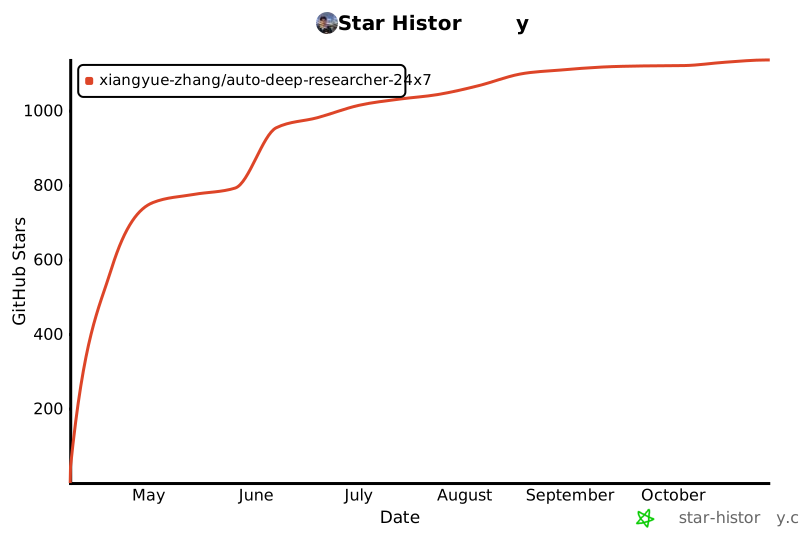](https://www.star-history.com/#Xiangyue-Zhang/auto-deep-researcher-24x7&Date)
- ## License
- Apache 2.0 — see [LICENSE](LICENSE).
- ---
- <p align="center">
- <strong><i>"Experiments run through the night. Results arrive at dawn."</i></strong>
- </p>
Ratings and comments
Sign in to rate this skill.
Sign inFree to use. If it’s helped, pass it on.