llm-sandbox
Lightweight and portable LLM sandbox runtime (code interpreter) Python library.
Safety scan
A static text scan, not a guarantee. Select the badge to see what was scanned and every finding.
Check it deeper on your machine
It has changed since its scan on 11 Nov 2026.
As a Claude Code plugin, install it and then ask Claude Code:
/plugin marketplace add keithmackay/mackayi/plugin install scanskillsafety@mackayiDo a deep scan of https://github.com/vndee/llm-sandbox with scanskillsafety
Or from a terminal, clone it and run it:
git clone https://github.com/keithmackay/scanskillsafety-skill ~/.claude/skills/scanskillsafetynode ~/.claude/skills/scanskillsafety/cli.cjs --deep 'https://github.com/vndee/llm-sandbox'
It checks the exact commit: every file, its packages against OSV (api.osv.dev), how it compares with this page's scan (findsafeskills.com receives the repository's address), and, if you agree, Claude reading every file with your own Claude subscription. It never runs the code.
Badge for your README

Markdown
[](/listings/vndee--llm-sandbox)HTML
<a href="/listings/vndee--llm-sandbox"><img src="/api/listings/vndee--llm-sandbox/badge.svg" alt="findsafeskills safety rating" /></a>Install
Install instructions from the README
As written by the repo's author. findsafeskills has not verified these steps.
Basic Installation
pip install llm-sandbox
With Specific Backend Support
# For Docker support (most common)
pip install 'llm-sandbox[docker]'

# For Kubernetes support
pip install 'llm-sandbox[k8s]'

# For Podman support
pip install 'llm-sandbox[podman]'

# All optional container SDKs
pip install 'llm-sandbox[docker,k8s,podman]'
Bubblewrap and NsJail use the base Python package plus system executables; no container SDK extra is needed. See [local backend requirements](docs/backends.md#local-linux-backends) for Linux prerequisites.
The Windows adapters also need no container SDK. `windows-mxc` requires a compatible Windows host and the native helper, while `wsl2-bubblewrap` requires a configured WSL2 distribution with the matching Python package and Linux prerequisites. See [Windows requirements](docs/backends.md#windows-backends); neither adapter installs an OS runtime or falls back to unsandboxed execution.
Development Installation
Dev dependencies live in the `dev` [uv dependency group](https://docs.astral.sh/uv/concepts/projects/dependencies/#dependency-groups), so install them with `uv` (or the `make install` shortcut):
git clone https://github.com/vndee/llm-sandbox.git
cd llm-sandbox
make install   # uv sync + pre-commit install
See [CONTRIBUTING.md](CONTRIBUTING.md) for the full workflow.
What was scanned
The files the safety scan read, as written by the repository's author and shown as plain text. Lines with a finding are marked.
README.md · README · 1,061 lines
View this file on GitHub (read at the repository's current version: the scan did not record which commit it read)
- <!-- mcp-name: io.github.vndee/llm-sandbox -->
- ## LLM Sandbox
- *Securely Execute LLM-Generated Code with Ease*
- [](https://sonarcloud.io/summary/new_code?id=vndee_llm-sandbox)
- [](https://sonarcloud.io/summary/new_code?id=vndee_llm-sandbox)
- [](https://pypi.org/project/llm-sandbox/)
- [](https://img.shields.io/github/v/release/vndee/llm-sandbox)
- [](https://github.com/vndee/llm-sandbox/actions/workflows/main.yml?query=branch%3Amain)
- [](https://www.codefactor.io/repository/github/vndee/llm-sandbox)
- [](https://codecov.io/gh/vndee/llm-sandbox)
- 
- [](https://doi.org/10.5281/zenodo.21760525)
- **LLM Sandbox** runs Large Language Model (LLM) generated code through a common API for container and local Linux and Windows sandbox backends. Choose an isolation backend for your deployment, configure its security controls, and reuse the same code execution and file APIs.
- Documentation: https://vndee.github.io/llm-sandbox/
- [Backend benchmarks](docs/benchmarks.md) compare Docker, Bubblewrap and NsJail across startup, execution, file transfers and concurrency, with confidence intervals and [reproducible evidence](benchmarks/results/expanded-20261016/REPORT.md).
- 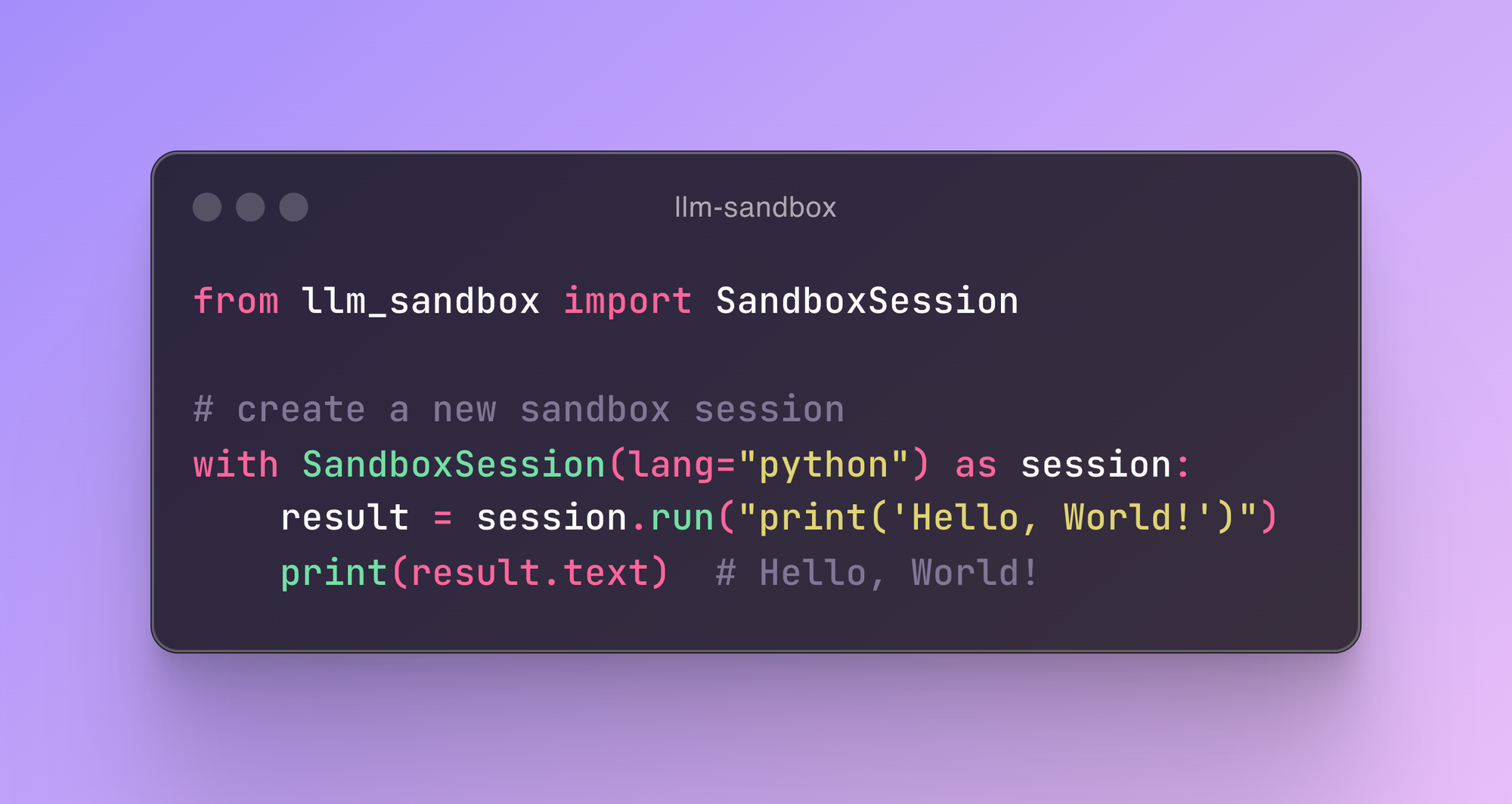
- ✨ **New:** This project now supports the [Model Context Protocol (MCP)](https://vndee.github.io/llm-sandbox/mcp-integration/) server, which allows your MCP clients (e.g. Claude Desktop) to run code generated by LLMs in a secure sandbox environment.
- ## 🚀 Key Features
- ### 🛡️ Security First
- - **Isolated Execution**: Container or local OS sandboxing with explicitly configured host access
- - **Security Policies**: Define custom security policies to control code execution
- - **Resource Limits**: Set CPU, memory, and execution time limits
- - **Network Isolation**: Control network access for sandboxed code
- ### 🏗️ Flexible Sandbox Backends
- - **Docker**: Most popular and widely supported option
- - **Kubernetes**: Enterprise-grade orchestration for scalable deployments
- - **Podman**: Rootless containers for enhanced security
- - **Bubblewrap**: Local Linux namespaces and seccomp without Docker or a daemon
- - **NsJail**: Local Linux namespaces and native seccomp policies without a daemon
- - **Windows MXC**: Native Windows process isolation through Microsoft's MXC/PSEC APIs
- - **WSL2 Bubblewrap**: Linux namespaces and seccomp in an explicitly selected WSL2 distribution
- - **Backend Registry**: Register additional adapters and inspect their supported features
- ### 🌐 Multi-Language Support
- Execute code in multiple programming languages with automatic dependency management:
- - **Python** - Full ecosystem support with pip packages
- - **JavaScript/Node.js** - npm package installation
- - **Java** - Maven and Gradle dependency management
- - **C++** - Compilation and execution
- - **Go** - Module support and compilation
- - **R** - Statistical computing and data analysis with CRAN packages
- ### 🔌 LLM Framework Integration
- Runnable examples for eleven agent frameworks — OpenAI Agents SDK, Claude Agent SDK, LangChain, DeepAgents, LlamaIndex, Google ADK, CrewAI, Pydantic AI, smolagents, Strands and AG2. See [`examples/agent_sdks/`](examples/agent_sdks/README.md).
- ### 📊 Advanced Features
- - **Artifact Extraction**: Automatically capture plots and visualizations
- - **Library Management**: Install dependencies on-the-fly
- - **File Operations**: Copy files to/from sandbox environments
- - **Custom Images**: Use your own container images
- - **Fast Production Mode**: Skip environment setup for faster container startup
- - **Container Pooling**: Pre-warm and reuse containers for improved performance (NEW!)
- ## 📦 Installation
- ### Basic Installation
- ```bash
- pip install llm-sandbox
- ```
- ### With Specific Backend Support
- ```bash
- # For Docker support (most common)
- pip install 'llm-sandbox[docker]'
- # For Kubernetes support
- pip install 'llm-sandbox[k8s]'
- # For Podman support
- pip install 'llm-sandbox[podman]'
- # All optional container SDKs
- pip install 'llm-sandbox[docker,k8s,podman]'
- ```
- Bubblewrap and NsJail use the base Python package plus system executables; no container SDK extra is needed. See [local backend requirements](docs/backends.md#local-linux-backends) for Linux prerequisites.
- The Windows adapters also need no container SDK. `windows-mxc` requires a compatible Windows host and the native helper, while `wsl2-bubblewrap` requires a configured WSL2 distribution with the matching Python package and Linux prerequisites. See [Windows requirements](docs/backends.md#windows-backends); neither adapter installs an OS runtime or falls back to unsandboxed execution.
- ### Development Installation
- Dev dependencies live in the `dev` [uv dependency group](https://docs.astral.sh/uv/concepts/projects/dependencies/#dependency-groups), so install them with `uv` (or the `make install` shortcut):
- ```bash
- git clone https://github.com/vndee/llm-sandbox.git
- cd llm-sandbox
- make install # uv sync + pre-commit install
- ```
- See [CONTRIBUTING.md](CONTRIBUTING.md) for the full workflow.
- ## 🏃♂️ Quick Start
- ### Basic Usage
- ```python
- from llm_sandbox import SandboxSession
- # Create and use a sandbox session
- with SandboxSession(lang="python") as session:
- result = session.run("""
- print("Hello from LLM Sandbox!")
- print("I'm running in a secure container.")
- """)
- print(result.stdout)
- ```
- ### Local Linux Usage Without Docker
- On Debian/Ubuntu, install the system prerequisites with `sudo apt install bubblewrap libseccomp2 python3-venv`. Bubblewrap must be version 0.8.0 or newer with `--disable-userns` support; older distributions such as Ubuntu 22.04 need a newer package or upstream build. Your host must permit unprivileged user namespaces; distribution security policy can restrict them.
- ```python
- from llm_sandbox import SandboxSession
- with SandboxSession(backend="bubblewrap", lang="python") as session:
- result = session.run("print('Hello from a local Linux sandbox!')")
- print(result.stdout)
- ```
- The local defaults combine namespace isolation with a seccomp syscall denylist, disable network access, expose runtime paths read-only, and provide a private writable workspace and temporary directory. Python setup creates a virtual environment offline. Install the host runtime and its `venv` support first. Select `backend="nsjail"` to use an installed NsJail binary instead.
- The Linux adapters support `run()`, `execute_command()`, `install()`, file copying, and the artifact wrapper. They do not support container images, pooling, or interactive sessions. Files persist between commands in a session; background processes do not. These backends share the host kernel and are not a VM boundary. See [configuration](docs/configuration.md#local-linux-configuration), [security](docs/security.md#local-linux-isolation-and-seccomp), and the [backend roadmap](docs/backends.md#extension-roadmap).
- ### Windows Usage Without Docker
- For native Windows Python execution, use the MXC adapter on a compatible Windows host with the helper installed:
- ```python
- from llm_sandbox import SandboxSession
- with SandboxSession(backend="windows-mxc", lang="python") as session:
- print(session.run("import platform; print(platform.system())").stdout)
- ```
- To run Linux tools from a Windows Python application, select a WSL2 distribution explicitly:
- ```python
- from llm_sandbox import SandboxSession
- with SandboxSession(
- backend="wsl2-bubblewrap",
- distribution="Ubuntu",
- lang="python",
- ) as session:
- print(session.run("import platform; print(platform.system())").stdout)
- ```
- These are experimental adapters with different prerequisites and API limits. MXC initially supports Python and JavaScript with preinstalled dependencies. WSL2 reuses the Linux Bubblewrap runtime, requires seccomp, and restricts mounts to built-in Linux runtime paths to keep Windows interoperability inaccessible. Both default to disabled networking. See [backend setup and limitations](docs/backends.md#windows-backends).
- ### Installing Libraries
- ```python
- from llm_sandbox import SandboxSession
- with SandboxSession(lang="python") as session:
- result = session.run("""
- import numpy as np
- # Create an array
- arr = np.array([1, 2, 3, 4, 5])
- print(f"Array: {arr}")
- print(f"Mean: {np.mean(arr)}")
- """, libraries=["numpy"])
- print(result.stdout)
- ```
- ### Multi-Language Support
- #### JavaScript
- ```python
- with SandboxSession(lang="javascript") as session:
- result = session.run("""
- const greeting = "Hello from Node.js!";
- console.log(greeting);
- const axios = require('axios');
- console.log("Axios loaded successfully!");
- """, libraries=["axios"])
- ```
- #### Java
- ```python
- with SandboxSession(lang="java") as session:
- result = session.run("""
- public class HelloWorld {
- public static void main(String[] args) {
- System.out.println("Hello from Java!");
- }
- }
- """)
- ```
- #### C++
- ```python
- with SandboxSession(lang="cpp") as session:
- result = session.run("""
- #include <iostream>
- int main() {
- std::cout << "Hello from C++!" << std::endl;
- return 0;
- }
- """)
- ```
- #### Go
- ```python
- with SandboxSession(lang="go") as session:
- result = session.run("""
- package main
- import "fmt"
- func main() {
- fmt.Println("Hello from Go!")
- }
- """)
- ```
- #### R
- ```python
- with SandboxSession(
- lang="r",
- image="ghcr.io/vndee/sandbox-r-451-bullseye",
- verbose=True,
- ) as session:
- result = session.run(
- """
- # Basic R operations
- print("=== Basic R Demo ===")
- # Create some data
- numbers <- c(1, 2, 3, 4, 5, 10, 15, 20)
- print(paste("Numbers:", paste(numbers, collapse=", ")))
- # Basic statistics
- print(paste("Mean:", mean(numbers)))
- print(paste("Median:", median(numbers)))
- print(paste("Standard Deviation:", sd(numbers)))
- # Work with data frames
- df <- data.frame(
- name = c("Alice", "Bob", "Charlie", "Diana"),
- age = c(25, 30, 35, 28),
- score = c(85, 92, 78, 96)
- )
- print("=== Data Frame ===")
- print(df)
- # Calculate average score
- avg_score <- mean(df$score)
- print(paste("Average Score:", avg_score))
- """
- )
- ```
- ### Interactive Sessions
- For notebook-style workflows you can use `InteractiveSandboxSession`, which keeps the Python interpreter state across multiple `run` calls.
- ```python
- from llm_sandbox import InteractiveSandboxSession
- with InteractiveSandboxSession(
- lang="python",
- kernel_type="ipython",
- history_size=200,
- ) as session:
- session.run("value = 21 * 2")
- result = session.run("print(f'Result: {value}')")
- print(result.stdout) # -> Result: 42
- # Use magic command to install libraries
- session.run("%pip install pandas")
- result = session.run("import pandas as pd; print(pd.DataFrame({'A': [1, 2, 3], 'B': [4, 5, 6]}))")
- print(result.stdout)
- ```
- Interactive sessions support Docker, Podman, and Kubernetes backends and currently target Python language. They spin up a long-running IPython kernel inside the sandbox, so each `run()` behaves like a notebook cell—state, imports, and magic commands stay alive until the context manager exits, without any extra networking or manual serialization.
- ### Capturing Plots and Visualizations
- #### Python Plots
- ```python
- from llm_sandbox import ArtifactSandboxSession
- import base64
- from pathlib import Path
- with ArtifactSandboxSession(lang="python") as session:
- result = session.run("""
- import matplotlib.pyplot as plt
- import numpy as np
- x = np.linspace(0, 10, 100)
- y = np.sin(x)
- plt.figure(figsize=(10, 6))
- plt.plot(x, y)
- plt.title("Sine Wave")
- plt.xlabel("x")
- plt.ylabel("sin(x)")
- plt.grid(True)
- plt.savefig("sine_wave.png", dpi=150, bbox_inches="tight")
- plt.show()
- """, libraries=["matplotlib", "numpy"])
- # Extract the generated plots
- print(f"Generated {len(result.plots)} plots")
- # Save plots to files
- for i, plot in enumerate(result.plots):
- plot_path = Path(f"plot_{i + 1}.{plot.format.value}")
- with plot_path.open("wb") as f:
- f.write(base64.b64decode(plot.content_base64))
- ```
- #### R Plots
- ```python
- from llm_sandbox import ArtifactSandboxSession
- import base64
- from pathlib import Path
- with ArtifactSandboxSession(lang="r") as session:
- result = session.run("""
- library(ggplot2)
- # Create sample data
- data <- data.frame(
- x = rnorm(100),
- y = rnorm(100)
- )
- # Create ggplot2 visualization
- p <- ggplot(data, aes(x = x, y = y)) +
- geom_point(alpha = 0.6) +
- geom_smooth(method = "lm", se = FALSE) +
- labs(title = "Scatter Plot with Trend Line",
- x = "X values", y = "Y values") +
- theme_minimal()
- print(p)
- # Base R plot
- hist(data$x, main = "Distribution of X",
- xlab = "X values", col = "lightblue", breaks = 20)
- """, libraries=["ggplot2"])
- # Extract the generated plots
- print(f"Generated {len(result.plots)} R plots")
- # Save plots to files
- for i, plot in enumerate(result.plots):
- plot_path = Path(f"r_plot_{i + 1}.{plot.format.value}")
- with plot_path.open("wb") as f:
- f.write(base64.b64decode(plot.content_base64))
- ```
- ## 🔧 Configuration
- ### Basic Configuration
- ```python
- from llm_sandbox import SandboxSession
- # Create a new sandbox session
- with SandboxSession(image="python:3.9.19-bullseye", keep_template=True, lang="python") as session:
- result = session.run("print('Hello, World!')")
- print(result)
- # With custom Dockerfile
- with SandboxSession(dockerfile="Dockerfile", keep_template=True, lang="python") as session:
- result = session.run("print('Hello, World!')")
- print(result)
- # Or default image
- with SandboxSession(lang="python", keep_template=True) as session:
- result = session.run("print('Hello, World!')")
- print(result)
- ```
- LLM Sandbox also supports copying files between the host and the sandbox:
- ```python
- from llm_sandbox import SandboxSession
- with SandboxSession(lang="python", keep_template=True) as session:
- # Copy a file from the host to the sandbox
- session.copy_to_runtime("test.py", "/sandbox/test.py")
- # Run the copied Python code in the sandbox
- result = session.execute_command("python /sandbox/test.py")
- print(result)
- # Copy a file from the sandbox to the host
- session.copy_from_runtime("/sandbox/output.txt", "output.txt")
- ```
- #### Custom runtime configs
- ```python
- from llm_sandbox import SandboxSession
- pod_manifest = {
- "apiVersion": "v1",
- "kind": "Pod",
- "metadata": {
- "name": "test",
- "namespace": "test",
- "labels": {"app": "sandbox"},
- },
- "spec": {
- "containers": [
- {
- "name": "sandbox-container",
- "image": "test",
- "tty": True,
- "volumeMounts": {
- "name": "tmp",
- "mountPath": "/tmp",
- },
- }
- ],
- "volumes": [{"name": "tmp", "emptyDir": {"sizeLimit": "5Gi"}}],
- },
- }
- with SandboxSession(
- backend="kubernetes",
- image="python:3.9.19-bullseye",
- dockerfile=None,
- lang="python",
- keep_template=False,
- verbose=False,
- pod_manifest=pod_manifest,
- ) as session:
- result = session.run("print('Hello, World!')")
- print(result)
- ```
- #### Remote Docker Host
- ```python
- import docker
- from llm_sandbox import SandboxSession
- tls_config = docker.tls.TLSConfig(
- client_cert=("path/to/cert.pem", "path/to/key.pem"),
- ca_cert="path/to/ca.pem",
- verify=True
- )
- docker_client = docker.DockerClient(base_url="tcp://<your_host>:<port>", tls=tls_config)
- with SandboxSession(
- client=docker_client,
- image="python:3.9.19-bullseye",
- keep_template=True,
- lang="python",
- ) as session:
- result = session.run("print('Hello, World!')")
- print(result)
- ```
- #### Kubernetes Support
- ```python
- from kubernetes import client, config
- from llm_sandbox import SandboxSession
- # Use local kubeconfig
- config.load_kube_config()
- k8s_client = client.CoreV1Api()
- with SandboxSession(
- client=k8s_client,
- backend="kubernetes",
- image="python:3.9.19-bullseye",
- lang="python",
- pod_manifest=pod_manifest, # None by default
- ) as session:
- result = session.run("print('Hello from Kubernetes!')")
- print(result)
- ```
- **⚠️ Important for Custom Pod Manifests:**
- When using custom pod manifests, ensure your container configuration includes:
- - `"tty": True` (keeps container alive)
- - Proper `securityContext` at both pod and container levels
- - Container name can be any valid name (no restrictions)
- See the [Configuration Guide](docs/configuration.md#kubernetes-backend) for complete requirements.
- #### Podman Support
- ```python
- from llm_sandbox import SandboxSession
- with SandboxSession(
- backend="podman",
- lang="python",
- image="python:3.9.19-bullseye"
- ) as session:
- result = session.run("print('Hello from Podman!')")
- print(result)
- ```
- ## ⚡ Container Pooling (Performance Optimization)
- Container pooling dramatically improves performance by reusing pre-warmed containers instead of creating new ones for each execution. This is particularly beneficial for applications that execute code frequently.
- ### Key Benefits
- - **Faster Execution**: Eliminate container creation overhead (up to 10x faster)
- - **Pre-warmed Environments**: Containers are initialized with your dependencies
- - **Thread-Safe**: Safely handle concurrent requests
- - **Resource Efficient**: Automatic container lifecycle management
- - **Flexible Configuration**: Control pool size, timeouts, and behavior
- ### Basic Pool Usage
- ```python
- from llm_sandbox import SandboxSession
- from llm_sandbox.pool import PoolConfig, create_pool_manager
- # Create a pool manager explicitly
- pool = create_pool_manager(
- backend="docker",
- config=PoolConfig(
- max_pool_size=10, # Maximum containers
- min_pool_size=3, # Keep at least 3 warm
- idle_timeout=300.0, # Recycle idle containers after 5 min
- enable_prewarming=True, # Create containers on startup
- ),
- lang="python",
- )
- # Use the pool in a session
- with SandboxSession(
- lang="python",
- pool=pool,
- ) as session:
- result = session.run("print('Hello from pool!')")
- # Container is automatically returned to pool when the session closes
- # Clean up the pool when done
- pool.close()
- ```
- ### Sharing a Pool Across Sessions
- For maximum efficiency, share a single pool across multiple sessions:
- ```python
- from llm_sandbox import SandboxSession
- from llm_sandbox.pool import create_pool_manager, PoolConfig
- # Create a shared pool manager
- pool = create_pool_manager(
- backend="docker",
- config=PoolConfig(
- max_pool_size=10,
- min_pool_size=3,
- ),
- lang="python",
- libraries=["numpy", "pandas"], # Pre-install libraries in all containers
- )
- # Use the pool in multiple sessions
- with SandboxSession(lang="python", pool=pool) as session1:
- result1 = session1.run("import pandas; print(pandas.__version__)")
- with SandboxSession(lang="python", pool=pool) as session2:
- result2 = session2.run("import numpy; print(numpy.__version__)")
- # Clean up when done
- pool.close()
- ```
- ### Concurrent Execution
- Container pools are thread-safe and handle concurrent requests efficiently:
- ```python
- from concurrent.futures import ThreadPoolExecutor
- from llm_sandbox import SandboxSession
- from llm_sandbox.pool import create_pool_manager, PoolConfig
- # Create shared pool
- pool = create_pool_manager(
- backend="docker",
- config=PoolConfig(max_pool_size=5),
- lang="python",
- )
- def run_code(task_id: int):
- with SandboxSession(lang="python", pool=pool) as session:
- return session.run(f'print("Task {task_id}")')
- try:
- # Execute 20 tasks concurrently using only 5 containers
- with ThreadPoolExecutor(max_workers=10) as executor:
- results = list(executor.map(run_code, range(20)))
- finally:
- pool.close()
- ```
- ### Pool Configuration Options
- ```python
- from llm_sandbox.pool import PoolConfig, ExhaustionStrategy, create_pool_manager
- config = PoolConfig(
- # Pool size limits
- max_pool_size=10, # Maximum containers in pool
- min_pool_size=2, # Minimum warm containers
- # Timeout configuration
- idle_timeout=300.0, # Recycle idle containers (seconds)
- acquisition_timeout=30.0, # Wait time for available container
- # Health and lifecycle
- health_check_interval=60.0, # Health check frequency
- max_container_lifetime=3600.0, # Max container lifetime
- max_container_uses=100, # Max uses before recycling
- # Pool exhaustion behavior
- exhaustion_strategy=ExhaustionStrategy.WAIT, # WAIT, FAIL_FAST, or TEMPORARY
- # Pre-warming
- enable_prewarming=True, # Pre-warm containers
- )
- pool = create_pool_manager(
- backend="docker",
- config=config,
- lang="python",
- libraries=["requests", "numpy"], # Pre-install libraries
- )
- ```
- ### Pool Exhaustion Strategies
- When all containers are busy, the pool can handle it in different ways:
- #### 1. WAIT (Default)
- Wait for a container to become available:
- ```python
- config = PoolConfig(
- max_pool_size=5,
- exhaustion_strategy=ExhaustionStrategy.WAIT,
- acquisition_timeout=30.0, # Wait up to 30 seconds
- )
- ```
- #### 2. FAIL_FAST
- Immediately raise an error:
- ```python
- config = PoolConfig(
- max_pool_size=5,
- exhaustion_strategy=ExhaustionStrategy.FAIL_FAST,
- )
- ```
- #### 3. TEMPORARY
- Create a temporary container outside the pool:
- ```python
- config = PoolConfig(
- max_pool_size=5,
- exhaustion_strategy=ExhaustionStrategy.TEMPORARY,
- )
- ```
- ### Monitoring Pool Statistics
- ```python
- from llm_sandbox.pool import create_pool_manager
- pool = create_pool_manager(backend="docker", lang="python")
- # Get pool statistics
- stats = pool.get_stats()
- print(f"Total containers: {stats['total_size']}")
- print(f"Idle containers: {stats['state_counts']['idle']}")
- print(f"Busy containers: {stats['state_counts']['busy']}")
- pool.close()
- ```
- ### Artifact Extraction with Pooling
- For capturing plots and visualizations with container pooling, you can use either approach:
- ```python
- from llm_sandbox import ArtifactSandboxSession
- from llm_sandbox.pool import create_pool_manager, PoolConfig
- import base64
- from pathlib import Path
- # Create pool with pre-installed visualization libraries
- pool = create_pool_manager(
- backend="docker",
- config=PoolConfig(max_pool_size=5, min_pool_size=2),
- lang="python",
- libraries=["matplotlib", "numpy"],
- )
- try:
- # Option 1: Use pool parameter (recommended for API consistency)
- with ArtifactSandboxSession(pool=pool, enable_plotting=True) as session:
- result = session.run("""
- import matplotlib.pyplot as plt
- import numpy as np
- x = np.linspace(0, 10, 100)
- y = np.sin(x)
- plt.plot(x, y)
- plt.title('Pooled Execution - Sine Wave')
- plt.show()
- """)
- # Save generated plots
- for i, plot in enumerate(result.plots):
- Path(f"plot_{i}.{plot.format.value}").write_bytes(
- base64.b64decode(plot.content_base64)
- )
- print(f"Generated {len(result.plots)} plots using pooled container")
- # Option 2: Use ArtifactPooledSandboxSession (explicit class)
- # Both approaches work identically
- from llm_sandbox.pool import ArtifactPooledSandboxSession
- with ArtifactPooledSandboxSession(pool_manager=pool, enable_plotting=True) as session:
- result = session.run("print('Same functionality, different API')")
- finally:
- pool.close()
- ```
- ### Examples
- See the `examples/` directory for complete demonstrations:
- - [pool_basic_demo.py](examples/pool_basic_demo.py) - Basic pool usage and configuration
- - [pool_concurrent_demo.py](examples/pool_concurrent_demo.py) - Concurrent execution patterns
- - [pool_monitoring_demo.py](examples/pool_monitoring_demo.py) - Health monitoring and lifecycle management
- - [pool_artifact_demo.py](examples/pool_artifact_demo.py) - Artifact extraction with pooling (plots, CSV, mixed artifacts)
- ## 🤖 LLM Framework Integration
- Runnable, version-pinned examples for **eleven** agent frameworks live in
- **[`examples/agent_sdks/`](examples/agent_sdks/README.md)**:
- | | | |
- |---|---|---|
- | [OpenAI Agents SDK](examples/agent_sdks/openai_agents_tool.py) | [Claude Agent SDK](examples/agent_sdks/claude_agent_sdk_tool.py) | [LangChain](examples/agent_sdks/langchain_tool.py) |
- | [DeepAgents](examples/agent_sdks/deepagents_tool.py) | [LlamaIndex](examples/agent_sdks/llamaindex_tool.py) | [Google ADK](examples/agent_sdks/google_adk_tool.py) |
- | [CrewAI](examples/agent_sdks/crewai_tool.py) | [Pydantic AI](examples/agent_sdks/pydantic_ai_tool.py) | [smolagents](examples/agent_sdks/smolagents_tool.py) |
- | [Strands Agents](examples/agent_sdks/strands_tool.py) | [AG2](examples/agent_sdks/ag2_tool.py) | |
- Each file is self-contained, names the SDK version it was verified against, and
- applies container hardening. They all share the same core — a sandbox call with
- the controls that matter once the code was written by a model:
- ```python
- from llm_sandbox import SandboxSession
- SANDBOX_RUNTIME = {
- "network_mode": "none", # no egress
- "mem_limit": "512m",
- "pids_limit": 128, # bounds fork bombs
- "security_opt": ["no-new-privileges:true"],
- }
- def run_python(code: str) -> str:
- with SandboxSession(
- lang="python",
- keep_template=True, # else the image is re-pulled each call
- runtime_configs=SANDBOX_RUNTIME,
- ) as session:
- result = session.run(code, timeout=30)
- return result.stdout if result.exit_code == 0 else result.stderr
- ```
- > [!IMPORTANT]
- > **Security policies are advisory.** `session.is_safe(code)` returns a verdict —
- > it does **not** block execution, and `run()` executes code the policy flagged.
- > Check it yourself before calling `run()`. See the
- > [security guide](https://vndee.github.io/llm-sandbox/security/).
- ## 🔌 Model Context Protocol (MCP) Server
- LLM Sandbox provides a [Model Context Protocol (MCP)](https://modelcontextprotocol.io/) server that enables AI assistants like Claude Desktop to execute code securely in sandboxed environments. This integration allows LLMs to run code directly with automatic visualization capture and multi-language support.
- ### Features
- - **Secure Code Execution**: Execute code in isolated containers with your preferred backend
- - **Multi-Language Support**: Run Python, JavaScript, Java, C++, Go, R, and Ruby code
- - **Automatic Visualization Capture**: Automatically capture and return plots and visualizations
- - **Library Management**: Install packages and dependencies on-the-fly
- - **Flexible Backend Support**: Choose from Docker, Podman, or Kubernetes backends
- ### Installation
- Install LLM Sandbox with MCP support using your preferred backend:
- ```bash
- # For Docker backend
- pip install 'llm-sandbox[mcp-docker]'
- # For Podman backend
- pip install 'llm-sandbox[mcp-podman]'
- # For Kubernetes backend
- pip install 'llm-sandbox[mcp-k8s]'
- ```
- ### Configuration
- Add the following configuration to your MCP client (e.g., `claude_desktop_config.json` for Claude Desktop):
- ```json
- {
- "mcpServers": {
- "llm-sandbox": {
- "command": "python3",
- "args": ["-m", "llm_sandbox.mcp_server.server"],
- }
- }
- }
- ```
- #### Backend-Specific Configuration
- For the specific backend, you need to set the `BACKEND` environment variable to the backend you want to use. You might need to set other environment variables depending on the backend you are using. For example, you might need to set the `DOCKER_HOST` environment variable to the host you want to use if the `DOCKER_HOST` is not automatically in your system.
- **Docker (default):**
- ```json
- {
- "mcpServers": {
- "llm-sandbox": {
- "command": "python3",
- "args": ["-m", "llm_sandbox.mcp_server.server"],
- "env": {
- "BACKEND": "docker",
- "DOCKER_HOST": "unix:///var/run/docker.sock" // change this to the actual host you are using
- }
- }
- }
- }
- ```
- **Podman:**
- ```json
- {
- "mcpServers": {
- "llm-sandbox": {
- "command": "python3",
- "args": ["-m", "llm_sandbox.mcp_server.server"],
- "env": {
- "BACKEND": "podman",
- "DOCKER_HOST": "unix:///var/run/podman/podman.sock" // change this to the actual host you are using
- }
- }
- }
- }
- ```
- For Kubernetes, you might need to set the `KUBECONFIG` environment variable to the path to your kubeconfig file.
- **Kubernetes:**
- ```json
- {
- "mcpServers": {
- "llm-sandbox": {
- "command": "python3",
- "args": ["-m", "llm_sandbox.mcp_server.server"],
- "env": {
- "BACKEND": "kubernetes",
- "KUBECONFIG": "/path/to/kubeconfig" // change this to the actual path to your kubeconfig file
- }
- }
- }
- }
- ```
- #### Runtime Config Environment Variables
- For Docker, Podman, and Micromamba backends, the MCP server can translate `SANDBOX_*` environment
- variables into session `runtime_configs`.
- ```json
- {
- "mcpServers": {
- "llm-sandbox": {
- "command": "python3",
- "args": ["-m", "llm_sandbox.mcp_server.server"],
- "env": {
- "BACKEND": "podman",
- "DOCKER_HOST": "unix:///run/podman/podman.sock",
- "SANDBOX_NETWORK_MODE": "none",
- "SANDBOX_READ_ONLY": "true",
- "SANDBOX_CAP_DROP": "ALL",
- "SANDBOX_SECURITY_OPT": "no-new-privileges:true",
- "SANDBOX_MEMORY": "4g",
- "SANDBOX_CPU_COUNT": "1"
- }
- }
- }
- }
- ```
- Supported variables: `SANDBOX_NETWORK_MODE`, `SANDBOX_READ_ONLY`, `SANDBOX_MEMORY`, `SANDBOX_MEM_LIMIT`,
- `SANDBOX_CPUS`, `SANDBOX_CPU_COUNT`, `SANDBOX_CAP_DROP`, `SANDBOX_SECURITY_OPT`, and `SANDBOX_PRIVILEGED`.
- `SANDBOX_MEMORY` is normalized to the backend-safe `mem_limit` runtime config. `SANDBOX_CPUS` and
- `SANDBOX_CPU_COUNT` are normalized to Linux-compatible CPU quota settings.
- > Security note: prefer `SANDBOX_NETWORK_MODE=none`, `SANDBOX_READ_ONLY=true`,
- > `SANDBOX_CAP_DROP=ALL`, and restrictive `SANDBOX_SECURITY_OPT` values for hardened
- > sandboxes. Avoid `SANDBOX_PRIVILEGED=true` unless you explicitly need it, keep CPU
- > and memory limits minimal, and audit any combination that re-enables privileges.
- > `SANDBOX_*` settings do not apply to the Kubernetes backend in this MCP server.
- > If you need Kubernetes-specific resource or security controls, provide a custom
- > `pod_manifest` via a custom MCP wrapper or use the llm-sandbox Python API directly.
- ### Available Tools
- The MCP server provides the following tools:
- - **`execute_code`**: Execute code in a secure sandbox with automatic visualization capture
- - **`get_supported_languages`**: Get the list of supported programming languages
- - **`get_language_details`**: Get detailed information about a specific language
- ### Usage Example
- Once configured, you can ask your AI assistant to run code, and it will automatically use the LLM Sandbox MCP server:
- ```text
- "Create a scatter plot showing the relationship between x and y data points using matplotlib"
- ```
- The assistant will execute Python code in a secure sandbox and automatically capture any generated plots or visualizations.
- ## 🏗️ Architecture
- ```mermaid
- graph LR
- A[LLM Client] --> B[LLM Sandbox]
- B --> C[Container Backend]
- A1[OpenAI] --> A
- A2[Anthropic] --> A
- A3[Local LLMs] --> A
- A4[LangChain] --> A
- A5[LangGraph] --> A
- A6[LlamaIndex] --> A
- A7[MCP Clients] --> A
- C --> C1[Docker]
- C --> C2[Kubernetes]
- C --> C3[Podman]
- style A fill:#e1f5fe
- style B fill:#f3e5f5
- style C fill:#e8f5e8
- style A1 fill:#fff3e0
- style A2 fill:#fff3e0
- style A3 fill:#fff3e0
- style A4 fill:#fff3e0
- style A5 fill:#fff3e0
- style A6 fill:#fff3e0
- style A7 fill:#fff3e0
- style C1 fill:#e0f2f1
- style C2 fill:#e0f2f1
- style C3 fill:#e0f2f1
- ```
- ## 📚 Documentation
- - **[Full Documentation](https://vndee.github.io/llm-sandbox/)** - Complete documentation
- - **[Getting Started](https://vndee.github.io/llm-sandbox/getting-started/)** - Installation and basic usage
- - **[Configuration](https://vndee.github.io/llm-sandbox/configuration/)** - Detailed configuration options
- - **[Security](https://vndee.github.io/llm-sandbox/security/)** - Security policies and best practices
- - **[Backends](https://vndee.github.io/llm-sandbox/backends/)** - Container backend details
- - **[Languages](https://vndee.github.io/llm-sandbox/languages/)** - Supported programming languages
- - **[Integrations](https://vndee.github.io/llm-sandbox/integrations/)** - LLM framework integrations
- - **[API Reference](https://vndee.github.io/llm-sandbox/api-reference/)** - Complete API documentation
- - **[Examples](https://vndee.github.io/llm-sandbox/examples/)** - Real-world usage examples
- ## 🤝 Contributing
- We welcome contributions! Please see our [Contributing Guide](https://vndee.github.io/llm-sandbox/contributing/) for details.
- ### Development Setup
- ```bash
- # Clone the repository
- git clone https://github.com/vndee/llm-sandbox.git
- cd llm-sandbox
- # Install in development mode
- make install
- # Run pre-commit hooks
- uv run pre-commit run -a
- # Run tests
- make test
- ```
- ## 📖 Citation
- If you use LLM Sandbox in your research, please cite it:
- ```bibtex
- @software{huynh_llm_sandbox,
- author = {Huynh, Duy V.},
- title = {{LLM Sandbox: a portable runtime for securely executing LLM-generated code}},
- publisher = {Zenodo},
- doi = {10.5281/zenodo.21760525},
- url = {https://doi.org/10.5281/zenodo.21760525}
- }
- ```
- The DOI above resolves to the latest release. To cite a specific version, use that release's own DOI from the [Zenodo record](https://doi.org/10.5281/zenodo.21760525).
- ## 📄 License
- This project is licensed under the MIT License - see the [LICENSE](LICENSE) file for details.
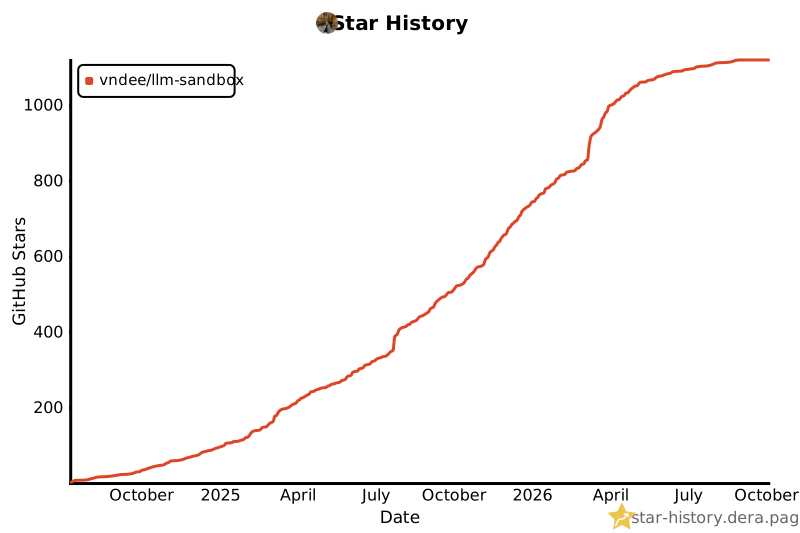
- ## 🌟 Star History
- If you find LLM Sandbox useful, please consider giving it a star on GitHub!
- ## 📞 Support & Community
- - **GitHub Issues**: [Report bugs or request features](https://github.com/vndee/llm-sandbox/issues)
- - **GitHub Discussions**: [Join the community](https://github.com/vndee/llm-sandbox/discussions)
- - **PyPI**: [pypi.org/project/llm-sandbox](https://pypi.org/project/llm-sandbox/)
- - **Documentation**: [vndee.github.io/llm-sandbox](https://vndee.github.io/llm-sandbox/)
- ## Contributors
- <a href="https://github.com/vndee/llm-sandbox/graphs/contributors">
- <img src="https://contrib.rocks/image?repo=vndee/llm-sandbox" />
- </a>
- ## Star History
- [](https://star-history.dera.page/#vndee/llm-sandbox&Date)
Ratings and comments
Sign in to rate this skill.
Sign inFree to use. If it’s helped, pass it on.