Back to search
vmware-aiops
SkillGitHub
AI-powered VMware vCenter/ESXi VM lifecycle and deployment with 61 MCP tools.
Safety scan
A static text scan, not a guarantee. Select the badge to see what was scanned and every finding.
Checked today
Badge for your README
Markdown
[](/listings/vmware-skills--vmware-aiops)HTML
<a href="/listings/vmware-skills--vmware-aiops"><img src="/api/listings/vmware-skills--vmware-aiops/badge.svg" alt="findsafeskills safety rating" /></a>Install
i
What was scanned
The files the safety scan read, as written by the repository's author and shown as plain text. Lines with a finding are marked.
.claude-plugin/plugin.json · Manifest · 21 lines
- {
- "$schema": "https://anthropic.com/claude-code/plugin.schema.json",
- "name": "vmware-aiops",
- "displayName": "VMware AIops",
- "version": "2.5.2",
- "description": "AI-powered VMware vCenter/ESXi VM lifecycle and deployment with 61 MCP tools.",
- "author": {
- "name": "Wei Zhou",
- "email": "zhouwei008@gmail.com",
- "url": "https://github.com/vmware-skills"
- },
- "homepage": "https://github.com/vmware-skills/VMware-AIops",
- "repository": "https://github.com/vmware-skills/VMware-AIops",
- "license": "MIT",
- "keywords": [
- "aiops",
- "mcp",
- "vmware",
- "vsphere"
- ]
- }
README.md · README · 67 lines
- <!-- mcp-name: io.github.vmware-skills/vmware-aiops -->
- # VMware-AIops
- <a id="readme-overview"></a>
- Turn VM lifecycle requests into explicit, auditable operations for vCenter and ESXi.
- English · [简体中文](https://github.com/vmware-skills/VMware-AIops/blob/main/README-CN.md)
- Community-maintained · MIT · Not an official VMware/Broadcom product.
- [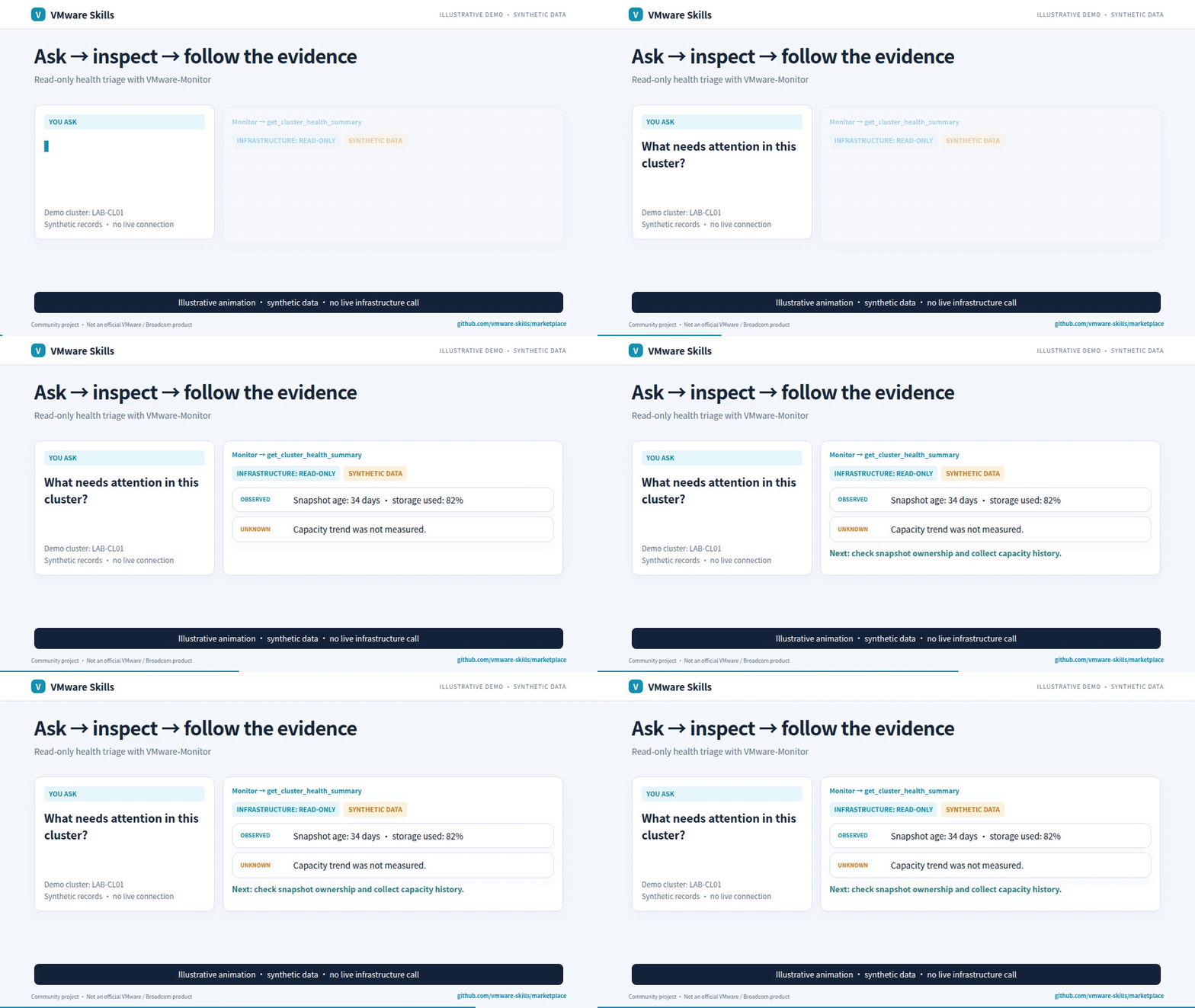](https://github.com/vmware-skills/marketplace/releases/download/demos-2026-11-13-operations/vmware-skills-en.mp4)
- Synthetic-data GIF; video includes redacted historical screenshots. [Download the AI-narrated family introduction (~3 min)](https://github.com/vmware-skills/marketplace/releases/download/demos-2026-11-13-operations/vmware-skills-en.mp4)
- <a id="readme-capabilities-and-workflows"></a>
- ## Why use it?
- - Deploy and manage VMs, snapshots and guest tasks.
- - Preview destructive actions and inspect task results.
- - Use dedicated companion modules for focused investigations.
- <a id="readme-quick-start"></a>
- ## Get started
- Install the published CLI and inspect its commands:
- ```sh
- uv tool install vmware-aiops==2.5.2
- vmware-aiops --help
- ```
- Requires uv and Python >=3.10. Configure targets and credentials locally before remote queries. [Setup guide](https://github.com/vmware-skills/VMware-AIops/blob/main/skills/vmware-aiops/references/setup-guide.md).
- One-click installs, after `init`: [Claude Desktop extension (.mcpb)](https://github.com/vmware-skills/VMware-AIops/releases/download/v2.5.2/vmware-aiops-2.5.2.mcpb), which offers read-only tools until you change its setting · [Install in VS Code](https://insiders.vscode.dev/redirect/mcp/install?name=vmware-aiops&config=%7B%22type%22%3A%22stdio%22%2C%22command%22%3A%22uvx%22%2C%22args%22%3A%5B%22--from%22%2C%22vmware-aiops%3D%3D2.5.2%22%2C%22vmware-aiops-mcp%22%5D%7D). Both run the pinned 2.5.2 server and read the configuration `init` wrote.
- For agent-host installation, use the [setup guide](https://github.com/vmware-skills/VMware-AIops/blob/main/skills/vmware-aiops/references/setup-guide.md) and [Cursor, Codex, Gemini CLI, Cline and local-model examples](https://github.com/vmware-skills/marketplace/blob/main/docs/agent-hosts.md).
- Choose a model with the [shared model-fit workflow](https://github.com/vmware-skills/marketplace/blob/main/model-fit/RUNNER.md): compare the same tasks, review quality and safety, then select the smallest tested passing configuration per task group; this is not a production guarantee.
- <a id="readme-safety-and-audit"></a>
- ## Know the boundaries
- Includes sensitive infrastructure writes, guest execution and file transfers. Account permissions, local Policy and host-path boundaries apply; confirmation is not independent human approval.
- <a id="readme-mcp-configuration"></a> <a id="readme-troubleshooting"></a> <a id="readme-reference"></a>
- ## Go deeper
- - [Capabilities](https://github.com/vmware-skills/VMware-AIops/blob/main/skills/vmware-aiops/references/capabilities.md)
- - [CLI reference](https://github.com/vmware-skills/VMware-AIops/blob/main/skills/vmware-aiops/references/cli-reference.md)
- - [Agent guardrails](https://github.com/vmware-skills/VMware-AIops/blob/main/skills/vmware-aiops/references/agent-guardrails.md)
- - [Detailed usage and architecture](https://github.com/vmware-skills/VMware-AIops/blob/main/skills/vmware-aiops/references/detailed-guide.md)
- - [MCP launch configuration](https://github.com/vmware-skills/VMware-AIops/blob/main/.mcp.json)
- - [Canonical skill instructions](https://github.com/vmware-skills/VMware-AIops/blob/main/skills/vmware-aiops/SKILL.md)
- <a id="readme-companion-skills"></a>
- Part of [VMware Skills](https://github.com/vmware-skills/marketplace): 15 skills, 14 MCP servers and one shared Policy library. If it helps your work, star the family portal.
- <a id="readme-license"></a>
- [Share setup progress or a first result](https://github.com/vmware-skills/marketplace/issues/new?template=setup-feedback.yml) · [Using it at your organization?](https://github.com/orgs/vmware-skills/discussions/71) · [Report a bug](https://github.com/vmware-skills/VMware-AIops/issues) · [MIT](https://github.com/vmware-skills/VMware-AIops/blob/main/LICENSE)
vmware_aiops/mcp_server/tools/guest.py · Bundled script · 313 lines · 1 finding marked
- """Guest Operations tools: exec, exec-with-output, upload, download, provision."""
- from typing import Optional
- from vmware_policy import vmware_tool
- from vmware_aiops.mcp_server._shared import _get_connection, mcp, tool_errors
- from vmware_aiops.ops.gate import preview, refuse_on
- from vmware_aiops.ops.guest_gate import (
- measure_guest_exec,
- measure_guest_exec_output,
- measure_guest_provision,
- measure_guest_upload,
- )
- from vmware_aiops.ops.guest_ops import (
- guest_download,
- guest_exec,
- guest_exec_with_output,
- guest_provision,
- guest_upload,
- )
- from vmware_aiops.ops.step_policy import (
- authorize_reached,
- used_by_provision,
- with_policy_blockers,
- )
- # The four tools below hand caller-supplied content to the guest OS — a program
- # to run, or a file to place at a chosen path — and every one of them advertised
- # `destructiveHint: false`. The command string is unbounded and runs with the
- # credentials passed in, which the example here makes root; `rm -rf /` is a
- Note: Quoted as data in code: Runs `rm -rf` against a root or home-directory path
- Line 31 on GitHub
- # well-formed argument. `destructiveHint` is the field a client consults before
- # deciding whether to ask its user, so the label was disarming the one prompt
- # that mattered most. `download_vm_guest_file` below keeps `false`: it reads the
- # guest and writes the *caller's* disk, which is a different hazard with its own
- # guard, and a label applied to everything tells a client nothing.
- #
- # The same four sit behind the HLD §7 gate: a bare call returns the blast
- # radius (which VM, as whom, what would run or be written) and does nothing;
- # confirm=True re-measures, refuses on a blocker or an unreadable field, and
- # only then calls the same ops function the CLI calls.
- _HINT = (
- "Nothing was run or written in the guest. Show blast_radius to the user; "
- "re-run with confirm=True only after they agree."
- )
- @mcp.tool(annotations={"readOnlyHint": False, "destructiveHint": True, "idempotentHint": False, "openWorldHint": True})
- @vmware_tool(risk_level="critical", sensitive_params=['password'])
- @tool_errors("dict")
- def run_vm_guest_command(
- vm_name: str,
- command: str,
- username: str,
- arguments: str = "",
- password: str = "",
- working_directory: Optional[str] = None,
- confirm: bool = False,
- target: Optional[str] = None,
- ) -> dict:
- """[WRITE] Execute a command inside a VM via VMware Tools.
- Requires VMware Tools running in the guest OS. Returns exit_code, stdout,
- stderr, timed_out, and blast_radius.
- Without confirm=True this only previews: blast_radius names the VM (name,
- instance UUID), the guest account, the exact command, arguments and working
- directory, VMware Tools status and any blockers; nothing runs. Show it to
- the user. Do not set confirm=True on your own because the user asked
- earlier: they have not seen the preview yet. Refused outright: VM not
- powered on, VMware Tools not running, an identity or status that cannot be
- read, or a name that matches more than one VM.
- Note: the Guest Ops API does not capture stdout/stderr directly, so use this
- only for fire-and-forget commands — prefer run_vm_guest_command_with_output whenever you
- need the output.
- Args:
- vm_name: Target VM name.
- command: Full path to program (e.g. "/bin/bash", "C:\\Windows\\System32\\cmd.exe").
- arguments: Command arguments (e.g. "-c 'whoami'").
- username: Guest OS account to run as. Required — there is no default, so a
- call can never act as root without choosing root.
- password: Guest OS password.
- working_directory: Working directory inside guest (optional).
- confirm: False (default) returns the blast radius and changes nothing. True applies it.
- target: Optional vCenter/ESXi target name from config.
- """
- si = _get_connection(target)
- radius = measure_guest_exec(
- si, vm_name, command, username,
- arguments=arguments, working_directory=working_directory,
- )
- if not confirm:
- return preview(radius, _HINT)
- refuse_on(radius, "run_vm_guest_command")
- result = guest_exec(
- si, vm_name, command, username, password,
- arguments=arguments,
- working_directory=working_directory,
- expect_instance_uuid=radius["instance_uuid"],
- )
- return {**result, "action": "executed", "blast_radius": radius}
- @mcp.tool(annotations={"readOnlyHint": False, "destructiveHint": True, "idempotentHint": False, "openWorldHint": True})
- @vmware_tool(risk_level="critical", sensitive_params=['password'])
- @tool_errors("dict")
- def run_vm_guest_command_with_output(
- vm_name: str,
- command: str,
- username: str,
- password: str = "",
- timeout: int = 300,
- confirm: bool = False,
- target: Optional[str] = None,
- ) -> dict:
- """[WRITE] Execute a shell command inside a VM and capture stdout + stderr.
- Automatically detects guest OS (Linux/Windows) and selects the correct
- shell. Output is captured by redirecting to a temp file, downloading it,
- then cleaning up — no manual redirection needed. Prefer this over
- run_vm_guest_command whenever you need the output. Requires VMware Tools running
- and a writable temp directory in the guest.
- Returns exit_code, stdout, stderr, timed_out, os_family, and blast_radius.
- Without confirm=True this only previews: blast_radius names the VM (name,
- instance UUID), the guest account, the exact command and the shell it runs
- through, VMware Tools status and any blockers; nothing runs. Show it to the
- user. Do not set confirm=True on your own because the user asked earlier:
- they have not seen the preview yet. Refused outright: VM not powered on,
- VMware Tools not running, an unreadable identity or status, a name that
- matches more than one VM, or a rules.yaml deny on run_vm_guest_command or
- download_vm_guest_file (the preview lists it as a blocker).
- Args:
- vm_name: Target VM name.
- command: Shell command (e.g. "df -h", "ls /etc", "ipconfig").
- username: Guest OS account to run as. Required — there is no default, so a
- call can never act as root without choosing root.
- password: Guest OS password.
- timeout: Max wait seconds (default 300).
- confirm: False (default) returns the blast radius and changes nothing. True applies it.
- target: Optional vCenter/ESXi target name from config.
- """
- si = _get_connection(target)
- radius = measure_guest_exec_output(si, vm_name, command, username, timeout)
- if not confirm:
- return preview(with_policy_blockers(radius, "run_vm_guest_command_with_output",
- {"vm_name": vm_name, "username": username},
- target), _HINT)
- refuse_on(radius, "run_vm_guest_command_with_output")
- authorize_reached("run_vm_guest_command_with_output",
- {"vm_name": vm_name, "username": username}, target)
- result = guest_exec_with_output(si, vm_name, command, username, password, timeout=timeout,
- expect_instance_uuid=radius["instance_uuid"])
- return {**result, "action": "executed", "blast_radius": radius}
- @mcp.tool(annotations={"readOnlyHint": False, "destructiveHint": True, "idempotentHint": False, "openWorldHint": True})
- @vmware_tool(risk_level="high", sensitive_params=['password'])
- @tool_errors("dict")
- def upload_vm_guest_file(
- vm_name: str,
- local_path: str,
- guest_path: str,
- username: str,
- password: str = "",
- confirm: bool = False,
- target: Optional[str] = None,
- ) -> dict:
- """[WRITE] Upload a file from local machine to a VM via VMware Tools.
- Returns a dict with action, message and blast_radius (a status string
- before the confirmation gate). Requires VMware Tools running in the guest
- OS. An existing file at guest_path is replaced. Use download_vm_guest_file for
- the reverse direction, and provision_vm_guest instead when uploads and
- commands belong to one ordered provisioning run.
- Without confirm=True this only previews: blast_radius names the VM (name,
- instance UUID), the guest account, the local path and size, the guest path,
- VMware Tools status and any blockers; nothing is transferred. Show it to the
- user. Do not set confirm=True on your own because the user asked earlier:
- they have not seen the preview yet. Refused outright: VM not powered on,
- VMware Tools not running, a local file that is missing or unreadable, an
- unreadable identity or status, or a name that matches more than one VM.
- Args:
- vm_name: Target VM name.
- local_path: Local file path to upload.
- guest_path: Destination path inside the guest.
- username: Guest OS account to run as. Required — there is no default, so a
- call can never act as root without choosing root.
- password: Guest OS password.
- confirm: False (default) returns the blast radius and changes nothing. True applies it.
- target: Optional vCenter/ESXi target name from config.
- """
- si = _get_connection(target)
- radius = measure_guest_upload(si, vm_name, local_path, guest_path, username)
- if not confirm:
- return preview(radius, _HINT)
- refuse_on(radius, "upload_vm_guest_file")
- message = guest_upload(si, vm_name, local_path, guest_path, username, password,
- expect_instance_uuid=radius["instance_uuid"])
- return {"action": "uploaded", "message": message, "blast_radius": radius}
- # Reading a file out of the VM is a read of the VM; writing it to local_path is
- # not, and readOnlyHint is what a client consults before deciding whether to ask
- # the user. Annotated exactly like its mirror upload_vm_guest_file — same operation,
- # opposite direction.
- @mcp.tool(annotations={"readOnlyHint": False, "destructiveHint": False, "idempotentHint": False, "openWorldHint": True})
- @vmware_tool(risk_level="high", sensitive_params=['password'])
- @tool_errors("str")
- def download_vm_guest_file(
- vm_name: str,
- guest_path: str,
- local_path: str,
- username: str,
- password: str = "",
- overwrite: bool = False,
- target: Optional[str] = None,
- ) -> str:
- """[WRITE] Download a file from a VM and write it to a local path.
- Reads from the guest, writes the local filesystem — the write is why this is
- not a read tool. Returns a status string. Requires VMware Tools running in
- the guest OS. Use upload_vm_guest_file for the reverse direction; to capture
- command output use run_vm_guest_command_with_output instead — it redirects and
- downloads for you.
- Refuses a destination that already exists unless overwrite=True, and never
- writes through a symlink or over a directory. Pick a path that does not
- exist yet rather than passing overwrite=True by default.
- Args:
- vm_name: Target VM name.
- guest_path: File path inside the guest to download.
- local_path: Local destination path, including the file name.
- username: Guest OS account to run as. Required — there is no default, so a
- call can never act as root without choosing root.
- password: Guest OS password.
- overwrite: True replaces an existing file at local_path (default False).
- target: Optional vCenter/ESXi target name from config.
- """
- si = _get_connection(target)
- return guest_download(
- si, vm_name, guest_path, local_path, username, password, overwrite=overwrite
- )
- @mcp.tool(annotations={"readOnlyHint": False, "destructiveHint": True, "idempotentHint": False, "openWorldHint": True})
- @vmware_tool(risk_level="critical", sensitive_params=['password'])
- @tool_errors("dict")
- def provision_vm_guest(
- vm_name: str,
- username: str,
- password: str,
- steps: list[dict],
- timeout: int = 300,
- confirm: bool = False,
- target: Optional[str] = None,
- ) -> dict:
- """[WRITE] Provision a VM by running an ordered sequence of guest operations.
- Prefer this over repeated run_vm_guest_command / upload_vm_guest_file calls when the steps
- form one provisioning run. Steps stop on the first failure, so a partial run
- leaves the guest half-configured. Requires VMware Tools running in the guest.
- Without confirm=True this only previews: blast_radius names the VM (name,
- instance UUID), the guest account and every step it would run, in order,
- with counts per type, local file sizes and any blockers; nothing runs. Show
- it to the user. Do not set confirm=True on your own because the user asked
- earlier: they have not seen the preview yet. Refused outright: VM not
- powered on, VMware Tools not running, an empty step list, a step with an
- unknown type or a missing key, an upload whose local file is missing or
- unreadable, a service step on a Windows guest, an unreadable identity or
- status, a name that matches more than one VM, or a rules.yaml deny on a
- guest tool these steps run: exec and service steps run_vm_guest_command
- and run_vm_guest_command_with_output, upload steps upload_vm_guest_file
- (the preview lists it as a blocker).
- Step types:
- - exec: {"type": "exec", "command": "apt-get install -y nginx"}
- - upload: {"type": "upload", "local_path": "...", "guest_path": "..."}
- - service: {"type": "service", "name": "nginx", "action": "start"}
- Args:
- vm_name: Target VM name.
- username: Guest OS username.
- password: Guest OS password.
- steps: Ordered list of step dicts (see Step types).
- timeout: Per-step timeout in seconds (default 300).
- confirm: False (default) returns the blast radius and changes nothing. True applies it.
- target: Optional vCenter/ESXi target name from config.
- Returns:
- dict with success, completed_steps, total_steps, results, error, and
- blast_radius.
- """
- si = _get_connection(target)
- radius = measure_guest_provision(si, vm_name, username, steps, timeout)
- if not confirm:
- return preview(with_policy_blockers(radius, "provision_vm_guest",
- {"vm_name": vm_name, "username": username},
- target, used=used_by_provision(steps)), _HINT)
- refuse_on(radius, "provision_vm_guest")
- # The password stays out of the policy check and its audit row.
- authorize_reached("provision_vm_guest", {"vm_name": vm_name, "username": username}, target,
- used=used_by_provision(steps))
- result = guest_provision(si, vm_name, username, password, steps, timeout=timeout,
- expect_instance_uuid=radius["instance_uuid"])
- return {**result, "action": "provisioned", "blast_radius": radius}
Version history
v2.5.211/17/2026
v2.5.111/16/2026
v2.5.011/11/2026
v2.4.511/9/2026
v2.4.311/8/2026
Ratings and comments
Sign in to rate this skill.
Sign inFree to use. If it’s helped, pass it on.