arkts-syntax-assistant
ArkTS syntax, migration, and optimization guide for HarmonyOS/OpenHarmony development. Triggers on: .ets files, ArkTS keywords, HarmonyOS/OpenHarmony context, @ohos packages. Help with syntax reference, TypeScript migration, performance optimization, compile errors, state management, component development, and language-specific questions.
Safety scan
A static text scan, not a guarantee. Select the badge to see what was scanned and every finding.
Badge for your README

Markdown
[](/listings/summerkaze--skill-arkts-syntax-assistant)HTML
<a href="/listings/summerkaze--skill-arkts-syntax-assistant"><img src="/api/listings/summerkaze--skill-arkts-syntax-assistant/badge.svg" alt="findsafeskills safety rating" /></a>Install
Install instructions from the README
As written by the repo's author. findsafeskills has not verified these steps.
推荐方式:使用 npx skills add(一键安装)
npx skills add https://github.com/SummerKaze/skill-arkts-syntax-assistant.git
这是最简单快速的安装方式,会自动下载并配置技能。
方式一:通过 Release 安装
1. 访问 [Releases](https://github.com/SummerKaze/skill-arkts-syntax-assistant/releases) 页面 2. 下载最新版本的压缩包 3. 解压到 Claude Code 的技能目录
方式二:克隆仓库
cd ~/.claude/skills/
git clone https://github.com/SummerKaze/skill-arkts-syntax-assistant.git
What was scanned
The files the safety scan read, as written by the repository's author and shown as plain text. Lines with a finding are marked.
SKILL.md · Manifest · 282 lines
View this file on GitHub (read at the repository's current version: the scan did not record which commit it read)
This file has changed since it was scanned, so this is not exactly the text that was scanned, and no line is marked. The findings are listed with the safety scan above.
- ---
- name: arkts-syntax-assistant
- description: |-
- ArkTS syntax, migration, and optimization guide for HarmonyOS/OpenHarmony development.
- Triggers on: .ets files, ArkTS keywords, HarmonyOS/OpenHarmony context, @ohos packages.
- Help with syntax reference, TypeScript migration, performance optimization,
- compile errors, state management, component development, and language-specific questions.
- license: MIT
- tags:
- - arkts
- - harmonyos
- - typescript
- - migration
- - development
- - syntax
- ---
- # ArkTS Syntax Assistant
- [中文文档](SKILL.zh.md)
- ---
- ## Overview
- ArkTS is the default development language for OpenHarmony applications. It builds
- upon TypeScript with enhanced static typing to improve program stability and
- performance.
- ## Core Features
- - **Static Typing**: All types determined at compile time, reducing runtime checks
- - **No Dynamic Object Layout**: Object structure fixed at compile time, cannot be
- modified at runtime
- - **Restricted Operators**: Some operator behaviors are restricted to encourage
- clearer code semantics
- - **No Structural Typing**: Structural typing is currently not supported
- ## Reference Documentation
- | Scenario | Document |
- |----------|----------|
- | Syntax Learning | [references/en/introduction-to-arkts.md](references/en/introduction-to-arkts.md) |
- | Quick Overview | [references/en/arkts-get-started.md](references/en/arkts-get-started.md) |
- | TS Migration | [references/en/typescript-to-arkts-migration-guide.md](references/en/typescript-to-arkts-migration-guide.md) |
- | Migration Background | [references/en/arkts-migration-background.md](references/en/arkts-migration-background.md) |
- | Performance | [references/en/arkts-high-performance-programming.md](references/en/arkts-high-performance-programming.md) |
- | More Cases | [references/en/arkts-more-cases.md](references/en/arkts-more-cases.md) |
- ## Workflows
- ### 1. Syntax Questions
- ```
- User Question -> Identify Question Type -> Consult Documentation -> Provide Code Example
- ```
- **Common Syntax Questions**:
- - Variable declaration -> Use `let`/`const` with explicit type or inference
- - Function definition -> Supports optional parameters, defaults, rest parameters,
- arrow functions
- - Classes and interfaces -> Must initialize fields, supports inheritance and
- implementation
- - Generics -> Supports constraints and default values
- - Null safety -> Nullable types ((T | null)), non-null assertion ((!)), optional
- chaining ((?.))
- ### 2. TypeScript Migration
- ```
- Identify TS Code -> Check Incompatible Features -> Consult Migration Rules -> Provide ArkTS Alternative
- ```
- **Key Migration Rules Quick Reference**:
- | TypeScript | ArkTS Alternative |
- |------------|-------------------|
- | `var x` | `let x` |
- | `any`/`unknown` | Specific types |
- | `{n: 42}` object literal | Define class/interface first |
- | `[index: T]: U` index signature | `Record<T, U>` |
- | `A & B` intersection type | `interface C extends A, B` |
- | `function(){}` function expression | `() => {}` arrow function |
- | `<Type>value` type assertion | `value as Type` |
- | Destructuring `[a, b] = arr` | Individual access `arr[0]`, `arr[1]` |
- | `for..in` | `for` loop or `for..of` |
- | Constructor parameter properties | Explicit field declaration |
- ### 3. Performance Optimization
- ```
- Analyze Code -> Identify Performance Issues -> Consult Optimization Guide -> Provide Solutions
- ```
- **High-Performance Programming Key Points**:
- - **Declarations**: Use `const` for invariants; avoid mixing integer and float
- - **Loops**: Extract loop invariants; avoid numeric overflow
- - **Functions**: Parameter passing preferred over closures; avoid optional
- parameters
- - **Arrays**: Use TypedArray for numeric values; avoid sparse arrays and union
- type arrays
- - **Exceptions**: Avoid throwing in loops; use return values instead
- ### 4. Compile Error Resolution
- ```
- Get Error Message -> Search Migration Rules -> Find Related Case -> Provide Fix
- ```
- ## Common Questions
- ### Q: How to handle JSON.parse return value?
- ```typescript
- // Error
- let data = JSON.parse(str);
- // Correct
- let data: Record<string, Object> = JSON.parse(str);
- ```
- ### Q: How to define object types?
- ```typescript
- // TypeScript syntax (not supported in ArkTS)
- type Person = { name: string, age: number }
- // ArkTS syntax
- interface Person {
- name: string;
- age: number;
- }
- // Using object literal
- let p: Person = { name: 'John', age: 25 };
- ```
- ### Q: How to replace globalThis?
- ```typescript
- // Error
- globalThis.value = 'xxx';
- // Use singleton pattern
- export class GlobalContext {
- private constructor() {}
- private static instance: GlobalContext;
- private _objects = new Map<string, Object>();
- public static getContext(): GlobalContext {
- if (!GlobalContext.instance) {
- GlobalContext.instance = new GlobalContext();
- }
- return GlobalContext.instance;
- }
- getObject(key: string): Object | undefined {
- return this._objects.get(key);
- }
- setObject(key: string, value: Object): void {
- this._objects.set(key, value);
- }
- }
- ```
- ### Q: How to handle error types in catch?
- ```typescript
- // Error
- try {} catch (e: BusinessError) {}
- // Correct
- try {} catch (error) {
- let e: BusinessError = error as BusinessError;
- }
- ```
- ### Q: How to use Record type?
- ```typescript
- // TypeScript index signature
- function foo(data: { [key: string]: string }) {}
- // ArkTS Record
- function foo(data: Record<string, string>) {}
- // Usage example
- let map: Record<string, number> = {
- 'John': 25,
- 'Mary': 21,
- };
- ```
- ### Q: How to replace constructor signatures with factory functions?
- ```typescript
- // TypeScript constructor signature
- type ControllerCtor = {
- new (value: string): Controller;
- }
- // ArkTS factory function
- type ControllerFactory = () => Controller;
- class Menu {
- createController: ControllerFactory = () => {
- return new Controller('default');
- }
- }
- ```
- ## Prohibited Standard Library APIs
- The following are prohibited in ArkTS:
- - **Global**: `eval`
- - **Object**: `__proto__`, `defineProperty`, `freeze`, `getPrototypeOf`, etc.
- - **Reflect**: `apply`, `construct`, `defineProperty`, etc.
- - **Proxy**: All handler methods
- ## Build Scripts
- The scripts directory provides quick compilation scripts for ArkTS projects
- (including dependency installation):
- | Platform | Script | Purpose |
- |----------|--------|---------|
- | macOS/Linux | `scripts/run.sh` | Execute `ohpm install` + `hvigorw assembleApp` |
- | Windows | `scripts/run.ps1` | Execute `ohpm install` + `hvigorw assembleApp` |
- Usage:
- ```bash
- # macOS/Linux
- bash scripts/run.sh
- # Windows PowerShell
- .\scripts\run.ps1
- ```
- Script execution steps:
- 1. Install dependencies (`ohpm install --all`)
- 2. Build project (`hvigorw assembleApp`)
- ## Mandatory Requirements
- **CRITICAL**: When this skill generates ArkTS code, the following workflow MUST be followed:
- 1. **Compilation Verification**: After generating code, you MUST compile the project using the build scripts:
- - macOS/Linux: `bash scripts/run.sh`
- - Windows: `.\scripts\run.ps1`
- 2. **Retry Strategy**: If compilation fails:
- - Analyze the error output
- - Fix the issue and retry compilation
- - Maximum of **3 compilation attempts**
- 3. **User Intervention**: After 3 failed compilation attempts, use `AskUserQuestion`:
- ```
- Question: Compilation failed after 3 attempts. How would you like to proceed?
- Options:
- - Continue retrying (attempt another fix)
- - Manual intervention (I'll wait for your guidance)
- - Skip compilation (proceed without verification)
- ```
- 4. **Error Reporting**: Always show the full compilation error output when failures occur.
- ## Answer Guidelines
- 1. **Prioritize code examples**: Show correct vs incorrect syntax comparison
- 2. **Reference official documentation**: For detailed explanations, guide users to
- consult corresponding documents in references/
- 3. **Explain reasons**: Explain why ArkTS has this restriction (performance,
- stability)
- 4. **Provide alternatives**: For unsupported features, provide feasible
- alternatives
- ## License
- MIT License - see [LICENSE.txt](LICENSE.txt)
README.md · README · 167 lines
View this file on GitHub (read at the repository's current version: the scan did not record which commit it read)
This file has changed since it was scanned, so this is not exactly the text that was scanned, and no line is marked. The findings are listed with the safety scan above.
- <div align="center">
- # ArkTS Syntax Assistant
- [English](./README.en.md) | 简体中文
- 
- 
- 
- </div>
- > ArkTS 语言学习与开发助手,提供语法参考、TypeScript 迁移指导和高性能编程实践
- 这是一个支持多平台的 ArkTS 语法助手技能,兼容 claude-code、opencode、cursor、trea 等 AI 编码助手。ArkTS 是 OpenHarmony 应用的默认开发语言,在 TypeScript 基础上做了静态类型强化,提升程序稳定性和性能。
- ## 功能特性
- - **语法学习**:涵盖 ArkTS 基础语法(声明、类型、函数、类、泛型、模块等)
- - **TypeScript 迁移**:详细的 TS 到 ArkTS 迁移指南,包括语法约束、类型系统差异、不兼容特性
- - **高性能编程**:内存优化、循环优化、数组处理、异常处理等最佳实践
- - **编译错误解决**:常见编译错误的诊断和修复方案
- - **代码示例**:丰富的对比示例,展示正确与错误写法
- ## 开发工具支持
- 这个技能可以帮助您的AI助手轻松编写ArkTS代码,但如果您也需要自己编写和修改代码,却对DevEco Studio缺少Tab补全功能感到困扰,欢迎在VSCode(及同类IDE)中安装ArkTS语言支持插件:
- <div align="center">
- ### Naily's ArkTS Support
- [](https://marketplace.visualstudio.com/items?itemName=NailyZero.vscode-naily-ets)
- </div>
- > [!NOTE]
- > **[Naily's ArkTS Support](https://github.com/ohosvscode/arkTS)** 是一个为VSCode设计的ArkTS语言支持插件,提供了语法高亮、智能补全等功能,让开发者在VSCode中也能获得良好的ArkTS开发体验。
- ## 安装
- ### 推荐方式:使用 npx skills add(一键安装)
- ```bash
- npx skills add https://github.com/SummerKaze/skill-arkts-syntax-assistant.git
- ```
- 这是最简单快速的安装方式,会自动下载并配置技能。
- ### 方式一:通过 Release 安装
- 1. 访问 [Releases](https://github.com/SummerKaze/skill-arkts-syntax-assistant/releases) 页面
- 2. 下载最新版本的压缩包
- 3. 解压到 Claude Code 的技能目录
- ### 方式二:克隆仓库
- ```bash
- cd ~/.claude/skills/
- git clone https://github.com/SummerKaze/skill-arkts-syntax-assistant.git
- ```
- ## 文档导航
- 根据需求选择对应文档:
- | 场景 | 参考文档 |
- |------|----------|
- | **语法学习** | [references/zh/introduction-to-arkts.md](references/zh/introduction-to-arkts.md) |
- | **快速概览** | [references/zh/arkts-get-started.md](references/zh/arkts-get-started.md) |
- | **TS 迁移** | [references/zh/typescript-to-arkts-migration-guide.md](references/zh/typescript-to-arkts-migration-guide.md) |
- | **迁移背景** | [references/zh/arkts-migration-background.md](references/zh/arkts-migration-background.md) |
- | **性能优化** | [references/zh/arkts-high-performance-programming.md](references/zh/arkts-high-performance-programming.md) |
- | **更多案例** | [references/zh/arkts-more-cases.md](references/zh/arkts-more-cases.md) |
- ## 快速开始
- ### 使用技能
- 在 Claude Code 中,当你遇到以下问题时,此技能会自动激活:
- - 学习 ArkTS 基础语法
- - 从 TypeScript 迁移到 ArkTS
- - ArkTS 高性能编程优化
- - 解决 ArkTS 编译错误或运行时问题
- - HarmonyOS/OpenHarmony 应用开发中的语言相关问题
- ### 常见问题速查
- **Q: 如何处理 JSON.parse 返回值?**
- ```typescript
- // 错误
- let data = JSON.parse(str);
- // 正确
- let data: Record<string, Object> = JSON.parse(str);
- ```
- **Q: 如何定义对象类型?**
- ```typescript
- // TS 写法(ArkTS 不支持)
- type Person = { name: string, age: number }
- // ArkTS 写法
- interface Person {
- name: string;
- age: number;
- }
- ```
- **Q: TypeScript 到 ArkTS 迁移规则速查**
- | TS 写法 | ArkTS 替代 |
- |---------|-----------|
- | `var x` | `let x` |
- | `any`/`unknown` | 具体类型 |
- | `{n: 42}` 对象字面量 | 先定义 class/interface |
- | `[index: T]: U` 索引签名 | `Record<T, U>` |
- | `A & B` 交叉类型 | `interface C extends A, B` |
- | `<Type>value` 类型断言 | `value as Type` |
- | 解构赋值 `[a, b] = arr` | 逐个访问 `arr[0]`, `arr[1]` |
- | `for..in` | `for` 循环或 `for..of` |
- ## 编译脚本
- 项目提供快速编译脚本(包含依赖安装):
- | 平台 | 脚本 | 用途 |
- |------|------|------|
- | macOS/Linux | `scripts/run.sh` | 执行 `ohpm install` + `hvigorw assembleApp` |
- | Windows | `scripts/run.ps1` | 执行 `ohpm install` + `hvigorw assembleApp` |
- 使用方式:
- ```bash
- # macOS/Linux
- bash scripts/run.sh
- # Windows PowerShell
- .\scripts\run.ps1
- ```
- ## 核心特性
- - **强制静态类型**:编译时确定所有类型,减少运行时检查
- - **禁止动态对象布局**:对象结构在编译时固定,不可运行时修改
- - **限制运算符语义**:部分运算符行为受限,鼓励清晰代码
- - **不支持 Structural typing**:当前版本不支持结构化类型
- ## 禁止使用的 API
- 以下在 ArkTS 中禁止使用:
- - **全局**:`eval`
- - **Object**:`__proto__`、`defineProperty`、`freeze`、`getPrototypeOf` 等
- - **Reflect**:`apply`、`construct`、`defineProperty` 等
- - **Proxy**:所有 handler 方法
- ## Star History
- [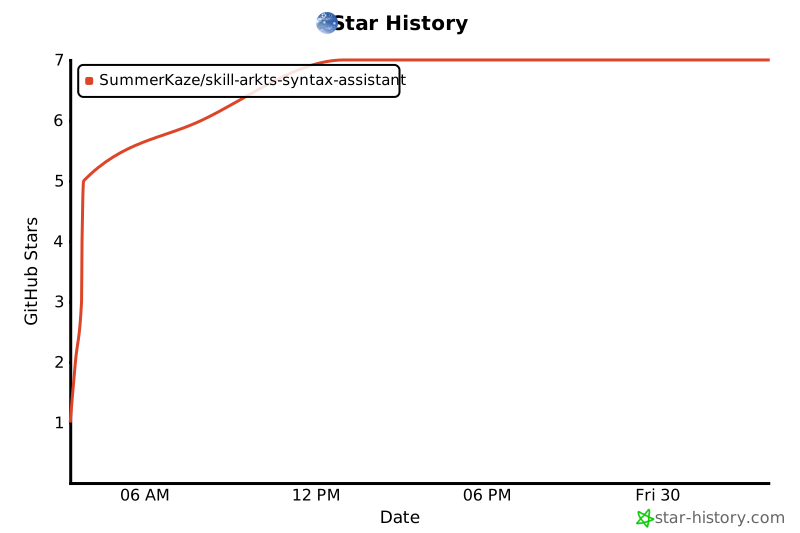](https://www.star-history.com/#SummerKaze/skill-arkts-syntax-assistant&type=date&legend=top-left)
- ## License
- [MIT](./LICENSE.txt)
- Copyright (c) 2025 SummerKaze
Ratings and comments
Sign in to rate this skill.
Sign inFree to use. If it’s helped, pass it on.