Back to search
clawchief
SkillGitHub
Turn your OpenClaw into a Chief of Staff
Safety scan
A static text scan, not a guarantee. Select the badge to see what was scanned and every finding.
Checked today
Badge for your README
Markdown
[](/listings/snarktank--clawchief)HTML
<a href="/listings/snarktank--clawchief"><img src="/api/listings/snarktank--clawchief/badge.svg" alt="findsafeskills safety rating" /></a>Install
i
Install instructions from the README
As written by the repo's author. findsafeskills has not verified these steps.
- `INSTALL-WITH-OPENCLAW.md` - `SETUP-GOG.md` - `INSTALL-CHECKLIST.md` - `CHANNELS.md` - `cron/jobs.template.json`
What was scanned
The files the safety scan read, as written by the repository's author and shown as plain text. Lines with a finding are marked.
README.md · README · 127 lines
View this file on GitHub (read at the repository's current version: the scan did not record which commit it read)
- # clawchief
- `clawchief` is a public OpenClaw starter kit for turning OpenClaw into a founder / chief-of-staff operating system.
- It is opinionated about the *architecture* of the workflow, but meant to be customized for your own people, programs, calendars, inboxes, trackers, and recurring routines.
- ## Launch post
- If you want the original public context for `clawchief`, here's the launch post from Ryan Carson's real-world rollout of the idea:
- - <https://x.com/ryancarson/status/2039786704731541903>
- ## What this repo gives you
- A portable operating model with:
- - a source-of-truth `clawchief/` layer for priorities, task state, meeting-note policy, and action policy
- - an orchestrator heartbeat
- - a canonical markdown task system with a separate completed-task archive
- - executive-assistant and business-development skills
- - cron templates with short DRY prompts
- - install docs and workspace templates
- ## Repo layout
- ### Source-of-truth files
- - `clawchief/priority-map.md`
- - `clawchief/auto-resolver.md`
- - `clawchief/meeting-notes.md`
- - `clawchief/tasks.md`
- - `clawchief/tasks-completed.md`
- ### Skills
- - `skills/executive-assistant`
- - `skills/business-development`
- - `skills/daily-task-manager`
- - `skills/daily-task-prep`
- ### Workspace templates
- - `workspace/HEARTBEAT.md`
- - `workspace/TOOLS.md`
- - `workspace/memory/meeting-notes-state.json`
- - `workspace/tasks/current.md` (deprecated pointer for older installs)
- ### Setup docs
- - `INSTALL-WITH-OPENCLAW.md`
- - `SETUP-GOG.md`
- - `INSTALL-CHECKLIST.md`
- - `CHANNELS.md`
- - `cron/jobs.template.json`
- ## Credit / inspiration
- A lot of the evolution of this setup was influenced by Pedro Franceschi's OpenClaw setup, which he explained during his conversation with Ashlee Vance on the Core Memory podcast:
- - Pedro Franceschi: <https://github.com/pedrofranceschi>
- - Podcast segment: <https://www.youtube.com/watch?v=9ZbbxSgrjhw&t=3847s>
- [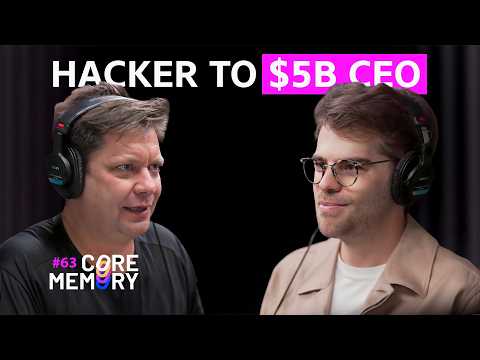](https://www.youtube.com/watch?v=9ZbbxSgrjhw&t=3847s)
- In particular, his setup helped inspire the direction of:
- - the priority map
- - the auto-resolver layer
- - the ingestion pipeline mindset for turning passive context into active operational state
- ## The design pattern
- The system works best when you separate:
- 1. *prioritization* -> `clawchief/priority-map.md`
- 2. *resolution policy* -> `clawchief/auto-resolver.md`
- 3. *meeting-note ingestion policy* -> `clawchief/meeting-notes.md`
- 4. *live task state* -> `clawchief/tasks.md`
- 5. *archive state* -> `clawchief/tasks-completed.md`
- 6. *local environment details* -> `workspace/TOOLS.md`
- 7. *recurring orchestration* -> `workspace/HEARTBEAT.md` + cron jobs
- That separation is the main thing this repo is trying to teach.
- ## Install order
- 1. Read `INSTALL-WITH-OPENCLAW.md`
- 2. Complete `SETUP-GOG.md`
- 3. Copy the skills into `~/.openclaw/skills/`
- 4. Copy `clawchief/` and `workspace/` templates into `~/.openclaw/workspace/`
- 5. Replace placeholders and customize `workspace/TOOLS.md`
- 6. Create cron jobs from `cron/jobs.template.json`
- 7. Run `INSTALL-CHECKLIST.md`
- ## Good customization targets
- Customize these first:
- - `workspace/TOOLS.md`
- - `clawchief/priority-map.md`
- - `clawchief/tasks.md`
- - `skills/business-development/resources/partners.md`
- - `cron/jobs.template.json`
- ## Core operating lessons baked into this repo
- - use Gmail *message-level* search, not thread-only search
- - check *all relevant calendars* before booking
- - keep one canonical live task file
- - archive prior-day completions into a separate file
- - update the real source of truth in the same turn when you act
- - keep cron prompts short and let skills hold workflow logic
- - use a policy layer for prioritization and a separate policy layer for auto-resolution
- - treat meeting notes as a live signal source, not passive documents
- ## Private local files you probably still want
- You may still want your own private workspace files such as:
- - `AGENTS.md`
- - `SOUL.md`
- - `USER.md`
- - `IDENTITY.md`
- - `MEMORY.md`
- - `memory/`
- Those are intentionally not part of this public repo.
Ratings and comments
Sign in to rate this skill.
Sign inFree to use. If it’s helped, pass it on.