Back to search
remotehand
MCP serverGitHub
macOS menu-bar app and local MCP server that lets Claude Desktop run shell commands, manage files and control apps on your Mac, behind modes, approvals and a kill switch. Docs and issue tracker.
Safety scan
A static text scan, not a guarantee. Select the badge to see what was scanned and every finding.
Badge for your README
Markdown
[](/listings/remotehand-app--remotehand)HTML
<a href="/listings/remotehand-app--remotehand"><img src="/api/listings/remotehand-app--remotehand/badge.svg" alt="findsafeskills safety rating" /></a>Install
i
What was scanned
The files the safety scan read, as written by the repository's author and shown as plain text. Lines with a finding are marked.
README.md · README · 55 lines
- # Remotehand
- A macOS menu-bar app that lets Claude Desktop run shell commands, manage files and control apps on your own Mac, behind a mode switch, approvals and a kill switch.
- **Website and download:** https://remotehand.app
- **Price:** free for 14 days, then €9.99 once (VAT included). Closed source.
- **Requires:** macOS 14 or later (Apple silicon or Intel) and Claude Desktop.
- This repository holds the public documentation and the issue tracker. The app itself is distributed as a notarized DMG from the website.
- 
- ## What it is
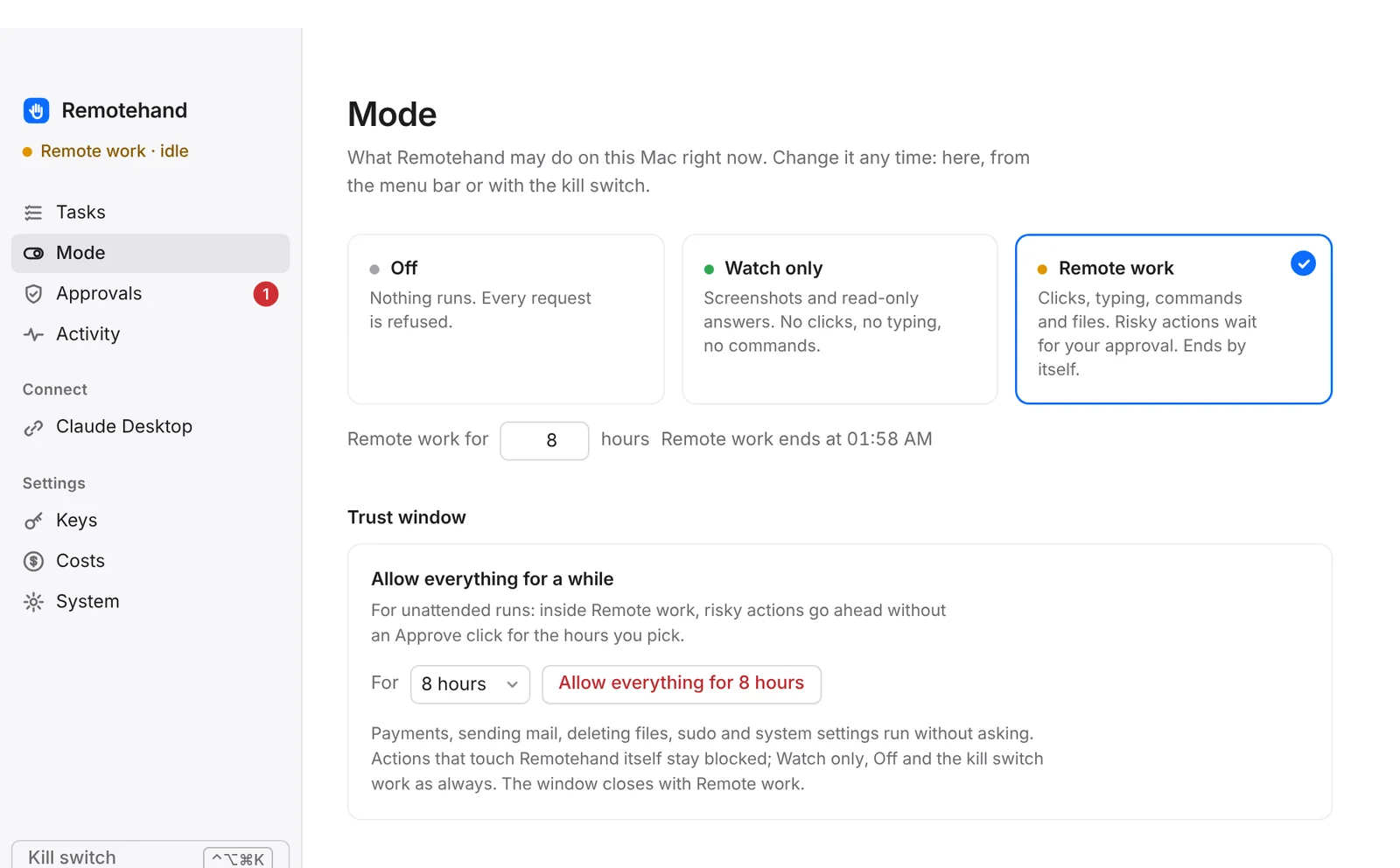
- Remotehand registers a local MCP server with Claude Desktop and puts a policy layer in front of every tool call:
- - **Modes.** Off (everything refused), Watch only (screenshots and reads), Remote work (commands, files, input) for the hours you set.
- - **Approvals.** Risky actions such as `sudo`, deleting files, installs and system settings wait for an Approve click on the Mac.
- - **Trust window.** Optional, time-limited: risky actions run without asking, for unattended work.
- - **Kill switch.** ⌃⌥⌘K sets the mode to Off, stops tasks and jobs and denies pending approvals.
- - **Never list.** The assistant cannot change, stop or delete Remotehand itself, or export keys.
- - **Activity log.** Every action and every refusal, hash-chained, stored on your Mac.
- No account, no telemetry. The licence key is verified offline.
- ## Tools
- | Tool | What it does |
- |---|---|
- | `get_status` | Mode, kill switch, trust window, pending approvals, running jobs |
- | `screenshot` | Screenshot of the main display |
- | `click`, `type`, `key`, `scroll` | Mouse and keyboard input |
- | `open_app`, `open_url` | Open an app or an address |
- | `run_command` | Run a zsh command; `background: true` starts a job (up to 30 minutes) |
- | `job_status` | Status and output of a background job |
- | `read_file`, `write_file`, `list_dir` | Files and folders |
- | `do_task`, `task_status` | Optional "Do this for me" tasks on your own Anthropic API key |
- | `set_trust_window` | Open or close the trust window, only when you ask for it and only from Claude Desktop on the Mac |
- | `restart_mac` | Restart the Mac (needs approval) |
- ## Install
- 1. Download the DMG from https://remotehand.app/download and drag Remotehand to Applications.
- 2. Start it and grant Screen Recording and Accessibility when the setup asks.
- 3. Click **Add to Claude Desktop** and restart Claude Desktop.
- 4. Choose a mode.
- Guide: https://remotehand.app/claude-desktop-terminal-mac.html
- On safety and limits: https://remotehand.app/is-it-safe.html
- ## Support
- Open an issue here or write to support@remotehand.app.
- Remotehand is an independent product by Coconut Joe, a trading name of ibiPoint Ltd. It is not made or endorsed by Anthropic. Claude is a trademark of Anthropic, PBC.
Ratings and comments
Sign in to rate this skill.
Sign inFree to use. If it’s helped, pass it on.