Back to search
ultracode-skill
SkillWorks with CodexGitHub
Codex-first Ultracode skill for dynamic coding workflows
Safety scan
A static text scan, not a guarantee. Select the badge to see what was scanned and every finding.
Checked today
Badge for your README
Markdown
[](/listings/pablonax-ultracode-skill)HTML
<a href="/listings/pablonax-ultracode-skill"><img src="/api/listings/pablonax-ultracode-skill/badge.svg" alt="findsafeskills safety rating" /></a>Install
i
Install instructions from the README
As written by the repo's author. findsafeskills has not verified these steps.
The installable skill folder is `ultracode/`.
Codex
mkdir -p "${CODEX_HOME:-$HOME/.codex}/skills"
cp -R ultracode "${CODEX_HOME:-$HOME/.codex}/skills/"Restart Codex after installing.
Claude Code
mkdir -p "$HOME/.claude/skills"
cp -R ultracode "$HOME/.claude/skills/"
Antigravity
Workspace install:
mkdir -p .agents/skills
cp -R /path/to/ultracode .agents/skills/
User install:
mkdir -p "$HOME/.gemini/antigravity/skills"
cp -R ultracode "$HOME/.gemini/antigravity/skills/"
What was scanned
The files the safety scan read, as written by the repository's author and shown as plain text. Lines with a finding are marked.
README.md · README · 161 lines
View this file on GitHub (read at the repository's current version: the scan did not record which commit it read)
- # Ultracode Skill
- [](LICENSE)
- [](https://developers.openai.com/api/docs/guides/tools-skills)
- [](https://code.claude.com/docs/en/skills)
- [](https://antigravity.google/docs/skills)
- [](https://github.com/PabloNAX/ultracode-skill/stargazers)
- Ultracode Skill gives Codex a dynamic workflow layer for serious coding tasks: planning, native agents, integration, and final verification without turning the repo into a separate runner.
- <img src="assets/ultracode-demo.gif" alt="Ultracode running in Codex" width="100%">
- Use it when a task needs more than one pass: discovery, implementation, review, tests, and a final integration step. The skill tells the agent how to decide between a direct edit, a packetized workflow, or native agent delegation.
- Codex is the main target. Claude Code already has first-class workflow concepts; Codex has native multi-agent tools, but users still need a clean operating pattern around them. Ultracode fills that gap with one small `SKILL.md` folder.
- ## What it does
- Ultracode asks the agent to:
- 1. Define the goal and success criteria.
- 2. Decide whether the task needs direct, workflow, or delegated mode.
- 3. Create workflow artifacts for non-trivial work.
- 4. Use native agents when they are useful and allowed by the host.
- 5. Keep integration in the parent session.
- 6. Use lightweight eval contracts for risky shared surfaces.
- 7. Verify the result before answering, with a final audit for high-risk runs.
- For Codex, that means the skill can use native `spawn_agent` for independent packets, then integrate the results in the parent session.
- ## Install
- The installable skill folder is `ultracode/`.
- ### Codex
- ```bash
- mkdir -p "${CODEX_HOME:-$HOME/.codex}/skills"
- cp -R ultracode "${CODEX_HOME:-$HOME/.codex}/skills/"
- ```
- Restart Codex after installing.
- ### Claude Code
- ```bash
- mkdir -p "$HOME/.claude/skills"
- cp -R ultracode "$HOME/.claude/skills/"
- ```
- ### Antigravity
- Workspace install:
- ```bash
- mkdir -p .agents/skills
- cp -R /path/to/ultracode .agents/skills/
- ```
- User install:
- ```bash
- mkdir -p "$HOME/.gemini/antigravity/skills"
- cp -R ultracode "$HOME/.gemini/antigravity/skills/"
- ```
- ## Usage
- Start with the short form:
- ```text
- Use $ultracode to build this feature end to end.
- ```
- You do not have to manually design the workflow or ask for subagents. Ultracode decides whether the task needs a direct edit, a workflow, or native agents.
- For non-trivial Codex tasks, `$ultracode` is delegated-workflow intent: when useful native agents are available, Ultracode should prefer a small bounded fan-out instead of doing every independent packet in one session.
- If you want to force a delegated run, you can still say it directly:
- ```text
- Use $ultracode. Split this across agents where it is safe, keep integration in the parent session, and verify the final patch.
- ```
- ## Modes
- | Mode | Use it for | Behavior |
- | --- | --- | --- |
- | Direct | Small, clear edits | No workflow files unless needed. Run the narrowest useful check. |
- | Workflow | Multi-step work without useful delegation | Write plan, packet, result, integration, and final report files. |
- | Delegated | Independent packets where native agents are available | Spawn bounded agents, keep the critical path local, integrate results, verify. |
- ## Workflow files
- For non-trivial tasks, Ultracode writes plain Markdown and JSON:
- ```text
- .workflow/ultracode/<run-slug>/
- plan.md
- orchestration.md
- state.json
- packets/
- results/
- integration.md
- final-report.md
- ```
- High-risk or cross-surface runs may also include `eval-contract.md`, `contracts/`, `handoffs/`, or `final-audit.md`.
- These files make the run inspectable. You can see what was delegated, what changed, what passed, and what risk remains.
- ## Codex behavior
- When Codex exposes native agent tools, Ultracode prefers real delegation over fake packet simulation.
- The parent session should:
- - keep the critical path local
- - spawn `explorer` agents for read-only discovery
- - spawn `worker` agents only with clear file ownership
- - prefer 2-4 sidecar agents for useful independent packets
- - stay under 5 total sidecar agents unless the user approves more
- - avoid combining `agent_type` with a full-history fork
- - wait only when a result blocks the next parent step
- - close agents after collecting their results
- If native agents are unavailable, blocked by policy, or not useful for the task, Ultracode falls back to workflow mode and records the concrete reason.
- ## Live test
- This skill was tested in Codex with a fresh demo repository.
- Result:
- - `$ultracode` loaded the skill
- - `.workflow/ultracode/...` artifacts were created
- - Codex used native `spawn_agent`
- - tests passed
- - the parent session integrated the agent results
- ## What it is not
- Ultracode Skill does not ship a background service, hidden runner, or required scripts. It is a small skill folder that teaches the agent how to run high-effort coding workflows with the tools already available in the current host.
- ## Repository name
- The repo is `ultracode-skill`.
- The skill name is `ultracode`, so users can invoke it with:
- ```text
- $ultracode
- ```
- ## Star history
- [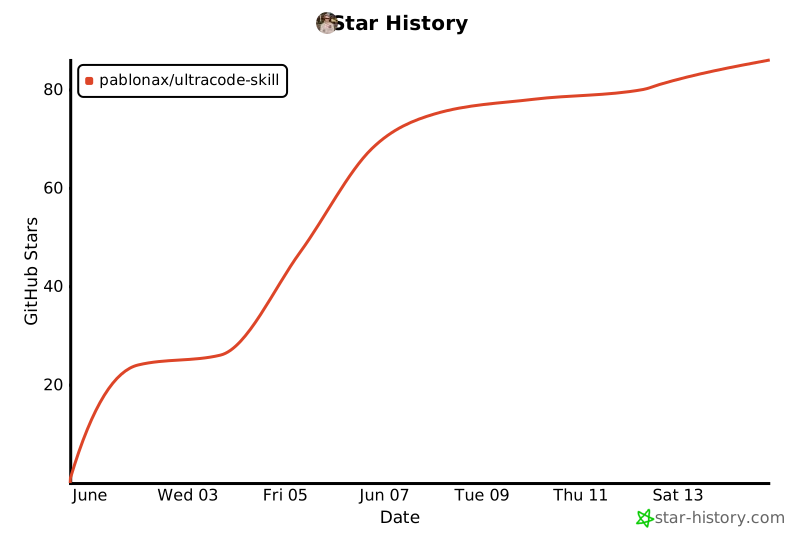](https://star-history.com/#PabloNAX/ultracode-skill&Date)
- ## License
- MIT.
Ratings and comments
Sign in to rate this skill.
Sign inFree to use. If it’s helped, pass it on.