oneclickvirt
Universal Virtualization Management Platform 可扩展的通用虚拟化管理平台,支持 Proxmox VE / LXD (GPU) / Incus (GPU) / Docker / Podman / Containerd / Qemu / Kubevirt
Safety scan
A static text scan, not a guarantee. Select the badge to see what was scanned and every finding.
Check it deeper on your machine
It has changed since its scan on 18 Nov 2026.
As a Claude Code plugin, install it and then ask Claude Code:
/plugin marketplace add keithmackay/mackayi/plugin install scanskillsafety@mackayiDo a deep scan of https://github.com/oneclickvirt/oneclickvirt with scanskillsafety
Or from a terminal, clone it and run it:
git clone https://github.com/keithmackay/scanskillsafety-skill ~/.claude/skills/scanskillsafetynode ~/.claude/skills/scanskillsafety/cli.cjs --deep 'https://github.com/oneclickvirt/oneclickvirt'
It checks the exact commit: every file, its packages against OSV (api.osv.dev), how it compares with this page's scan (findsafeskills.com receives the repository's address), and, if you agree, Claude reading every file with your own Claude subscription. It never runs the code.
Badge for your README

Markdown
[](/listings/oneclickvirt--oneclickvirt)HTML
<a href="/listings/oneclickvirt--oneclickvirt"><img src="/api/listings/oneclickvirt--oneclickvirt/badge.svg" alt="findsafeskills safety rating" /></a>Install
What was scanned
The files the safety scan read, as written by the repository's author and shown as plain text. Lines with a finding are marked.
README.md · README · 518 lines
- # OneClickVirt Virtualization Management Platform
- [](https://github.com/oneclickvirt/oneclickvirt/actions/workflows/build.yml)
- [](https://github.com/oneclickvirt/oneclickvirt/actions/workflows/build_docker.yml)
- [](https://github.com/oneclickvirt/oneclickvirt/actions/workflows/integration-tests.yml)
- [](https://app.fossa.com/projects/git%2Bgithub.com%2Foneclickvirt%2Foneclickvirt?ref=badge_shield&issueType=license) [](https://app.fossa.com/projects/git%2Bgithub.com%2Foneclickvirt%2Foneclickvirt?ref=badge_shield&issueType=security)
- An extensible universal virtualization management platform that supports LXD, Incus, Docker, Podman, Containerd, Proxmox VE, QEMU/KVM, and KubeVirt.
- The web console uses Vue 3, Vite, and Element Plus, with responsive layouts checked for desktop, tablet, Android-sized, and iOS-sized viewports.
- ## **Language**
- [English Docs](README.md) | [中文文档](README_ZH.md)
- ## Detailed Description
- [www.spiritlhl.net](https://www.spiritlhl.net/en/guide/oneclickvirt/oneclickvirt_precheck.html)
- ## Integration Test Report
- The automated integration test report is available at: [oneclickvirt.github.io/oneclickvirt](https://oneclickvirt.github.io/oneclickvirt/)
- The report supports bilingual display (Chinese/English), light/dark theme switching, Git ref/SHA/run metadata, and server log expansion for failed cases, covering 200+ API endpoint tests including functional, permission, boundary, and security tests. See [`action_tests/`](action_tests/) for details.
- ## Supported Virtualization Platforms
- | Type ID | Platform | Instance Types | Repository |
- |---------|----------|----------------|------------|
- | `lxd` | LXD | container, vm | [oneclickvirt/lxd](https://github.com/oneclickvirt/lxd) |
- | `incus` | Incus | container, vm | [oneclickvirt/incus](https://github.com/oneclickvirt/incus) |
- | `docker` | Docker | container | [oneclickvirt/docker](https://github.com/oneclickvirt/docker) |
- | `podman` | Podman | container | [oneclickvirt/podman](https://github.com/oneclickvirt/podman) |
- | `containerd` | Containerd (nerdctl) | container | [oneclickvirt/containerd](https://github.com/oneclickvirt/containerd) |
- | `proxmox` | Proxmox VE | container, vm | [oneclickvirt/pve](https://github.com/oneclickvirt/pve) |
- | `qemu` | QEMU | vm | [oneclickvirt/qemu](https://github.com/oneclickvirt/qemu) |
- | `kubevirt` | KubeVirt | vm | [oneclickvirt/kubevirt](https://github.com/oneclickvirt/kubevirt) |
- Additional backend adapters are available for local or desktop virtualization experiments, including `orbstack`, `multipass`, `vagrant`, `virtualbox`, and `vmware`. See [`server/provider/README.md`](server/provider/README.md) for implementation details and support scope.
- ## Quick Deployment
- Avoid compiling from source whenever possible. We recommend deploying using separate binary files or directly pulling the Docker image for deployment.
- ### Method 0: Using the 1Panel Third-Party App Store
- [okxlin/appstore](https://github.com/okxlin/appstore) now includes OneClickVirt. If you already use 1Panel, follow that repository's instructions to add or synchronize the local app store, then deploy `oneclickvirt` from the local app list.
- ### Method 1: Using Pre-built Images
- Use pre-built multi-architecture images that automatically downloads the appropriate version for your system architecture.
- **Image Tags:**
- | Image Tag | Description | Use Case |
- |-----------|-------------|----------|
- | `oneclickvirt/oneclickvirt:latest` | All-in-one version (built-in database) | Quick deployment |
- | `oneclickvirt/oneclickvirt:20261117` | All-in-one version with specific date | Fixed version requirement |
- | `oneclickvirt/oneclickvirt:no-db` | Standalone database version | Without database |
- | `oneclickvirt/oneclickvirt:no-db-20261117` | Standalone database version with date | Without database |
- All images support both `linux/amd64` and `linux/arm64` architectures.
- <details>
- <summary>View All-in-One Version (Built-in Database)</summary>
- **Basic Usage (without domain configuration):**
- ```bash
- docker run -d \
- --name oneclickvirt \
- -p 80:80 \
- -p 10000-10099:10000-10099 \
- -e OCV_CONTROLLER_PORT_RANGE_START=10000 \
- -e OCV_CONTROLLER_PORT_RANGE_END=10099 \
- -v oneclickvirt-data:/var/lib/mysql \
- -v oneclickvirt-storage:/app/storage \
- --restart unless-stopped \
- oneclickvirt/oneclickvirt:latest
- ```
- **Configure Domain Access:**
- If you need to configure a domain, set the `FRONTEND_URL` environment variable:
- ```bash
- docker run -d \
- --name oneclickvirt \
- -p 80:80 \
- -p 10000-10099:10000-10099 \
- -e OCV_CONTROLLER_PORT_RANGE_START=10000 \
- -e OCV_CONTROLLER_PORT_RANGE_END=10099 \
- -e FRONTEND_URL="https://your-domain.com" \
- -v oneclickvirt-data:/var/lib/mysql \
- -v oneclickvirt-storage:/app/storage \
- --restart unless-stopped \
- oneclickvirt/oneclickvirt:latest
- ```
- Or using GitHub Container Registry:
- ```bash
- docker run -d \
- --name oneclickvirt \
- -p 80:80 \
- -p 10000-10099:10000-10099 \
- -e OCV_CONTROLLER_PORT_RANGE_START=10000 \
- -e OCV_CONTROLLER_PORT_RANGE_END=10099 \
- -e FRONTEND_URL="https://your-domain.com" \
- -v oneclickvirt-data:/var/lib/mysql \
- -v oneclickvirt-storage:/app/storage \
- --restart unless-stopped \
- ghcr.io/oneclickvirt/oneclickvirt:latest
- ```
- </details>
- <details>
- <summary>View Standalone Database Version</summary>
- Use external database for smaller image size and faster startup:
- ```bash
- docker run -d \
- --name oneclickvirt \
- -p 80:80 \
- -p 10000-10099:10000-10099 \
- -e OCV_CONTROLLER_PORT_RANGE_START=10000 \
- -e OCV_CONTROLLER_PORT_RANGE_END=10099 \
- -e FRONTEND_URL="https://your-domain.com" \
- -e DB_HOST="your-mysql-host" \
- -e DB_PORT="3306" \
- -e DB_NAME="oneclickvirt" \
- -e DB_USER="root" \
- -e DB_PASSWORD="your-password" \
- -v oneclickvirt-storage:/app/storage \
- --restart unless-stopped \
- oneclickvirt/oneclickvirt:no-db
- ```
- **Environment Variables:**
- - `FRONTEND_URL`: Frontend access URL (required, supports http/https)
- - `DB_HOST`: Database host address
- - `DB_PORT`: Database port (default 3306)
- - `DB_NAME`: Database name
- - `DB_USER`: Database username
- - `DB_PASSWORD`: Database password
- - `OCV_CONTROLLER_PORT_RANGE_START` / `OCV_CONTROLLER_PORT_RANGE_END`: TCP range used by controller-side Agent tunnels. Publish the identical host/container range; the documented default is `10000-10099`. Increase it only when the expected concurrent tunnel count requires more ports, because Docker expands published ranges into per-port bindings.
- Controller-side forwarding listens inside the panel container. The Docker `-p` range and both `OCV_CONTROLLER_PORT_RANGE_*` values must stay identical. Ports outside the configured range are rejected instead of being recorded as active but unreachable. Source or bare-metal deployments that omit both variables retain the historical `10000-65535` allocation range.
- The `no-db` image stores its runtime configuration at `/app/storage/config.yaml` in the `oneclickvirt-storage` volume. Reuse the same storage volume when updating the image or recreating the container; database settings entered on the initialization page and other system-level settings then survive replacement. Non-empty `DB_*` environment variables take precedence over the file, so recreations may also keep passing the same database environment. Deployments that explicitly mount `/app/config.yaml` continue to use that file first.
- </details>
- > **Note**: `FRONTEND_URL` is used to configure the frontend access address, affecting features like CORS and OAuth2 callbacks. The system will automatically detect HTTP/HTTPS protocol and adjust configurations accordingly. The protocol prefix can be either http or https.
- ### Method 2: Using Docker Compose
- <details>
- <summary>View Docker Compose Deployment</summary>
- Use Docker Compose to deploy the complete development environment with one command, using **multi-container deployment** architecture with separate frontend, backend, and database containers:
- ```bash
- git clone https://github.com/oneclickvirt/oneclickvirt.git
- cd oneclickvirt
- cat > .env << 'EOF'
- MYSQL_ROOT_PASSWORD=change-this-root-password
- MYSQL_PASSWORD=change-this-app-password
- EOF
- docker-compose up -d --build || docker compose up -d --build
- ```
- **Default Configuration:**
- - Frontend service: `http://localhost:8888`
- - Backend API: Accessed via frontend proxy
- - MariaDB database: Port 3306, database name `oneclickvirt`
- - Database credentials: `MYSQL_ROOT_PASSWORD` and `MYSQL_PASSWORD` from `.env`
- - Data persistence:
- - Database data: Docker volume `mysql_data`
- - Application storage: `./data/app/`
- **Initialization Configuration:**
- When accessing for the first time, you will enter the initialization interface. Please fill in the database configuration as follows:
- - Database Host: `mysql` (container name, not 127.0.0.1)
- - Database Port: `3306`
- - Database Name: `oneclickvirt`
- - Database User: `oneclickvirt`
- - Database Password: Use the `MYSQL_PASSWORD` value from `.env`
- **Custom Port (Optional):**
- To modify the frontend access port, edit the ports configuration in `docker-compose.yaml`:
- ```yaml
- services:
- web:
- ports:
- - "your-port:80" # e.g., "80:80" or "8080:80"
- ```
- For controller-side Agent tunnels, set both `OCV_CONTROLLER_PORT_RANGE_START` and `OCV_CONTROLLER_PORT_RANGE_END` in `.env`. Compose publishes the same TCP range on the `api` service automatically. Keep the range bounded to the capacity you actually need.
- **Stop Services:**
- ```bash
- docker-compose down
- ```
- **View Logs:**
- ```bash
- docker-compose logs -f
- ```
- **Clean Data:**
- ```bash
- docker-compose down
- rm -rf ./data
- ```
- </details>
- ### Method 3: Bare-metal Full Installer
- <details>
- <summary>View Full Installer</summary>
- `scripts/install_full.sh` installs the database, reverse proxy, TLS configuration, frontend, backend, and system service in one flow. It supports MySQL-compatible local databases (MySQL or MariaDB) and Caddy, Nginx, or OpenResty.
- The installer auto-detects common Linux and Unix-like targets, including Debian/Ubuntu, RHEL/CentOS/Rocky/Alma/Fedora/Amazon Linux, openSUSE/SLES, Arch/Manjaro, Alpine, and BSD package managers. It also detects systemd, OpenRC, rc.d/service, and no-init environments. On distributions where native MySQL packages are unavailable or unstable, the installer automatically falls back to MariaDB as the MySQL-compatible backend; use `--no-db-fallback` to disable this behavior. BSD installs require a matching release asset for the OS/architecture, otherwise use Docker/Linux or build the server from source.
- The domain input auto-detects protocol prefixes: enter `https://panel.example.com` to auto-enable TLS, `http://panel.example.com` to auto-disable TLS, or a plain domain to be prompted interactively.
- ```bash
- curl -fsSL https://raw.githubusercontent.com/oneclickvirt/oneclickvirt/main/scripts/install_full.sh -o install_full.sh
- bash install_full.sh
- ```
- For non-interactive deployment:
- ```bash
- # HTTPS with auto TLS
- bash install_full.sh \
- --non-interactive \
- --domain https://panel.example.com \
- --email admin@example.com \
- --db-type mariadb \
- --proxy caddy
- # HTTP only, no TLS
- bash install_full.sh \
- --non-interactive \
- --domain http://192.168.1.100 \
- --proxy caddy
- ```
- Useful automation flags:
- ```bash
- bash install_full.sh --db-wait-timeout 300
- bash install_full.sh --db-type mysql --no-db-fallback
- ```
- `--version` is optional. When a fixed release is needed, use the OneClickVirt
- timestamp tag format, for example `--version v20260925-052714`.
- The installer requires at least 10 GB of free disk space and 2 GB of combined memory and swap by default. It writes the generated database password to the final installation summary; save it before closing the terminal.
- After installation, download the standard installer to manage OneClickVirt deployments that use a systemd service:
- ```bash
- curl -fsSL https://raw.githubusercontent.com/oneclickvirt/oneclickvirt/main/scripts/install.sh -o install.sh
- chmod +x install.sh
- ./install.sh status
- ./install.sh logs --lines 200
- ./install.sh logs --follow
- ./install.sh upgrade
- ./install.sh uninstall
- ```
- `uninstall` removes the service, program, and web files while retaining `config.yaml` and `storage`; `uninstall --purge` removes the entire application directory. Neither mode removes the database, reverse proxy, or TLS certificates because other applications may share them. Non-interactive uninstall also requires `--yes`.
- </details>
- ### Controller Version Management
- Super administrators can open **Manage updates** in the controller page footer to view the current version, Release candidates, remote rollback versions, local backups, and copyable manual commands.
- - The panel can automatically update, roll back, or restart only a Linux systemd installation running as root whose controller binary and applicable Web directory are inside the controlled installation root and are not symlinks. It creates up to five local backups before switching files and attempts to restore controller/Web assets on failure. Database migrations are not rolled back automatically.
- - A Release must provide a `SHA256SUMS` asset. The panel downloads that manifest first, verifies the selected Linux controller archive and, when the deployment manages its controlled static directory, `web-dist.zip`, and only then extracts or changes local files. Older Releases without the manifest are shown as unavailable for automatic application; the existing script remains available for manual recovery.
- - Docker, Docker Compose, and source deployments are never modified by the panel. It displays commands only. This repository's Compose deployment uses `docker compose up -d --build --force-recreate api web` to rebuild API and Web while retaining the `mysql_data` named volume. Custom Docker ports, domains, environment variables, and `no-db` deployments must reuse their original container arguments after exporting them.
- - A reverse proxy is reloaded after a controlled systemd restart only when it is explicitly listed in `ONECLICKVIRT_PROXY_SERVICES`. Release metadata and assets try GitHub, `ONECLICKVIRT_UPDATE_API_ENDPOINTS`, and the configured CDN/API proxy endpoints in order; panel download URLs must use HTTPS.
- Common overrides (prefer a controlled service environment file, then restart the service):
- | Variable | Purpose |
- | --- | --- |
- | `ONECLICKVIRT_UPDATE_ENABLED=false` | Disables panel update, rollback, and restart actions. |
- | `ONECLICKVIRT_UPDATE_MODE` | Forces `systemd`, `docker`, `compose`, `source`, `embedded`, `unknown`, or `disabled`. Set `compose` explicitly when a Compose container cannot expose a reliable marker. |
- | `ONECLICKVIRT_UPDATE_PROXY` | Comma-separated HTTPS Release-asset/CDN proxy prefixes. |
- | `ONECLICKVIRT_UPDATE_API_ENDPOINTS` | Comma-separated HTTPS GitHub API or API-proxy roots. |
- | `ONECLICKVIRT_UPDATE_REPO` | Release repository; defaults to `oneclickvirt/oneclickvirt`. |
- | `ONECLICKVIRT_UPDATE_FLAVOR` | `standalone` or `allinone`; normally inferred from the installer's `SERVER_ASSET` marker. |
- | `ONECLICKVIRT_UPDATE_WEB` | Explicitly enables or disables replacement of the controlled static Web directory. `install_full.sh` sets this to `true` because it serves `web-dist.zip` through its reverse proxy. |
- | `ONECLICKVIRT_INSTALL_ROOT`, `ONECLICKVIRT_SERVER_BIN`, `ONECLICKVIRT_WEB_DIR` | Controlled install root, controller binary, and managed static Web directory. Automatic mode requires each applicable update target to remain below the install root. |
- | `ONECLICKVIRT_SERVICE_NAME`, `ONECLICKVIRT_SERVICE_FILE` | Controlled systemd service and unit file. |
- | `ONECLICKVIRT_PROXY_SERVICES` | Comma-separated systemd service names such as Nginx, OpenResty, or Caddy to reload after an update/restart. |
- | `ONECLICKVIRT_UPDATE_SCRIPT` | Existing installer path shown in the footer commands tab; when absent, the panel shows a download-and-run command. |
- | `ONECLICKVIRT_UPDATE_HEALTH_PORT` | Local `/api/v1/health` port after restart; defaults to the controller config or `8888`. |
- | `ONECLICKVIRT_UPDATE_ALLOW_UNVERIFIED=true` | Recovery-only opt-out for old Releases without `SHA256SUMS`; do not set it in production. |
- ### DeepSeek Harness Plugin
- ```bash
- dsh plugin --profile web add github:oneclickvirt/oneclickvirt
- ```
- <details>
- <summary>Install and use the OneClickVirt page</summary>
- Requires DSH `>=0.2.2-rc.1 <0.3.0` and Node.js 22.6 or newer. In Desktop, use **Plugins → Add → Install third-party plugin** with the GitHub repository, or select `dsh-plugin-oneclickvirt.tgz` from [DSH releases](https://github.com/oneclickvirt/oneclickvirt/releases/latest). The Desktop profile is managed by the app; the command above is for the Web profile.
- Open **OneClickVirt** in the sidebar and sign in to an existing deployment. Administrators and users can manage instances within their existing permissions, select node images and resource specifications, edit display aliases, and inspect tasks and monitoring. Switching DSH pages preserves this page. Remembered password sign-in creates a device API token; signing out clears it and revokes that device token. Existing API tokens keep their own expiry and are not revoked on sign-out. Passwords are never saved.
- The same native tools work in CLI/CI with `ONE_CLICK_VIRT_API_URL` and `ONE_CLICK_VIRT_API_TOKEN`; no Web UI or MCP binary is required. macOS, Windows and Linux use the same plugin. Installation does not change the running controller, database or hypervisor. See the [full guide](https://www.spiritlhl.net/en/guide/oneclickvirt/oneclickvirt_advanced_install.html#deepseek-harness-plugin) for installation, updates and credential storage.
- </details>
- ### Method 4: Build from Source
- <details>
- <summary>View Build Instructions</summary>
- If you need to modify the source code or build custom images:
- **All-in-One Version (Built-in Database):**
- ```bash
- git clone https://github.com/oneclickvirt/oneclickvirt.git
- cd oneclickvirt
- docker build -t oneclickvirt .
- docker run -d \
- --name oneclickvirt \
- -p 80:80 \
- -p 10000-10099:10000-10099 \
- -e OCV_CONTROLLER_PORT_RANGE_START=10000 \
- -e OCV_CONTROLLER_PORT_RANGE_END=10099 \
- -v oneclickvirt-data:/var/lib/mysql \
- -v oneclickvirt-storage:/app/storage \
- --restart unless-stopped \
- oneclickvirt
- ```
- Docker builds embed `scripts/install_agent.sh` automatically. If you also want the controller image to serve local agent release archives instead of redirecting to GitHub Releases, place these files in `server/assets/agent/` before `docker build`:
- ```text
- install_agent.sh
- oneclickvirt-agent-linux-amd64.tar.gz
- oneclickvirt-agent-linux-arm64.tar.gz
- ```
- **Standalone Database Version:**
- ```bash
- git clone https://github.com/oneclickvirt/oneclickvirt.git
- cd oneclickvirt
- docker build -f Dockerfile.no-db -t oneclickvirt:no-db .
- docker run -d \
- --name oneclickvirt \
- -p 80:80 \
- -p 10000-10099:10000-10099 \
- -e OCV_CONTROLLER_PORT_RANGE_START=10000 \
- -e OCV_CONTROLLER_PORT_RANGE_END=10099 \
- -e FRONTEND_URL="https://your-domain.com" \
- -e DB_HOST="your-mysql-host" \
- -e DB_PORT="3306" \
- -e DB_NAME="oneclickvirt" \
- -e DB_USER="root" \
- -e DB_PASSWORD="your-password" \
- -v oneclickvirt-storage:/app/storage \
- --restart unless-stopped \
- oneclickvirt:no-db
- ```
- When updating or recreating a `no-db` container, reuse the same `oneclickvirt-storage` volume. The runtime configuration remains at `/app/storage/config.yaml`, so the database does not need to be initialized again.
- Direct source builds of the Go controller behave the same way: local agent assets in `server/assets/agent/` are optional, and missing files fall back to the official GitHub installer/releases instead of breaking the build.
- </details>
- ## Development and Testing
- ### Proxmox VE integration checks
- The `proxmoxve` integration job uses the installer from [`oneclickvirt/pve`](https://github.com/oneclickvirt/pve). It provisions a disposable worker, runs the installer in detached phases, waits through both the kernel reboot and any scheduled `ifupdown2` bootstrap reboot, then validates the PVE runtime, bridge, NAT state, and controller-facing provider path. A lost worker connection is reported as an infrastructure skip only when the detached job cannot be observed; it is not treated as a passing module assertion. The PVE repository also runs syntax, network regression, and ShellCheck tests for its installer scripts.
- <details>
- <summary>View Development Setup</summary>
- ### Environment Requirements
- * Go 1.25.0
- * Node.js 22+
- * MySQL 5.7+
- * npm or yarn
- ### Environment Deployment
- 1. Build frontend
- ```bash
- cd web
- npm i
- npm run serve
- ```
- 2. Build backend
- ```bash
- cd server
- go mod tidy
- go run main.go
- ```
- 3. In development mode, there's no need to proxy the backend, as Vite already includes backend proxy requests.
- 4. Create an empty database named `oneclickvirt` in MySQL, and record the corresponding account and password.
- 5. Access the frontend address, which will automatically redirect to the initialization interface. Fill in the database information and related details, then click initialize.
- 6. After completing initialization, it will automatically redirect to the homepage, and you can start development and testing.
- ### Local Development
- * Frontend: [http://localhost:8080](http://localhost:8080)
- * Backend API: [http://localhost:8888](http://localhost:8888)
- * API Documentation: [http://localhost:8888/swagger/index.html](http://localhost:8888/swagger/index.html)
- </details>
- ## Initial Account
- The administrator account is created from the setup form during first initialization. The quick-fill action generates a random strong password each time; save the generated value before submitting the form.
- ## Configuration File
- The main configuration file is located at `server/config.yaml`
- ## Sponsors
- Thanks to the following groups and individuals for sponsoring OneClickVirt:
- [](https://hub.docker.com/r/oneclickvirt/oneclickvirt)
- <p>
- <a href="https://dartnode.com?aff=bonus">
- <img src="./web/src/assets/images/dartnode.png" alt="DartNode" height="44">
- </a>
-
- <a href="https://console.zmto.com/?affid=1524">
- <img src="https://console.zmto.com/templates/2019/dist/images/logo_dark.svg" alt="zmto" height="44">
- </a>
-
- <a href="https://community.ibm.com/zsystems/form/l1cc-oss-vm-request/">
- <img src="./web/src/assets/images/ibm-linuxone.png" alt="IBM LinuxONE OSS Community Cloud" height="44">
- </a>
-
- <a href="https://fossvps.org/">
- <img src="https://lowendspirit.com/uploads/userpics/793/nHSR7IOVIBO84.png" alt="fossvps" height="44">
- </a>
-
- <a href="https://linux.do/">
- <img src="https://cdn3.ldstatic.com/original/4X/d/1/4/d146c68151340881c884d95e0da4acdf369258c6.png" alt="Linux DO" height="44">
- </a>
- </p>
- ## LICENSE
- [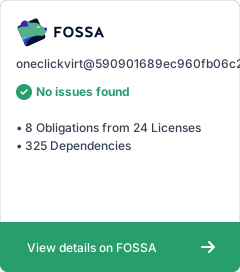](https://app.fossa.com/projects/git%2Bgithub.com%2Foneclickvirt%2Foneclickvirt?ref=badge_large&issueType=license)
- ## Demo Screenshots
- The screenshots below are generated from the current responsive frontend, including the public homepage, sponsor section, mobile layout, admin pages, and user pages.
- **Public homepage**
- 
- **Sponsors**
- 
- **Mobile homepage**
- 
- **Admin dashboard**
- 
- **Provider management**
- 
- **User dashboard**
- 
- **User instances**
- 
Ratings and comments
Sign in to rate this skill.
Sign inFree to use. If it’s helped, pass it on.