uipath-ai-skills
AI skills that turns coding agents into UiPath experts.
Safety scan
A static text scan, not a guarantee. Select the badge to see what was scanned and every finding.
Badge for your README

Markdown
[](/listings/marcelocruzrpa--uipath-ai-skills)HTML
<a href="/listings/marcelocruzrpa--uipath-ai-skills"><img src="/api/listings/marcelocruzrpa--uipath-ai-skills/badge.svg" alt="findsafeskills safety rating" /></a>Install
Install instructions from the README
As written by the repo's author. findsafeskills has not verified these steps.
> [!IMPORTANT] > **Plugin Layout:** Plugins (like `uipath-tasks`) must be installed as sibling directories to `uipath-core`. The runtime loader scans sibling folders for extensions; moving them to a different nested structure will break discovery.
> [!NOTE] > **PowerShell:** While the core generators are cross-platform, desktop selector generation via `inspect-ui-tree.ps1` requires PowerShell on a Windows environment.
Adding the skills to your environment is super simple:
<details open> <summary><strong>Claude Code</strong></summary>
/plugin marketplace add marcelocruzrpa/uipath-ai-skills
/plugin install uipath-core@uipath-ai-skills
/plugin install uipath-tasks@uipath-ai-skills
Verify by asking Claude *"List my available skills"* — you should see both `uipath-core` and `uipath-tasks`.
</details>
<details> <summary><strong>Codex CLI</strong></summary>
git clone https://github.com/marcelocruzrpa/uipath-ai-skills.git
mkdir -p .codex/skills
cp -r uipath-ai-skills/uipath-core  .codex/skills/uipath-core
cp -r uipath-ai-skills/uipath-tasks .codex/skills/uipath-tasks
codex
Or install globally:
cp -r uipath-ai-skills/uipath-core  ~/.codex/skills/uipath-core
cp -r uipath-ai-skills/uipath-tasks ~/.codex/skills/uipath-tasks
If Codex truncates the skill, raise the instruction limit in `~/.codex/config.toml`:
project_doc_max_bytes = 131072 # 128 KB
</details>
<details> <summary><strong>Manual install</strong></summary>
If you're using a different agent or vendoring the plugins into an existing project, clone and copy:
git clone https://github.com/marcelocruzrpa/uipath-ai-skills.git

# Optional: install openpyxl for Config.xlsx management
pip install "openpyxl>=3.1.0"
No other dependencies required — all core scripts use Python stdlib.
Copy into a Claude Code project:
mkdir -p <your-project>/.claude/skills
cp -r uipath-ai-skills/uipath-core  <your-project>/.claude/skills/
cp -r uipath-ai-skills/uipath-tasks <your-project>/.claude/skills/
Copy into a Codex CLI project:
mkdir -p <your-project>/.codex/skills
cp -r uipath-ai-skills/uipath-core  <your-project>/.codex/skills/
cp -r uipath-ai-skills/uipath-tasks <your-project>/.codex/skills/
</details>
Using the skill
1. **Start in plan mode when your agent supports it.** In Claude Code, toggle plan mode with Shift+Tab before sending your prompt — the agent reads your **PDD (Process Definition Document)**, drafts a plan, and waits for your approval before touching files. Review the plan, tweak it if needed, then approve and let it execute. 2. **Name the skill in your prompt** to be sure it loads — e.g. *"Use `uipath-core` to scaffold a REFramework dispatcher for this PDD..."*. The skill also auto-loads when your prompt mentions UiPath, but naming it explicitly is the surest path. For human-in-the-loop or Tasks workflows, name `uipath-tasks`. 3. **Three ways to use it:** - **Build a project from a PDD** — point the agent at a PDD file and (optionally) tell it the architecture (sequence, dispatcher, or performer). It scaffolds the project, generates the workflows, inspects target apps for selectors, and validates the output. - **Update an existing project** — point it at an existing UiPath project and ask for a bug fix, a new workflow, or a small change. It reads the project structure, generates only the deltas, and re-validates. - **Refactor a legacy project into REFramework** — point it at an existing project built with flat structure or bad practices and ask for a wholesale rewrite. It reads the workflows, proposes a proper decomposition (launch / init / process / action files, Config.xlsx, Object Repository), and migrates the logic into the new shape. *Not battle-tested as the other two modes*
Version-band targeting (v1.2.1+)
What was scanned
The files the safety scan read, as written by the repository's author and shown as plain text. Lines with a finding are marked.
.claude-plugin/marketplace.json · Manifest · 24 lines
View this file on GitHub (read at the repository's current version: the scan did not record which commit it read)
- {
- "name": "uipath-ai-skills",
- "owner": { "name": "marcelocruzrpa" },
- "metadata": {
- "description": "AI skills for generating production-quality UiPath Studio projects from natural language.",
- "version": "1.0.0"
- },
- "plugins": [
- {
- "name": "uipath-core",
- "description": "Build UiPath Studio projects, REFramework scaffolds, XAML workflows, and VB/C# expressions via 104 deterministic Python generators. Trigger keywords: UiPath, REFramework, XAML, RPA, Orchestrator, dispatcher, performer, queue items, project.json, Config.xlsx.",
- "source": "./",
- "strict": false,
- "skills": ["./uipath-core"]
- },
- {
- "name": "uipath-tasks",
- "description": "Generates UiPath Tasks workflows — Form Tasks, External Tasks, and Task Management activities for human-in-the-loop, system-in-the-loop, and recovery patterns. Plugs into uipath-core via plugin_loader.",
- "source": "./",
- "strict": false,
- "skills": ["./uipath-tasks"]
- }
- ]
- }
README.md · README · 561 lines
View this file on GitHub (read at the repository's current version: the scan did not record which commit it read)
- <p align="center">
- <img src="assets/banner.png" alt="uipath-ai-skills" width="100%">
- </p>
- AI skills that turn natural language into production-quality UiPath Studio projects — powered by deterministic Python generators, real Studio-exported templates, and a validation layer tuned to catch LLM hallucination patterns. No hallucinated XAML. No guessed selectors. Every `.xaml` file opens cleanly in UiPath Studio.
- ## The problem
- LLMs are bad at generating UiPath code. The XAML they produce is typically invalid — wrong namespaces, hallucinated activity names, broken selectors, missing ViewState blocks, incompatible NuGet versions. Most of it won't even open in Studio.
- **uipath-ai-skills** closes that gap. The agent writes JSON specs; the toolchain emits valid XAML, catches hallucination patterns before they reach your project, and wires the framework for you — so what usually takes days of Studio cleanup becomes minutes of review.
- ---
- ## Complete walkthrough
- [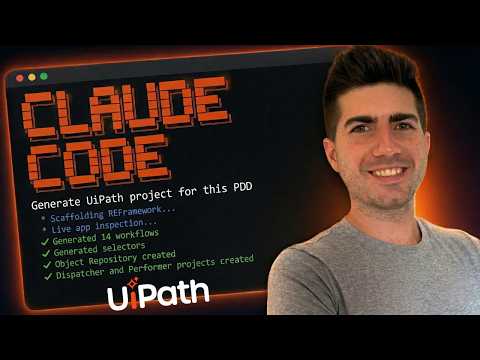](https://youtu.be/0JjiM8sGP08)
- End-to-end walkthrough — setup, how to use the skills, and what production output looks like in UiPath Studio.
- ---
- ## What you can build
- | Automation type | Description | Recommended project |
- |---|---|---|
- | **Web form filling** | Browser-based data entry with real selectors from Playwright inspection | Sequence or REFramework |
- | **Queue dispatching** | Read data sources (Excel, DB, API) and populate Orchestrator queues | REFramework Dispatcher |
- | **Queue processing** | Process queue items with retry logic, exception handling, and status tracking | REFramework Performer |
- | **API integrations** | HTTP requests with OAuth, retry policies, JSON parsing, credential management | Sequence |
- | **Excel processing** | Read, filter, transform, and write Excel data with LINQ expressions | Sequence |
- | **PDF extraction** | Extract text from PDFs using native parsing or OCR | Sequence |
- | **Email automation** | IMAP retrieval, attachment processing, and sending via Integration Service | Sequence |
- | **Desktop automation** | Win32/WPF/WinForms app automation with PowerShell-inspected selectors | Sequence or REFramework |
- | **Multi-app orchestration** | Processes spanning multiple web and desktop applications | REFramework Performer |
- | **Human-in-the-loop tasks** | Form approvals, external system handoff, recovery workflows | Any (uipath-tasks plugin) |
- ---
- ## Quick start
- > [!IMPORTANT]
- > **Plugin Layout:** Plugins (like `uipath-tasks`) must be installed as sibling directories to `uipath-core`. The runtime loader scans sibling folders for extensions; moving them to a different nested structure will break discovery.
- > [!NOTE]
- > **PowerShell:** While the core generators are cross-platform, desktop selector generation via `inspect-ui-tree.ps1` requires PowerShell on a Windows environment.
- Adding the skills to your environment is super simple:
- <details open>
- <summary><strong>Claude Code</strong></summary>
- ```
- /plugin marketplace add marcelocruzrpa/uipath-ai-skills
- /plugin install uipath-core@uipath-ai-skills
- /plugin install uipath-tasks@uipath-ai-skills
- ```
- Verify by asking Claude *"List my available skills"* — you should see both `uipath-core` and `uipath-tasks`.
- </details>
- <details>
- <summary><strong>Codex CLI</strong></summary>
- ```bash
- git clone https://github.com/marcelocruzrpa/uipath-ai-skills.git
- mkdir -p .codex/skills
- cp -r uipath-ai-skills/uipath-core .codex/skills/uipath-core
- cp -r uipath-ai-skills/uipath-tasks .codex/skills/uipath-tasks
- codex
- ```
- Or install globally:
- ```bash
- cp -r uipath-ai-skills/uipath-core ~/.codex/skills/uipath-core
- cp -r uipath-ai-skills/uipath-tasks ~/.codex/skills/uipath-tasks
- ```
- If Codex truncates the skill, raise the instruction limit in `~/.codex/config.toml`:
- ```toml
- project_doc_max_bytes = 131072 # 128 KB
- ```
- </details>
- <details>
- <summary><strong>Manual install</strong></summary>
- If you're using a different agent or vendoring the plugins into an existing project, clone and copy:
- ```bash
- git clone https://github.com/marcelocruzrpa/uipath-ai-skills.git
- # Optional: install openpyxl for Config.xlsx management
- pip install "openpyxl>=3.1.0"
- ```
- No other dependencies required — all core scripts use Python stdlib.
- Copy into a Claude Code project:
- ```bash
- mkdir -p <your-project>/.claude/skills
- cp -r uipath-ai-skills/uipath-core <your-project>/.claude/skills/
- cp -r uipath-ai-skills/uipath-tasks <your-project>/.claude/skills/
- ```
- Copy into a Codex CLI project:
- ```bash
- mkdir -p <your-project>/.codex/skills
- cp -r uipath-ai-skills/uipath-core <your-project>/.codex/skills/
- cp -r uipath-ai-skills/uipath-tasks <your-project>/.codex/skills/
- ```
- </details>
- ### Using the skill
- 1. **Start in plan mode when your agent supports it.** In Claude Code, toggle plan mode with Shift+Tab before sending your prompt — the agent reads your **PDD (Process Definition Document)**, drafts a plan, and waits for your approval before touching files. Review the plan, tweak it if needed, then approve and let it execute.
- 2. **Name the skill in your prompt** to be sure it loads — e.g. *"Use `uipath-core` to scaffold a REFramework dispatcher for this PDD..."*. The skill also auto-loads when your prompt mentions UiPath, but naming it explicitly is the surest path. For human-in-the-loop or Tasks workflows, name `uipath-tasks`.
- 3. **Three ways to use it:**
- - **Build a project from a PDD** — point the agent at a PDD file and (optionally) tell it the architecture (sequence, dispatcher, or performer). It scaffolds the project, generates the workflows, inspects target apps for selectors, and validates the output.
- - **Update an existing project** — point it at an existing UiPath project and ask for a bug fix, a new workflow, or a small change. It reads the project structure, generates only the deltas, and re-validates.
- - **Refactor a legacy project into REFramework** — point it at an existing project built with flat structure or bad practices and ask for a wholesale rewrite. It reads the workflows, proposes a proper decomposition (launch / init / process / action files, Config.xlsx, Object Repository), and migrates the logic into the new shape. *Not battle-tested as the other two modes*
- ### Version-band targeting (v1.2.1+)
- UiPath activity packages evolve their attribute set across Studio releases — `Version="V5"`, `HealingAgentBehavior`, and `ClipboardMode` exist in band 25.10+ but not in earlier bands. Generating XAML against the wrong band produces "Could not find member" errors when Studio opens the project.
- To target a specific Studio band, pass `--band` when scaffolding:
- ```bash
- python uipath-core/scripts/scaffold_project.py --template reframework --band 25 ...
- ```
- This stamps `versionBand` into `project.json` and activates lints **120/121/122**, which fire when an emitted XAML contains attributes incompatible with the target band. The scaffold also auto-stamps the band when year-based dependencies are supplied via `--deps`. Always target the most recent **stable** band — version profiles are never authored against prerelease packages.
- See `CHANGELOG.md` (1.2.1) for the full list of additions: data-driven generator, Studio harvest tooling, plugin API v2 (`register_version_profile` / `register_band_profile_mapping`), and the auto-generated `references/routing-index.md` index across 463 activities.
- ---
- ## How it works
- ```mermaid
- flowchart LR
- A["Describe automation<br/>in plain English"] --> B["Skill reads<br/>routing table"]
- B --> C{"Project<br/>exists?"}
- C -->|No| D["Scaffold project<br/>(sequence / dispatcher / performer)"]
- C -->|Yes| U{"UI<br/>automation?"}
- D --> U
- U -->|Yes| E["Inspect target app(s) UI"]
- E --> F["Write JSON spec<br/>to disk"]
- U -->|No| F
- F --> G["Deterministic<br/>generator"]
- G --> H["XAML<br/>output"]
- H --> V["Lint validation<br/>+ auto-fix"]
- V -->|Errors| G
- V -->|Pass| K["Framework wiring<br/>+ Object Repository<br/>+ NuGet resolution"]
- K --> J["Complete UiPath<br/>project"]
- ```
- The skill uses four layers to ensure valid output:
- 1. **Deterministic generators** — Python functions that produce structurally correct XAML for each activity type. The LLM writes a JSON spec (which LLMs handle well); generators handle the complex XML structure (which LLMs handle poorly). Every enum value, child element, namespace, and attribute is locked down.
- 2. **Studio-exported templates** — every generator is anchored to real XAML exported from UiPath Studio 24.10. Not documentation examples — actual working files.
- 3. **Lint validation** — rules that specifically target the hallucination patterns LLMs produce when generating UiPath XAML. Catches issues before you open Studio. Auto-fix is available for common issues.
- 4. **Framework wiring** — `modify_framework.py` wires `InvokeWorkflowFile` calls into framework files, injects variables, replaces scaffold markers, and chains UiElement arguments. `generate_object_repository.py` builds the `.objects/` tree from captured selectors. Both ensure the generated project is structurally complete.
- ---
- ## Available skills
- | Skill | Status | Description |
- |---|---|---|
- | **[uipath-core](./uipath-core/)** | **Released** | XAML generation, REFramework scaffolding, selector generation, lint validation, plugin loader |
- | **[uipath-tasks](./uipath-tasks/)** | **Released** | Form Tasks, External Tasks, and Task Management activities for human-in-the-loop, system-in-the-loop, and recovery workflows |
- | uipath-sap-wingui | Planned | SAP GUI for Windows automation |
- | uipath-du | Planned | Document Understanding — taxonomy, extraction, classification, and validation pipelines |
- `uipath-core` is the required base. Additional skills are plugins that extend the core through `plugin_loader.py` — they register their own generators, lint rules, scaffold hooks, namespaces, and known activities, and the core engine auto-discovers them at runtime.
- ---
- ## Plugin architecture
- uipath-ai-skills has two distinct extension surfaces — keep them straight when you're authoring or installing plugins.
- **Marketplace manifest** — `.claude-plugin/marketplace.json`. Declares each plugin's name and skill path for Claude Code's `/plugin install` command. This is the install/discovery surface only.
- **Runtime loader** — `uipath-core/scripts/plugin_loader.py`. At import time, scans every sibling directory of `uipath-core/` for an `extensions/__init__.py` package. Each plugin's `__init__.py` registers its contributions through the loader's API. Core scripts (`generate_workflow.py`, `validate_xaml`, `scaffold_project.py`, `resolve_nuget.py`, etc.) query the registries when they run.
- A plugin can register:
- - **Generators** — XAML emitters for new activity types
- - **Lint rules** — validators that run as part of `validate_xaml`
- - **Scaffold hooks** — `project.json` mutators that run after `scaffold_project.py` creates a project
- - **Namespaces** — XML namespace bindings for plugin activities
- - **Known / key activities** — IdRef and DisplayName requirements
- - **Hallucination patterns** — common LLM error → corrected form mappings
- - **Common packages** — NuGet packages picked up by `resolve_nuget.py --all`
- - **Type mappings** — short type aliases for plugin types
- - **Variable prefixes** — naming-convention hints for variables of plugin types
- - **Battle-test graders** — automated grading functions for plugin-specific suites
- - **Generator test specs** and **lint test fixtures** — regression coverage that the core test runner picks up automatically
- ### Writing your own plugin
- The reference implementation is `uipath-tasks/extensions/__init__.py`. The minimal layout:
- ```
- your-plugin/ # sibling directory of uipath-core/
- ├── SKILL.md # skill routing table for the LLM
- ├── extensions/
- │ ├── __init__.py # registers your contributions
- │ ├── generators.py
- │ └── lint_rules.py
- ├── references/ # docs the LLM reads as context
- └── assets/
- ├── generator-snapshots/ # golden XAML for your generators
- └── lint-test-cases/ # bad/good XAML for your lint rules
- ```
- A typical `extensions/__init__.py`:
- ```python
- from plugin_loader import (
- register_generator, register_lint, register_namespace,
- register_known_activities,
- )
- from .generators import gen_my_activity
- from .lint_rules import lint_my_rules
- register_namespace("mypfx", "clr-namespace:My.Namespace;assembly=My.Assembly")
- register_generator("my_activity", gen_my_activity, display_name="MyActivity")
- register_lint(lint_my_rules, "lint_my_plugin")
- register_known_activities("MyActivity")
- ```
- To make it installable through Claude Code, add an entry to `.claude-plugin/marketplace.json`.
- ---
- ## Built-in best practices
- The skill doesn't just generate valid XAML — it enforces the patterns that experienced UiPath developers apply manually:
- - **Modular decomposition** — one workflow per action, organized in `Workflows/<AppName>/` subfolders. Main.xaml orchestrates via `InvokeWorkflowFile` and never contains business logic directly.
- - **Config-driven everything** — URLs, credential asset names, queue names, and application settings live in Config.xlsx. Nothing is hardcoded in workflows.
- - **Credential security** — passwords are always `SecureString`, never `String`. `GetRobotCredential` is called inside the Launch workflow at minimal scope — never in InitAllApplications, never passed as arguments between workflows.
- - **REFramework architectural discipline** — InitAllApplications opens all apps and gets them to a ready state. Process.xaml and action workflows are attach-only (`OpenMode="Never"`). SetTransactionStatus is never modified. Login stays inside `AppName_Launch.xaml`.
- - **Browser discipline** — incognito mode by default, one browser instance per web app, no logout actions (close the browser instead). Navigates by URL (`NGoToUrl` with Config-driven URLs) instead of fragile UI click-paths whenever the target page has a direct URL.
- - **Selector standards** — strict selectors over fuzzy, single-quoted attributes, dynamic selectors via Config for environment-dependent values.
- - **Naming conventions** — type-prefixed variables (`strName`, `dt_Report`), direction-prefixed arguments (`in_strUrl`, `out_boolSuccess`), PascalCase workflows with app prefixes (`ACME_Login.xaml`).
- These are highlights — the skill encodes additional rules covering API retry patterns, extraction/filtering separation, queue dispatch patterns, and error handling hierarchy. See `uipath-core/references/rules.md` for the full set.
- ---
- ## Activity coverage
- Generators cover the core categories you reach for on real projects.
- <details>
- <summary><strong>View activity categories</strong></summary>
- | Category | Activities |
- |---|---|
- | **UI Automation** | NClick, NTypeInto, NSelectItem, NGetText, NCheckState, NCheck, NHover, NDoubleClick, NRightClick, NKeyboardShortcuts, NMouseScroll |
- | **Application Card** | Open, Attach, Close, Desktop Open |
- | **Navigation** | NGoToUrl, NGetUrl, NExtractData, Pick (login validation) |
- | **Control Flow** | If, If/ElseIf, ForEach, ForEach Row, ForEach File, While, DoWhile, Switch, Flowchart, StateMachine, Parallel, ParallelForEach |
- | **Data Operations** | Assign, MultipleAssign, BuildDataTable, Add Row/Column, Filter, Sort, Join, Lookup, Merge, Output, Remove Column / Duplicates, Generate, Variables Block |
- | **Dialogs** | InputDialog, MessageBox |
- | **Error Handling** | TryCatch, Throw, Rethrow, RetryScope |
- | **File System** | Copy, Move, Delete, Create Directory, Path Exists, Read/Write Text, Read/Write CSV |
- | **HTTP / JSON** | NetHttpRequest, DeserializeJson |
- | **Integrations** | Excel (Read/Write/Append/Cell), Email (IMAP, SMTP, attachments), PDF (text + OCR), Database (Connect/Query/NonQuery) |
- | **Invoke** | InvokeWorkflowFile, InvokeCode, InvokeMethod |
- | **Logging & Misc** | LogMessage, Comment, CommentOut, Break, Continue, KillProcess, Add/Remove Log Fields, ShouldStop, TakeScreenshot, TerminateWorkflow |
- | **Orchestrator** | AddQueueItem, BulkAddQueueItems, GetQueueItem, GetRobotAsset, GetRobotCredential |
- | **Tasks plugin** | CreateFormTask, WaitForFormTaskAndResume, GetFormTasks, CreateExternalTask, WaitForExternalTaskAndResume, CompleteTask, AssignTasks |
- </details>
- ---
- ## Validation pipeline
- Lint rules are organized by severity and target the patterns where LLMs most often generate incorrect XAML. Plugins extend the rule set at runtime.
- | Severity | What it catches | Examples |
- |---|---|---|
- | **ERROR** | Studio crashes and compile failures | Hallucinated enum values, missing `xmlns` declarations, wrong child elements, non-existent properties |
- | **WARN** | Runtime failures and silent data loss | Wrong enum namespace, empty Out argument bindings, type mismatches, C# syntax in VB.NET Throw expressions |
- | **INFO** | Best practices and architecture | Missing log bookends, hardcoded URLs, credentials passed as arguments, missing RetryScope on API calls |
- ```bash
- python3 uipath-core/scripts/validate_xaml <project_or_file> --lint # check
- python3 uipath-core/scripts/validate_xaml <project_or_file> --lint --fix # auto-fix common issues
- ```
- <details>
- <summary><strong>What the lint rules catch</strong></summary>
- **Hallucination prevention:**
- - Non-existent properties (`NApplicationCard.Url`, `NCheckState.Appears`, `NTypeInto.EmptyField`)
- - Invalid enum values that crash Studio (`Version="V3"`, `ElementType="InputBoxText"`)
- - Placeholder file paths (`C:\path\to\app.exe`)
- - Hallucinated activity names and namespace prefixes
- **Activity-specific validation:**
- - NTypeInto, NClick, NCheckState, NSelectItem, NGetText property correctness
- - DataTable operation type consistency and FilterOperator enum validation
- - REFramework structure rules (GetQueueItem/SetTransactionStatus patterns)
- - Selector syntax validation and app/screen/element hierarchy checks
- **Production safety:**
- - Credentials must use `GetRobotCredential` (never passed as arguments)
- - API/network calls wrapped in RetryScope
- - URLs sourced from Config.xlsx (never hardcoded)
- - Browser defaults enforced (IsIncognito, InteractionMode)
- **Plugin-contributed (uipath-tasks):**
- - AC-10 / AC-11 / AC-12 — Form/External Task Create-Wait pairing and FormData key validation
- - AC-26 — Persistence activities must stay in Main.xaml
- </details>
- ---
- ## Verification
- ```bash
- # Lint validation
- python3 uipath-core/scripts/validate_xaml <project_folder> --lint
- # Run all test suites
- python3 uipath-core/scripts/test_all.py
- # Individual suites
- python3 uipath-core/scripts/run_lint_tests.py # lint rule fixtures
- python3 uipath-core/scripts/regression_test.py # regression suite
- python3 uipath-core/scripts/test_generator_snapshots.py # generator snapshots
- python3 uipath-core/scripts/test_cross_plugin.py # plugin loading + registration
- python3 uipath-core/scripts/test_generator_lint_integration.py # generator + lint integration
- python3 uipath-core/scripts/test_auto_fix.py # auto-fix validation
- python3 uipath-core/scripts/test_dependency_graph.py # workflow dependency analysis
- # Scaffold a test project
- python3 uipath-core/scripts/scaffold_project.py --name "test-project" --variant performer --output <output-dir>
- # Resolve latest NuGet package versions
- python3 uipath-core/scripts/resolve_nuget.py --all
- # Validate Config.xlsx keys against XAML references
- python3 uipath-core/scripts/config_xlsx_manager.py validate <project_folder>
- # Battle-test grading (semi-automated)
- python3 uipath-core/scripts/grade_battle_test.py <project_dir> --suite core --scenario 1 # uipath-core
- python3 uipath-core/scripts/grade_battle_test.py <project_dir> --suite ac --scenario 1 # uipath-tasks
- ```
- Battle-test scenarios live in `uipath-core/evals/core-battle-tests.md` and `uipath-tasks/evals/tasks-battle-tests.md`. The grader auto-checks the deterministic checkpoints; the rest are manual Studio verification.
- ---
- ## Platform support
- | Capability | Environment |
- |---|---|
- | Generate / scaffold projects | Python 3.10+ — cross-platform |
- | Open generated projects | UiPath Studio 2024.10+ on Windows (older versions may work) |
- | Web selector generation | Playwright MCP — cross-platform |
- | Desktop selector generation | Windows + PowerShell |
- | Config.xlsx management | Python + `openpyxl` — cross-platform |
- ### Prerequisites
- | Dependency | Notes |
- |---|---|
- | **Python 3.10+** | Core scripts use stdlib only |
- | **`openpyxl`** *(optional)* | `pip install openpyxl` — for Config.xlsx operations |
- | **Claude Opus or Claude Sonnet** *(recommended)* | Opus delivers best results for new projects. Sonnet is great for updates to existing projects. Smaller models hallucinate more on complex projects. Works with other LLMs such as OpenAI GPT |
- | **Node.js 18+** *(optional)* | For running Playwright MCP server |
- | **Playwright MCP** *(optional)* | For live web app inspection and selector generation |
- ### Setting up selector generation (optional)
- Selector generation connects your agent to live applications. Without it, the skill still generates full projects — you'll just need to fill in selectors manually in Studio.
- <details>
- <summary><strong>Web selectors (Playwright MCP)</strong></summary>
- 1. Add Playwright MCP to your agent's config — the server command is `npx @playwright/mcp@latest`. See [Playwright MCP docs](https://github.com/microsoft/playwright-mcp) for the exact JSON snippet per agent.
- 2. The skill opens a browser automatically and navigates to the target URL
- 3. Inspection is **read-only** — the agent never types credentials or submits forms
- </details>
- <details>
- <summary><strong>Desktop selectors (inspect-ui-tree.ps1)</strong></summary>
- 1. The agent opens the target desktop app (or asks permission to open it)
- 2. The agent runs the script directly via PowerShell to capture the UIA element tree
- 3. Works with WPF, Win32, WinForms, DirectUI, UWP. Inspection is **read-only**
- No setup needed — `inspect-ui-tree.ps1` ships with `uipath-core/scripts/`.
- </details>
- ---
- ## Key design decisions
- **XAML is never hand-written.** All XAML is produced by deterministic Python generators. This eliminates the #1 source of errors: LLM hallucination of XML structures, enum values, and namespace declarations.
- **JSON specs as intermediate format.** LLMs are good at JSON. LLMs are bad at XML. The JSON spec format lets the agent describe *what* it wants while generators handle the complex XAML structure.
- **Real templates, not invented ones.** Every template in `uipath-core/assets/` is a genuine UiPath Studio 24.10+ export. Nothing was constructed from documentation or memory.
- **Lint rules target LLM hallucination patterns.** The lint rules aren't generic XML validators — they specifically catch the mistakes LLMs make when generating UiPath XAML.
- **Plugin architecture for extensibility.** Domain-specific capabilities (Tasks, and future plugins) are added as sibling directories that register their own generators, lint rules, and scaffold hooks via `plugin_loader.py` — without modifying core code.
- ---
- ## Limitations
- - Tested against **UiPath Studio 2024.10+ Windows** with **Modern UI Automation** activities
- - Output quality depends on PDD clarity and scope — the agent will ask clarifying questions when instructions are vague, but more detailed PDDs produce better workflows
- - Live web selector generation requires Playwright MCP setup; desktop inspection requires PowerShell on Windows. Without these, selectors need manual completion in Studio
- - Desktop inspection is **Windows-only** (UIA is a Windows API)
- - Browser inspection is **read-only** and stops at login gates — it cannot type credentials or navigate past authentication
- - Not every arbitrary PDD converts perfectly without iteration and refinement
- - The tool does not invent real credentials, API keys, or perform login on the user's behalf
- ---
- ## Troubleshooting
- **`ModuleNotFoundError: No module named 'openpyxl'`** — Run `pip install openpyxl`. Needed for Config.xlsx operations.
- **NuGet resolution fails / times out** — Needs outbound HTTPS to `pkgs.dev.azure.com`. Falls back to cached versions if blocked.
- **MCP server not found** — Check your agent's MCP config. For web apps, Playwright MCP is used for live selector inspection. Without it, the skill still generates projects — selectors will need manual completion in Studio.
- **Inspection stops at login page** — Browser inspection is read-only and cannot type credentials. Log in manually first, then have the skill inspect the authenticated page.
- **Generated project won't open in Studio** — Ensure your Studio version supports Modern activities. Run `python3 uipath-core/scripts/validate_xaml <project> --lint` to identify specific issues.
- **Plugin not loading / generator missing** — `uipath-tasks` (and any plugin) must live as a **sibling directory** to `uipath-core`. The loader scans for `extensions/__init__.py` in sibling directories; if you copy plugins to a different layout, runtime discovery breaks. Run `python3 uipath-core/scripts/test_cross_plugin.py` to verify the loader sees your plugin.
- ---
- ## Project structure
- <details>
- <summary><strong>View directory tree</strong></summary>
- ```
- uipath-ai-skills/
- ├── README.md
- ├── CONTRIBUTING.md
- ├── CHANGELOG.md
- ├── LICENSE
- ├── assets/ # README banner and shared imagery
- ├── .claude-plugin/
- │ └── marketplace.json # plugin marketplace manifest
- │
- ├── uipath-core/ # required base plugin
- │ ├── SKILL.md # skill routing table
- │ ├── requirements.txt
- │ ├── evals/
- │ │ └── core-battle-tests.md
- │ ├── references/ # XAML, expressions, selectors, lint, etc.
- │ ├── scripts/
- │ │ ├── generate_workflow.py # JSON spec → validated XAML (entry point)
- │ │ ├── generate_activities/ # deterministic generators by category
- │ │ ├── validate_xaml/ # lint suite + auto-fix
- │ │ ├── scaffold_project.py # project scaffolding (sequence/dispatcher/performer)
- │ │ ├── modify_framework.py # framework wiring + variable injection
- │ │ ├── resolve_nuget.py # live NuGet version resolution
- │ │ ├── generate_object_repository.py
- │ │ ├── config_xlsx_manager.py
- │ │ ├── plugin_loader.py # plugin discovery + registration API
- │ │ ├── dependency_graph.py # workflow dependency analysis
- │ │ ├── grade_battle_test.py # semi-automated battle test grader
- │ │ ├── inspect-ui-tree.ps1 # desktop UIA inspector
- │ │ ├── test_all.py # runs every test suite
- │ │ ├── run_lint_tests.py
- │ │ ├── regression_test.py
- │ │ ├── test_generator_snapshots.py
- │ │ ├── test_cross_plugin.py
- │ │ ├── test_generator_lint_integration.py
- │ │ ├── test_auto_fix.py
- │ │ └── test_dependency_graph.py
- │ └── assets/
- │ ├── reframework/ # clean REFramework template (Studio 24.10)
- │ ├── simple-sequence-template/ # sequence scaffold template
- │ ├── simple-sequence/ # sequence golden samples
- │ ├── samples/ # common workflow patterns
- │ ├── stripped/ # minimal XAML templates for generators
- │ ├── generator-snapshots/ # generator regression fixtures
- │ └── lint-test-cases/ # bad/good XAML lint fixtures
- │
- └── uipath-tasks/ # released plugin — Tasks (HITL / external / management)
- ├── SKILL.md
- ├── references/
- │ ├── form-tasks.md
- │ ├── external-tasks.md
- │ └── task-management.md
- ├── evals/
- │ └── tasks-battle-tests.md
- ├── extensions/ # auto-discovered by plugin_loader at import time
- │ ├── __init__.py # registers generators, lints, hooks, namespaces
- │ ├── generators.py
- │ ├── lint_rules.py
- │ ├── scaffold_hooks.py
- │ └── battle_test_grading.py
- └── assets/
- ├── generator-snapshots/
- └── lint-test-cases/
- ```
- </details>
- ---
- ## Contributing
- See [CONTRIBUTING.md](./CONTRIBUTING.md) for guidelines. Contributions welcome — especially bug reports with Studio error messages, golden XAML samples from real exports, and new lint rules for hallucination patterns. See [CHANGELOG.md](./CHANGELOG.md) for release history.
- ---
- ## License
- [MIT License](./LICENSE)
- ---
- ## Contributors
- Thanks to all contributors:
- <a href="https://github.com/marcelocruzrpa/uipath-ai-skills/graphs/contributors">
- <img src="https://contrib.rocks/image?repo=marcelocruzrpa/uipath-ai-skills" />
- </a>
- ---
- ## Author
- Built by [Marcelo Cruz](https://www.linkedin.com/in/marcelo-cruz-rpa/) — UiPath MVP.
Ratings and comments
Sign in to rate this skill.
Sign inFree to use. If it’s helped, pass it on.