apple-hig
Apple Human Interface Guidelines reference, updated for iPhone Duo and OS 27. Provides authoritative platform-specific design rules, component specifications, exact measurements, and interaction patterns for iOS, iPadOS, macOS, tvOS, visionOS, and watchOS. Use when designing, reviewing, auditing, or fixing any Apple platform UI, or when asked about specific HIG components, sizing, system behaviors, frameworks (HealthKit, SiriKit, ARKit, etc.), or platform conventions. Also use when the user is designing any digital interface and could benefit from established design principles, even without an explicit Apple platform context. Includes a guided /duo workflow that adapts an existing iOS app to iPhone Duo, plus opt-in enforce mode with independent review.
Safety scan
A static text scan, not a guarantee. Select the badge to see what was scanned and every finding.
Badge for your README

Markdown
[](/listings/justinwetch--higagentskills)HTML
<a href="/listings/justinwetch--higagentskills"><img src="/api/listings/justinwetch--higagentskills/badge.svg" alt="findsafeskills safety rating" /></a>Install
Install instructions from the README
As written by the repo's author. findsafeskills has not verified these steps.
Extract the ZIP's complete `apple-hig/` folder into your agent's skills directory, either for one project or for all local projects. Your agent's documentation names that location. Agents without skill discovery need explicit access to the extracted `SKILL.md` and its sibling files.
Keep `SKILL.md`, README, routing index, references, the `commands/` folder and the two helper scripts together. When upgrading, replace the old skill folder rather than merging files; check for another installed copy with the same name.
Then install the `/duo` command. Some agents pick up `commands/duo.md` from the skill folder on their own; others need the file copied into their custom slash-command or custom prompt directory (your agent's documentation names it). If `/duo` doesn't appear after a restart, copy it there.
Confirm the installation in your agent:
Find the installed apple-hig skill. Read its SKILL.md and report its absolute
location, release version and supported modes, and whether /duo is available
as a slash command. Do not load the HIG references or start a review for this
setup check.
Expect release **2026-09-27**, ordinary HIG guidance, Duo mode with `/duo` available, and opt-in enforce mode. If the skill or `/duo` is missing, or the version differs, check the installation location and refresh/restart the host before using it. Automatic discovery has not been tested in every host.
There is no onboarding website, browser intake, dashboard or setup server. The agent works in your conversation and project. Ordinary guidance needs file access only. Python **3.10+** enables the optional routing helper and is required for enforce scoring; use the available `python3` or `python` executable.
What was scanned
The files the safety scan read, as written by the repository's author and shown as plain text. Lines with a finding are marked.
SKILL.md · Manifest · 170 lines
- ---
- name: apple-hig
- description: >
- Apple Human Interface Guidelines reference, updated for iPhone Duo and
- OS 27. Provides authoritative platform-specific design rules, component
- specifications, exact measurements, and interaction patterns for iOS,
- iPadOS, macOS, tvOS, visionOS, and watchOS. Use when designing, reviewing,
- auditing, or fixing any Apple platform UI, or when asked about specific HIG
- components, sizing, system behaviors, frameworks (HealthKit, SiriKit, ARKit,
- etc.), or platform conventions. Also use when the user is designing any
- digital interface and could benefit from established design principles, even
- without an explicit Apple platform context. Includes a guided /duo workflow
- that adapts an existing iOS app to iPhone Duo, plus opt-in enforce mode with
- independent review.
- ---
- # Apple HIG Skill
- Use the distilled HIG references in `references/hig/` through `routing-index.md`. The source snapshot and verified release measurements are in README.md.
- ## Loading Protocol
- Release **2026-09-27**; Apple source snapshot **2026-09-12**.
- For help, installation, version or capability questions, read only this entry
- point and the relevant README section. Do not load the HIG corpus for setup help.
- Installing or upgrading this skill includes its `/duo` slash command. After the
- skill folder is in place, check whether the host already offers `/duo`. If it
- does not, copy `commands/duo.md` into the host's custom slash-command or custom
- prompt directory (user-level unless the user asks for one project), confirm
- `/duo` is available, and tell the user if a restart is needed.
- Work directly in the conversation and the user's project; do not create a browser
- intake form, onboarding site, dashboard, or browser setup step.
- Ordinary guidance is the default. Only an explicit request to apply enforce mode
- activates its procedure. Read `references/enforce.md` first in that case and check
- reviewer, Python and observation capabilities before loading the design guidance.
- A leading `/duo`, `Use apple-hig in Duo mode`, or an explicit request to adapt
- an existing app for iPhone Duo starts Duo mode: read `references/duo.md` and
- follow its stages. Questions about the command and ordinary Duo design questions
- stay ordinary guidance. Duo mode works only in the app's native code; it never
- produces HTML, SVG, or web mockups.
- Use the available Python 3.10+ interpreter (`python3` or `python`); do not assume
- the executable name. Ordinary guidance also works without Python.
- When Python is available, use the standard-library routing helper to resolve
- steps 2–6: save only the exact user request to a UTF-8 text file in a temporary
- directory outside the user's project, then run `<python> "<skill-root>/scripts/hig_route.py" --request-file "<request.txt>"`.
- Read every file in its `files` list in bounded sections, completing any truncated
- read before continuing. Do not concatenate the entire set into one tool output;
- the helper output is metadata, not the guidance itself. Do not add
- your own instructions to the request text or promote inferred topics to
- initial matches. If the user explicitly excludes a platform/device/topic, pass
- the excluded topic IDs with `--exclude-topic` (repeat for each topic, including
- platform aliases matched inside an excluded phrase); record the user's reason.
- Keep a platform that is also positively requested elsewhere. Do not exclude
- topics merely to reduce context. Exclusions apply
- to direct and related selections, never to the 16 foundations. Without Python,
- apply the same steps and explicit exclusions manually.
- ### Step 1 — Parse Task Context
- From the user's request, identify:
- - **Platform(s):** ios / ipados / macos / tvos / visionos / watchos
- - **Device/form factor:** iPhone Duo when named or matched by its tier-2 triggers
- - **Components or patterns** mentioned (buttons, tab bars, sheets, etc.)
- - **Frameworks or SDKs** referenced (HealthKit, SiriKit, ARKit, etc.)
- - **Task type:** design / review / spec / audit / guidance
- - **Mode:** ordinary guidance by default. Activate enforce mode only when the user explicitly asks to apply it; mentioning the mode or asking what it means does not activate it. Duo mode starts only as described above.
- ### Step 2 — Load Tier 1 (every design or review task)
- Read all 16 files listed in `routing-index.md` under `## tier-1`:
- `accessibility`, `branding`, `color`, `dark-mode`, `design-principles`,
- `icons`, `images`, `inclusion`, `layout`, `materials`, `motion`,
- `privacy`, `right-to-left`, `sf-symbols`, `typography`, `writing`
- These apply universally. Load them before answering.
- ### Step 3 — Load Platform File (Tier 2)
- Read `routing-index.md` → `## tier-2 platform-map`.
- For each detected platform, load its `designing-for-[platform]` file.
- Also match the tier-2 map's device/form-factor and API triggers using
- standalone word/phrase/API-symbol matching. A Duo match loads both
- `designing-for-iphone-duo` and `designing-for-ios`; Duo is an iOS form factor.
- If "game" or "gaming" is mentioned, also load `designing-for-games`.
- ### Step 4 — Keyword Scan (Tier 3)
- Read `routing-index.md` → `## tier-3 trigger-map`.
- Normalize the user request to lowercase. Match trigger strings as
- standalone words, phrases, or API symbols; plural, hyphenated and bare-symbol
- forms count (`tab bars`, `full-screen`, `keyboardType`). Never match a trigger
- merely because it appears inside an unrelated word. For example, `AR` doesn't
- match "tab bar," and `AI` doesn't match "explain." Load every matching
- file. Load each file at most once.
- ### Step 5 — Related Expansion
- Freeze the initial selection set as the tier-2 and tier-3 files selected in steps 3–4. Read only that set's `related:` frontmatter.
- Load the listed files once. Do not expand related lists from those newly added files.
- Bind each initial topic to the exact platform/device/trigger text matched in
- the user's request. An inferred
- component concept is not a literal trigger match.
- A topic reached through `related:` stays related even when it is useful;
- never promote it to initial and expand it again. If semantic relevance calls
- for an additional reference, load that specific file without related expansion.
- ### Step 6 — Tier 4 On-Demand
- Read `routing-index.md` → `## tier-4 trigger-map (on-demand)`.
- Use the same standalone word/phrase/API-symbol matching rule. Load a
- tier-4 file only on direct keyword match, or if named in the initial selection
- set's `related:` list. Never expand from foundations, newly related files, or
- directly matched tier-4 files. These are niche — avoid loading broadly.
- ### Step 7 — Answer or enforce
- For explicitly requested enforcement, carry out `references/enforce.md` using
- the loaded source guidance. Ordinary guidance never starts that procedure.
- For an ordinary guidance answer, quote the short operative source clause verbatim
- with all qualifiers intact, then give only the needed application. A compact
- table works for multiple states. Keep the rule and application distinct;
- do not paraphrase the quotation into a stronger, broader, or narrower rule.
- Before sending, delete sentences that do not answer a requested part.
- Check the actor, starting state, action and resulting state; do not substitute
- a similar neighboring scenario. Mention an API as the implementation of a
- rule only when the loaded source supports that relationship.
- Do not add unrequested adjacent rules or measurements merely because they are
- loaded. Preserve the source's full scope: do not invent narrower device/state
- limits when applying a rule, and include every requested state it covers.
- Apply the guidance for the named platform, device, orientation, and state.
- An explicit scoped exception takes precedence over a broader rule within that scope;
- apply that exception only to its stated platform, device and state.
- Do not invent a reconciliation for unresolved source conflicts; identify the conflict.
- Apply all other compatible loaded content. If a topic isn't covered by loaded files,
- load the specific relevant reference before answering; keep unrelated expansion bounded.
- ---
- ## Non-Negotiables
- - **Cite exact values.** State pt sizes, pixel densities, margins, and
- timing values as they appear in the distilled files. Preserve source
- ranges and approximation qualifiers; do not invent or round values.
- - **Distinguish platforms.** When behavior differs across platforms,
- state each platform's rule explicitly. Never flatten to "generally."
- - **Preserve recommendation strength.** Keep must, prefer, consider, examples, conditions, and exceptions distinct when answering; do not turn an optional recommendation into a requirement.
- - **Preserve logical conditions.** Keep conjunctions and alternatives intact. A consequence stated for A and B does not establish the same consequence for either alone; an A-or-B option does not require both. Check the claim in the answer as well as its supporting clause.
- - **No invention.** Every Apple rule, measurement, and API recommendation must
- trace to a loaded reference. Distinguish Apple guidance from your own design
- choices. If unsure, say so and name the source.
- - **Terse and direct.** Keep ordinary guidance focused on the requested rule.
- ---
- ## File Locations
- - Distilled reference files: `references/hig/[topic].md`
- - Routing index: `routing-index.md`
- - Opt-in enforcement procedure: `references/enforce.md`
- - Guided iPhone Duo redesign: `references/duo.md`, `references/duo-checklist.md`;
- `/duo` slash command (install it with the skill): `commands/duo.md`
- - Frontmatter schema: each distilled file contains `topic`, `tier`,
- `platforms`, `category`, `triggers`, and `related` fields.
README.md · README · 107 lines
- # apple-hig
- 
- **157 source-reviewed Apple Human Interface Guidelines references, updated for iPhone Duo and OS 27**, with a guided `/duo` workflow that adapts an existing iOS app to the folding iPhone. Covers iOS, iPadOS, macOS, tvOS, visionOS and watchOS.
- Release **2026-09-27** · Apple source snapshot **2026-09-12**.
- [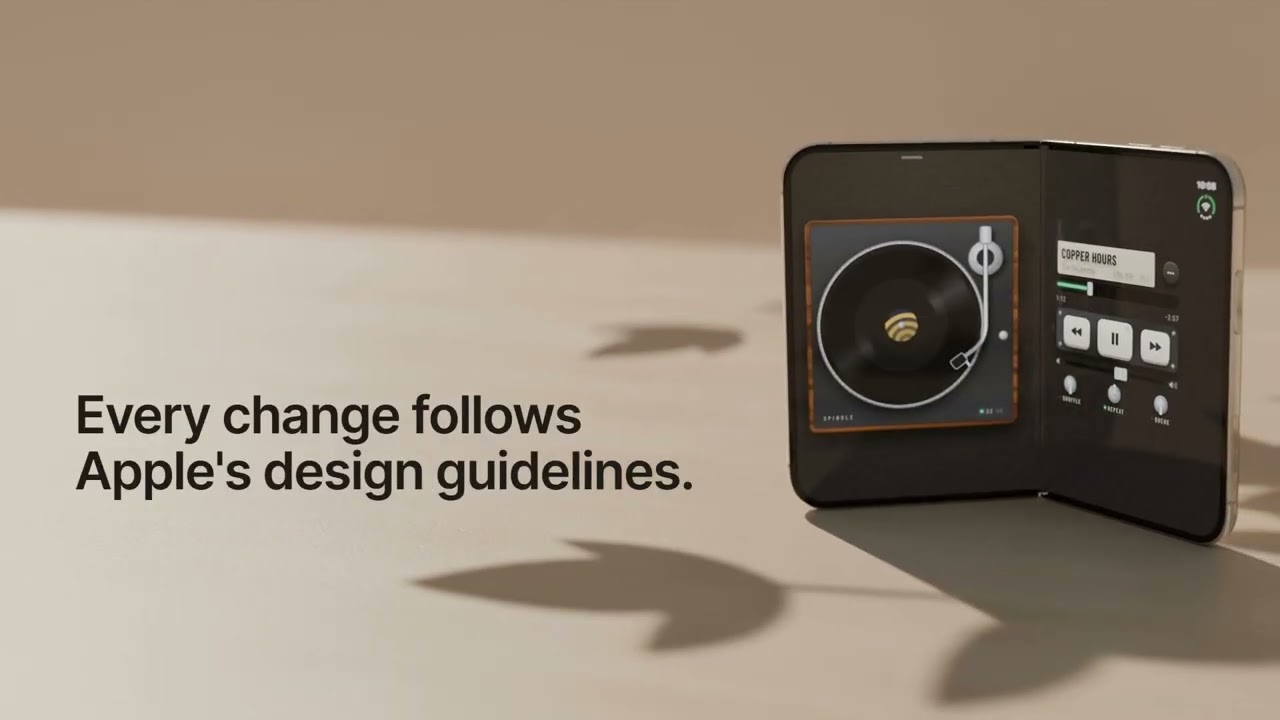](https://www.youtube.com/watch?v=jnD82EqZ2VQ)
- ## Copy-paste install prompt
- Copy and paste this message to your agent to have it install the skill and its `/duo` command for you.
- ```text
- Install the apple-hig skill for me from https://github.com/justinwetch/HIGAgentSkills.git
- It includes a required /duo slash command in commands/duo.md. If /duo isn't
- available after installing the skill, copy that file into your custom slash-command
- or custom prompt directory, then confirm /duo works.
- ```
- ## 2026-09-27 release: iPhone Duo and OS 27
- 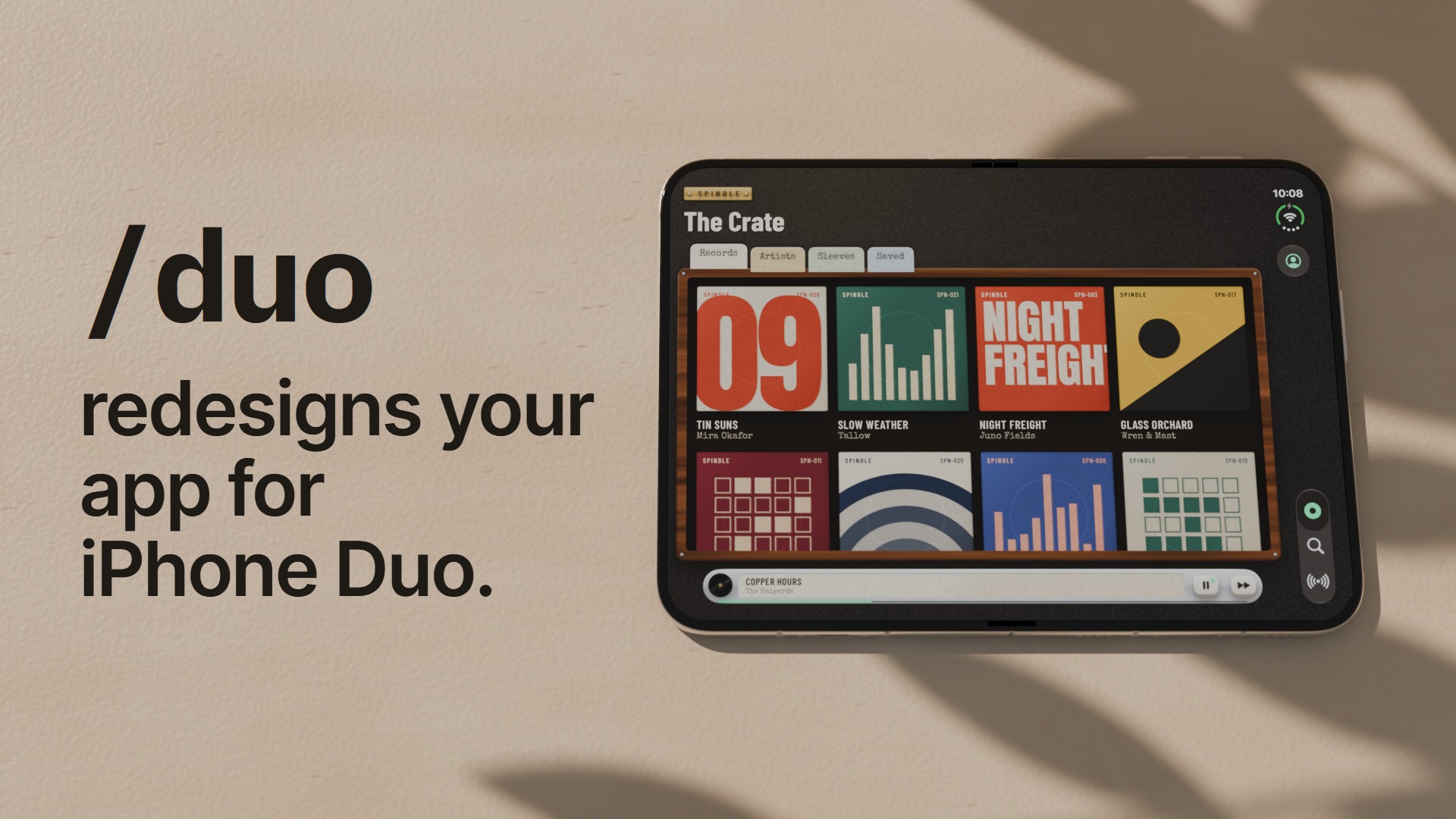
- Apple's September guideline update added a whole new page for the folding iPhone Duo and brought the rest of the HIG up to OS 27. This release brings the skill up to that snapshot (captured September 12) and adds help for the job most iOS teams will actually have this fall: taking an app they already ship and making it work on a phone that opens.
- - **Duo mode.** `/duo` takes an existing iOS app through assessing its screens, matching them to Apple's Duo guidance, recommending changes for you to approve, and building them in SwiftUI or UIKit. It works in your app's own code and never draws web mockups (see "Redesign for iPhone Duo" below).
- - **Current guidance.** All 157 references follow Apple's September 12 pages, including the iPhone Duo page on displays, poses, reserved regions and side-mounted bars, and the OS 27 changes elsewhere.
- - **Lighter references.** The references were rewritten to about a third of Apple's wording overall (261,621 down to 90,027 words) while keeping exact values, conditions and how strongly Apple phrases each rule, so a request loads less context for the same answer.
- Ordinary questions work the way they did in June, just against newer and smaller files. There's also a new opt-in enforce mode for independent review and repair (see "Enforce mode" below). If you installed the June release, replace the whole skill folder rather than merging, since the references moved from `distilled/` to `references/hig/`. The release assessment and verification live in the repository under `docs/release-2026-09-27/`.
- ## Manual install
- Extract the ZIP's complete `apple-hig/` folder into your agent's skills directory, either for one project or for all local projects. Your agent's documentation names that location. Agents without skill discovery need explicit access to the extracted `SKILL.md` and its sibling files.
- Keep `SKILL.md`, README, routing index, references, the `commands/` folder and the two helper scripts together. When upgrading, replace the old skill folder rather than merging files; check for another installed copy with the same name.
- Then install the `/duo` command. Some agents pick up `commands/duo.md` from the skill folder on their own; others need the file copied into their custom slash-command or custom prompt directory (your agent's documentation names it). If `/duo` doesn't appear after a restart, copy it there.
- Confirm the installation in your agent:
- ```text
- Find the installed apple-hig skill. Read its SKILL.md and report its absolute
- location, release version and supported modes, and whether /duo is available
- as a slash command. Do not load the HIG references or start a review for this
- setup check.
- ```
- Expect release **2026-09-27**, ordinary HIG guidance, Duo mode with `/duo` available, and opt-in enforce mode. If the skill or `/duo` is missing, or the version differs, check the installation location and refresh/restart the host before using it. Automatic discovery has not been tested in every host.
- There is no onboarding website, browser intake, dashboard or setup server. The agent works in your conversation and project. Ordinary guidance needs file access only. Python **3.10+** enables the optional routing helper and is required for enforce scoring; use the available `python3` or `python` executable.
- ## Use
- ```text
- Use apple-hig to review the navigation and accessibility of this iOS app.
- ```
- The agent loads 16 foundations, relevant platform/device and component references, and one hop of related guidance. The [routing helper](scripts/hig_route.py) resolves literal matches; the agent passes any explicit topic exclusions separately. File-only hosts follow the same protocol manually. Setup/help questions do not load the corpus.
- Answers quote the operative source clause before applying it, preserving conditions, recommendation strength and exact specifications. Ordinary guidance never starts enforcement.
- ## Redesign for iPhone Duo
- 
- ```text
- /duo the library and reading flow
- ```
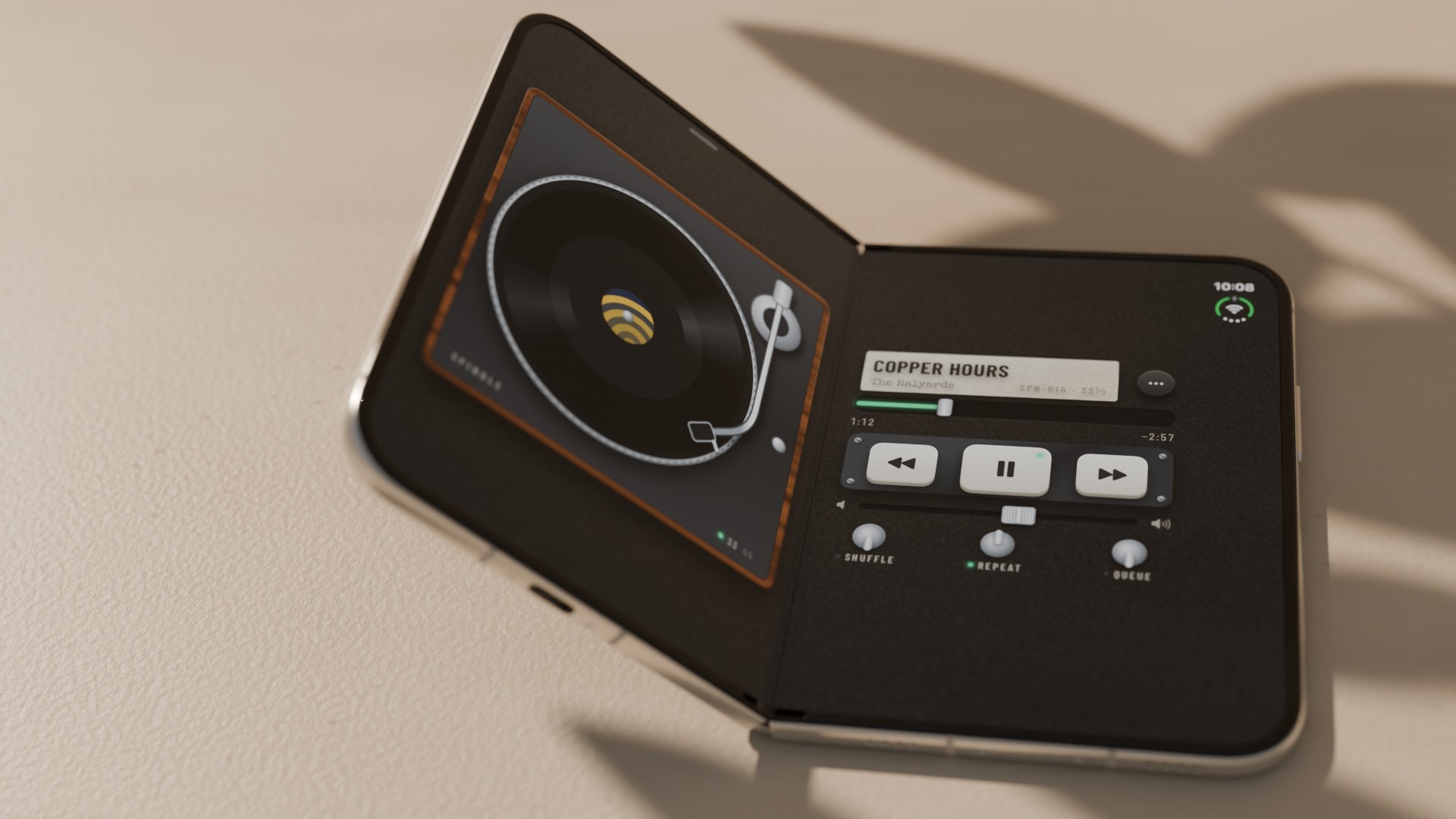
- Duo mode walks one journey of an existing iOS app through fixed stages:
- 1. **Assess** the current screens, bars and layouts in your code.
- 2. **Match** them against Apple's iPhone Duo guidance and tech talks, with sources.
- 3. **Decide:** it recommends options and stops for your choices, offering SwiftUI previews first.
- 4. **Build** the changes natively, in Apple's order.
- 5. **Verify** them in the Device Hub iPhone Duo simulator where available.
- It keeps a short `duo-notes.md` in your project so a later `/duo continue` picks up where it left off. It never makes HTML or web mockups, and it reports which checks it could not run.
- `/duo` comes from `commands/duo.md`, installed with the skill (see "Manual install"). If it's missing, `Use apple-hig in Duo mode for <journey>` starts the same workflow while you fix the install. The [workflow](references/duo.md) and [checklist](references/duo-checklist.md) load only in Duo mode.
- ## Enforce mode (optional)
- Ask for it by name ("Use apple-hig in enforce mode to review and fix this interface") and two independent reviewers score the interface against the HIG; the agent repairs what they find and re-reviews, for up to three cycles. A pass needs 90/100 or better, complete evidence and no unresolved material finding; otherwise the result is `needs changes` or `blocked`. It needs subagents, Python 3.10+ and a way to observe the actual artifact. The [procedure](references/enforce.md) and [data format](references/enforce-format.md) load only when enforcement is requested.
- ## Coverage and context
- The references cut Apple's source guidance from **261,621 to 90,027 words (65.6% shorter)**. That is short of the ~75% target: fidelity took priority, so exact values, conditions, recommendation strength, API names and scoped exceptions were kept, and short rule-dense topics stop around 57–68%. All 157 topics passed independent source review; each topic rewritten in the September 23–24 redistillation was re-reviewed against Apple's source.
- Complete reference files total **163,033 o200k_base / 162,491 cl100k_base tokens**. The 16 foundations total **27,096 / 26,936 tokens**, about 17% below June. Routing, entry-point instructions and selected topics add context; Duo mode adds its workflow and checklist only when it runs. These are static file counts, not measured per-request loads. Source review does not establish runtime behavior or native-device certification.
- ## Repository and packaging
- `SKILL.md` is the entry point; `routing-index.md` maps requests to `references/hig/*.md`. The repository's `distilled/` directory preserves the June baseline and is not loaded or packaged. Source captures, review logs, work files and maintenance documentation are also excluded from the runtime ZIP.
- The maintainer's `scripts/package_runtime_zip.py` builds a deterministic ZIP from an approved manifest. Package checks verify membership, hashes and local links; they do not certify app behavior. Compact corpus measurements and dispositions are retained under `docs/corpus-2026-09-12/` outside the package.
- ## Attribution
- Distilled from [Apple's Human Interface Guidelines](https://developer.apple.com/design/human-interface-guidelines). The Duo checklist also paraphrases Apple's iPhone Duo developer tech talks, linked in it. This independent project is not affiliated with or endorsed by Apple Inc. The enforce diagnostic workflow is informed by [shadcn/ui lint](https://github.com/shadcn-ui/lint); it uses HIG review and artifact evidence rather than adopting Tailwind-specific rules.
- ## License
- Code and original material are MIT licensed. The license does not claim to extend to material owned by Apple or others, including the guidelines the reference files are distilled from. See [LICENSE](https://github.com/justinwetch/HIGAgentSkills/blob/main/LICENSE) and [NOTICE](https://github.com/justinwetch/HIGAgentSkills/blob/main/NOTICE).
Ratings and comments
Sign in to rate this skill.
Sign inFree to use. If it’s helped, pass it on.