developer-kit
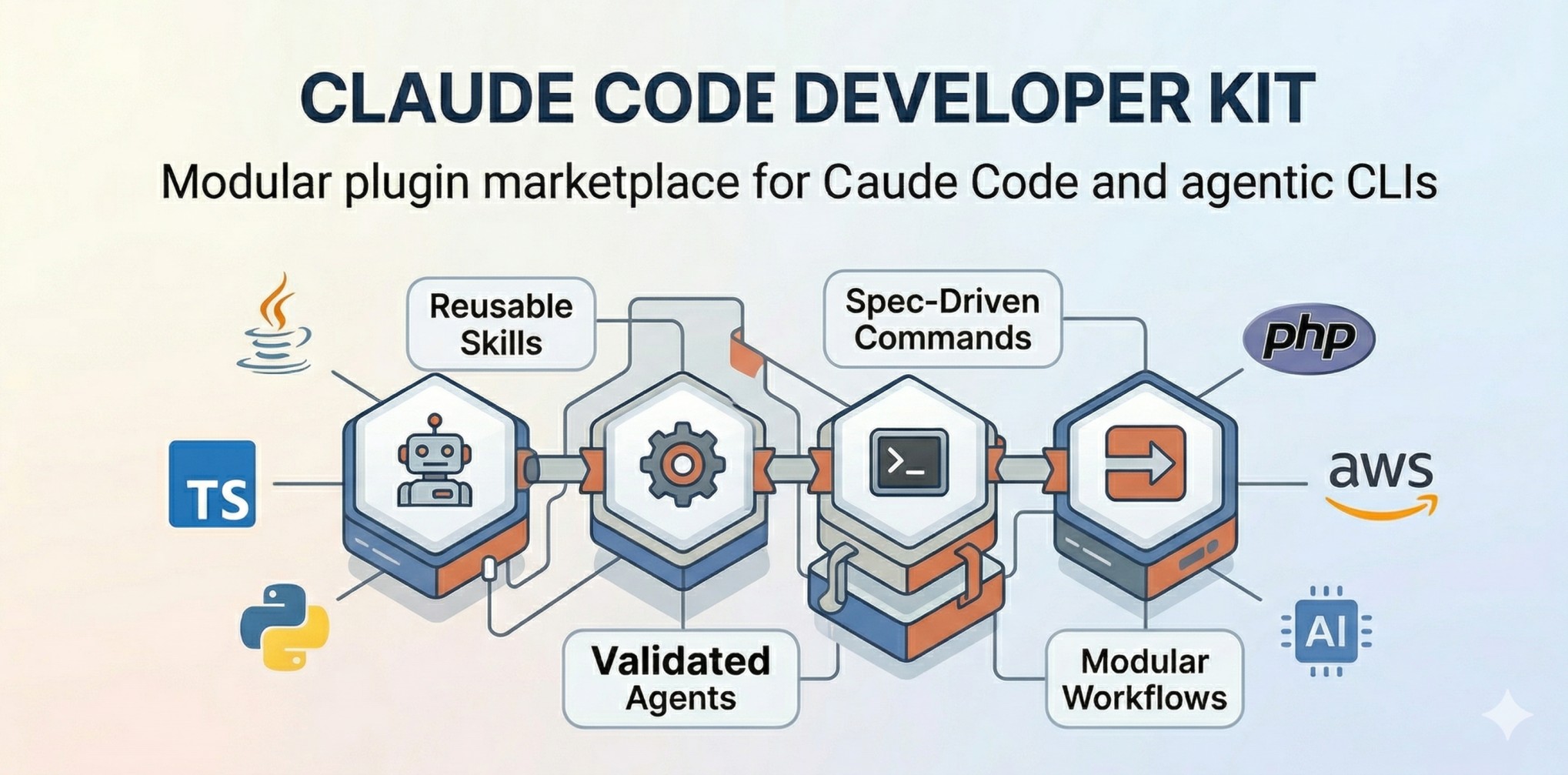
Modular plugin marketplace for Claude Code and agentic CLIs, with validated, spec-driven skills, agents, commands, and workflows for Java, TypeScript, Python, PHP, AWS, and AI.
Safety scan
A static text scan, not a guarantee. Select the badge to see what was scanned and every finding.
Badge for your README

Markdown
[](/listings/giuseppe-trisciuoglio--developer-kit)HTML
<a href="/listings/giuseppe-trisciuoglio--developer-kit"><img src="/api/listings/giuseppe-trisciuoglio--developer-kit/badge.svg" alt="findsafeskills safety rating" /></a>Install
Install instructions from the README
As written by the repo's author. findsafeskills has not verified these steps.
Quick Install (Recommended)
Claude Code
# Install from marketplace
/plugin marketplace add giuseppe-trisciuoglio/developer-kit

# Or install from local directory
/plugin install /path/to/developer-kit
Claude Desktop
[Enable Skills in Settings](https://claude.ai/settings/capabilities) → Add `giuseppe-trisciuoglio/developer-kit`
Manual Installation
# Clone the repository
git clone https://github.com/giuseppe-trisciuoglio/developer-kit.git

# Install via Makefile (auto-detects your CLI)
cd developer-kit
make install

# Or install for specific CLI
make install-claude      # Claude Code
make install-opencode    # OpenCode CLI
make install-copilot     # GitHub Copilot CLI
make install-codex       # Codex CLI
---
What was scanned
The files the safety scan read, as written by the repository's author and shown as plain text. Lines with a finding are marked.
.claude-plugin/marketplace.json · Manifest · 77 lines
View this file on GitHub (read at the repository's current version: the scan did not record which commit it read)
- {
- "name": "developer-kit",
- "version": "4.0.1",
- "description": "Modular marketplace for developer kit plugins",
- "owner": {
- "name": "Giuseppe Trisciuoglio",
- "email": "giuseppe.trisciuoglio@gmail.com"
- },
- "plugins": [
- {
- "name": "developer-kit",
- "description": "Core agents and commands required by all plugins",
- "source": "./plugins/developer-kit-core",
- "version": "4.0.1"
- },
- {
- "name": "developer-kit-ai",
- "description": "AI/ML skills including prompt engineering, RAG, and chunking strategies",
- "source": "./plugins/developer-kit-ai",
- "version": "4.0.1"
- },
- {
- "name": "developer-kit-java",
- "description": "Comprehensive Java development toolkit with Spring Boot, testing, and AWS integration",
- "source": "./plugins/developer-kit-java",
- "version": "4.0.1"
- },
- {
- "name": "developer-kit-aws",
- "description": "AWS infrastructure and CloudFormation expertise",
- "source": "./plugins/developer-kit-aws",
- "version": "4.0.1"
- },
- {
- "name": "developer-kit-typescript",
- "description": "TypeScript/JavaScript full-stack development with NestJS, React, and React Native",
- "source": "./plugins/developer-kit-typescript",
- "version": "4.0.1"
- },
- {
- "name": "developer-kit-php",
- "description": "PHP and WordPress development capabilities",
- "source": "./plugins/developer-kit-php",
- "version": "4.0.1"
- },
- {
- "name": "developer-kit-python",
- "description": "Python development capabilities",
- "source": "./plugins/developer-kit-python",
- "version": "4.0.1"
- },
- {
- "name": "developer-kit-devops",
- "description": "DevOps and containerization expertise",
- "source": "./plugins/developer-kit-devops",
- "version": "4.0.1"
- },
- {
- "name": "developer-kit-project-management",
- "description": "Project management and workflow commands",
- "source": "./plugins/developer-kit-project-management",
- "version": "4.0.1"
- },
- {
- "name": "github-spec-kit",
- "description": "GitHub specification integration and verification",
- "source": "./plugins/github-spec-kit",
- "version": "4.0.1"
- },
- {
- "name": "developer-kit-tools",
- "description": "External tools integration skills for CLI utilities, APIs, and third-party services",
- "source": "./plugins/developer-kit-tools",
- "version": "4.0.1"
- }
- ]
- }
README.md · README · 316 lines
View this file on GitHub (read at the repository's current version: the scan did not record which commit it read)
- <div align="center">
- [](./LICENSE)
- [](https://github.com/giuseppe-trisciuoglio/developer-kit/actions/workflows/security-scan.yml)
- [](https://github.com/giuseppe-trisciuoglio/developer-kit/actions/workflows/plugin-validation.yml)
- [](./plugins)
- [](./plugins)
- **🌐 Languages:** [English](README.md) | [Italiano](./README_IT.md) | [中文](./README_CN.md) | [Español](./README_ES.md)
- 
- **A modular AI plugin system that supercharges your development workflow across languages and frameworks.**
- [Installation](#installation) • [Quick Start](#quick-start) • [Plugins](#available-plugins) • [Documentation](https://github.com/giuseppe-trisciuoglio/developer-kit/blob/main/README.md) • [Changelog](./CHANGELOG.md)
- </div>
- ---
- ## Why Developer Kit?
- Developer Kit is a **modular plugin marketplace** for Claude Code that teaches Claude how to perform development tasks in a repeatable, high-quality way. Instead of generic AI responses, you get domain-specific expertise for your exact tech stack.
- - **🧩 Modular by Design** — Install only what you need. Java developer? Grab `developer-kit-java`. Full-stack TypeScript? Add `developer-kit-typescript`.
- - **🎯 Domain Experts** — 45+ specialized agents for code review, refactoring, security audits, architecture design, and testing across 7+ languages.
- - **📚 150+ Skills** — Reusable capabilities from Spring Boot CRUD generation to CloudFormation templates, all with best practices built-in.
- - **🔄 Multi-CLI Support** — Works with Claude Code, GitHub Copilot CLI, OpenCode CLI, and Codex CLI.
- - **⚡ Auto-Activation** — Path-scoped rules automatically activate when you open relevant files. No configuration needed.
- ---
- ## Installation
- ### Quick Install (Recommended)
- #### Claude Code
- ```bash
- # Install from marketplace
- /plugin marketplace add giuseppe-trisciuoglio/developer-kit
- # Or install from local directory
- /plugin install /path/to/developer-kit
- ```
- #### Claude Desktop
- [Enable Skills in Settings](https://claude.ai/settings/capabilities) → Add `giuseppe-trisciuoglio/developer-kit`
- #### Manual Installation
- ```bash
- # Clone the repository
- git clone https://github.com/giuseppe-trisciuoglio/developer-kit.git
- # Install via Makefile (auto-detects your CLI)
- cd developer-kit
- make install
- # Or install for specific CLI
- make install-claude # Claude Code
- make install-opencode # OpenCode CLI
- make install-copilot # GitHub Copilot CLI
- make install-codex # Codex CLI
- ```
- ---
- ## Quick Start
- ```bash
- # After installation, start your CLI
- claude
- # Check available commands
- /help
- # Use a Developer Kit command
- /devkit.refactor
- ```
- ### Example Prompts
- ```
- Generate a complete CRUD module for User entity with NestJS and Drizzle ORM
- Review this Java Spring Boot service for security issues
- Create a CloudFormation template for ECS with auto-scaling
- Help me refactor this monolithic class into clean architecture
- Generate unit tests for this TypeScript service with 100% coverage
- ```
- ---
- ## Usage
- Developer Kit provides **four layers** of capabilities:
- ### 1. Skills
- Reusable capabilities loaded on-demand. Example:
- ```
- [Skill: spring-boot-crud-patterns activated]
- ```
- Skills automatically provide patterns, templates, and best practices for specific tasks.
- ### 2. Agents
- Specialized sub-agents for complex workflows:
- ```bash
- # Invoke via natural language
- "Review this code as a Spring Boot expert"
- # Or use commands
- /devkit.java.code-review
- /devkit.typescript.code-review
- ```
- ### 3. Rules
- Path-scoped rules auto-activate based on file patterns:
- ```yaml
- # Auto-activates for *.java files
- globs: ["**/*.java"]
- ---
- Always use constructor injection. Never use field injection with @Autowired.
- ```
- > **📋 Note on Rules Installation**
- >
- > Plugins do not automatically install rules into your project. To use the rules, you can copy them manually
- > or use the Makefile command:
- >
- > ```bash
- > # Copy rules from a specific plugin
- > make copy-rules PLUGIN=developer-kit-java
- >
- > # Or manually copy .md files from the plugin's rules/ folder
- > mkdir -p .claude/rules
- > cp plugins/developer-kit-[language]/rules/*.md .claude/rules/
- > ```
- >
- > The rules will be automatically activated based on the `globs:` patterns defined in the header of each file.
- ---
- ## Available Plugins
- | Plugin | Language/Domain | Components | Description |
- |--------|-----------------|------------|-------------|
- | `developer-kit-core` | Core | 6 Agents, 8 Commands, 4 Skills | Required base plugin with general-purpose capabilities |
- | `developer-kit-java` | Java | 9 Agents, 11 Commands, 51 Skills, 4 Rules | Spring Boot, LangChain4J, AWS SDK, GraalVM |
- | `developer-kit-typescript` | TypeScript | 13 Agents, 3 Commands, 25 Skills, 17 Rules | NestJS, React, Next.js, Drizzle ORM, Monorepo |
- | `developer-kit-python` | Python | 4 Agents, 4 Rules | Django, Flask, FastAPI, AWS Lambda |
- | `developer-kit-php` | PHP | 5 Agents, 3 Skills, 4 Rules | WordPress, Sage, AWS Lambda |
- | `developer-kit-aws` | AWS | 3 Agents, 19 Skills | CloudFormation, SAM, CLI, Architecture |
- | `developer-kit-ai` | AI/ML | 1 Agent, 3 Skills, 1 Command | Prompt Engineering, RAG, Chunking |
- | `developer-kit-devops` | DevOps | 2 Agents | Docker, GitHub Actions |
- | `developer-kit-tools` | Tools | 4 Skills | NotebookLM, Copilot CLI, Gemini, Codex |
- | `github-spec-kit` | GitHub | 3 Commands | GitHub spec integration |
- **Total: 150+ Skills | 45+ Agents | 20+ Commands | 45+ Rules**
- ---
- ## Plugin Architecture
- ```
- developer-kit/
- ├── plugins/
- │ ├── developer-kit-core/ # Required base
- │ │ ├── agents/ # Agent definitions (.md)
- │ │ ├── commands/ # Slash commands (.md)
- │ │ ├── skills/ # Reusable skills (SKILL.md)
- │ │ ├── rules/ # Auto-activated rules
- │ │ └── .claude-plugin/
- │ │ └── plugin.json # Plugin manifest
- │ ├── developer-kit-java/ # Java ecosystem
- │ ├── developer-kit-typescript/ # TypeScript ecosystem
- │ └── ...
- ├── .skills-validator-check/ # Validation system
- └── Makefile # Installation commands
- ```
- Each plugin is self-contained with its own manifest, components, and dependencies.
- ---
- ## Configuration
- ### Plugin Selection
- Install only the plugins you need:
- ```bash
- # Core + Java + AWS
- make install-claude
- # Then enable: developer-kit-core, developer-kit-java, developer-kit-aws
- # Full-stack TypeScript
- # Enable: developer-kit-core, developer-kit-typescript, developer-kit-aws
- ```
- ### Rules Auto-Activation
- Rules automatically activate based on file patterns:
- ```yaml
- ---
- globs: ["**/*.java"]
- ---
- # This rule activates for all Java files
- - Use constructor injection
- - Follow naming conventions
- ```
- ### LSP Integration
- Language plugins include LSP server configurations (`.lsp.json`):
- | Language | Server |
- |----------|--------|
- | Java | jdtls |
- | TypeScript | typescript-language-server |
- | Python | pyright-langserver |
- | PHP | intelephense |
- ---
- ## Language Support Matrix
- | Language | Skills | Agents | Commands | Rules | LSP |
- |----------|--------|--------|----------|-------|-----|
- | Java/Spring Boot | 51 | 9 | 11 | 4 | ✅ |
- | TypeScript/Node.js | 25 | 13 | 3 | 17 | ✅ |
- | Python | 2 | 4 | 0 | 4 | ✅ |
- | PHP/WordPress | 3 | 5 | 0 | 4 | ✅ |
- | AWS/CloudFormation | 19 | 3 | 0 | 0 | ❌ |
- | AI/ML | 3 | 1 | 1 | 0 | ❌ |
- ---
- ## Validation & Quality
- Developer Kit includes a comprehensive validation system:
- ```bash
- # Validate all components
- python .skills-validator-check/validators/cli.py --all
- # Security scan (MCP compliance)
- make security-scan
- # Pre-commit hooks
- .skills-validator-check/install-hooks.sh
- ```
- ---
- ## Ecosystem
- **Listed on:**
- - [context7](https://context7.com/giuseppe-trisciuoglio/developer-kit?tab=skills) — Skills marketplace
- - [skills.sh](https://skills.sh/giuseppe-trisciuoglio/developer-kit) — AI skills directory
- **Related Projects:**
- - [Claude Code](https://claude.ai/code) — AI-powered terminal from Anthropic
- - [OpenCode](https://github.com/opencode-ai/opencode) — Open-source AI coding assistant
- - [GitHub Copilot CLI](https://github.com/github/copilot.vim) — AI pair programming
- - [Codex CLI](https://github.com/openai/codex) — OpenAI's coding agent
- ---
- ## Contributing
- We welcome contributions! See [CONTRIBUTING.md](./CONTRIBUTING.md) for:
- - Adding new skills, agents, and commands
- - Plugin development guidelines
- - Validation requirements
- - Branch strategy and versioning
- ## Security
- Skills can execute code. Review all custom skills before deploying:
- - ✅ Only install from trusted sources
- - ✅ Review SKILL.md before enabling
- - ✅ Test in non-production environments first
- - ✅ Run `make security-scan` before releases
- Security scans run automatically via GitHub Actions on every PR.
- ---
- ## License
- [MIT License](./LICENSE) — Open source and free to use.
- ---
- ## Acknowledgments
- - **Claude Code** by Anthropic — The foundation this plugin system extends
- - **Qwen Code** — README design inspiration
- - **Contributors** — Thank you to everyone who has contributed skills and plugins
- ---
- <div align="center">
- **Made with ❤️ for Developers using Claude Code**
- Also compatible with OpenCode, GitHub Copilot CLI, and Codex
- </div>
plugins/developer-kit-java/skills/spring-boot-security-jwt/scripts/test-jwt-setup.sh · Bundled script · 289 lines · 1 finding marked
- #!/bin/bash
- # Spring Security JWT Testing Script
- # This script sets up a test environment and validates JWT implementation
- set -e
- # Colors for output
- RED='\033[0;31m'
- GREEN='\033[0;32m'
- YELLOW='\033[1;33m'
- NC='\033[0m' # No Color
- # Configuration
- BASE_URL=${BASE_URL:-http://localhost:8080}
- TEST_EMAIL=${TEST_EMAIL:-test@example.com}
- TEST_PASSWORD=${TEST_PASSWORD:-TestPassword123!}
- echo -e "${GREEN}=== Spring Security JWT Test Suite ===${NC}"
- echo
- # Function to print colored output
- print_status() {
- if [ $1 -eq 0 ]; then
- echo -e "${GREEN}✅ $2${NC}"
- else
- echo -e "${RED}❌ $2${NC}"
- fi
- }
- print_warning() {
- echo -e "${YELLOW}⚠️ $1${NC}"
- }
- print_info() {
- echo -e "${GREEN}ℹ️ $1${NC}"
- }
- # Function to check if service is running
- check_service() {
- curl -s -f "$BASE_URL/actuator/health" > /dev/null 2>&1
- }
- # Function to create test user
- create_test_user() {
- echo "Creating test user..."
- response=$(curl -s -w "%{http_code}" -o /tmp/user_response.json \
- -X POST "$BASE_URL/api/register" \
- -H "Content-Type: application/json" \
- -d "{
- \"email\": \"$TEST_EMAIL\",
- \"password\": \"$TEST_PASSWORD\",
- \"firstName\": \"Test\",
- \"lastName\": \"User\"
- }")
- http_code=${response: -3}
- if [ "$http_code" = "201" ]; then
- print_status 0 "Test user created successfully"
- return 0
- elif [ "$http_code" = "409" ]; then
- print_status 0 "Test user already exists"
- return 0
- else
- print_status 1 "Failed to create test user (HTTP $http_code)"
- cat /tmp/user_response.json
- return 1
- fi
- }
- # Function to authenticate and get JWT
- authenticate() {
- echo "Authenticating user..."
- response=$(curl -s -w "%{http_code}" -o /tmp/auth_response.json \
- -X POST "$BASE_URL/api/auth/login" \
- -H "Content-Type: application/json" \
- -d "{
- \"email\": \"$TEST_EMAIL\",
- \"password\": \"$TEST_PASSWORD\"
- }")
- http_code=${response: -3}
- if [ "$http_code" = "200" ]; then
- ACCESS_TOKEN=$(jq -r '.accessToken' /tmp/auth_response.json)
- REFRESH_TOKEN=$(jq -r '.refreshToken' /tmp/auth_response.json)
- print_status 0 "Authentication successful"
- print_info "Access token: ${ACCESS_TOKEN:0:20}..."
- return 0
- else
- print_status 1 "Authentication failed (HTTP $http_code)"
- cat /tmp/auth_response.json
- return 1
- fi
- }
- # Function to test protected endpoint
- test_protected_endpoint() {
- local endpoint=$1
- local expected_status=$2
- local description=$3
- if [ -z "$ACCESS_TOKEN" ]; then
- print_status 1 "No access token available"
- return 1
- fi
- response=$(curl -s -w "%{http_code}" -o /tmp/endpoint_response.json \
- -H "Authorization: Bearer $ACCESS_TOKEN" \
- "$BASE_URL$endpoint")
- http_code=${response: -3}
- if [ "$http_code" = "$expected_status" ]; then
- print_status 0 "$description"
- return 0
- else
- print_status 1 "$description (Expected $expected_status, got $http_code)"
- cat /tmp/endpoint_response.json
- return 1
- fi
- }
- # Function to test JWT validation
- test_jwt_validation() {
- echo "Testing JWT validation..."
- # Test valid token
- test_protected_endpoint "/api/users/me" 200 "Valid JWT access"
- # Test expired token
- expired_token="eyJhbGciOiJIUzI1NiIsInR5cCI6IkpXVCJ9.eyJzdWIiOiIxMjM0NTY3ODkwIiwiZXhwIjoxNjE2MjM5MDIyfQ.SflKxwRJSMeKKF2QT4fwpMeJf36POk6yJV_adQssw5c"
- Dismissed after review: Contains a long base64-looking blob — not necessarily malicious, but worth inspecting what it decodes to
- Line 133 on GitHub
- response=$(curl -s -w "%{http_code}" -o /tmp/expired_response.json \
- -H "Authorization: Bearer $expired_token" \
- "$BASE_URL/api/users/me")
- if [ "${response: -3}" = "401" ]; then
- print_status 0 "Expired token rejected"
- else
- print_status 1 "Expired token accepted"
- fi
- # Test invalid token
- invalid_token="invalid.token.format"
- response=$(curl -s -w "%{http_code}" -o /tmp/invalid_response.json \
- -H "Authorization: Bearer $invalid_token" \
- "$BASE_URL/api/users/me")
- if [ "${response: -3}" = "401" ]; then
- print_status 0 "Invalid token rejected"
- else
- print_status 1 "Invalid token accepted"
- fi
- # Test no token
- response=$(curl -s -w "%{http_code}" -o /tmp/no_token_response.json \
- "$BASE_URL/api/users/me")
- if [ "${response: -3}" = "401" ]; then
- print_status 0 "No token rejected"
- else
- print_status 1 "No token accepted"
- fi
- }
- # Function to test refresh token
- test_refresh_token() {
- echo "Testing refresh token..."
- if [ -z "$REFRESH_TOKEN" ]; then
- print_status 1 "No refresh token available"
- return 1
- fi
- # Use refresh token to get new access token
- response=$(curl -s -w "%{http_code}" -o /tmp/refresh_response.json \
- -X POST "$BASE_URL/api/auth/refresh" \
- -H "Content-Type: application/json" \
- -d "{\"refreshToken\": \"$REFRESH_TOKEN\"}")
- http_code=${response: -3}
- if [ "$http_code" = "200" ]; then
- NEW_ACCESS_TOKEN=$(jq -r '.accessToken' /tmp/refresh_response.json)
- print_status 0 "Refresh token successful"
- print_info "New access token: ${NEW_ACCESS_TOKEN:0:20}..."
- # Test new token
- response=$(curl -s -w "%{http_code}" -o /tmp/new_token_test.json \
- -H "Authorization: Bearer $NEW_ACCESS_TOKEN" \
- "$BASE_URL/api/users/me")
- if [ "${response: -3}" = "200" ]; then
- print_status 0 "New access token works"
- else
- print_status 1 "New access token failed"
- fi
- else
- print_status 1 "Refresh token failed (HTTP $http_code)"
- cat /tmp/refresh_response.json
- fi
- }
- # Function to test logout
- test_logout() {
- echo "Testing logout..."
- if [ -z "$ACCESS_TOKEN" ]; then
- print_status 1 "No access token available"
- return 1
- fi
- # Logout
- response=$(curl -s -w "%{http_code}" -o /tmp/logout_response.json \
- -X POST "$BASE_URL/api/auth/logout" \
- -H "Authorization: Bearer $ACCESS_TOKEN")
- http_code=${response: -3}
- if [ "$http_code" = "200" ]; then
- print_status 0 "Logout successful"
- # Test token is no longer valid
- response=$(curl -s -w "%{http_code}" -o /tmp/post_logout.json \
- -H "Authorization: Bearer $ACCESS_TOKEN" \
- "$BASE_URL/api/users/me")
- if [ "${response: -3}" = "401" ]; then
- print_status 0 "Token invalidated after logout"
- else
- print_status 1 "Token still valid after logout"
- fi
- else
- print_status 1 "Logout failed (HTTP $http_code)"
- cat /tmp/logout_response.json
- fi
- }
- # Main test execution
- main() {
- echo "Starting JWT security tests..."
- echo "Base URL: $BASE_URL"
- echo "Test Email: $TEST_EMAIL"
- echo
- # Check if service is running
- if ! check_service; then
- print_status 1 "Service is not running at $BASE_URL"
- print_info "Please start the application before running tests"
- exit 1
- fi
- print_status 0 "Service is running"
- # Run tests
- echo
- echo "=== Setup Phase ==="
- create_test_user
- authenticate
- echo
- echo "=== Authentication Tests ==="
- test_jwt_validation
- test_refresh_token
- test_logout
- echo
- echo "=== Test Summary ==="
- echo "All tests completed. Review the output above for any issues."
- echo
- echo "For detailed debugging:"
- echo "1. Check application logs: tail -f logs/application.log"
- echo "2. Use debug endpoint: curl -H \"X-Auth-Debug: true\" $BASE_URL/api/users/me"
- echo "3. Verify JWT content at: https://jwt.io/"
- }
- # Cleanup function
- cleanup() {
- rm -f /tmp/*.json
- }
- # Set up cleanup
- trap cleanup EXIT
- # Run main function
- main "$@"
Ratings and comments
Sign in to rate this skill.
Sign inFree to use. If it’s helped, pass it on.