apple-music
Apple Music integration — AppleScript (local Music.app) and the Apple Music API / web player (cross-platform library, playlists, playback, and queue)
Safety scan
A static text scan, not a guarantee. Select the badge to see what was scanned and every finding.
Badge for your README

Markdown
[](/listings/epheterson--applemusic-mcp)HTML
<a href="/listings/epheterson--applemusic-mcp"><img src="/api/listings/epheterson--applemusic-mcp/badge.svg" alt="findsafeskills safety rating" /></a>Install
Install instructions from the README
As written by the repo's author. findsafeskills has not verified these steps.
**Requirements:** Python 3.10+, plus a Mac or an Apple Music subscription. On a Mac nothing else is needed. The Chrome web player (Windows, Linux, or opt-in on a Mac) needs [Google Chrome](https://www.google.com/chrome/).
**Claude Code**, one line:
claude mcp add "Apple Music" -- uvx applemusic-mcp serve --level music
**Claude Desktop / Cursor / Cline / Windsurf**, install once, then add the config block:
pipx install applemusic-mcp        # or: pip install applemusic-mcp
playwright install chromium        # the Chrome web player: Windows/Linux, or a Mac with the [browser] extra
{
  "mcpServers": {
    "Apple Music": {
      "command": "applemusic-mcp",
      "args": ["serve", "--level", "music"]
    }
  }
}Change `music` to `api` or `web` to [unlock more](#choose-how-much-it-can-reach); on Windows or Linux start at `api`, since `music` needs a Mac. Config file locations, the Chrome web player on a Mac, and source installs: [configuration](https://github.com/epheterson/applemusic-mcp/blob/main/docs/configuration.md).
Restart your client and try *"List my Apple Music playlists"* or *"Play my favorites."* On macOS the local library and playback work immediately. To add catalog music or run on any OS, sign in.
Sign in
Needed for `api` and `web`. Your password never touches this tool, and sign-in persists.
applemusic-mcp login            # Mac: reads your signed-in Safari. Windows/Linux: opens Chrome
applemusic-mcp status           # verify
On a Mac, sign in at [music.apple.com](https://music.apple.com) in Safari first and turn on Safari's **Develop → Allow JavaScript from Apple Events** once; `login` tells you exactly what's missing. For bulk work (playlist imports, library migrations), use your own Apple developer token to avoid the shared rate limit. Details, the Chrome and developer-token paths, and which API each write uses: [signing in](https://github.com/epheterson/applemusic-mcp/blob/main/docs/sign-in.md).
What was scanned
The files the safety scan read, as written by the repository's author and shown as plain text. Lines with a finding are marked.
SKILL.md · Manifest · 923 lines
View this file on GitHub (read at the repository's current version: the scan did not record which commit it read)
- ---
- name: apple-music
- version: 0.22.1
- description: Apple Music integration — AppleScript (local Music.app) and the Apple Music API / web player (cross-platform library, playlists, playback, and queue)
- ---
- # Apple Music Integration
- Guide for integrating with Apple Music. Three approaches: AppleScript (direct control), UI automation (catalog without API), and MusicKit API (cross-platform).
- ## When to Use
- Invoke when users ask to:
- - Manage playlists (create, add/remove tracks, list)
- - Control playback (play, pause, skip, volume)
- - Play an Apple Music URL (album, playlist, or song)
- - Search catalog or library
- - Add songs to library
- - Access listening history or recommendations
- ## Permission Levels (MCP server)
- The applemusic-mcp server runs at a level the user picks in their MCP client config: `music` (Music.app only), `api` (+ Apple's music APIs), `web` (+ web players), or `full` (everything), optionally with `--allow-ui` (Accessibility clicks). If the server refuses something because of its level, tell the user what it needs and where to change it. Don't work around the refusal with `osascript`, a browser, or anything in this guide: the user chose that limit.
- ## Critical Rule: Library-First Workflow
- **You CANNOT add catalog songs directly to playlists.**
- Songs must be in the user's library first:
- - ❌ Catalog ID → Playlist (fails)
- - ✅ Catalog ID → Library → Playlist (works)
- **Why:** Playlists use library IDs (`i.abc123`), not catalog IDs (`1234567890`).
- This applies to both AppleScript and API approaches.
- ---
- # AppleScript (macOS)
- Zero setup. Works immediately with the Music app.
- **Run via Bash:**
- ```bash
- osascript -e 'tell application "Music" to playpause'
- osascript -e 'tell application "Music" to return name of current track'
- ```
- **Multi-line scripts:**
- ```bash
- osascript <<'EOF'
- tell application "Music"
- set t to current track
- return {name of t, artist of t}
- end tell
- EOF
- ```
- ## Available Operations
- | Category | Operations |
- |----------|------------|
- | **Playback** | play, pause, stop, resume, next track, previous track, fast forward, rewind, play URL |
- | **Player State** | player position, player state, sound volume, mute, shuffle enabled/mode, song repeat |
- | **Current Track** | name, artist, album, duration, time, rating, loved, disliked, genre, year, track number |
- | **Library** | search, list tracks, get track properties, set ratings |
- | **Playlists** | list, create, delete, rename, add tracks, remove tracks, get tracks |
- | **AirPlay** | list devices, select device, current device |
- ## Track Properties (Read)
- ```applescript
- tell application "Music"
- set t to current track
- -- Basic info
- name of t -- "Hey Jude"
- artist of t -- "The Beatles"
- album of t -- "1 (Remastered)"
- album artist of t -- "The Beatles"
- composer of t -- "Lennon-McCartney"
- genre of t -- "Rock"
- year of t -- 1968
- -- Timing
- duration of t -- 431.0 (seconds)
- time of t -- "7:11" (formatted)
- start of t -- start time in seconds
- finish of t -- end time in seconds
- -- Track info
- track number of t -- 21
- track count of t -- 27
- disc number of t -- 1
- disc count of t -- 1
- -- Ratings
- rating of t -- 0-100 (20 per star)
- loved of t -- true/false
- disliked of t -- true/false
- -- Content rating. DO NOT trust this for filtering.
- -- On Apple Music (cloud) tracks this property is unset, and reading it
- -- RAISES "A descriptor type mismatch occurred" rather than returning
- -- false. Catching that and defaulting to false is what turns "I could
- -- not tell" into "this is clean": on a real 463-track playlist Music.app
- -- yielded zero explicit tracks where the catalog rated eight of them
- -- explicit. If a caller asked for clean content, resolve the rating
- -- against the catalog (`contentRating == "explicit"`, matching on name
- -- AND artist) and report anything you could not verify as unknown.
- explicit of t -- true/false, RAISES on most cloud tracks
- -- Playback
- played count of t -- 42
- played date of t -- date last played
- skipped count of t -- 3
- skipped date of t -- date last skipped
- -- IDs
- persistent ID of t -- "ABC123DEF456"
- database ID of t -- 12345
- end tell
- ```
- ## Track Properties (Writable)
- ```applescript
- tell application "Music"
- set t to current track
- set rating of t to 80 -- 4 stars
- set loved of t to true
- set disliked of t to false
- set name of t to "New Name" -- rename track
- set genre of t to "Alternative"
- set year of t to 1995
- end tell
- ```
- ## Player State Properties
- ```applescript
- tell application "Music"
- player state -- stopped, playing, paused, fast forwarding, rewinding
- player position -- current position in seconds (read/write)
- sound volume -- 0-100 (read/write)
- mute -- true/false (read/write)
- shuffle enabled -- true/false (read/write)
- shuffle mode -- songs, albums, groupings
- song repeat -- off, one, all (read/write)
- current track -- track object
- current playlist -- playlist object
- current stream URL -- URL if streaming
- end tell
- ```
- ## Playback Commands
- ```applescript
- tell application "Music"
- -- Play controls
- play -- play current selection
- pause
- stop
- resume
- playpause -- toggle play/pause
- next track
- previous track
- fast forward
- rewind
- -- Play specific content
- play (first track of library playlist 1 whose name contains "Hey Jude")
- play user playlist "Road Trip"
- -- Settings
- set player position to 60 -- seek to 1:00
- set sound volume to 50 -- 0-100
- set mute to true
- set shuffle enabled to true
- set song repeat to all -- off, one, all
- end tell
- ```
- ### Matching titles with typographic punctuation / accents
- `whose name contains "..."` is **glyph-exact** — unlike Music's native `search`
- command, it does *not* fold a straight apostrophe (U+0027) against the curly one
- (U+2019) Music often stores, nor accents. So `whose name contains "That's a No
- No"` misses a title stored as `That's a No No`. Two robust strategies:
- ```applescript
- -- 1. Match the quote-free fragments instead of the apostrophe itself.
- -- Works regardless of which apostrophe variant is stored or typed.
- play (first track of library playlist 1 whose ¬
- (name contains "That" and name contains "s a No No"))
- -- 2. For accents/ellipsis/anything: bulk-fetch names in ONE Apple Event and
- -- fold in-memory. `ignoring punctuation and diacriticals` uses Apple's
- -- Unicode tables (curly quotes, ellipses, café≈cafe). Do NOT access
- -- `name of t` per-iteration in a loop — that is one Apple Event per track
- -- (~17s on a 12k library); fetch the whole list at once (~instant).
- tell application "Music"
- set allNames to (get name of every track of library playlist 1)
- set idx to 0
- ignoring punctuation and diacriticals
- repeat with i from 1 to (count of allNames)
- if ((item i of allNames) as text) contains "Fur Elise" then
- set idx to i
- exit repeat
- end if
- end repeat
- end ignoring
- if idx > 0 then play (track idx of library playlist 1)
- end tell
- ```
- ## Library Queries
- ```applescript
- tell application "Music"
- -- All library tracks
- every track of library playlist 1
- -- Search by name
- tracks of library playlist 1 whose name contains "Beatles"
- -- Search by artist
- tracks of library playlist 1 whose artist contains "Beatles"
- -- Search by album
- tracks of library playlist 1 whose album contains "Abbey Road"
- -- Combined search
- tracks of library playlist 1 whose name contains "Hey" and artist contains "Beatles"
- -- By genre
- tracks of library playlist 1 whose genre is "Rock"
- -- By year
- tracks of library playlist 1 whose year is 1969
- -- By rating
- tracks of library playlist 1 whose rating > 60 -- 3+ stars
- -- Favorite (loved) tracks. Music.app renamed Loved -> Favorite and the
- -- property with it: newer versions use `favorited`, older use `loved`,
- -- and the unsupported name can fail INSIDE a whose-filter with "The
- -- variable loved is not defined". Try `whose favorited is true` first,
- -- fall back to `whose loved is true`, each wrapped in `try`.
- tracks of library playlist 1 whose favorited is true
- tracks of library playlist 1 whose loved is true -- legacy Music versions
- -- Recently played (sort by played date)
- tracks of library playlist 1 whose played date > (current date) - 7 * days
- end tell
- ```
- ## Playlist Operations
- ```applescript
- tell application "Music"
- -- List all playlists
- name of every user playlist
- -- Get playlist
- user playlist "Road Trip"
- first user playlist whose name contains "Road"
- -- Create playlist
- make new user playlist with properties {name:"New Playlist", description:"My playlist"}
- -- Delete playlist. Match the name EXACTLY; a `contains` fallback here
- -- turns "Work" into "Workout".
- delete user playlist "Old Playlist"
- -- Rename playlist
- set name of user playlist "Old Name" to "New Name"
- -- Get playlist tracks
- every track of user playlist "Road Trip"
- name of every track of user playlist "Road Trip"
- -- Get the FIRST N, one Apple Event per property. Read the range off the
- -- playlist itself. Do NOT stash the tracks in a variable first --
- -- `set t to tracks of pl` materializes a plain list, and a property of a
- -- plain list does not distribute: Music raises -1728 and names every
- -- track of the playlist in the error message.
- set pl to user playlist "Road Trip"
- set n to 25
- if n > (count of tracks of pl) then set n to (count of tracks of pl)
- if n < 1 then return {} -- `tracks 1 thru 0` errors
- get name of tracks 1 thru n of pl as list -- `as list`: n=1 returns a
- -- bare value, not a list
- -- Add track to playlist (must be library track)
- set targetPlaylist to user playlist "Road Trip"
- set targetTrack to first track of library playlist 1 whose name contains "Hey Jude"
- duplicate targetTrack to targetPlaylist
- -- Remove track from playlist. `contains` + `first` is a TRAP for anything
- -- destructive: it deletes whichever match sorts first, irreversibly.
- -- "Love" matches 376 tracks in a real library; "Alice" matches three
- -- playlists including a 467-track one. Enumerate first and act only when
- -- the target is unambiguous.
- set hits to (every track of user playlist "Road Trip" whose name contains "Hey Jude")
- if (count of hits) is 1 then
- delete (item 1 of hits)
- else
- -- report the candidates and let the user choose; do not guess
- end if
- -- Playlist properties
- duration of user playlist "Road Trip" -- total duration
- time of user playlist "Road Trip" -- formatted duration
- count of tracks of user playlist "Road Trip"
- end tell
- ```
- ## AirPlay
- ```applescript
- tell application "Music"
- -- List AirPlay devices
- name of every AirPlay device
- -- Get current device
- current AirPlay devices
- -- Set output device
- set current AirPlay devices to {AirPlay device "Living Room"}
- -- Multiple devices
- set current AirPlay devices to {AirPlay device "Living Room", AirPlay device "Kitchen"}
- -- Device properties
- set d to AirPlay device "Living Room"
- name of d
- kind of d -- computer, AirPort Express, Apple TV, AirPlay device, Bluetooth device
- active of d -- true if playing
- available of d -- true if reachable
- selected of d -- true if in current devices
- sound volume of d -- 0-100
- end tell
- ```
- ## String Escaping
- Always escape user input:
- ```python
- def escape_applescript(s):
- return s.replace('\\', '\\\\').replace('"', '\\"')
- safe_name = escape_applescript(user_input)
- script = f'tell application "Music" to play user playlist "{safe_name}"'
- ```
- ## Common Failures
- osascript stderr messages map to a small set of environmental states. When AppleScript fails, classify before deciding what to tell the user — surfacing the raw stderr is misleading; cascading silently to an API path leaks unrelated errors (e.g. "Developer token not found" when the real problem was Music.app being closed).
- | Stderr signal | What it means | What to tell the user |
- |---|---|---|
- | `(-609)`, `Connection is invalid`, `(-10810)`, `isn't running`, `Can't get application "Music"` | Music.app isn't running or has crashed mid-session | "Music.app isn't running. Open it and retry." |
- | `(-1743)`, `Not authorized`, `not allowed assistive access`, `assistive access` | The host process (Claude Desktop, Python CLI, Terminal) hasn't been granted Automation permission for Music | "Open System Settings → Privacy & Security → Automation, find the app running this code, enable the 'Music' toggle." |
- | `AppleScript timed out after 30 seconds` | The 30s subprocess timeout fired — Music.app stuck or still launching | "Music.app may be unresponsive — quit and reopen it." |
- | `syntax error`, `expected … but found …` | The script itself is malformed (developer bug) | Report the raw error — this is on us, not the user. |
- | Anything else | Logic-level error (track not found, playlist empty, etc.) | Surface the raw stderr; safe to cascade to API if a legitimate fallback exists. |
- **Don't bare-match `not allowed`** — Music.app emits "operation not allowed on smart playlists" and similar logic-level errors that should NOT classify as Automation-denial. Match the full `not allowed assistive` or `assistive access` phrase.
- **Don't gate on `is_available()` alone** — that only checks `darwin + osascript exists`. It can't tell you whether Music.app is running or whether Automation permissions have been granted. The error-categorization above is your only signal for those states.
- ## Limitations
- - **macOS only** — no Windows/Linux
- - **UI features require display** — UI automation won't work headless or with Music.app minimized
- - **Music.app must be running** — `is_available()` returns True as soon as `osascript` is on PATH, but every `tell application "Music"` block needs Music.app actually running. First call after a fresh boot may also trigger an Automation-permission prompt the user has to approve once.
- ---
- # UI Automation (macOS)
- > **Add-to-library/playlist UI automation was removed in 0.15.0.** Catalog
- > add-to-library and auto_add→playlist run over the **unified Apple Music API**
- > (developer token generated **or** sourced from Apple's public web player, plus a
- > `media-user-token`). The old UI add path was version-fragile (it broke across
- > macOS/Music.app releases, #37). To enable the API path: `applemusic-mcp login`
- > (or `login --dev` with a developer token). On **macOS** `login` defaults to reading the
- > media-user-token from a signed-in **Safari** — no Chrome/Playwright — provided
- > Safari → Settings → Advanced → Develop → "Allow JavaScript from Apple Events" is
- > enabled; `login --chrome` uses the Chrome web player instead (needs
- > `pip install 'applemusic-mcp[browser]'`). **Off macOS**, `login` opens Chrome
- > (Playwright ships by default there). The UI primitives below remain only for
- > **playback / play-from-URL** and catalog *search*, not for adding.
- >
- > **Engines (`mode` pref / per-call `engine=`):** `auto` (default — native Music.app
- > for playback, **Safari** for the Up Next queue, the API for data on macOS; Chrome
- > off-mac), `native`, `safari`, `chrome`, `api`. The **Safari** engine drives your
- > signed-in Safari's MusicKit through the same `do JavaScript` channel (DRM-native,
- > no Chrome) for play/control/now_playing/settings and the full queue — so on macOS
- > the whole web-player surface works without Playwright. Using the `queue` makes its
- > engine the active one, so `playback control` reaches it.
- The remaining UI automation controls Music.app through System Events (Accessibility API) and CoreGraphics (mouse events).
- **Requirements:** Display attached, Music.app visible, Accessibility permissions for System Events (System Settings → Privacy & Security → Accessibility).
- ## Key Concepts
- **System Events** reads and clicks UI elements by their accessibility hierarchy:
- ```applescript
- tell application "System Events" to tell process "Music"
- -- Main content area
- scroll area 2 of splitter group 1 of window "Music"
- -- Search field
- text field 1 of UI element 1 of row 1 of outline 1 of scroll area 1 of splitter group 1 of window "Music"
- end tell
- ```
- **CoreGraphics mouse events** (via JXA) generate real mouse input — hover, click, and double-click:
- ```javascript
- // osascript -l JavaScript
- ObjC.import("CoreGraphics");
- var point = $.CGPointMake(x, y);
- // hover (reveals hidden controls):
- $.CGEventPost($.kCGHIDEventTap, $.CGEventCreateMouseEvent($(), $.kCGEventMouseMoved, point, 0));
- // click: post LeftMouseDown then LeftMouseUp at the point.
- // double-click: post two down/up pairs with the click-state field (1) set to 1 then 2.
- ```
- > **Critical:** System Events `click` (AXPress) **does not fire** Music.app's
- > custom Play/Shuffle buttons or track rows — it returns success but nothing
- > plays. Read element rects with System Events, then click with **CoreGraphics**
- > mouse events at the element's screen coordinates. A single click only *selects*
- > a track row; **double-click** it to play.
- ## Playing a catalog (non-library) track natively
- AppleScript has no verb to play a non-library catalog track. Deep-link the page,
- then drive the UI with CoreGraphics:
- 1. `open "music://…/album/<id>"` (album/playlist) or `…?i=<songId>` (one track)
- 2. **Album/playlist:** locate the `Play` button, read its position+size, CoreGraphics-click its center.
- 3. **Single track:** match the track row by name in the track list, CoreGraphics **double-click** it (so only that track plays, not the whole album).
- ## The Hover Trick (per-row controls)
- Music.app hides per-track Play / "Add to Library" controls until the mouse hovers over a row:
- 1. Find the track's UI element position via System Events
- 2. Move the mouse there via CoreGraphics (generates real hover events)
- 3. The hidden `checkbox` (play) and `button` (Add to Library) appear in the accessibility tree
- 4. Click them via **CoreGraphics** at their coordinates (not System Events AXPress)
- ## Search via UI
- 1. Set the search field value: `set value of searchField to "query"`
- 2. Press Return: `key code 36`
- 3. Wait for results to load (~4 seconds)
- 4. Parse the "Top Results" list from `scroll area 2`
- 5. Each result is a `UI element` with `description` = name, static texts for type/artist
- **Note:** The type separator in results uses Unicode three-per-em space (U+2004) + middle dot (U+00B7): `Song꘎·꘎Radiohead`
- ## Window Recovery
- Music.app can run without a window. To ensure a window exists:
- ```applescript
- tell application "Music" to activate
- tell application "System Events" to tell process "Music"
- if (count of windows) is 0 then
- click menu item "Music" of menu "Window" of menu bar 1
- end if
- end tell
- ```
- ## Fragility
- UI paths break when Apple updates Music.app's layout. Centralize paths as constants and test after macOS updates. Use Accessibility Inspector.app to explore the current hierarchy.
- The search field location changed between macOS 15 (sidebar outline row) and macOS 26/Tahoe (toolbar group). The server probes for the toolbar element at runtime using an AppleScript `exists` check and falls back to the sidebar path — so both OS versions are supported without hardcoding. If UI search ever breaks on a new macOS version, inspect the search field path first.
- ## Tool routing (when to use which top-level action)
- When a user asks for something, the right MCP tool depends on whether they're searching their library or the catalog. Easy to confuse — gating wrong here leads users into "Developer token not found" rabbit holes when the operation could have worked tokenlessly.
- | Goal | Use | Notes |
- |---|---|---|
- | Find a song the user already has | `library(action='search', query='...')` | Local library only. AppleScript on macOS, API otherwise. |
- | Find a playlist by name | `playlist(action='list', filter='alice')` | Loose name match, returns matching playlists with IDs. Do **not** use `action='search'` for this — that searches the *tracks inside* a given playlist and needs a `playlist` param. |
- | List the user's tracks in a genre | `library(action='search', query='Rock', types='genre')` | Filters on the track's genre field — **macOS-only**. Do NOT route a genre name through plain full-text search: it never looks at the genre field, so "Rock" would false-match a song titled *"Rock Your Body."* Zero matches returns "No tracks found"; off macOS it reports genre filtering isn't available via the API. |
- | Find a song in Apple Music's full catalog | `catalog(action='search', query='...')` | Tries API first, falls back to Music.app UI search on tokenless macOS. |
- | Add a catalog song to the user's library | `library(action='add', track='...')` | API only — needs a developer token (generated or harvested) + a media-user-token (`signin`). The UI-automation fallback was removed in 0.15.0 (see note above). |
- | Add a song (in library OR catalog) to a playlist | `playlist(action='add', track='...', auto_add=True)` | `auto_add=True` is required to reach the catalog when the song isn't already in the library. Default is False to avoid unwanted library writes — set it to True for "fill this playlist" workflows. |
- | Browse charts / recommendations | `discover` | API only. No UI fallback for this one. |
- `library(action='search')` returns one page: `limit` (default 25) caps the results and `offset` pages through larger result sets. The text header shows `start-end of total`, so when `end < total` there are more results — bump `offset` by `limit` to fetch the next page (mirrors `action='browse'`).
- If `library(action='search')` returns "No songs found in library", it is **not** a hint to set up an API token — it's a hint to try `catalog(action='search')` or `playlist(action='add', auto_add=True)` instead. The tokenless macOS path covers all of these.
- ## Compound flows (no API)
- Recipes for replicating applemusic-mcp's catalog features without an API token. Gate each user request on "does this need catalog access?" — pure library and playback ops stay in AppleScript; only catalog lookups go through UI automation.
- ### Add a catalog song to the user's library
- If the user gave a single combined string like `"Silvera - GOJIRA"`, split on ` - ` before searching so the catalog query gets a clean name.
- **Step 0 — resolve the canonical title FIRST (do not skip this).** Hit the free, tokenless iTunes Search API (`https://itunes.apple.com/search?term=<name>+<artist>&entity=song&country=<storefront>`) and pick the best match, scoring **artist-primary**: when the user named an artist, a result by a *different* artist is the wrong track even if its title is an exact match — reject it rather than risk a silent wrong-add (e.g. "Lemons"/"Brye" must resolve to Brye's "LEMONS (feat. Cavetown)", **not** "Lemons" by Hairitage). Use the resolved **canonical title** for the UI query below. This matters because Apple's autocomplete is ranking-sensitive: a vague query ("Lemons") surfaces popular homonyms and misses obscure tracks, while the canonical title ("LEMONS (feat. Cavetown)") makes the exact row appear.
- Then, **version-dependent surface**:
- - **macOS 26 / new Music (Music ≥ 1.6.x):** the search autocomplete pop-over IS in the accessibility tree, and catalog deep-links no longer navigate. Use the pop-over:
- 1. UI search with the **canonical title** (§ Search via UI)
- 2. Pick the first `Song` result whose name + artist match — do not fall back to a non-Song result; fail cleanly if no Song matched. Stale search state can lead to wrong-result clicks otherwise.
- 3. Click the row → it navigates to the song detail page
- 4. Hover the track row via CoreGraphics — the hidden "Add to Library" button becomes reachable. **If you find a "Download" button instead, the track is already in the library** (that's success, not failure).
- 5. Click "Add to Library" via a real CoreGraphics click (SwiftUI buttons ignore AXPress)
- - **macOS 15 / old Music (Music ≤ 1.5.x):** the autocomplete pop-over is **not** in the accessibility tree, but `open`-ing the resolved `music://…?i=…` deep-link DOES navigate to the album page. Deep-link to the resolved URL, find the highlighted track row, hover, and click its "Add to Library" button there.
- Finally:
- 6. Clear the search field so the next call starts from fresh state
- 7. Verify the add. The pop-over UI is authoritative for the iCloud library — trust its success even if the next step lags. Poll `search_library` / a direct `library playlist 1` lookup until the track is visible locally (first appears ~3 s; iCloud can stall longer — cap at ~18 s). A verify miss after a UI-confirmed add means "still syncing," not "failed."
- ### Add a catalog song to a specific playlist
- Compose **"add to library"** (above) → then AppleScript `duplicate` the new library track into the target playlist:
- ```applescript
- tell application "Music"
- set targetTrack to first track of library playlist 1 ¬
- whose name contains "Silvera" and artist contains "GOJIRA"
- duplicate targetTrack to user playlist "Road Trip"
- end tell
- ```
- **Don't** click "Add to Playlist" menu items via UI — the AppleScript `duplicate` path is more reliable. Even if you have a dev token, **don't** hit `POST /v1/me/library/playlists/{id}/tracks` — it returns HTTP 500 for any playlist not originally created via API (the default for playlists made in Music.app). `duplicate` works for any playlist.
- ### Write routing (sanctioned-first)
- The server picks a write's path by **credential and capability, not the playback mode**:
- - **Sanctioned** — the official Apple Music API (`api.music.apple.com`) with a generated developer token. Preferred whenever a dev token is present and the op is supported.
- - **Web** — the web-player backend with a signed-in session token. Used only for the gaps the public API can't do (delete a playlist, add to a Music.app-created playlist, move out of a folder) or when there's no dev token.
- - **Native** — local Music.app via AppleScript on macOS (tokenless), the default writer on a Mac.
- So `mode=web` (a *playback* choice) does NOT force writes onto the web path — a dev-token holder still writes via the official API. Star ratings need AppleScript (macOS) regardless of mode. Each write reports the path it took (`via Apple Music API` / `via web player` / `via Music.app`); `config(action="status")` shows the resolved rail on its `Writes:` line.
- ### Post-add verification
- The UI path can silently click the wrong result under stale search state, and AppleScript state lags briefly after a fresh add. Always verify the expected track actually landed:
- ```applescript
- tell application "Music"
- set matches to (every track of user playlist "Road Trip" ¬
- whose name contains "Silvera" and artist contains "GOJIRA")
- return (count of matches) > 0
- end tell
- ```
- Retry once after a ~1 s sleep before failing. If the second verify still fails, trust it — the add did not land, surface the error instead of claiming false success.
- ---
- # MusicKit API
- Cross-platform but requires Apple Developer account ($99/year) and token setup.
- ## Authentication
- **Requirements:**
- 1. Apple Developer account
- 2. MusicKit key (.p8 file) from [developer portal](https://developer.apple.com/account/resources/authkeys/list)
- 3. Developer token (JWT, 180 day max)
- 4. User music token (browser OAuth)
- **Generate developer token:**
- ```python
- import jwt, datetime
- with open('AuthKey_XXXXXXXXXX.p8') as f:
- private_key = f.read()
- token = jwt.encode(
- {
- 'iss': 'TEAM_ID',
- 'iat': int(datetime.datetime.now().timestamp()),
- 'exp': int((datetime.datetime.now() + datetime.timedelta(days=180)).timestamp())
- },
- private_key,
- algorithm='ES256',
- headers={'alg': 'ES256', 'kid': 'KEY_ID'}
- )
- ```
- **Get user token:** Browser OAuth to `https://authorize.music.apple.com/woa`
- **Headers for all requests:**
- ```
- Authorization: Bearer {developer_token}
- Music-User-Token: {user_music_token}
- ```
- **Base URL:** `https://api.music.apple.com/v1`
- ## Rate Limits (read this before any bulk loop)
- Apple throttles with `HTTP 429` / code `42900` on a **rolling ~60-minute window**, and
- sends **no `Retry-After` and no `X-Rate-Limit` header** — remaining quota is unobservable,
- so you only find out by getting blocked.
- | Token | Practical ceiling | Notes |
- |---|---|---|
- | Your own developer token (`login --dev`, your `.p8`) | ~3600 requests/hour, Apple's documented figure | Your quota alone |
- | Apple's public web-player token (plain `login`, tokenless/Safari path) | a few hundred/hour, measured | Shared, not per-user — the ceiling is far lower and not yours to spend |
- Consequences that bite:
- - **Waiting briefly does nothing.** A 15-minute zero-traffic cooldown still 429s. It clears
- roughly an hour after the burst ends, then re-throttles after a few more requests.
- Every retry inside the window adds to the count keeping you blocked.
- - **A 429 can look like an empty result, not an error.** One search per track ("resolve
- title+artist → catalog id") is the standard import shape and the fastest way to hit this;
- if the caller treats an empty search as "song not found", a throttle silently produces
- false negatives. Treat empty-after-429 as *unknown*, never as *absent*, and never cache it.
- - **For bulk work, use `login --dev`.** Your own developer token gets its own, much larger
- quota. Reported and measured in [#42](https://github.com/epheterson/applemusic-mcp/issues/42).
- ### Batch-resolve by ISRC instead of searching per track
- Where the caller has ISRCs (Spotify / Rekordbox / Plex exports all carry them),
- `GET /v1/catalog/{storefront}/songs?filter[isrc]=ISRC1,ISRC2,…` resolves **25 per request**
- and matches **exactly** — ~25x fewer requests than a search per track, and no fuzzy-match
- errors. Via the tool: `catalog(action="resolve", isrcs="…", format="json")`.
- Two things to get right, because `filter[isrc]` is a *filter*, not a search:
- - **Misses are silent.** Apple returns only what it matched and omits the rest, so the
- unresolved ISRCs exist only as a diff of your request set against `attributes.isrc` on
- the responses. Compute that diff — don't assume a full response.
- - **Keep "asked and absent" separate from "never asked."** If a batch fails (429) the
- remaining ISRCs have *unknown* status, not "not in the catalog." Collapsing the two
- recreates the false-negative bug this section exists to warn about.
- One ISRC can map to several catalog songs (regional releases, remasters), so carry the
- match count rather than silently taking the first.
- **Without ISRCs, dry-run before you write.** Title matching is fuzzy, and its failures are
- silent: `Dont Let Me Down` with no artist resolves to The Chainsmokers, not The Beatles.
- Resolve the whole list first, show the proposed matches with a confidence marker (exact vs.
- fuzzy), and only write once they've been reviewed — never interleave "search, then add"
- per track. Via the tool: `catalog(action="resolve", tracks=..., format="json")`, which adds
- nothing and returns `ids` ready for `playlist(action="add")` — or
- `playlist(action="add", ..., dry_run=True)` to preview against a specific playlist,
- which also diffs against what's already in it. Note this costs one request
- per track (Apple has no batch title+artist endpoint), so it is *not* a rate-limit fix —
- use ISRCs for that.
- Manually:
- ```python
- resolved = {}
- for i in range(0, len(isrcs), 25):
- batch = isrcs[i : i + 25]
- r = requests.get(
- f"https://api.music.apple.com/v1/catalog/{storefront}/songs",
- headers=headers,
- params={"filter[isrc]": ",".join(batch)},
- )
- if r.status_code == 429:
- break # later batches only extend the window
- for song in r.json().get("data", []):
- resolved.setdefault(song["attributes"]["isrc"], song["id"])
- ```
- ## Available Endpoints
- ### Catalog (Public - dev token only)
- | Endpoint | Method | Description |
- |----------|--------|-------------|
- | `/catalog/{storefront}/search` | GET | Search songs, albums, artists, playlists |
- | `/catalog/{storefront}/songs/{id}` | GET | Song details |
- | `/catalog/{storefront}/albums/{id}` | GET | Album details |
- | `/catalog/{storefront}/albums/{id}/tracks` | GET | Album tracks |
- | `/catalog/{storefront}/artists/{id}` | GET | Artist details |
- | `/catalog/{storefront}/artists/{id}/albums` | GET | Artist's albums |
- | `/catalog/{storefront}/artists/{id}/songs` | GET | Artist's top songs |
- | `/catalog/{storefront}/artists/{id}/related-artists` | GET | Similar artists |
- | `/catalog/{storefront}/playlists/{id}` | GET | Playlist details |
- | `/catalog/{storefront}/charts` | GET | Top charts |
- | `/catalog/{storefront}/genres` | GET | All genres |
- | `/catalog/{storefront}/search/suggestions` | GET | Search autocomplete |
- | `/catalog/{storefront}/stations/{id}` | GET | Radio station |
- ### Library (Requires user token)
- | Endpoint | Method | Description |
- |----------|--------|-------------|
- | `/me/library/songs` | GET | All library songs |
- | `/me/library/albums` | GET | All library albums |
- | `/me/library/artists` | GET | All library artists |
- | `/me/library/playlists` | GET | All library playlists |
- | `/me/library/playlists/{id}` | GET | Playlist details |
- | `/me/library/playlists/{id}/tracks` | GET | Playlist tracks |
- | `/me/library/search` | GET | Search library |
- | `/me/library` | POST | Add to library |
- | `/catalog/{sf}/songs/{id}/library` | GET | Get library ID from catalog ID |
- ### Playlist Management
- | Endpoint | Method | Description |
- |----------|--------|-------------|
- | `/me/library/playlists` | POST | Create playlist |
- | `/me/library/playlists/{id}/tracks` | POST | Add tracks to playlist |
- ### Personalization
- | Endpoint | Method | Description |
- |----------|--------|-------------|
- | `/me/recommendations` | GET | Personalized recommendations |
- | `/me/history/heavy-rotation` | GET | Frequently played |
- | `/me/recent/played` | GET | Recently played |
- | `/me/recent/added` | GET | Recently added |
- ### Ratings
- | Endpoint | Method | Description |
- |----------|--------|-------------|
- | `/me/ratings/songs/{id}` | GET | Get song rating |
- | `/me/ratings/songs/{id}` | PUT | Set song rating |
- | `/me/ratings/songs/{id}` | DELETE | Remove rating |
- | `/me/ratings/albums/{id}` | GET/PUT/DELETE | Album ratings |
- | `/me/ratings/playlists/{id}` | GET/PUT/DELETE | Playlist ratings |
- ### Storefronts
- | Endpoint | Method | Description |
- |----------|--------|-------------|
- | `/storefronts` | GET | All storefronts |
- | `/storefronts/{id}` | GET | Storefront details |
- | `/me/storefront` | GET | User's storefront |
- ## Common Query Parameters
- | Parameter | Description | Example |
- |-----------|-------------|---------|
- | `term` | Search query | `term=beatles` |
- | `types` | Resource types | `types=songs,albums` |
- | `limit` | Results per page (max 25) | `limit=10` |
- | `offset` | Pagination offset | `offset=25` |
- | `include` | Related resources | `include=artists,albums` |
- | `extend` | Additional attributes | `extend=editorialNotes` |
- | `l` | Language code | `l=en-US` |
- ## Search Example
- ```bash
- GET /v1/catalog/us/search?term=wonderwall&types=songs&limit=10
- Response:
- {
- "results": {
- "songs": {
- "data": [{
- "id": "1234567890",
- "type": "songs",
- "attributes": {
- "name": "Wonderwall",
- "artistName": "Oasis",
- "albumName": "(What's the Story) Morning Glory?",
- "durationInMillis": 258773,
- "releaseDate": "1995-10-02",
- "genreNames": ["Alternative", "Music"]
- }
- }]
- }
- }
- }
- ```
- ## Library-First Workflow (Complete)
- Adding a catalog song to a playlist requires 4 API calls:
- ```python
- import requests
- headers = {
- "Authorization": f"Bearer {dev_token}",
- "Music-User-Token": user_token
- }
- # 1. Search catalog
- r = requests.get(
- "https://api.music.apple.com/v1/catalog/us/search",
- headers=headers,
- params={"term": "Wonderwall Oasis", "types": "songs", "limit": 1}
- )
- catalog_id = r.json()['results']['songs']['data'][0]['id']
- # 2. Add to library
- requests.post(
- "https://api.music.apple.com/v1/me/library",
- headers=headers,
- params={"ids[songs]": catalog_id}
- )
- # 3. Get library ID (catalog ID → library ID)
- r = requests.get(
- f"https://api.music.apple.com/v1/catalog/us/songs/{catalog_id}/library",
- headers=headers
- )
- library_id = r.json()['data'][0]['id']
- # 4. Add to playlist (library IDs only!)
- requests.post(
- f"https://api.music.apple.com/v1/me/library/playlists/{playlist_id}/tracks",
- headers={**headers, "Content-Type": "application/json"},
- json={"data": [{"id": library_id, "type": "library-songs"}]}
- )
- ```
- ## Create Playlist
- ```bash
- POST /v1/me/library/playlists
- Content-Type: application/json
- {
- "attributes": {
- "name": "Road Trip",
- "description": "Summer vibes"
- },
- "relationships": {
- "tracks": {
- "data": []
- }
- }
- }
- ```
- ## Ratings
- ```bash
- # Love a song (value: 1 = love, -1 = dislike)
- PUT /v1/me/ratings/songs/{id}
- Content-Type: application/json
- {"attributes": {"value": 1}}
- ```
- ## Limitations
- - **No playback control** - API cannot play/pause/skip
- - **Playlist editing** - can only modify API-created playlists
- - **Token management** - dev tokens expire every 180 days
- - **Rate limits** - Apple enforces request limits
- ---
- # Common Mistakes
- **❌ Using catalog IDs in playlists:**
- ```python
- # WRONG
- json={"data": [{"id": "1234567890", "type": "songs"}]}
- ```
- **Fix:** Add to library first, get library ID, then add.
- **❌ Playing catalog songs via AppleScript:**
- ```applescript
- # WRONG
- play track id "1234567890"
- ```
- **Fix:** Song must be in library.
- **❌ Unescaped AppleScript strings:**
- ```python
- # WRONG
- name = "Rock 'n Roll"
- script = f'tell application "Music" to play playlist "{name}"'
- ```
- **Fix:** Escape quotes.
- **❌ Expired tokens:**
- Dev tokens last 180 days max.
- **Fix:** Check expiration, handle 401 errors.
- ---
- # The Easy Way: applemusic-mcp
- The [applemusic-mcp](https://github.com/epheterson/applemusic-mcp) MCP server handles all this complexity automatically: AppleScript escaping, token management, library-first workflow, ID conversions.
- **Install:**
- ```bash
- git clone https://github.com/epheterson/applemusic-mcp.git
- cd applemusic-mcp && python3 -m venv venv && source venv/bin/activate
- pip install -e .
- ```
- **Configure Claude Desktop:**
- ```json
- {
- "mcpServers": {
- "Apple Music": {
- "command": "/path/to/applemusic-mcp/venv/bin/python",
- "args": ["-m", "applemusic_mcp"]
- }
- }
- }
- ```
- On macOS, most features work immediately. For catalog features or Windows/Linux, see the repo README.
- | Manual | applemusic-mcp |
- |--------|----------------|
- | 4 API calls to add song | `playlist(action="add", auto_add=True)` |
- | Copy URL + open in Music | `playback(action="play", url="...")` |
- | Add a catalog song to your library | `library(action="add")` (unified API — dev or web token) |
- | Track library changes manually | `library(action="snapshot")` |
- | AppleScript escaping | Automatic |
- | Token management | Automatic with warnings |
README.md · README · 164 lines
View this file on GitHub (read at the repository's current version: the scan did not record which commit it read)
- # applemusic-mcp
- [](https://github.com/epheterson/applemusic-mcp/releases)
- [](LICENSE)
- []()
- [](https://www.python.org/downloads/)
- [](https://pepy.tech/project/applemusic-mcp)
- [](https://modelcontextprotocol.io/)
- MCP server for Apple Music. It gives any [MCP client](https://modelcontextprotocol.io/clients) (Claude, Cursor, Cline, Windsurf) control of your playlists, library, catalog, discovery, playback, and the Up Next queue. Runs on macOS, Windows, and Linux.
- **A Mac or an Apple Music subscription is all you need.**
- *"Create a playlist called Road Trip and fill it with upbeat 90s alternative."* · *"Play my workout playlist on shuffle, and queue up Bohemian Rhapsody next."* · *"What have I been listening to lately, and what's topping the charts?"*
- ## Choose how much it can reach
- You decide what this server may touch, in your MCP client's config. The assistant can't change it, and tools that need more than you allowed aren't offered to it at all.
- | `--level` | It can reach | Good for |
- |---|---|---|
- | `music` | Only the Music app on your Mac. No network, no browser. | Your library, playlists, playback, ratings, AirPlay |
- | `api` | + Apple's music service over the internet | Searching and adding from the full catalog, recommendations, Windows and Linux |
- | `web` | + a Safari or Chrome web player | The Up Next queue, and playback off the Mac |
- | `full` | Everything, including clicking inside the Music app | Every feature, nothing to decide |
- | `--allow-ui` (with any level) | + clicking inside the Music app (macOS Accessibility) | Playing catalog songs with no sign-in |
- Start with `music` and move up when you want a feature that needs more. Leaving `--level` off is the same as `full` for now, as before 0.21.
- For a Mac app with a guided setup instead of a terminal command, consider the community fork [secure-applemusic-mcp-for-osx](https://github.com/jaminben/secure-applemusic-mcp-for-osx).
- ## Features
- What each engine can do, and the level that turns it on. `✓` supported, `✗` not possible there, `—` not applicable.
- |Capability|Music.app (macOS) · `music`|Apple Music API (any OS) · `api`|Web player (Safari / Chrome) · `web`|
- |---|:---:|:---:|:---:|
- |**Catalog search / browse**|✓|✓ (+ tokenless resolve)|—|
- |Recommendations / charts / suggestions|✗|✓|—|
- |**Library search / browse**|✓|✓|—|
- |Genre search|✓|✗|—|
- |Recently played / added|✓|✓|—|
- |**Add catalog → library**|✓|✓|✓ (in-page POST)|
- |Remove from library|✓|✓|—|
- |Love / dislike|✓|✓|—|
- |**1–5 star ratings**|✓|✗|✗|
- |Favorites list|✓|✗|✗|
- |**Playlist** create / add / remove / rename|✓|✓|—|
- |Playlist copy|✓|✗|—|
- |Playlist delete|✓|✓ (web token)|—|
- |Folders: single level + move in/out|✓|✓|—|
- |Folders: nested paths / tree / `path`|✓|✗|✗|
- |**Playback**: play song / album / playlist / URL|✓|—|✓|
- |Controls: pause / stop / next / prev / seek|✓|—|✓|
- |Settings: volume / shuffle / repeat|✓|—|✓|
- |now_playing|✓|—|✓|
- |**Up Next queue**: view / next / last / remove / jump / clear / autoplay|✗|—|✓|
- |Reveal in app|✓|—|✓ (navigates page)|
- |AirPlay device select|✓|✗|✗|
- |Library snapshot / integrity|✓|✗|✗|
- |**Works with no Apple account**|✓|✗|✗|
- |**Cross-platform (Win/Linux)**|✗|✓|✓|
- Music.app's catalog search and catalog play click inside the app, so at a set level they also need `--allow-ui`. Playback and the queue in a web player need a desktop session: Safari on a Mac (nothing to install) or Google Chrome elsewhere. How the engines are picked and overridden: [configuration](https://github.com/epheterson/applemusic-mcp/blob/main/docs/configuration.md).
- ## Setup
- **Requirements:** Python 3.10+, plus a Mac or an Apple Music subscription. On a Mac nothing else is needed. The Chrome web player (Windows, Linux, or opt-in on a Mac) needs [Google Chrome](https://www.google.com/chrome/).
- **Claude Code**, one line:
- ```bash
- claude mcp add "Apple Music" -- uvx applemusic-mcp serve --level music
- ```
- **Claude Desktop / Cursor / Cline / Windsurf**, install once, then add the config block:
- ```bash
- pipx install applemusic-mcp # or: pip install applemusic-mcp
- playwright install chromium # the Chrome web player: Windows/Linux, or a Mac with the [browser] extra
- ```
- ```json
- {
- "mcpServers": {
- "Apple Music": {
- "command": "applemusic-mcp",
- "args": ["serve", "--level", "music"]
- }
- }
- }
- ```
- Change `music` to `api` or `web` to [unlock more](#choose-how-much-it-can-reach); on Windows or Linux start at `api`, since `music` needs a Mac. Config file locations, the Chrome web player on a Mac, and source installs: [configuration](https://github.com/epheterson/applemusic-mcp/blob/main/docs/configuration.md).
- Restart your client and try *"List my Apple Music playlists"* or *"Play my favorites."* On macOS the local library and playback work immediately. To add catalog music or run on any OS, sign in.
- ### Sign in
- Needed for `api` and `web`. Your password never touches this tool, and sign-in persists.
- ```bash
- applemusic-mcp login # Mac: reads your signed-in Safari. Windows/Linux: opens Chrome
- applemusic-mcp status # verify
- ```
- On a Mac, sign in at [music.apple.com](https://music.apple.com) in Safari first and turn on Safari's **Develop → Allow JavaScript from Apple Events** once; `login` tells you exactly what's missing. For bulk work (playlist imports, library migrations), use your own Apple developer token to avoid the shared rate limit. Details, the Chrome and developer-token paths, and which API each write uses: [signing in](https://github.com/epheterson/applemusic-mcp/blob/main/docs/sign-in.md).
- ## Tools
- Seven action-based tools keep the MCP context small. Each takes an `action` and routes to the right engine.
- | Tool | Actions |
- |---|---|
- | `playlist` | list, folders, tracks, search, create, add, copy, move, remove, delete, rename, path (playlists and folders) |
- | `library` | search, add, browse, favorites, recently_played, recently_added, rate, remove, snapshot |
- | `catalog` | search, resolve, album_tracks, album_details, song_details, artist_details, genres, suggestions |
- | `discover` | recommendations, heavy_rotation, charts, top_songs, similar_artists, personal_station, song_station |
- | `playback` | play (track / album / playlist / URL), control, now_playing, settings, reveal, airplay |
- | `queue` | list, set, play_next, play_last, remove, jump, clear, autoplay (Up Next — Safari on macOS, Chrome elsewhere; `engine=` to pick) |
- | `config` | status, signin, logout, reset, set-pref, audit-log, clear-audit-log, list-storefronts |
- Batching, importing playlists, dry runs, export formats and storefronts: [usage patterns](https://github.com/epheterson/applemusic-mcp/blob/main/docs/usage.md).
- ## CLI
- ```bash
- applemusic-mcp serve --level music # run the MCP server (your client calls this)
- applemusic-mcp login # web sign-in (macOS: Safari; Windows/Linux: Chrome)
- applemusic-mcp login --chrome # use the Chrome web player on a Mac
- applemusic-mcp login --dev # your own Apple developer token (.p8)
- applemusic-mcp logout # sign out (switch accounts)
- applemusic-mcp status # auth status and permission level
- applemusic-mcp reset --force # wipe credentials (keeps your .p8 key file)
- applemusic-mcp reset --all --force # full uninstall: also removes the .p8, profile, and cache
- ```
- ## Good to know
- - **Playing catalog songs in Music.app needs `--allow-ui`, an unlocked screen and Accessibility permission.** It clicks Play inside the app. Songs already in your library don't need any of this. Or, at `--level web`, set `mode="safari"` to play in Safari instead.
- - **Safari playback needs one real click to start.** The first time you play in a freshly-opened or reloaded Safari tab, the browser requires a genuine click before it will start audio (a standard autoplay rule — we don't fake it). Click ▶ once in the Apple Music tab, then play/pause/next all work hands-free. If a play command reports the queue is ready but the track sits at 0:00, that's this — give the tab one click.
- - **Brand-new playlists take a moment** to be addable over the API (cloud propagation). Existing ones are immediate.
- - **If catalog actions start failing**, re-run `applemusic-mcp login`. A handful of user playlists silently revert AppleScript edits ([known Music.app bug](https://www.macscripter.net/t/add-current-track-from-apple-music-to-playlist/72058)); the server detects and surfaces the rollback.
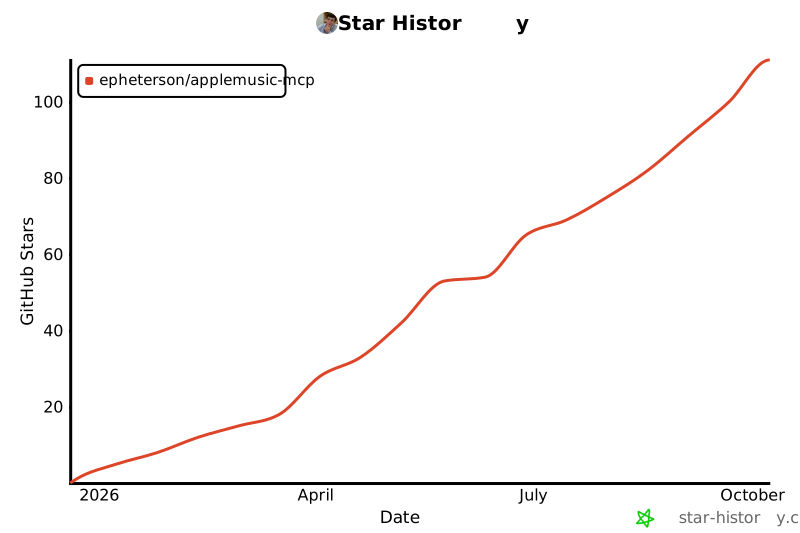
- ## Star History
- [](https://star-history.com/#epheterson/applemusic-mcp&Date)
- ---
- ## License
- MIT · *Unofficial community project — not affiliated with or endorsed by Apple. Uses your own Apple Music account for personal use; follow Apple's terms.*
- <!-- Identifier for the official MCP Registry (PyPI ownership check). -->
- mcp-name: io.github.epheterson/applemusic-mcp
- ## Credits
- [FastMCP](https://github.com/jlowin/fastmcp) · [Apple MusicKit](https://developer.apple.com/documentation/applemusicapi) · [Model Context Protocol](https://modelcontextprotocol.io/)
- ---
- Built with ❤️ in California by [@epheterson](https://github.com/epheterson) and [Claude Code](https://claude.com/claude-code).
Ratings and comments
Sign in to rate this skill.
Sign inFree to use. If it’s helped, pass it on.