Back to search
cc-use-exp
MarketplaceWorks with Claude CodeGitHub
⛔ No longer maintained → dev-agent-kit/recipes 让 Claude Code、Antigravity、Gemini CLI、Codex、Cursor 开箱即用的分层配置模板,总结十多年的日常开发经验
Safety scan
A static text scan, not a guarantee. Select the badge to see what was scanned and every finding.
Checked today
Badge for your README
Markdown
[](/listings/doccker--cc-use-exp)HTML
<a href="/listings/doccker--cc-use-exp"><img src="/api/listings/doccker--cc-use-exp/badge.svg" alt="findsafeskills safety rating" /></a>Install
What was scanned
The files the safety scan read, as written by the repository's author and shown as plain text. Lines with a finding are marked.
.claude-plugin/marketplace.json · Manifest · 27 lines
View this file on GitHub (read at the repository's current version: the scan did not record which commit it read)
- {
- "name": "cc-use-exp",
- "owner": {
- "name": "wwj",
- "email": "doccker@users.noreply.github.com"
- },
- "metadata": {
- "description": "AI 编码助手配置体系 - 支持 Claude Code、Gemini CLI、Codex、Cursor 的统一配置模板",
- "version": "1.0.40"
- },
- "plugins": [
- {
- "name": "cc-use-exp",
- "source": "./",
- "description": "AI 编码助手配置体系 - 跨工具的 rules、skills、commands 配置模板",
- "version": "1.0.40",
- "author": {
- "name": "wwj"
- },
- "homepage": "https://github.com/doccker/cc-use-exp",
- "repository": "https://github.com/doccker/cc-use-exp",
- "license": "PolyForm-Noncommercial-1.0.0",
- "keywords": ["claude-code", "gemini-cli", "codex", "cursor", "ai-coding", "configuration"],
- "category": "productivity"
- }
- ]
- }
README.md · README · 731 lines · 9 findings marked
View this file on GitHub (read at the repository's current version: the scan did not record which commit it read)
- <div align="center">
- # AI 编码助手配置体系
- <!-- 封面图 -->
- <img src="pic/cover.svg" alt="AI 编码助手配置体系" width="100%" style="max-width: 800px" />
- > 保留你熟悉的 CLI/IDE,让 Claude Code、Gemini CLI、Codex、Cursor、GitHub Copilot 开箱即用
- >
- > 按费力度从低到高,用最少操作获得最大帮助
- [](https://github.com/doccker/cc-use-exp)
- [](./LICENSE)
- [](https://docs.anthropic.com/claude-code)
- [](https://antigravity.google)
- [](https://github.com/google-gemini/gemini-cli)
- [](https://developers.openai.com/codex/)
- [](https://www.cursor.com/)
- [](https://github.com/doccker/cc-use-exp/stargazers)
- [](https://github.com/doccker/cc-use-exp/network)
- [](https://github.com/doccker/cc-use-exp/watchers)
- </div>
- ---
- > [!IMPORTANT]
- >
- > ## 📢 本仓库已停止更新 / This Repository Is No Longer Maintained
- >
- > **中文**:因开源版权屡遭侵权,本仓库停止更新,现有内容保持可用。全部新能力已迁移至新项目 **[dev-agent-kit/recipes](https://github.com/dev-agent-kit/recipes)** 持续维护,新内容只在新项目更新。
- >
- > 新项目相比本仓库已额外提供(并持续完善):
- >
- > - **pi 编辑器完整支持**(第 7 个平台):增强配置、危险命令拦截、配额状态栏
- > - **AI 工具统一 CLI 状态栏**:模型 + 配额实时显示,多工具共享数据契约
- > - **新增 skills 七平台同步**:诊断纪律、落盘验证、前端布局陷阱等
- > - **native binary 探测与补丁自动派发**:工具链升级不再手动返工
- >
- > 加入方式:付费小群(一次性 **¥699**,终身更新 + 专属技术群;设置门槛是为了保障付费成员的维护质量)。微信 `shi10xiu` 或扫描文末二维码,备注“进小群”。
- >
- > **English**: Due to repeated license violations, this repository is no longer maintained (existing content remains available). All new development has moved to **[dev-agent-kit/recipes](https://github.com/dev-agent-kit/recipes)** — new features ship there only, including full **pi editor support** (7th platform), a unified CLI status bar (model + quota), new skills synced across 7 platforms, and automated native-binary patch dispatch.
- >
- > Access: paid membership (one-time **¥699 ≈ $99**, lifetime updates + private tech group). International users: email **doccker@pm.me**.
- ---
- > 不是提示词集合,而是一套可维护的 AI 协作配置系统。
- ## 适合谁
- - 同时使用 Claude Code、Antigravity CLI、Gemini CLI、Codex、Cursor、GitHub Copilot 中的一种或多种 CLI/IDE
- - 不想在每个 session 里重复交代技术栈、项目结构和编码规范
- - 希望把团队协作方式沉淀成可维护的 rules、skills 和 workflow
- - 想降低 AI 常见翻车和危险操作风险
- ## 核心收益
- - 一次维护,六套工具分别同步到各自用户级入口
- - 分层加载(rules 常驻 + skills 按需 + workflow 显式调用),减少常驻上下文负担
- - 内置防御性规则,降低修改测试适配错误、危险命令、过度重构等常见问题
- - 保留你熟悉的 CLI,不强迫切换到新的交互方式
- 本项目的重点不是继续堆更长的提示词,而是把长期会反复出现的协作约定拆成可维护的结构:全局原则、审批规则、语言技能和任务 workflow 各司其职。
- ## 常见协作失效模式
- 一些高频问题并不是业务逻辑复杂,而是前后端接口契约已经漂移,却被临时兼容掩盖了。例如:
- - 列表接口返回数组,前端却按分页对象读取
- - 筛选项接口返回空数组,但列表里的真实数据明明存在对应状态
- - 列表修好了,详情接口或状态选项接口仍然沿用另一套返回格式
- 这类问题的根因通常不是“前端容错不够”,而是后端没有遵守项目统一成功响应格式,或列表、详情、选项接口各自返回了不同结构。为减少这类问题在不同项目里反复出现,建议把治理拆成三层:
- - 全局原则:联调异常先核对接口契约,不默认以前端兼容掩盖后端失配
- - 专项 skill:通过 `cc-api-contract-safety` 检查成功响应包装、分页结构、筛选项来源和临时兼容退出条件
- - workflow 持久化:在任务模板中记录接口契约确认和兼容清理条件,避免“先兼容,后遗忘”
- ---
- ## 快速部署
- ### 方式 A: 一键安装(推荐)
- #### Claude Code
- **方式 1:Plugin Marketplace**(推荐,一键安装)
- 在 Claude Code 会话中执行:
- ```bash
- /plugin marketplace add doccker/cc-use-exp
- /plugin install cc-use-exp@cc-use-exp
- ```
- > 💡 **完全自动化**:无需手动下载,Claude Code 会自动从 GitHub 克隆并安装
- 更新配置:
- ```bash
- /plugin update cc-use-exp@cc-use-exp
- ```
- **方式 2:完整同步**(需要先安装方式 1)
- 安装方式 1 后,可使用自定义命令进行更完整的同步:
- ```bash
- /skill-install
- ```
- > 💡 **区别**:方式 1 仅安装 skills + commands,方式 2 额外同步 rules + templates,并支持跨工具使用(Gemini/Codex/Cursor)
- 更新配置:
- ```bash
- /skill-update
- ```
- **两种方式对比**:
- | 特性 | 方式 1:Plugin Marketplace | 方式 2:完整同步 |
- |------|---------------------------|-----------------|
- | 前置条件 | 无 | 需要先安装方式 1 |
- | 安装命令 | `/plugin marketplace add` + `/plugin install` | `/skill-install` |
- | 同步内容 | skills + commands | rules + skills + commands + templates |
- | 跨工具支持 | ❌ 仅 Claude Code | ✅ 支持 Gemini/Codex/Cursor |
- | 更新方式 | `/plugin update` | `/skill-update` |
- | 适用场景 | 仅需 Claude Code 扩展 | 需要完整配置体系 |
- #### Codex CLI
- **方式 1:会话内安装**(推荐)
- 在 Codex 会话中执行:
- ```bash
- $skill-installer install https://github.com/doccker/cc-use-exp/.codex/skills/cc-skill-installer
- ```
- 更新配置:重新执行上述命令
- **方式 2:Shell 脚本**(无需进入 Codex 会话)
- 在终端执行:
- ```bash
- bash <(curl -sL https://raw.githubusercontent.com/doccker/cc-use-exp/main/tools/install-codex.sh)
- Note: Runs a downloaded script through process substitution (bash <(curl …))
- Line 143 on GitHub
- ```
- > **说明**:
- > - 方式 1 需要在 Codex 会话中执行,适合已经在使用 Codex 的用户
- > - 方式 2 可以在任何终端执行,无需进入 Codex 会话
- #### Antigravity CLI / Gemini CLI
- 在终端执行:
- ```bash
- bash <(curl -sL https://raw.githubusercontent.com/doccker/cc-use-exp/main/tools/install-gemini.sh)
- Note: Runs a downloaded script through process substitution (bash <(curl …))
- Line 154 on GitHub
- ```
- 更新配置:重新运行安装脚本
- > **说明**:`install-gemini.sh` / `sync-config.sh` 会自动检测并同时为新版 Antigravity CLI(`~/.gemini/config`)和旧版 Gemini CLI(`~/.gemini`)配置规则和 Skills。
- #### Cursor
- 在终端执行:
- ```bash
- bash <(curl -sL https://raw.githubusercontent.com/doccker/cc-use-exp/main/tools/install-cursor.sh)
- Note: Runs a downloaded script through process substitution (bash <(curl …))
- Line 165 on GitHub
- ```
- 更新配置:重新运行安装脚本
- #### GitHub Copilot
- 在终端执行:
- ```bash
- bash <(curl -sL https://raw.githubusercontent.com/doccker/cc-use-exp/main/tools/install-copilot.sh)
- Note: Runs a downloaded script through process substitution (bash <(curl …))
- Line 174 on GitHub
- ```
- 更新配置:重新运行安装脚本
- ---
- ### 方式 B: 手动同步(开发者)
- **macOS/Linux**:
- ```bash
- git clone https://github.com/doccker/cc-use-exp.git
- cd cc-use-exp
- ./tools/sync-config.sh
- ```
- **Windows**:
- ```cmd
- git clone https://github.com/doccker/cc-use-exp.git
- cd cc-use-exp
- tools\sync-config.bat
- ```
- 脚本会自动同步六套工具配置:
- - `.claude/` → `~/.claude/`
- - `.antigravity/` → `~/.gemini/config/` (Antigravity CLI 全局配置)
- - `.gemini/` → `~/.gemini/` (旧版 Gemini CLI)
- - `.codex/global/AGENTS.md` → `~/.codex/AGENTS.md`(受管区块合并)
- - `.codex/global/rules/` → `~/.codex/rules/`
- - `.codex/instructions/*.md` → `~/.codex/instructions/`
- - `.codex/skills/` → `~/.agents/skills/`
- - `.codex/profiles/*.toml` → `~/.codex/{profile}.config.toml`
- - `.cursor/rules/*.mdc` → `~/.cursor/rules/`(兼容性同步,项目内 `.cursor/rules/` 仍是主路径)
- - `.cursor/skills/*` → `~/.cursor/skills/`
- - `.cursor/commands/*.md` → `~/.cursor/skills/{name}/SKILL.md`(命令式技能兼容层)
- - `.cursor/templates/*` → `~/.cursor/templates/`
- - `.github/copilot-instructions.md` → `~/.github/copilot-instructions.md`
- - `.github/instructions/*.instructions.md` → `~/.github/instructions/`
- - 本地 `AGENTS.md`(若仓库存在)→ `~/.github/AGENTS.md`
- 其中 Codex 采用**增量部署**:
- - 不会整体覆盖 `~/.codex/`
- - 不会动 `auth.json`、`history.jsonl`、日志、sqlite、cache 等运行态文件
- - 只维护当前项目负责的 `AGENTS` 受管区块、受管 profile 文件、`rules`、`instructions` 和 `skills`
- 各工具的部署特性:
- - **Claude Code**:同步到 `~/.claude/`,并保留历史对话记录和个人配置
- - **Antigravity CLI**:将项目级的 `.antigravity/` 模板同步到全局的 `~/.gemini/config/`,以供所有项目复用。注意:项目本身的配置源已隔离到独立目录避免冲突。
- - **Gemini CLI**:同步到 `~/.gemini/`,并保留认证信息(如 `oauth_creds.json`)和运行时数据
- - **Codex**:对 `~/.codex/AGENTS.md` 使用受管区块合并;增量管理 `~/.codex/rules/`、`~/.codex/instructions/`、`~/.codex/{profile}.config.toml` 与 `~/.agents/skills/` 下当前项目同步出去的受管内容;不改用户已有默认模型、provider 或 `base_url`
- - **Cursor**:项目内 `.cursor/rules/` 仍是主路径;脚本会把 skills、templates 和命令式技能兼容层同步到用户级目录,并将 `.cursor/rules/*.mdc` 兼容性同步到 `~/.cursor/rules/`;保留 `~/.cursor` 下的 settings、extensions、cache 等运行态文件
- ---
- ### 维护:跨平台 skill 单向同步
- 新增/更新 skill 时,先在 `.claude/skills/` 编写权威版本,再用 `tools/sync-skill.sh` 单向同步到 Antigravity / Gemini / Cursor / Codex / Copilot:
- ```bash
- ./tools/sync-skill.sh # 同步全部 Claude skill 到 6 个目标平台
- ./tools/sync-skill.sh redis-safety # 只同步指定 skill
- ./tools/sync-skill.sh --target codex # 只同步到指定平台
- ./tools/sync-skill.sh --dry-run # 仅打印计划,不实际操作
- ./tools/sync-skill.sh --force # 覆盖已存在的 skill(默认跳过)
- ```
- 同步规则:
- | 平台 | 目标路径 | 适配 |
- |------|---------|------|
- | Antigravity | `.antigravity/skills/{name}/` | 直接 cp 且清理冗余 frontmatter |
- | Gemini | `.gemini/skills/{name}/` | 直接 cp |
- | Cursor | `.cursor/skills/{name}/` | 直接 cp |
- | Codex | `.codex/skills/cc-{name}/` | 加 `cc-` 前缀,自动替换内部跨 skill 引用,生成 `agents/openai.yaml` |
- | Copilot | `.github/instructions/{name}.instructions.md` | 半自动生成框架(applyTo: `**`),带 `AUTO-GENERATED` 注释提示人工精简 |
- **安全保障**:
- - 单向同步(Claude → 其他),不反向
- - 不删除各平台独有的 skill(如 Cursor 的 `ui-ux-pro-max`)
- - 默认不覆盖已存在 skill(用 `--force` 强制覆盖)
- ---
- ## 支持的工具
- | 工具 | 配置目录 | 部署位置 | 安装方式 | 状态 |
- |------|---------|---------|---------|------|
- | Claude Code | `.claude/` | `~/.claude/` | 会话内或 Plugin | ✅ 完整支持 |
- | Antigravity | `.antigravity/` | `~/.gemini/config/` | Shell 脚本 | ✅ 完整支持 |
- | Codex | `.codex/` | `~/.codex/` + `~/.agents/skills/` | 会话内或 Shell | ✅ 完整支持(增量部署) |
- | Gemini CLI | `.gemini/` | `~/.gemini/` | Shell 脚本 | ✅ 完整支持 |
- | Cursor | `.cursor/` | 项目内 + 用户级 | Shell 脚本 | ✅ 完整支持 |
- | GitHub Copilot | `.github/` + 可选本地 `AGENTS.md` | `~/.github/` + 仓库内 | Shell 脚本 | ✅ 新增支持 |
- **安装方式详情**:
- <details>
- <summary><strong>Claude Code</strong></summary>
- - **方式 1**:Plugin Marketplace `/plugin install`(推荐)
- - 一键安装,无需手动下载
- - 同步 skills + commands
- - **方式 2**:完整同步 `/skill-install`
- - 需要先安装方式 1
- - 额外同步 rules + templates
- - 支持跨工具使用(Gemini/Codex/Cursor)
- </details>
- <details>
- <summary><strong>Codex</strong></summary>
- - **方式 1**:会话内安装 `$skill-installer install`
- - 在 Codex 会话中执行
- - **方式 2**:Shell 脚本
- - 可在任何终端执行
- - 无需进入 Codex 会话
- </details>
- <details>
- <summary><strong>Gemini CLI / Cursor / GitHub Copilot</strong></summary>
- - **Shell 脚本安装**
- - Gemini:`bash <(curl -sL https://raw.githubusercontent.com/doccker/cc-use-exp/main/tools/install-gemini.sh)`
- Note: Runs a downloaded script through process substitution (bash <(curl …))
- Line 299 on GitHub
- - Cursor:`bash <(curl -sL https://raw.githubusercontent.com/doccker/cc-use-exp/main/tools/install-cursor.sh)`
- Note: Runs a downloaded script through process substitution (bash <(curl …))
- Line 300 on GitHub
- - GitHub Copilot:`bash <(curl -sL https://raw.githubusercontent.com/doccker/cc-use-exp/main/tools/install-copilot.sh)`
- Note: Runs a downloaded script through process substitution (bash <(curl …))
- Line 301 on GitHub
- </details>
- ---
- ## 项目定位
- ### 使用架构
- ```
- 本项目 用户目录 其他项目
- ├── .claude/ ──覆盖──> ~/.claude/ <──读取── .claude/ (空)
- ├── .antigravity/ ──覆盖──> ~/.gemini/config/ <──读取── (无,直接读取全局)
- ├── .gemini/ ──覆盖──> ~/.gemini/ <──读取── .gemini/ (空)
- ├── .codex/ ──增量部署──> ~/.codex/ + ~/.agents/skills/ <──读取── .codex/ (空)
- ├── .cursor/ ──项目内 rules + 用户级兼容同步──> ~/.cursor/skills/ + ~/.cursor/templates/ <──读取── .cursor/ (空)
- └── .github/ + 可选本地 AGENTS.md ──覆盖/兜底──> ~/.github/ <──读取── .github/ + 本地 AGENTS.md
- ```
- - **本项目**:配置开发/维护环境,不参与实际业务开发
- - **用户目录**:实际生效的配置
- - **其他项目**:配置目录为空,自动使用用户目录配置
- ### 四套配置的关系
- | 目录 | 服务对象 | 说明 |
- |------|---------|------|
- | `.claude/` | Claude Code | Anthropic 的 CLI 工具 |
- | `.antigravity/` | Antigravity CLI | Google 最新多 Agent 协同终端配置源 |
- | `.gemini/` | Gemini CLI | Google 的旧版 CLI 工具 |
- | `.codex/` | Codex | OpenAI 的 CLI 工具,项目内维护权威源,部署时分发到 `~/.codex/` 和 `~/.agents/skills/` |
- | `.github/` + 可选本地 `AGENTS.md` | GitHub Copilot | GitHub Copilot / coding agent 的仓库级配置;若项目本地存在 `AGENTS.md`,可作为额外兜底配置 |
- | `.cursor/` | Cursor | AI IDE,项目内 `.cursor/rules/` 为主;用户级复用 `~/.cursor/skills/`、`~/.cursor/templates/`,并兼容性同步 `~/.cursor/rules/` |
- **四者相互独立**:
- - Claude Code 只读取 `~/.claude/`,不读取 `~/.gemini/`
- - Gemini CLI 只读取 `~/.gemini/`,不读取 `~/.claude/`
- - Codex 的全局入口是 `~/.codex/AGENTS.md`、`~/.codex/rules/`、`~/.codex/instructions/` 和 `~/.agents/skills/`
- - Cursor 以当前项目 `.cursor/rules/` 为主;跨项目复用的技能和命令式技能主要通过 `~/.cursor/skills/` 提供
- - 配置内容可能相似(如禁止行为、技术栈偏好),但这不是重复,而是各自需要的独立配置
- ### 配置能力差异
- | 特性 | Claude Code | Antigravity | Gemini CLI | Codex | Cursor |
- |------|-------------|------------|------------|-------|--------|
- | 主配置文件 | `.claude/CLAUDE.md` | `.antigravity/AGENTS.md` | `.gemini/GEMINI.md` | `.codex/global/AGENTS.md` → `~/.codex/AGENTS.md` | 无(规则即配置) |
- | 规则目录 | `.claude/rules/` ✅ | 无(通过 @import 合并) | `.gemini/rules/` ✅(通过 @import) | `.codex/global/rules/` → `~/.codex/rules/` | `.cursor/rules/` ✅(.mdc 格式) |
- | 技能目录 | `.claude/skills/` ✅ | `.antigravity/skills/` ✅ | `.gemini/skills/` ✅(v0.24.0+) | `.codex/skills/` → `~/.agents/skills/` | `.cursor/skills/` ✅ |
- | 命令目录 | `.claude/commands/` (.md) | 无独立命令 | `.gemini/commands/` (.toml) | 无独立命令目录,使用显式 workflow skills | `.cursor/commands/` (.md) |
- | 命令格式 | Markdown | 内置 Slash 命令 | TOML | `SKILL.md` + `agents/openai.yaml` | Markdown(部署为 SKILL.md) |
- **规则同步方式**:
- - Claude Code:规则拆分到 `rules/` 目录,按文件组织;技能放 `skills/` 按需加载
- - Gemini CLI:核心规则在 `GEMINI.md`;详细规范通过 `skills/` 按需激活(v0.24.0+)
- - Codex:全局仅保留极薄 `AGENTS.md` 和审批 `rules`;绝大多数通用规范放进 `skills`,通过渐进式披露按需加载
- - Cursor:规则用 `.mdc` 格式支持 `alwaysApply` / `globs` / 智能匹配;技能通过 `description` 语义匹配按需加载;用户级 `~/.cursor/rules/` 同步仅作为兼容性补充
- > 如需在多个工具间同步规则(如禁止行尾注释),需分别在 `.claude/rules/bash-style.md`、`.gemini/GEMINI.md`、`.cursor/rules/bash-style.mdc` 中维护。
- ---
- # Part 1: Claude Code 配置
- > 📖 **[完整指南](./docs/guides/claude-code.md)** - Rules、Skills、Commands 详解、最佳实践、常见问题
- <div align="center">
- <img src="pic/cli-claude-code.svg" alt="Claude Code 加载机制 + cc-use-exp 介入链路" width="100%" style="max-width: 1000px" />
- </div>
- > 上图展示从 `claude` 命令输入到 Sonnet 模型输出的完整链路:① 启动加载 `settings.json` + `CLAUDE.md` + `~/.claude/rules/*.md`(cc-use-exp 防御性规则始终注入),② Skills 渐进式披露(描述常驻、命中后加载完整 SKILL.md),③ `/slash` 命令显式触发 workflow,PostToolUse Hook 守卫落盘。
- ---
- ## 快速开始
- ### 零费力(自动生效)- Rules
- 这些规则始终自动加载,在后台默默保护你:
- - **防御性规则**:防止测试篡改、过度工程化、中途放弃
- - **文件行数限制**:超限时自动警告,提供简化选项
- - **运维安全**:危险命令确认、回滚方案、风险提示
- - **文档同步**:配置变更时提醒更新文档
- - **Bash 规范**:禁止行尾注释等核心规范
- ### 低费力(自动触发)- Skills
- 操作相关文件时自动加载对应的开发规范:
- - **设计技能**:`code-quality-principles`
- - **语言技能**:`go-dev`、`java-dev`、`frontend-dev`、`python-dev`、`rust-dev`
- - **安全技能**:`ops-safety`、`redis-safety`、`api-design-safety`、`api-contract-safety`、`storage-url-safety`、`query-performance-safety`、`streaming-export-safety`、`async-task-pattern`、`time-zone-safety`
- - **调试技能**:`external-system-debugging`(外部黑盒系统优先抓真实数据)
- - **重构技能**:`refactor-safety`、`field-mapping-safety`
- - **工具技能**:`bash-style`、`size-check`
- ### 中费力(显式调用)- Commands
- 输入 `/命令名` 执行工作流:
- **高频命令**:`/fix`、`/review`、`/review quick`、`/commit-msg`
- **中频命令**:`/optimize`、`/new-feature`、`/design`、`/requirement`
- **低频命令**:`/skill-install`、`/skill-update`、`/skill-uninstall`、`/project-init`、`/patch`、`/status`
- ---
- ## 补丁工具
- `/cache-patch` 验证效果:
- 
- 注:`/patch` 只是让 CC 绕过 Chrome 订阅检查。如需要自定义渠道的插件,可以扫码联系作者免费获取插件地址,仅供学习使用。
- 
- Claude Code 联动 Chrome 扩展效果图:
- 
- ---
- ## 推荐插件
- 本项目通过 `.claude/plugins.json` 声明了推荐的插件:
- - `context7` - 精准第三方库文档查询
- - `frontend-design` - 生成高质量前端界面代码
- - `gopls-lsp` / `jdtls-lsp` / `pyright-lsp` / `typescript-lsp` - 语言 LSP 支持
- - `superpowers` - 结构化开发框架
- - `code-review` - 多审查者代码审查
- **安装方式**:运行 `./tools/sync-config.sh`,脚本会自动检测缺失的插件并引导你一键安装。
- ---
- # Part 2: Gemini CLI 配置(前端设计)
- > 📖 **[完整指南](./docs/guides/gemini-cli.md)** - 前端场景速查、UI 风格约束、Vue 组件规范、MCP 工具使用
- <div align="center">
- <img src="pic/cli-gemini-cli.svg" alt="Gemini CLI 加载机制 + cc-use-exp 介入链路" width="100%" style="max-width: 1000px" />
- </div>
- > 上图展示从 `gemini` 命令输入到 Gemini 3 模型输出的完整链路:① `GEMINI.md` 分层拼接(Global → Project → 子目录 JIT),通过 `@import` 注入 cc-use-exp 的 5 个 rules 文件;② Agent Skills(v0.24+)调用 `activate_skill` 工具弹确认后加载完整 SKILL.md;③ TOML Commands(如 `/layout`)和 Extensions(context7、chrome-devtools-mcp)显式介入。
- ---
- ## 快速开始
- ### 零费力(自动生效)- GEMINI.md
- GEMINI.md 自动加载,提供以下保护:
- - **UI 风格约束**:禁止霓虹渐变、玻璃拟态、赛博风
- - **代码质量**:完整实现,禁止 MVP/占位/TODO
- - **中文交流**:统一使用中文回复和注释
- - **MCP 工具指南**:规范工具调用,避免滥用
- ### 低费力(自动触发)- Skills
- 操作相关文件时自动加载对应的开发规范:
- - **前端技能**:`frontend-safety`(数据绑定保护、布局一致性)
- - **设计技能**:`code-quality-principles`
- - **语言技能**:`go-dev`、`java-dev`、`python-dev`、`rust-dev`
- - **安全技能**:`ops-safety`、`api-design-safety`、`api-contract-safety`、`storage-url-safety`、`query-performance-safety`、`streaming-export-safety`、`async-task-pattern`、`time-zone-safety`
- - **调试技能**:`external-system-debugging`(外部黑盒系统优先抓真实数据)
- - **工具技能**:`bash-style`
- ### 中费力(显式调用)- Commands
- 输入 `/命令名` 执行工作流:
- **前端专用**:`/layout`、`/layout-check`、`/vue-split`、`/patch-http`
- **通用命令**:`/fix`、`/debug`、`/code-review`、`/quick-review`、`/commit-msg`、`/new-feature`
- ---
- ## 推荐扩展
- 本项目通过 `.gemini/extensions.json` 声明了推荐的扩展:
- - `context7` - 精准第三方库文档查询
- - `chrome-devtools-mcp` - 前端页面真机调试、Lighthouse 审计
- **安装方式**:运行 `./tools/sync-config.sh`,脚本会自动检测缺失的扩展并引导你一键安装。
- ---
- # Part 3: Codex 配置
- > 📖 **[完整指南](./docs/guides/codex.md)** - 渐进式 Skills 配置、Profile 切换、审批规则、最佳实践
- <div align="center">
- <img src="pic/cli-codex-cli.svg" alt="Codex CLI 加载机制 + cc-use-exp 介入链路" width="100%" style="max-width: 1000px" />
- </div>
- > 上图展示从 `codex --profile cc-balanced` 启动到 GPT-5.5 输出的完整链路:① `AGENTS.md` 链按 root → cwd 顺序合并,cc-use-exp 通过受管区块写入 `~/.codex/AGENTS.md`,并同步独立 profile 文件到 `~/.codex/{profile}.config.toml`,不动用户 auth/history;② Skills 渐进式披露(初始列表 ≤ 2% 上下文,命中后加载完整 SKILL.md);③ Workflow Skills 通过 `$` 前缀显式触发,任务持久化到 `.codex/tasks/`。
- ---
- ## 快速开始
- ### 一键安装
- **方式 1:会话内安装**
- 在 Codex 会话中执行:
- ```bash
- $skill-installer install https://github.com/doccker/cc-use-exp/.codex/skills/cc-skill-installer
- ```
- **方式 2:Shell 脚本**
- 在终端执行:
- ```bash
- bash <(curl -sL https://raw.githubusercontent.com/doccker/cc-use-exp/main/tools/install-codex.sh)
- Note: Runs a downloaded script through process substitution (bash <(curl …))
- Line 522 on GitHub
- ```
- ### 零费力(自动生效)- Global AGENTS + Rules
- 同步配置后自动生效:
- - **Global AGENTS**:极薄全局原则(先读代码、最小改动、验证、分层)
- - **Rules**:审批与危险命令控制
- - **Profiles**:`cc-fast-api`、`cc-balanced`、`cc-deep`、`cc-custom-instructions`
- ### 低费力(自动触发)- Skills
- 操作相关文件时自动加载对应的开发规范:
- - **设计技能**:`code-quality-principles`
- - **语言技能**:`go-dev`、`java-dev`、`frontend-dev`、`python-dev`、`rust-dev`
- - **安全技能**:`ops-safety`、`redis-safety`、`api-design-safety`、`api-contract-safety`、`storage-url-safety`、`query-performance-safety`、`streaming-export-safety`、`async-task-pattern`、`time-zone-safety`
- - **调试技能**:`external-system-debugging`(外部黑盒系统优先抓真实数据)
- - **重构技能**:`refactor-safety`、`field-mapping-safety`
- - **工具技能**:`bash-style`、`size-check`
- 其中 `streaming-export-safety` 仅面向用户驱动的大文件导出与批量序列化(Excel/CSV/JSON/JSONL/PDF),普通小文件下载、静态资源转发和非导出类的 `Writer` / `Report` 命名不触发。
- ### 中费力(显式调用)- Workflow Skills
- 输入 `$workflow-name` 执行工作流:
- **高频工作流**:`$cc-fix`、`$cc-review`、`$cc-commit-msg`
- **中频工作流**:`$optimize`、`$cc-new-feature`、`$design`、`$requirement`、`$cc-task-state`
- **低频工作流**:`$skill-update`、`$project-init`、`$project-scan`、`$status`
- 兼容入口:`$cc-project-init` 等价于 `$project-init`,用于照顾按 cc-use-exp 前缀调用的习惯。
- 项目级任务状态默认持久化到当前项目的 `.codex/tasks/`:
- - `$project-init` 用于生成项目级 `AGENTS.md`,并补齐项目级 `.codex` 最小骨架
- - `$project-scan` 用于扫描当前项目,生成或刷新项目级 `AGENTS.md` / `README.md`
- - `$cc-new-feature` 用于完整功能开发与任务推进
- - `$cc-task-state` 用于沉淀“还没开始 / 被打断 / 待恢复”的任务状态,避免进展只留在对话里
- 使用 `codex --profile cc-custom-instructions`
- 
- ### 大陆网络下 `gpt` 频繁 `reconnecting`
- 如果你在大陆网络环境下使用 Codex,并且在 `gpt` 会话里频繁看到 `reconnecting`,可以先尝试为 Codex 增加代理环境变量。
- 仓库已提供可直接参考的模板文件:[`.codex/.env.example`](./.codex/.env.example)。实际生效文件使用 `.codex/.env`,该文件只在本地维护,不提交到 GitHub。
- ```env
- HTTP_PROXY=http://127.0.0.1:YOUR_PORT
- HTTPS_PROXY=http://127.0.0.1:YOUR_PORT
- NO_PROXY=localhost,127.0.0.1,.npmmirror.com
- ```
- 使用方式:
- - 复制 `.codex/.env.example` 为 `.codex/.env`
- - 按你的本地代理实际端口修改 `YOUR_PORT`
- - 复制到 `~/.codex/.env`,让其他项目也能复用这份全局配置
- - 如果你只想对单个项目生效,也可以放到该项目的 `.codex/.env`
- > **说明**:
- > - `.codex/.env.example` 是可提交模板,`.codex/.env` 是本地实际配置并已加入 `.gitignore`
- > - 这份模板不会被 `tools/sync-config.sh` 自动同步到 `~/.codex/.env`
- > - 这样做是为了避免覆盖用户已有的机器本地代理配置
- > - 该方案来自实际使用验证,适合先作为网络层排查手段
- ---
- # Part 4: Cursor 配置
- > 📖 **[完整指南](./docs/guides/cursor.md)** - Rules 配置、Skills 语义匹配、Commands 使用、最佳实践
- <div align="center">
- <img src="pic/cli-cursor.svg" alt="Cursor 加载机制 + cc-use-exp 介入链路" width="100%" style="max-width: 1000px" />
- </div>
- > 上图展示从 Cursor Chat(⌘L)输入到 Cursor Agent 输出的完整链路:① 优先级 Team → Project → User,cc-use-exp 在 `.cursor/rules/` 提供 6 个 `.mdc` 文件;② `.mdc` Frontmatter 决定加载方式:`alwaysApply` 始终生效(defensive)、`globs` 文件匹配(ops-safety)、`description` 由 Agent 语义匹配;③ Skills 通过 description 自动激活,Commands 通过 `/` 显式触发,仅作用于 Agent / Inline Edit。
- ---
- ## 快速开始
- ### 一键安装
- 在项目根目录执行:
- - **macOS/Linux**: `./tools/sync-config.sh`
- - **Windows**: `tools\sync-config.bat`
- ### 零费力(自动生效)- Rules
- 项目内 `.cursor/rules/` 中的规则会自动生效:
- - **Always Apply**:`defensive.mdc`(防止测试篡改、过度工程化)
- - **Glob 匹配**:`ops-safety.mdc`、`bash-style.mdc`、`doc-sync.mdc`、`file-size-limit.mdc`
- ### 低费力(自动触发)- Skills
- Cursor Agent 根据 `description` 语义匹配,自动加载对应技能:
- - **设计技能**:`code-quality-principles`
- - **语言技能**:`go-dev`、`java-dev`、`frontend-dev`、`python-dev`、`rust-dev`
- - **安全技能**:`ops-safety`、`redis-safety`、`api-design-safety`、`api-contract-safety`、`storage-url-safety`、`query-performance-safety`、`streaming-export-safety`、`async-task-pattern`、`time-zone-safety`
- - **调试技能**:`external-system-debugging`(外部黑盒系统优先抓真实数据)
- - **重构技能**:`refactor-safety`、`field-mapping-safety`
- - **工具技能**:`bash-style`、`size-check`、`ruanzhu`、`ui-ux-pro-max`
- ### 中费力(显式调用)- Commands
- 在 Cursor 对话中输入 `/命令名`:
- **高频命令**:`/fix`、`/review`、`/commit-msg`
- **中频命令**:`/new-feature`、`/design`、`/requirement`、`/optimize`、`/style-extract`
- **低频命令**:`/skill-update`、`/project-init`、`/status`
- ---
- # Part 5: GitHub Copilot 配置
- > 📖 **完整指南**:本仓库 `.github/copilot-instructions.md` + `.github/instructions/*.instructions.md` + 仓库根 `AGENTS.md`
- <div align="center">
- <img src="pic/cli-copilot.svg" alt="GitHub Copilot 加载机制 + cc-use-exp 介入链路" width="100%" style="max-width: 1000px" />
- </div>
- > 上图展示从 VS Code Chat / Copilot CLI / Cloud Agent 输入到 Copilot 模型输出的完整链路:① 仓库级 `.github/copilot-instructions.md` 保存即生效(Personal > Repository > Organization 优先级);② Path-specific `.github/instructions/*.instructions.md` 按 `applyTo` 字段匹配文件路径自动注入;③ 仓库根 `AGENTS.md` 由 Coding Agent 优先读取,作为兜底配置(可与 copilot-instructions.md 共存)。
- ---
- ## 快速开始
- ### 一键安装
- 在终端执行:
- ```bash
- bash <(curl -sL https://raw.githubusercontent.com/doccker/cc-use-exp/main/tools/install-copilot.sh)
- Note: Runs a downloaded script through process substitution (bash <(curl …))
- Line 665 on GitHub
- ```
- 更新配置:重新运行安装脚本
- ### 零费力(自动生效)- copilot-instructions.md
- `.github/copilot-instructions.md` 保存到仓库后立即生效,提供以下保护:
- - **工作方式**:先读代码、最小改动、复用现有模式、不主动扩需求
- - **质量要求**:错误行为/类型问题/缺失校验视为真实问题,不通过改测试掩盖错误实现
- - **协作输出**:默认简体中文,作者署名统一为 `wwj`
- - **分层引用**:语言/框架规范优先复用 `.codex/skills/`、`.claude/skills/`、`.cursor/skills/`
- ### 低费力(路径匹配)- Path-specific instructions
- `.github/instructions/*.instructions.md` 按 `applyTo` 字段匹配文件路径自动注入:
- - `general.instructions.md`:通用规范
- - `frontend.instructions.md`:前端文件触发(Vue / TS / TSX)
- - `java.instructions.md`:Java 文件触发(Spring Boot 规范)
- > 💡 **支持范围**:Copilot Chat(VS Code / Visual Studio)+ Copilot Cloud Agent
- ### 中费力(兜底)- AGENTS.md
- 仓库根目录维护的 `AGENTS.md` 由 Copilot Coding Agent 优先读取,与 `copilot-instructions.md` 共存。Copilot CLI 还支持个人级 `~/.copilot/copilot-instructions.md`。
- ---
- ## 致谢
- 感谢 linux.do 社区的反馈和支持。
- ## 许可声明
- 本项目采用 **PolyForm Noncommercial 1.0.0** 许可证,仅授权非商业用途。
- | 用途 | 说明 |
- |------|------|
- | ✅ 个人学习、研究、实验 | 可自由使用 |
- | ✅ 学校、公益组织使用 | 可自由使用 |
- | ❌ 企业内部生产使用 | 需商业授权 |
- | ❌ 面向客户交付、SaaS 托管 | 需商业授权 |
- 商业授权咨询:`作者` | 详见 [LICENSE](./LICENSE)
- ### 联系作者 / Contact
- 本仓库已停更,新内容只在 **[dev-agent-kit/recipes](https://github.com/dev-agent-kit/recipes)** 更新。
- - 加入付费小群(¥699 一次性,终身更新 + 专属技术群):微信 `shi10xiu` 或扫描下方二维码,备注“进小群”
- - International users / 英文用户:email **doccker@pm.me**
- <img src="pic/wx-hao.png" alt="微信 wechat" width="200" />
- ---
- ## Star History
- [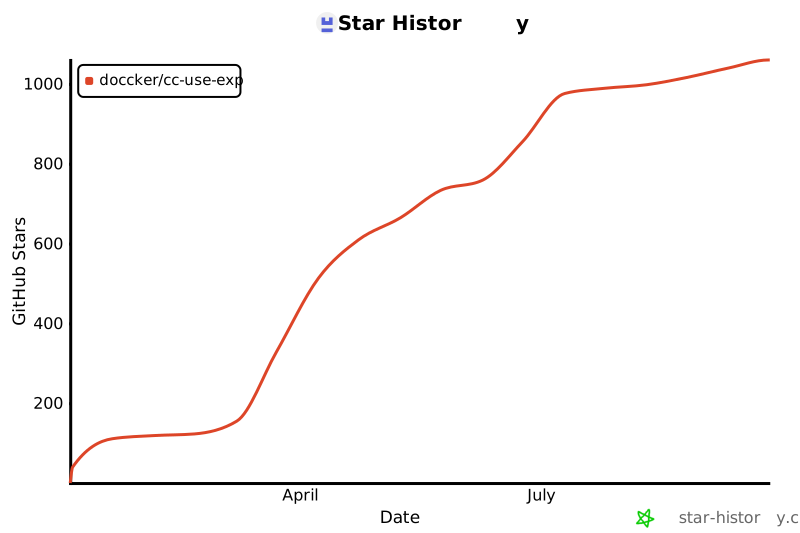](https://star-history.com/#doccker/cc-use-exp&Date)
- ## Contributors
- <a href="https://github.com/doccker/cc-use-exp/graphs/contributors">
- <img src="https://contrib.rocks/image?repo=doccker/cc-use-exp" />
- </a>
tools/install-codex.sh · Bundled script · 139 lines · 1 finding marked
- #!/bin/bash
- set -e
- # Codex CLI 一键安装脚本
- # 用法: bash <(curl -sL https://raw.githubusercontent.com/doccker/cc-use-exp/main/tools/install-codex.sh)
- Note: Runs a downloaded script through process substitution (bash <(curl …))
- Line 5 on GitHub
- echo "=== cc-use-exp Codex CLI 安装器 ==="
- echo ""
- # 依赖检查
- check_dependencies() {
- local missing_deps=()
- if ! command -v git &> /dev/null; then
- missing_deps+=("git")
- fi
- if [ ${#missing_deps[@]} -ne 0 ]; then
- echo "❌ 缺少依赖:${missing_deps[*]}"
- echo ""
- echo "请先安装:"
- for dep in "${missing_deps[@]}"; do
- echo " - $dep"
- done
- exit 1
- fi
- }
- echo "🔍 检查依赖..."
- check_dependencies
- echo " ✓ git"
- echo ""
- # 检查是否已安装
- INSTALL_DIR="$HOME/.codex/.cc-use-exp"
- if [ -d "$INSTALL_DIR" ]; then
- echo "⚠️ 检测到已安装"
- echo ""
- echo "安装位置: $INSTALL_DIR"
- cd "$INSTALL_DIR"
- echo "当前版本: $(git log -1 --pretty=format:'%h - %s (%ar)' 2>/dev/null || echo '无法获取版本信息')"
- echo ""
- echo "是否更新到最新版本?(y/N)"
- read -r response
- if [[ ! "$response" =~ ^[Yy]$ ]]; then
- echo "❌ 取消安装"
- exit 0
- fi
- echo ""
- echo "🔄 更新现有安装..."
- if ! git pull origin main; then
- echo "❌ 更新失败,请检查网络连接或手动更新"
- exit 1
- fi
- else
- echo "📦 开始安装..."
- echo ""
- # 检查目录权限
- if [ ! -w "$HOME" ]; then
- echo "❌ 权限错误:无法写入 $HOME"
- exit 1
- fi
- # 创建父目录
- mkdir -p "$HOME/.codex"
- # Clone 到 Codex 配置目录
- if ! git clone https://github.com/doccker/cc-use-exp.git "$INSTALL_DIR"; then
- echo "❌ 克隆失败,请检查:"
- echo " 1. 网络连接是否正常"
- echo " 2. 是否可以访问 GitHub"
- echo " 3. 是否需要配置代理"
- exit 1
- fi
- cd "$INSTALL_DIR"
- echo " ✓ 仓库克隆完成"
- fi
- echo ""
- echo "🔧 同步配置到 Codex CLI..."
- echo ""
- if [ -f "./tools/sync-config.sh" ]; then
- CC_USE_EXP_SYNC_TARGETS=codex ./tools/sync-config.sh
- else
- echo "❌ 错误:找不到同步脚本"
- exit 1
- fi
- CODEX_DIR="$HOME/.codex"
- AGENTS_SKILLS_DIR="$HOME/.agents/skills"
- echo ""
- echo "✅ 安装完成!"
- echo ""
- echo "📝 已同步配置到:"
- echo " - $CODEX_DIR/AGENTS.md"
- echo " - $CODEX_DIR/rules/"
- echo " - $CODEX_DIR/instructions/"
- echo " - $CODEX_DIR/*.config.toml"
- echo " - $AGENTS_SKILLS_DIR/"
- echo ""
- # 安装验证
- echo "🔍 验证安装..."
- verify_success=true
- if [ ! -d "$AGENTS_SKILLS_DIR" ] || [ -z "$(ls -A "$AGENTS_SKILLS_DIR" 2>/dev/null)" ]; then
- echo " ⚠️ skills/ 目录为空"
- verify_success=false
- fi
- if [ ! -d "$CODEX_DIR/rules" ] || [ -z "$(ls -A "$CODEX_DIR/rules" 2>/dev/null)" ]; then
- echo " ⚠️ rules/ 目录为空"
- verify_success=false
- fi
- if [ ! -f "$CODEX_DIR/cc-balanced.config.toml" ]; then
- echo " ⚠️ cc-balanced profile 未同步"
- verify_success=false
- fi
- if [ "$verify_success" = true ]; then
- echo " ✓ 配置文件完整"
- echo ""
- echo "🔄 配置已生效,无需重启"
- else
- echo ""
- echo "⚠️ 部分配置可能未同步成功,请检查上述目录"
- fi
- echo ""
- echo "💡 提示:"
- echo " - 更新配置:重新运行此脚本"
- echo " - 会话内安装:在 Codex 中执行 \$skill-installer install"
- echo " - 卸载:删除 $INSTALL_DIR 和上述配置目录"
- echo ""
- echo "📖 文档:https://github.com/doccker/cc-use-exp"
tools/install-copilot.sh · Bundled script · 119 lines · 1 finding marked
- #!/bin/bash
- set -e
- # GitHub Copilot 一键安装脚本
- # 用法: bash <(curl -sL https://raw.githubusercontent.com/doccker/cc-use-exp/main/tools/install-copilot.sh)
- Note: Runs a downloaded script through process substitution (bash <(curl …))
- Line 5 on GitHub
- echo "=== cc-use-exp GitHub Copilot 安装器 ==="
- echo ""
- check_dependencies() {
- local missing_deps=()
- if ! command -v git &> /dev/null; then
- missing_deps+=("git")
- fi
- if ! command -v rsync &> /dev/null; then
- missing_deps+=("rsync")
- fi
- if [ ${#missing_deps[@]} -ne 0 ]; then
- echo "❌ 缺少依赖:${missing_deps[*]}"
- echo ""
- echo "请先安装:"
- for dep in "${missing_deps[@]}"; do
- echo " - $dep"
- done
- exit 1
- fi
- }
- echo "🔍 检查依赖..."
- check_dependencies
- echo " ✓ git"
- echo " ✓ rsync"
- echo ""
- INSTALL_DIR="$HOME/.config/github-copilot/cc-use-exp"
- TARGET_GITHUB_DIR="$HOME/.github"
- if [ -d "$INSTALL_DIR" ]; then
- echo "⚠️ 检测到已安装"
- echo ""
- echo "安装位置: $INSTALL_DIR"
- cd "$INSTALL_DIR"
- echo "当前版本: $(git log -1 --pretty=format:'%h - %s (%ar)' 2>/dev/null || echo '无法获取版本信息')"
- echo ""
- echo "是否更新到最新版本?(y/N)"
- read -r response
- if [[ ! "$response" =~ ^[Yy]$ ]]; then
- echo "❌ 取消安装"
- exit 0
- fi
- echo ""
- echo "🔄 更新现有安装..."
- if ! git pull origin main; then
- echo "❌ 更新失败,请检查网络连接或手动更新"
- exit 1
- fi
- else
- echo "📦 开始安装..."
- echo ""
- if [ ! -w "$HOME" ]; then
- echo "❌ 权限错误:无法写入 $HOME"
- exit 1
- fi
- mkdir -p "$HOME/.config/github-copilot"
- if ! git clone https://github.com/doccker/cc-use-exp.git "$INSTALL_DIR"; then
- echo "❌ 克隆失败,请检查:"
- echo " 1. 网络连接是否正常"
- echo " 2. 是否可以访问 GitHub"
- echo " 3. 是否需要配置代理"
- exit 1
- fi
- cd "$INSTALL_DIR"
- echo " ✓ 仓库克隆完成"
- fi
- echo ""
- echo "🔧 同步配置到 GitHub Copilot..."
- mkdir -p "$TARGET_GITHUB_DIR/instructions"
- if [ -d ".github/instructions" ]; then
- rsync -a --delete .github/instructions/ "$TARGET_GITHUB_DIR/instructions/"
- echo " ✓ instructions/"
- fi
- if [ -f ".github/copilot-instructions.md" ]; then
- cp .github/copilot-instructions.md "$TARGET_GITHUB_DIR/copilot-instructions.md"
- echo " ✓ copilot-instructions.md"
- fi
- if [ -f "AGENTS.md" ]; then
- cp AGENTS.md "$TARGET_GITHUB_DIR/AGENTS.md"
- echo " ✓ AGENTS.md"
- else
- echo " ⚠️ 未找到仓库根 AGENTS.md,已跳过"
- fi
- echo "cc-use-exp" > "$TARGET_GITHUB_DIR/instructions/.cc-use-exp-managed"
- echo ""
- echo "✅ 安装完成!"
- echo ""
- echo "📝 已同步配置到:"
- echo " - $TARGET_GITHUB_DIR/copilot-instructions.md"
- echo " - $TARGET_GITHUB_DIR/instructions/"
- echo " - $TARGET_GITHUB_DIR/AGENTS.md(若仓库存在)"
- echo ""
- echo "💡 提示:"
- echo " - 更新配置:重新运行此脚本"
- echo " - GitHub Copilot coding agent 会优先读取仓库内 AGENTS.md 与 .github/copilot-instructions.md"
- echo " - 若使用本机用户级兜底,可复用已同步到 $TARGET_GITHUB_DIR 的配置"
- echo ""
- echo "📖 文档:https://github.com/doccker/cc-use-exp"
tools/install-cursor.sh · Bundled script · 177 lines · 1 finding marked
- #!/bin/bash
- set -e
- # Cursor 一键安装脚本
- # 用法: bash <(curl -sL https://raw.githubusercontent.com/doccker/cc-use-exp/main/tools/install-cursor.sh)
- Note: Runs a downloaded script through process substitution (bash <(curl …))
- Line 5 on GitHub
- echo "=== cc-use-exp Cursor 安装器 ==="
- echo ""
- # 依赖检查
- check_dependencies() {
- local missing_deps=()
- if ! command -v git &> /dev/null; then
- missing_deps+=("git")
- fi
- if ! command -v rsync &> /dev/null; then
- missing_deps+=("rsync")
- fi
- if [ ${#missing_deps[@]} -ne 0 ]; then
- echo "❌ 缺少依赖:${missing_deps[*]}"
- echo ""
- echo "请先安装:"
- for dep in "${missing_deps[@]}"; do
- echo " - $dep"
- done
- exit 1
- fi
- }
- echo "🔍 检查依赖..."
- check_dependencies
- echo " ✓ git"
- echo " ✓ rsync"
- echo ""
- # 检查是否已安装
- INSTALL_DIR="$HOME/.cursor/.cc-use-exp"
- if [ -d "$INSTALL_DIR" ]; then
- echo "⚠️ 检测到已安装"
- echo ""
- echo "安装位置: $INSTALL_DIR"
- cd "$INSTALL_DIR"
- echo "当前版本: $(git log -1 --pretty=format:'%h - %s (%ar)' 2>/dev/null || echo '无法获取版本信息')"
- echo ""
- echo "是否更新到最新版本?(y/N)"
- read -r response
- if [[ ! "$response" =~ ^[Yy]$ ]]; then
- echo "❌ 取消安装"
- exit 0
- fi
- echo ""
- echo "🔄 更新现有安装..."
- if ! git pull origin main; then
- echo "❌ 更新失败,请检查网络连接或手动更新"
- exit 1
- fi
- else
- echo "📦 开始安装..."
- echo ""
- # 检查目录权限
- if [ ! -w "$HOME" ]; then
- echo "❌ 权限错误:无法写入 $HOME"
- exit 1
- fi
- # 创建父目录
- mkdir -p "$HOME/.cursor"
- # Clone 到 Cursor 配置目录
- if ! git clone https://github.com/doccker/cc-use-exp.git "$INSTALL_DIR"; then
- echo "❌ 克隆失败,请检查:"
- echo " 1. 网络连接是否正常"
- echo " 2. 是否可以访问 GitHub"
- echo " 3. 是否需要配置代理"
- exit 1
- fi
- cd "$INSTALL_DIR"
- echo " ✓ 仓库克隆完成"
- fi
- echo ""
- echo "🔧 同步配置到 Cursor..."
- # 执行同步脚本(只同步 Cursor 部分)
- if [ -f "./tools/sync-config.sh" ]; then
- # 提取 Cursor 同步逻辑
- CURSOR_SKILLS_DIR="$HOME/.cursor/skills"
- CURSOR_TEMPLATES_DIR="$HOME/.cursor/templates"
- CURSOR_RULES_DIR="$HOME/.cursor/rules"
- mkdir -p "$CURSOR_SKILLS_DIR"
- mkdir -p "$CURSOR_TEMPLATES_DIR"
- mkdir -p "$CURSOR_RULES_DIR"
- # 同步 skills
- if [ -d ".cursor/skills" ]; then
- rsync -a --delete .cursor/skills/ "$CURSOR_SKILLS_DIR/"
- echo " ✓ skills/"
- fi
- # 同步 commands(转换为 skills)
- if [ -d ".cursor/commands" ]; then
- for cmd_file in .cursor/commands/*.md; do
- if [ -f "$cmd_file" ]; then
- cmd_name=$(basename "$cmd_file" .md)
- cmd_skill_dir="$CURSOR_SKILLS_DIR/$cmd_name"
- mkdir -p "$cmd_skill_dir"
- cp "$cmd_file" "$cmd_skill_dir/SKILL.md"
- fi
- done
- echo " ✓ commands/ (转换为 skills)"
- fi
- # 同步 templates
- if [ -d ".cursor/templates" ]; then
- rsync -a --delete .cursor/templates/ "$CURSOR_TEMPLATES_DIR/"
- echo " ✓ templates/"
- fi
- # 同步 rules(兼容性补充)
- if [ -d ".cursor/rules" ]; then
- rsync -a .cursor/rules/ "$CURSOR_RULES_DIR/"
- echo " ✓ rules/ (兼容性补充)"
- fi
- # 创建 manifest 标记
- echo "cc-use-exp" > "$CURSOR_SKILLS_DIR/.cc-use-exp-managed"
- echo "cc-use-exp" > "$CURSOR_TEMPLATES_DIR/.cc-use-exp-managed"
- echo "cc-use-exp" > "$CURSOR_RULES_DIR/.cc-use-exp-managed"
- else
- echo "❌ 错误:找不到同步脚本"
- exit 1
- fi
- echo ""
- echo "✅ 安装完成!"
- echo ""
- echo "📝 已同步配置到:"
- echo " - $CURSOR_SKILLS_DIR"
- echo " - $CURSOR_TEMPLATES_DIR"
- echo " - $CURSOR_RULES_DIR"
- echo ""
- # 安装验证
- echo "🔍 验证安装..."
- verify_success=true
- if [ ! -d "$CURSOR_SKILLS_DIR" ] || [ -z "$(ls -A "$CURSOR_SKILLS_DIR" 2>/dev/null)" ]; then
- echo " ⚠️ skills/ 目录为空"
- verify_success=false
- fi
- if [ ! -d "$CURSOR_RULES_DIR" ] || [ -z "$(ls -A "$CURSOR_RULES_DIR" 2>/dev/null)" ]; then
- echo " ⚠️ rules/ 目录为空"
- verify_success=false
- fi
- if [ "$verify_success" = true ]; then
- echo " ✓ 配置文件完整"
- echo ""
- echo "🔄 请重启 Cursor 使配置生效"
- else
- echo ""
- echo "⚠️ 部分配置可能未同步成功,请检查上述目录"
- fi
- echo ""
- echo "💡 提示:"
- echo " - 更新配置:重新运行此脚本"
- echo " - 验证安装:在 Cursor Agent 中查看可用 skills"
- echo " - 卸载:删除 $INSTALL_DIR 和上述配置目录"
- echo ""
- echo "📖 文档:https://github.com/doccker/cc-use-exp"
tools/install-gemini.sh · Bundled script · 181 lines · 1 finding marked
- #!/bin/bash
- set -e
- # Gemini CLI 一键安装脚本
- # 用法: bash <(curl -sL https://raw.githubusercontent.com/doccker/cc-use-exp/main/tools/install-gemini.sh)
- Note: Runs a downloaded script through process substitution (bash <(curl …))
- Line 5 on GitHub
- echo "=== cc-use-exp Gemini CLI 安装器 ==="
- echo ""
- # 依赖检查
- check_dependencies() {
- local missing_deps=()
- if ! command -v git &> /dev/null; then
- missing_deps+=("git")
- fi
- if ! command -v rsync &> /dev/null; then
- missing_deps+=("rsync")
- fi
- if [ ${#missing_deps[@]} -ne 0 ]; then
- echo "❌ 缺少依赖:${missing_deps[*]}"
- echo ""
- echo "请先安装:"
- for dep in "${missing_deps[@]}"; do
- echo " - $dep"
- done
- exit 1
- fi
- }
- echo "🔍 检查依赖..."
- check_dependencies
- echo " ✓ git"
- echo " ✓ rsync"
- echo ""
- # 检查是否已安装
- INSTALL_DIR="$HOME/.gemini/.cc-use-exp"
- if [ -d "$INSTALL_DIR" ]; then
- echo "⚠️ 检测到已安装"
- echo ""
- echo "安装位置: $INSTALL_DIR"
- cd "$INSTALL_DIR"
- echo "当前版本: $(git log -1 --pretty=format:'%h - %s (%ar)' 2>/dev/null || echo '无法获取版本信息')"
- echo ""
- echo "是否更新到最新版本?(y/N)"
- read -r response
- if [[ ! "$response" =~ ^[Yy]$ ]]; then
- echo "❌ 取消安装"
- exit 0
- fi
- echo ""
- echo "🔄 更新现有安装..."
- if ! git pull origin main; then
- echo "❌ 更新失败,请检查网络连接或手动更新"
- exit 1
- fi
- else
- echo "📦 开始安装..."
- echo ""
- # 检查目录权限
- if [ ! -w "$HOME" ]; then
- echo "❌ 权限错误:无法写入 $HOME"
- exit 1
- fi
- # 创建父目录
- mkdir -p "$HOME/.gemini"
- # Clone 到 Gemini 配置目录
- if ! git clone https://github.com/doccker/cc-use-exp.git "$INSTALL_DIR"; then
- echo "❌ 克隆失败,请检查:"
- echo " 1. 网络连接是否正常"
- echo " 2. 是否可以访问 GitHub"
- echo " 3. 是否需要配置代理"
- exit 1
- fi
- cd "$INSTALL_DIR"
- echo " ✓ 仓库克隆完成"
- fi
- echo ""
- echo "🔧 同步配置到 Gemini CLI..."
- # 执行同步脚本(只同步 Gemini 部分)
- if [ -f "./tools/sync-config.sh" ]; then
- GEMINI_DIR="$HOME/.gemini"
- mkdir -p "$GEMINI_DIR/commands"
- mkdir -p "$GEMINI_DIR/skills"
- mkdir -p "$GEMINI_DIR/rules"
- mkdir -p "$GEMINI_DIR/policies"
- # 同步 commands
- if [ -d ".gemini/commands" ]; then
- rsync -a --delete .gemini/commands/ "$GEMINI_DIR/commands/"
- echo " ✓ commands/"
- fi
- # 同步 skills
- if [ -d ".gemini/skills" ]; then
- rsync -a --delete .gemini/skills/ "$GEMINI_DIR/skills/"
- echo " ✓ skills/"
- fi
- # 同步 rules
- if [ -d ".gemini/rules" ]; then
- rsync -a .gemini/rules/ "$GEMINI_DIR/rules/"
- echo " ✓ rules/"
- fi
- # 同步 policies
- if [ -d ".gemini/policies" ]; then
- rsync -a .gemini/policies/ "$GEMINI_DIR/policies/"
- echo " ✓ policies/"
- fi
- # 同步 GEMINI.md(如果不存在)
- if [ -f ".gemini/GEMINI.md" ] && [ ! -f "$GEMINI_DIR/GEMINI.md" ]; then
- cp .gemini/GEMINI.md "$GEMINI_DIR/GEMINI.md"
- echo " ✓ GEMINI.md"
- fi
- # 同步 settings.json(如果不存在)
- if [ -f ".gemini/settings.json" ] && [ ! -f "$GEMINI_DIR/settings.json" ]; then
- cp .gemini/settings.json "$GEMINI_DIR/settings.json"
- echo " ✓ settings.json"
- fi
- # 创建 manifest 标记
- echo "cc-use-exp" > "$GEMINI_DIR/commands/.cc-use-exp-managed"
- echo "cc-use-exp" > "$GEMINI_DIR/skills/.cc-use-exp-managed"
- echo "cc-use-exp" > "$GEMINI_DIR/rules/.cc-use-exp-managed"
- else
- echo "❌ 错误:找不到同步脚本"
- exit 1
- fi
- echo ""
- echo "✅ 安装完成!"
- echo ""
- echo "📝 已同步配置到:"
- echo " - $GEMINI_DIR/commands/"
- echo " - $GEMINI_DIR/skills/"
- echo " - $GEMINI_DIR/rules/"
- echo " - $GEMINI_DIR/policies/"
- echo ""
- # 安装验证
- echo "🔍 验证安装..."
- verify_success=true
- if [ ! -d "$GEMINI_DIR/skills" ] || [ -z "$(ls -A "$GEMINI_DIR/skills" 2>/dev/null)" ]; then
- echo " ⚠️ skills/ 目录为空"
- verify_success=false
- fi
- if [ ! -d "$GEMINI_DIR/rules" ] || [ -z "$(ls -A "$GEMINI_DIR/rules" 2>/dev/null)" ]; then
- echo " ⚠️ rules/ 目录为空"
- verify_success=false
- fi
- if [ "$verify_success" = true ]; then
- echo " ✓ 配置文件完整"
- echo ""
- echo "🔄 配置已生效,无需重启"
- else
- echo ""
- echo "⚠️ 部分配置可能未同步成功,请检查上述目录"
- fi
- echo ""
- echo "💡 提示:"
- echo " - 更新配置:重新运行此脚本"
- echo " - 验证安装:在 Gemini CLI 中执行 /skills list"
- echo " - 卸载:删除 $INSTALL_DIR 和上述配置目录"
- echo ""
- echo "📖 文档:https://github.com/doccker/cc-use-exp"
Ratings and comments
Sign in to rate this skill.
Sign inFree to use. If it’s helped, pass it on.