mcp-3D-printer-server
Connects MCP to major 3D printer APIs (Orca, FULU's Orca/Bambu, OctoPrint, Klipper, Duet, Repetier, Prusa, Creality). Control prints, monitor status, and perform advanced STL operations like scaling, rotation, sectional editing, and base extension. Includes slicing and visualization.
Safety scan
A static text scan, not a guarantee. Select the badge to see what was scanned and every finding.
Check it deeper on your machine
It has changed since its scan on 11 Nov 2026.
As a Claude Code plugin, install it and then ask Claude Code:
/plugin marketplace add keithmackay/mackayi/plugin install scanskillsafety@mackayiDo a deep scan of https://github.com/DMontgomery40/mcp-3D-printer-server with scanskillsafety
Or from a terminal, clone it and run it:
git clone https://github.com/keithmackay/scanskillsafety-skill ~/.claude/skills/scanskillsafetynode ~/.claude/skills/scanskillsafety/cli.cjs --deep 'https://github.com/DMontgomery40/mcp-3D-printer-server'
It checks the exact commit: every file, its packages against OSV (api.osv.dev), how it compares with this page's scan (findsafeskills.com receives the repository's address), and, if you agree, Claude reading every file with your own Claude subscription. It never runs the code.
Badge for your README

Markdown
[](/listings/dmontgomery40--mcp-3d-printer-server)HTML
<a href="/listings/dmontgomery40--mcp-3d-printer-server"><img src="/api/listings/dmontgomery40--mcp-3d-printer-server/badge.svg" alt="findsafeskills safety rating" /></a>Install
Install instructions from the README
As written by the repo's author. findsafeskills has not verified these steps.
Tell your agent which **printer system** you use (OctoPrint, Klipper, Bambu Lab, Prusa, and so on) and its **address**, if you know them, then copy and paste this:
Install mcp-3d-printer-server in the agent/harness I'm using now.

Read https://github.com/DMontgomery40/mcp-3D-printer-server/blob/main/docs/SETUP.md
for the current setup instructions and supported printer backends.

Detect my OS and harness, then use its native MCP configuration or installer.
Preserve my existing servers and settings. Prefer the published npm package
(npx -y mcp-3d-printer-server, stdio); use Node.js 24 if a runtime is needed.

Ask which printer system I use and set PRINTER_TYPE to match. Never guess it.
Then ask only for the values that backend needs:
- octoprint: PRINTER_HOST, PRINTER_PORT if not 80, API_KEY
- klipper (Moonraker): PRINTER_HOST, PRINTER_PORT (usually 7125)
- duet: PRINTER_HOST, PRINTER_PORT if not 80
- repetier: PRINTER_HOST, PRINTER_PORT (usually 3344), API_KEY
- bambu: PRINTER_HOST, BAMBU_SERIAL, BAMBU_TOKEN (the LAN access code),
  and BAMBU_MODEL
- prusa: PRINTER_HOST (PrusaLink address or connect.prusa3d.com), API_KEY
- creality: PRINTER_HOST, PRINTER_PORT if not 80, API_KEY (bearer token)
For Bambu Lab, confirm the exact printer model with me; never guess it, and
explain any LAN Only Mode or Developer Mode setting I need to enable.
Keep keys, tokens, and access codes in local/private configuration; do not
repeat them in chat.

Bambu Lab has the most hardware testing. The other backends use each
system's HTTP API and rely on community reports, so tell me plainly if a
backend does not respond as the guide describes.

Offer these optional extras, and set them up only if I choose them:
- Blender MCP for model edits: uvx mcp-for-blender (formerly blender-mcp,
  which now installs it as a compatibility wrapper). Its Blender addon must be
  installed, enabled, and connected inside Blender.
- A slicer for slice_stl: look for an installed PrusaSlicer, OrcaSlicer,
  FULU OrcaSlicer-bambulab, Bambu Studio, or CuraEngine before suggesting
  an install.
Configure executables in the server environment. Do not enable
MCP_ALLOW_EXECUTABLE_ARG. Leave print confirmation on: do not set
PRINT_REQUIRE_CONFIRMATION=0 or BAMBU_REQUIRE_CONFIRMATION=0 unless I ask
for a headless setup.

Verify that the MCP initializes, lists its tools, and reads printer status.
Do not start a print or change printer settings, including temperatures, as
a setup test. Tell me what worked and whether I need to restart or reload
the harness.
[Setup reference](https://github.com/DMontgomery40/mcp-3D-printer-server/blob/main/docs/SETUP.md) · [Printer backends](https://github.com/DMontgomery40/mcp-3D-printer-server/blob/main/docs/SETUP.md#choose-your-printer-backend) · [Slicing guide](https://github.com/DMontgomery40/mcp-3D-printer-server/blob/main/docs/SLICING.md) · [Blender MCP](https://github.com/DMontgomery40/mcp-3D-printer-server/blob/main/docs/SETUP.md#blender-mcp-optional)
What was scanned
The files the safety scan read, as written by the repository's author and shown as plain text. Lines with a finding are marked.
README.md · README · 1,166 lines
View this file on GitHub (read at the repository's current version: the scan did not record which commit it read)
This file has changed since it was scanned, so this is not exactly the text that was scanned, and no line is marked. The findings are listed with the safety scan above.
- # MCP 3D Printer Server
- [](https://dmontgomery40.github.io/mcp-3D-printer-server/)
- > **Thank you, [FULU Foundation](https://www.fulu.org/), [Louis Rossmann](https://www.youtube.com/@rossmanngroup), and the [OrcaSlicer-bambulab contributors](https://github.com/FULU-Foundation/OrcaSlicer-bambulab).** Thank you for standing up for consumer ownership, open-source developers, repair rights, and owners whose working hardware should not be made worse by locked-down software.
- >
- > This server treats the FULU OrcaSlicer-bambulab fork as a first-class slicer for Bambu Lab projects. See the [FULU guide](https://github.com/DMontgomery40/mcp-3D-printer-server/blob/main/docs/FULU.md) for setup and current status.
- [](https://www.npmjs.com/package/mcp-3d-printer-server)
- [](https://www.npmjs.com/package/mcp-3d-printer-server)
- [](https://www.gnu.org/licenses/old-licenses/gpl-2.0.en.html)
- [](https://nodejs.org/en/download/)
- [](https://github.com/DMontgomery40/mcp-3D-printer-server)
- An MCP server that connects Claude, Codex, and other MCP clients to 3D printers running OctoPrint, Klipper (Moonraker), Duet, Repetier-Server, Bambu Lab, PrusaLink or Prusa Connect, and Creality. Your agent can check status, upload and start jobs, cancel prints, edit STL meshes, run your slicer, and hand models to Blender through an optional Blender MCP bridge.
- **[Browse the documentation site](https://dmontgomery40.github.io/mcp-3D-printer-server/)** for searchable setup guides, per-printer credentials, slicing, and the full tool reference. It is generated from this README and the docs folder.
- **Only print on Bambu Lab printers?** [bambu-printer-mcp](https://github.com/DMontgomery40/bambu-printer-mcp) is a Bambu-focused fork of this project with more Bambu features, including AMS auto-matching, Bambu camera snapshots and streams, X2D native printing, Bambu Connect, and a Claude Desktop extension. Both servers read the AMS, choose trays, pause, resume, stop, and print through FULU's authenticated BambuNetwork route.
- Camera tools also include `camera_stream_start`, `camera_frame`, and `camera_stream_stop` from version 1.2.26. They reuse configured MJPEG or snapshot sources, send only changed frames, and close when idle. See [camera stream configuration and limits](docs/CAMERA-STREAM.md).
- Built with help from our [contributors](./CONTRIBUTORS.md). Thank you to everyone sharing fixes, careful bug reports, and real printer testing!
- ---
- ## Set up with your agent
- Tell your agent which **printer system** you use (OctoPrint, Klipper, Bambu Lab, Prusa, and so on) and its **address**, if you know them, then copy and paste this:
- ```text
- Install mcp-3d-printer-server in the agent/harness I'm using now.
- Read https://github.com/DMontgomery40/mcp-3D-printer-server/blob/main/docs/SETUP.md
- for the current setup instructions and supported printer backends.
- Detect my OS and harness, then use its native MCP configuration or installer.
- Preserve my existing servers and settings. Prefer the published npm package
- (npx -y mcp-3d-printer-server, stdio); use Node.js 24 if a runtime is needed.
- Ask which printer system I use and set PRINTER_TYPE to match. Never guess it.
- Then ask only for the values that backend needs:
- - octoprint: PRINTER_HOST (an address, or a URL for HTTPS or a sub-path),
- PRINTER_PORT if not 80, API_KEY (octoprint_request_api_key gets one when
- I click Allow in OctoPrint)
- - klipper (Moonraker): PRINTER_HOST, PRINTER_PORT (usually 7125),
- API_KEY if Moonraker requires authentication
- - duet: PRINTER_HOST, PRINTER_PORT if not 80
- - repetier: PRINTER_HOST, PRINTER_PORT (usually 3344), API_KEY
- - bambu: PRINTER_HOST, BAMBU_SERIAL, BAMBU_TOKEN (the LAN access code),
- and BAMBU_MODEL
- - prusa: PRINTER_HOST (PrusaLink address or connect.prusa3d.com), API_KEY
- - creality: PRINTER_HOST, PRINTER_PORT if not 80, API_KEY (bearer token)
- For Bambu Lab, confirm the exact printer model with me; never guess it, and
- explain any LAN Only Mode or Developer Mode setting I need to enable.
- Keep keys, tokens, and access codes in local/private configuration; do not
- repeat them in chat.
- Bambu Lab has the most hardware testing. The other backends use each
- system's HTTP API and rely on community reports, so tell me plainly if a
- backend does not respond as the guide describes.
- Offer these optional extras, and set them up only if I choose them:
- - Blender MCP for model edits: uvx mcp-for-blender (formerly blender-mcp,
- which now installs it as a compatibility wrapper). Its Blender addon must be
- installed, enabled, and connected inside Blender.
- - A slicer for slice_stl: look for an installed PrusaSlicer, OrcaSlicer,
- FULU OrcaSlicer-bambulab, Bambu Studio, or CuraEngine before suggesting
- an install.
- Configure executables in the server environment. Do not enable
- MCP_ALLOW_EXECUTABLE_ARG.
- Verify that the MCP initializes, lists its tools, and reads printer status.
- Do not start a print or change printer settings, including temperatures, as
- a setup test. Tell me what worked and whether I need to restart or reload
- the harness.
- ```
- [Setup reference](https://github.com/DMontgomery40/mcp-3D-printer-server/blob/main/docs/SETUP.md) · [Printer backends](https://github.com/DMontgomery40/mcp-3D-printer-server/blob/main/docs/SETUP.md#choose-your-printer-backend) · [Slicing guide](https://github.com/DMontgomery40/mcp-3D-printer-server/blob/main/docs/SLICING.md) · [Blender MCP](https://github.com/DMontgomery40/mcp-3D-printer-server/blob/main/docs/SETUP.md#blender-mcp-optional)
- ## What to ask your agent
- Ask for the result you want, not the steps. Current models plan across tools: they search the web, read photos, look up exact dimensions, edit models, slice, and print. Expect a question or two when a choice matters, such as which printer or filament to use, or whether to start the print.
- This server provides the printer, slicing, and mesh tools. Web search, photos, and Blender edits come from your agent and its other connections, such as a [Blender MCP server](#blender-mcp). What your agent can read back depends on the printer system; see [printer backends](https://github.com/DMontgomery40/mcp-3D-printer-server/blob/main/docs/SETUP.md#choose-your-printer-backend).
- ### Start from anything
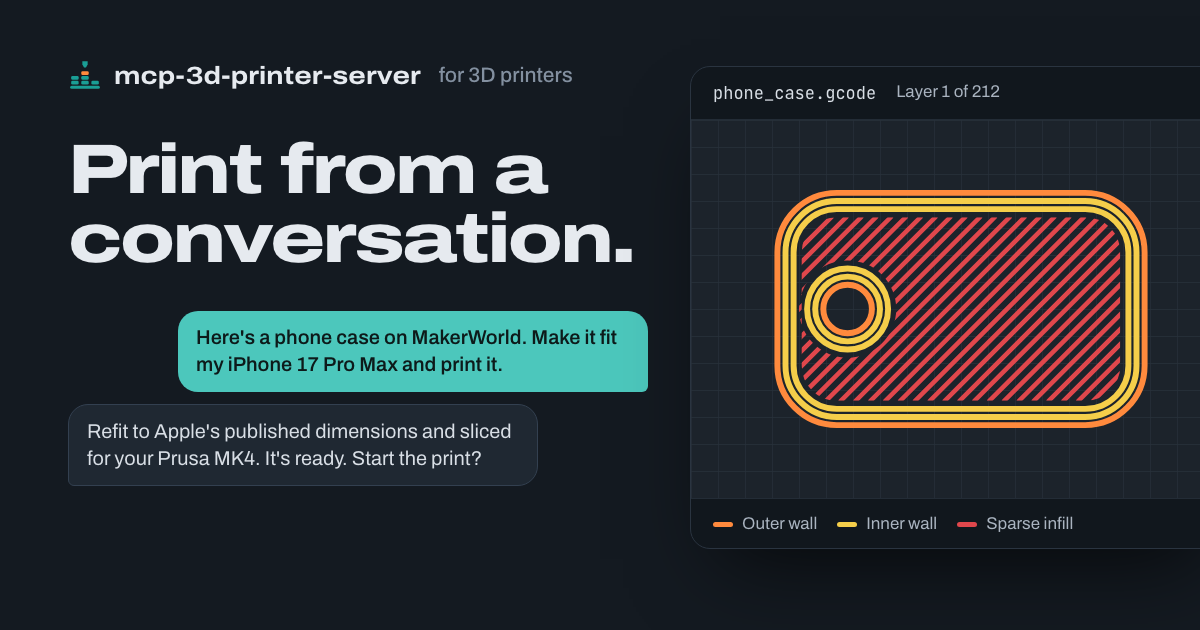
- - **"Here's a phone case on MakerWorld. Make it fit my iPhone 17 Pro Max and print it."**\
- Your agent reads Apple's dimensional drawings, refits the case in Blender around the new camera and buttons, checks the fit, exports a verified STL, slices it for your printer, and asks before it starts the print. [See it worked through](https://github.com/DMontgomery40/mcp-3D-printer-server/blob/main/docs/BLENDER.md#worked-example-refit-a-phone-case-for-a-new-phone).
- - **"Can you print a replacement?"** *(with a photo of a snapped cabinet clip)*\
- It asks for a measurement or two where the fit matters, models the part, and prints it on the printer you choose.
- - **"Make this bracket 20% bigger and give it a thicker base."**\
- It scales the STL, extends the base, and reports the new dimensions before it slices anything.
- ### Check on any printer
- - **"How far along is the Bambu print?"**\
- It requests a fresh status report and gives you progress, the current layer, and time remaining.
- - **"Is the Prusa done yet?"**\
- It reads the printer's status through PrusaLink and reports its state and job progress.
- - **"What are the bed and nozzle temperatures on the OctoPrint printer?"**\
- It reads OctoPrint's printer state, including current and target temperatures.
- - **"The first layer isn't sticking. Cancel it."**\
- It sends the cancel command through that printer's backend, then checks the printer's status.
- ### Slice and print
- - **"Print this in PETG."** *(with an STL)*\
- It slices with the PETG filament profile you've set up and checks the job's peak temperatures and the printer's state before the print starts.
- - **"Print the bracket I sliced last night on the Bambu."**\
- It checks the plate's model, nozzle, bed type, materials, and temperatures against the live printer before it uploads and starts the job.
- - **"Send benchy.gcode to the Klipper printer, but don't start it yet."**\
- It uploads the file through Moonraker so you can start it later.
- <details>
- <summary><strong>Start here</strong></summary>
- ## Start here
- | I want to… | Read next |
- |---|---|
- | Connect this MCP to my agent | [Copy the setup request](#set-up-with-your-agent) |
- | See what my agent can do with it | [What to ask your agent](#what-to-ask-your-agent) |
- | Find the credentials for my printer | [Printer backend setup](https://github.com/DMontgomery40/mcp-3D-printer-server/blob/main/docs/SETUP.md#printer-backend-setup) |
- | Configure it by hand, with Docker, or over HTTP | [Installation and configuration reference](https://github.com/DMontgomery40/mcp-3D-printer-server/blob/main/docs/SETUP.md) |
- | Slice from my agent or troubleshoot slicing | [Slicing guide](https://github.com/DMontgomery40/mcp-3D-printer-server/blob/main/docs/SLICING.md) |
- | Use open-source slicing for a Bambu Lab printer | [FULU guide](https://github.com/DMontgomery40/mcp-3D-printer-server/blob/main/docs/FULU.md) |
- | Model or refit a part in Blender | [Blender guide](https://github.com/DMontgomery40/mcp-3D-printer-server/blob/main/docs/BLENDER.md) and [Blender tools](#blender-mcp) |
- | See release changes or contributor credit | [Changelog](./CHANGELOG.md), [releases](https://github.com/DMontgomery40/mcp-3D-printer-server/releases), and [contributors](./CONTRIBUTORS.md) |
- </details>
- <details>
- <summary><strong>What's new</strong></summary>
- ## What's new
- See the [changelog](./CHANGELOG.md) for versioned changes. The next release brings the print safety gate to every printer backend: the server checks the exact G-code against hardware and material ceilings. It also adds Bambu-compatible CLI slicing with resolved machine presets and a template registry, `blender_mcp_export_stl` for verified STL export from Blender, and this documentation site. Release 1.2.9 fixes Bambu FTPS uploads that failed with "Premature close" ([#22](https://github.com/DMontgomery40/mcp-3D-printer-server/issues/22)), adds standard Blender MCP discovery, forwarding, and verified STL edits, requires the Bambu printer model for raw print starts, and isolates each server's scratch files. Separately, [#20](https://github.com/DMontgomery40/mcp-3D-printer-server/pull/20) and [#21](https://github.com/DMontgomery40/mcp-3D-printer-server/pull/21) made per-call executable selectors, such as a slicer path or bridge command, require an explicit opt-in.
- </details>
- <details>
- <summary><strong>Table of Contents</strong></summary>
- ## Table of Contents
- - [Set up with your agent](#set-up-with-your-agent)
- - [What to ask your agent](#what-to-ask-your-agent)
- - [Start here](#start-here)
- - [What's new](#whats-new)
- - [Description](#description)
- - [FULU and open-source printing](#fulu-and-open-source-printing)
- - [Features](#features)
- - [Available Tools](#available-tools)
- - [STL Manipulation Tools](#stl-manipulation-tools)
- - [Printer Control Tools](#printer-control-tools)
- - [Bambu-Specific Tools](#bambu-specific-tools)
- - [Slicing Tools](#slicing-tools)
- - [Advanced Tools](#advanced-tools)
- - [Available Resources](#available-resources)
- - [Printer Limitations](#printer-limitations)
- - [General Limitations and Considerations](#general-limitations-and-considerations)
- - [MCP Safety Notes](#mcp-safety-notes)
- - [License](#license)
- - [Acknowledgements](#acknowledgements)
- </details>
- <details>
- <summary><strong>Description</strong></summary>
- ## Description
- `mcp-3d-printer-server` is a Model Context Protocol server for 3D printers. It gives an agent printer control (status, files, upload, start, cancel, and temperatures), STL mesh tools, slicer automation, Bambu Lab project printing, and an optional bridge to a Blender MCP server. One `PRINTER_TYPE` selects the default backend, and every printer tool accepts a per-call `type` and `host`, so one server can reach more than one printer.
- | Backend | `PRINTER_TYPE` | Testing evidence |
- |---|---|---|
- | Bambu Lab | `bambu` | Most tested, including maintainer hardware testing shared with the Bambu-only fork |
- | OctoPrint | `octoprint` | Community-reported; checked with OctoPrint 1.11.8 and 2.1-dev Virtual Printers |
- | Klipper (Moonraker) | `klipper` | Community-reported, including a Creality K1 Max through Moonraker |
- | PrusaLink and Prusa Connect | `prusa` | Community-reported |
- | Duet | `duet` | Implemented; no hardware reports yet |
- | Repetier-Server | `repetier` | Implemented; no hardware reports yet |
- | Creality | `creality` | Implemented; no hardware reports yet |
- What each backend reads and sends differs. See [printer backend setup](https://github.com/DMontgomery40/mcp-3D-printer-server/blob/main/docs/SETUP.md#printer-backend-setup) for the exact API calls, credentials, and linked reports.
- **Note on resource usage.** The STL tools load the entire mesh into memory. Large or complex files (over about 10 MB) can use a lot of memory. See [General Limitations and Considerations](#general-limitations-and-considerations).
- </details>
- <details>
- <summary><strong>FULU and open-source printing</strong></summary>
- ## FULU and open-source printing
- [FULU OrcaSlicer-bambulab](https://github.com/FULU-Foundation/OrcaSlicer-bambulab) is a first-class slicer target for Bambu Lab projects (`SLICER_TYPE=orcaslicer-bambulab`; aliases include `fulu-orca` and `orca-studio`). Choose it with `SLICER_TYPE=orcaslicer-bambulab`: Bambu printers default to Bambu Studio, because FULU v1.0.0's command line segfaults on every slice until [FULU #56](https://github.com/FULU-Foundation/OrcaSlicer-bambulab/pull/56) and [#57](https://github.com/FULU-Foundation/OrcaSlicer-bambulab/pull/57) are released. `slice_stl` and `print_3mf` auto-slicing use its project command line, and `check_fulu_orca_setup` inspects the install and runtime payload.
- The optional FULU **BambuNetwork bridge** is a separate runtime. With `BAMBU_DEFAULT_CONNECTION_MODE=bambu_network` (or `connection_mode: "bambu_network"`), `print_3mf`, `cancel_print`, `pause_print` and `resume_print` go through it: the plug-in's authenticated local-network session (`connection_type: "lan"`), which a P1S on authorization firmware accepts without Developer Mode, or Bambu Cloud (`"cloud"`). Every print still passes the same inspection and fresh-state checks first. `counterpart_print_route` reads and changes the route. The server never switches routes on its own; `fulu_bambu_network_rpc` probes the bridge and refuses raw print methods.
- **[Follow the FULU guide](https://github.com/DMontgomery40/mcp-3D-printer-server/blob/main/docs/FULU.md)** for platform runtime setup, bridge probes, and the current macOS and Windows testing status.
- </details>
- <details>
- <summary><strong>Features</strong></summary>
- ## Features
- - Seven printer backends, selected with `PRINTER_TYPE`: OctoPrint, Klipper (Moonraker), Duet, Repetier-Server, Bambu Lab, PrusaLink or Prusa Connect, and Creality
- - Per-call `type`, `host`, `port`, and `api_key` arguments for working with more than one printer
- - Printer status, file listing, G-code upload from inline content or a local path, starting a stored file, pausing, resuming, cancelling a job, and setting bed or nozzle temperatures
- - The `counterpart/1` tools shared with [bambu-printer-mcp](https://github.com/DMontgomery40/bambu-printer-mcp): one progress shape for every firmware (state, job, progress, time left, layers, temperatures, problems), detected printer capabilities, camera snapshots, and the loaded filament (Spoolman on Moonraker)
- - `counterpart_printer_info` reports `capabilities.slicing` (`supports`, `copies`, `orient`) for the slicer route this server uses for that printer (for a Bambu printer on OrcaSlicer, when the call passes its `bambu_model`), so a client can offer those choices without knowing the slicer.
- - `counterpart_discover_printers` finds printers on the local network without contacting them: Bambu Lab printers from their own SSDP announcements (serial, `bambu_model` value, name, firmware), and OctoPrint, Klipper (Moonraker) and PrusaLink hosts from their Bonjour adverts (`dns-sd` on macOS, `avahi-browse` on Linux)
- - `counterpart_setup_fields` lists every `PRINTER_TYPE` this server drives and the `.env` settings it reads for each (field role, variable, label, hint, required, the Bambu model choices and the model each serial prefix names, and `cameraSnapshot`: whether `camera_snapshot` reads the printer's camera with only those settings, `false` for every kind here), so a client can offer printer setup without printer tables of its own, and the slicer it would run (type, path, whether it is there, and the Bambu profiles folder) with the `SLICER_TYPE`, `SLICER_PATH` and `BAMBU_PROFILES_ROOT` fields, required only when what they default to is missing
- - `counterpart_propose_filaments` proposes which loaded spool prints each of a model's colours before slicing: nearest OKLab colour with the asked-for material preferred, one feed per print (the AMS or the external spool), a `verdict` and a person-readable `note` per part ("White isn't loaded. Closest loaded: A2 Sunflower Yellow PLA Basic."), each spool's `label`, `name` and slicer `profile`, and, with the person's `chosen` spools, a check against what is loaded now and the full `mapping` including painted slots
- - `counterpart_make_3mf` combines STL parts exported separately into one new 3MF for multi-colour printing: one assembly whose parts keep their relative positions, each printing with its own filament number
- - `get_printer_filaments` slots carry `label` ("A2", "External", "Spool") and a `name` a person reads (Bambu: Bambu Studio's colour name and the product, "Sunflower Yellow PLA Basic")
- - Errors carry their details in `structuredContent` (`status`, `retryable`, `suggestion`, `message`); a printer refusal on `print_3mf` also carries a stable `code`: `printer-command-rejected`, `printer-not-ready`, or `printer-upload-failed` when the file didn't reach the printer and no print command was sent, so a client can act on the code instead of the wording. A Bambu `print_3mf` call made with a progress token reports its LAN upload as MCP progress: `progress` is bytes sent, `total` the file's bytes, and `_meta["counterpart/stage"]` is `"upload"`, at most once per whole percent.
- - STL tools: inspect dimensions, scale, rotate, translate, extend the base, merge vertices, center, lay flat, transform one section of a model, and render multi-angle SVG previews
- - A print and heating safety gate on every backend: the exact G-code is inspected, every heater target is checked against hardware and material ceilings, and the printer's state is checked. There is no confirmation prompt and no bed check: your client's own print action is the approval. Heater-off, pause, and cancel are never gated; resume only continues a paused job this server inspected and started, and asks a person only when the printer cannot hand the file back for re-reading
- - Slicing through PrusaSlicer, Slic3r, OrcaSlicer, CuraEngine, FULU OrcaSlicer-bambulab, or Bambu Studio command lines, with G-code peak-temperature checks and a one-call process-and-print pipeline
- - Bambu-compatible CLI slicing with the exact model and nozzle machine preset resolved from your slicer installation, filament slots and colours, placement options, and a local template registry
- - Bambu Lab project printing: upload a sliced `.3mf` over FTPS and start it over MQTT with the plate's G-code path, MD5, AMS mapping (`ams_slots`, one tray per used filament), and calibration flags, after checking the plate against a fresh printer report; or print through FULU's authenticated BambuNetwork route. Auto-slice unsliced projects with FULU OrcaSlicer-bambulab or Bambu Studio
- - Bambu AMS inventory (`get_printer_filaments`), pause, resume and stop over the connection that printed
- - Required Bambu printer model for print operations, asked for through MCP elicitation when missing
- - FULU OrcaSlicer-bambulab setup inspection and diagnostic BambuNetwork bridge RPC, with raw print methods refused
- - Optional Blender MCP bridge: discover a standard Blender MCP server's tools, forward calls, export named scene objects to a verified STL, and run verified STL edits
- - Optional Autodesk Fusion bridge through the pinned faust-machines Fusion MCP server: check Fusion and its add-in, forward any of its CAD tools, start a parametric design, and export STL, F3D and parameters with verified output
- - Slicer, bridge, and Blender executables come from server configuration unless you explicitly opt in to per-call selectors
- - MCP resources for printer status, files, and file details
- - Transports: stdio (default) and streamable HTTP, plus a Docker image
- </details>
- <details>
- <summary><strong>Available Tools</strong></summary>
- ## Available Tools
- <details>
- <summary><strong>STL Manipulation Tools</strong></summary>
- ### STL Manipulation Tools
- All STL tools load the full mesh into memory. Tools that change a model write a new file to the server's temporary directory, named after the input with a suffix such as `_scaled`, and return its path; the input file is not modified.
- #### get_stl_info
- Inspect an STL file without modifying it. Returns the bounding box, dimensions, center, vertex count, and face count.
- ```json
- {
- "stl_path": "/path/to/model.stl"
- }
- ```
- #### scale_stl
- Scale a model uniformly with `scale_factor`, or per axis with `scale_x`, `scale_y`, and `scale_z`. When any axis value is given, unspecified axes stay at 1.0.
- ```json
- {
- "stl_path": "/path/to/model.stl",
- "scale_factor": 1.2
- }
- ```
- ```json
- {
- "stl_path": "/path/to/model.stl",
- "scale_x": 1.2,
- "scale_y": 1.0,
- "scale_z": 1.5
- }
- ```
- #### rotate_stl
- Rotate a model around the X, Y, and Z axes, in degrees. Omitted axes default to 0.
- ```json
- {
- "stl_path": "/path/to/model.stl",
- "rotate_x": 0,
- "rotate_y": 0,
- "rotate_z": 90
- }
- ```
- #### translate_stl
- Move a model along the X, Y, and Z axes, in millimeters. Omitted axes default to 0.
- ```json
- {
- "stl_path": "/path/to/model.stl",
- "translate_x": 10,
- "translate_y": 5,
- "translate_z": 0
- }
- ```
- #### extend_stl_base
- Add solid geometry underneath the model to raise and widen its base. `extension_inches` is in **inches** and is converted to millimeters (25.4 mm per inch).
- ```json
- {
- "stl_path": "/path/to/model.stl",
- "extension_inches": 0.25
- }
- ```
- #### merge_vertices
- Merge vertices closer together than `tolerance` (millimeters, default 0.01). This can close small gaps and slightly simplify the mesh.
- ```json
- {
- "stl_path": "/path/to/model.stl",
- "tolerance": 0.01
- }
- ```
- #### center_model
- Move the model so the center of its bounding box is at the origin (0, 0, 0).
- ```json
- {
- "stl_path": "/path/to/model.stl"
- }
- ```
- #### lay_flat
- Find the model's largest flat face and rotate the model so that face rests on the XY plane (Z = 0). Works best on models with a clearly dominant flat face.
- ```json
- {
- "stl_path": "/path/to/model.stl"
- }
- ```
- #### modify_stl_section
- Apply a scale, rotation, or translation to one section of a model: the `top`, `bottom`, or `center` third of its bounding box, or a `custom` box. `value_x`, `value_y`, and `value_z` are scale factors, degrees, or millimeters depending on `transformation_type`.
- ```json
- {
- "stl_path": "/path/to/model.stl",
- "section": "top",
- "transformation_type": "scale",
- "value_x": 1.5,
- "value_y": 1.5,
- "value_z": 1.5
- }
- ```
- A `custom` section requires all six bounds:
- ```json
- {
- "stl_path": "/path/to/model.stl",
- "section": "custom",
- "transformation_type": "rotate",
- "value_x": 0,
- "value_y": 0,
- "value_z": 45,
- "custom_min_x": -10,
- "custom_min_y": 0,
- "custom_min_z": -10,
- "custom_max_x": 10,
- "custom_max_y": 20,
- "custom_max_z": 10
- }
- ```
- #### generate_stl_visualization
- Render an SVG with front, side, top, and isometric views of a model. `width` and `height` set each view's size in pixels (default 300).
- ```json
- {
- "stl_path": "/path/to/model.stl",
- "width": 400,
- "height": 400
- }
- ```
- The SVG is a simplified schematic, not a photorealistic render.
- </details>
- <details>
- <summary><strong>Printer Control Tools</strong></summary>
- ### Printer Control Tools
- #### counterpart_print_record
- Use `list_jobs: true` to discover the retained job IDs before selecting an older `job_id`. Latest-job reads discover newer dispatches made by another MCP process. The process that authorized dispatch owns report writes while it is alive; after it exits, a restarted observer can take over from the saved record. Concurrent passive MCP sessions read the same disk evidence without overwriting the active recorder. Camera bytes appear once, in `structuredContent`, when `include_frames: true`.
- Read the flight record of a job this server dispatched, without contacting the printer. Firmware `finished` means the printer finished its commands; it does not verify the physical object.
- ```json
- {"job_id":"optional saved record UUID", "include_frames":false}
- ```
- Omit `job_id` for the latest job on the configured printer; ordinary printer target overrides select another saved printer. The result has `contract: "counterpart/1"`, `status: "recorded" | "unavailable"`, an optional version-1 `record`, and separate `physical` evidence. Bambu records allowlisted native report fields; other adapters retain their existing normalized observations, without inventing fields their firmware/adapter does not expose. A record is established at the existing send-authorization boundary, so a lost transport/helper reply still leaves the exact hash/mapping with `dispatch.outcome: "unconfirmed"`. A successful transport reply marks it `accepted`; a matching active firmware report marks it `observed-active`. These outcomes do not verify physical success or authorize a retry. The record retains the inspected artifact SHA-256, selected plate/hash, filament mapping/materials, timestamped allowlisted state/error/stage/AMS/temperature changes, latest state, truncation count and camera metadata. Printer names, hosts, serials, credentials, arbitrary report text and URLs are excluded; the target and dispatched job identity are hashed. Raw unknown fields remain unknown; AMS `remain: -1` is not empty. After an active report has been seen, firmware terminal reports freeze the job record so later cooling does not evict its failure evidence. Returned task/subtask execution IDs are hashed. A changed execution ID or an observed ended-to-active reprint invalidates current-progress evidence durably (a bounded one-byte marker), including same-filename reprints; explicit archived reads keep the original evidence. History before this feature or outside retained/connected observations is unavailable, not reconstructed by contacting the printer.
- Storage is private (directory 0700, files 0600), survives MCP restart, and is capped at ten jobs, 1 MiB/2048 report changes per job, a 64 KiB visual-observation sidecar, and 32 JPEGs of at most 512 KiB each. At most four images are returned per request. Older changes/jobs are removed; `droppedReports`, `droppedFrames` and `skippedCheckpoints` disclose gaps. `COUNTERPART_RECORD_DIR` is a trusted server environment override, never a tool-selected filesystem path. Storage failure warns on stderr and marks a record volatile; diagnostics never authorize printing, resume or another mutation.
- While the client monitors `counterpart_print_progress`, existing reports trigger bounded asynchronous preparation-frame candidates (up to three stage changes), a first-layer frame, a completed-first-layer follow-up when layer 2 is observed, then a snapshot at crossed ten-layer milestones and height fractions (5%, 30%, 60%, 90%). The 32-frame ring preserves baseline/first-layer evidence and the latest recorded empty-footprint anomaly. There is no additional status polling or autonomous watcher. Without a monitoring client, known layer geometry, a matching active job and a usable existing camera source, no physical verdict is inferred. Skipped heights are not backfilled. Each frame binds its ID, actual report layer/time, expected sliced Z, capture receipt/acquisition time and image SHA-256. Image acquisition must be at or after its associated report boundary; an active stream waits for a newer frame when its cached frame predates that boundary. Old cached frames, a layer/state change during acquisition, and bounded camera failures are marked unavailable. A stable reported layer is not a hardware-synchronized shutter. `include_frames:true` reads saved JPEG base64 from disk; it does not open a camera. Expected geometry is the selected 3MF plate's or inspected standalone G-code snapshot's sliced layer Z and extrusion-path XY bounds, including swept extrema for G2/G3 XY arcs, not a calibrated camera silhouette or measured flow. Oversize/unsupported G-code or missing layer reports leave geometry/correspondence unknown.
- `physical.status` is `unknown`, `consistent`, `suspect_no_growth` or `suspect_no_extrusion`, independently of firmware state. Without a usable client visual observation or calibrated height measurements it remains **unknown**, including after FINISH. When `physical.assessment` is present, the client worker should fetch its `frameId` and any useful `referenceFrameIds` with `counterpart_print_record` using `frame_format:"images"` and optional `frame_ids` (at most four). This returns normal MCP image content exactly once, indexed by `imageContentIndex` in frame metadata. Image format defaults to compact `view:"evidence"`; `omittedReports`/`omittedGeometryLayers` disclose omitted journal detail. `view:"record"` retains the full forensic record. The request includes the selected sliced footprint bounds, layer/height and explicit visibility/deposition criteria.
- The client vision worker then calls **`counterpart_print_assess`** with:
- ```json
- {"job_id":"saved job UUID","artifact_sha256":"saved dispatch hash","frame_id":"saved frame UUID","image_sha256":"saved JPEG hash","visibility":"clear","footprint_visible":true,"deposition":"absent","attempted":true}
- ```
- The hashes/IDs must match the saved job and image. `visibility` is `clear|dark|occluded|out_of_view|unknown`; `deposition` is `absent|present|unknown`. Set `attempted` only when the frame follows attempted object deposition, and `footprint_visible` only when sufficient expected deposition area can be judged. Optional `reference_frame_id`, `reference_visibility` and `reference_empty` provide empty-bed context. **A clearly visible empty footprint after attempted printing is sufficient for `suspect_no_extrusion`; no reference is required.** A lowered, dark or occluded reference is not proof and does not suppress a clear direct observation. Dark/occluded/unlocatable current evidence stays unknown. Merely visible material does not verify height, coverage or final success.
- This tool writes only bounded local visual observations (idempotently) and has no printer/camera I/O, model call or control. Observations live separately from the single-writer telemetry journal, so a worker process cannot overwrite live reports. Their result survives MCP restart and firmware FINISH. A `suspect_no_extrusion` warning stays active for the job through later unknown/dark/occluded observations and FINISH; only a later clear `present` observation with a visible footprint at a higher layer may supersede it (without proving final success). It is the first structured progress problem, with the observed layer (`physical.observedLayer`) and separate wording after firmware completion. A first-layer `unknown` observation still permits a new assessment at the crossed ten-layer checkpoint (10, 20, …), subject to fresh reports, available geometry and camera visibility. Image interpretation is the **client worker's** responsibility: the MCP does not contain an image classifier or pretend pixel change proves extrusion. Clients must consume pending assessments and should never announce a first layer is down from a counter alone. Installing these backend tools alone does not add that worker loop to an older client.
- A worker may also fetch the images/geometry and pass up to four calibrated height measurements to this read tool:
- ```json
- {"measurements":[
- {"frameId":"saved frame UUID", "visible":true, "observedHeightMm":24, "uncertaintyMm":0.5, "method":"calibrated-height"},
- {"frameId":"another saved frame UUID", "visible":true, "observedHeightMm":24, "uncertaintyMm":0.5, "method":"calibrated-height"}
- ]}
- ```
- The MCP validates the saved frame identities/times and evaluates these **client-supplied** measurements; it runs no vision model. Two visible, sufficiently separated expected heights can support consistency, or an unchanged short observed height can support `suspect_no_growth`. Occluded, out-of-view, uncalibrated, uncertain, stale or contradictory evidence stays unknown. `consistent` concerns height in those frames only; it does not verify final shape, strength or print success. The assessment returns frame IDs and explicit limitations and is computed without altering the record. There is no automatic stop, pause, resume, model call or printer-setting change.
- Sensor limits: Bambu Studio v02.08.02.61 declares [P1S lidar calibration unavailable](https://github.com/bambulab/BambuStudio/blob/v02.08.02.61/resources/printers/C12.json#L37), [X1 Carbon lidar calibration available](https://github.com/bambulab/BambuStudio/blob/v02.08.02.61/resources/printers/BL-P001.json#L42), and [H2D calibration/wrapping capabilities](https://github.com/bambulab/BambuStudio/blob/v02.08.02.61/resources/printers/O1D.json#L51). These are capability/configuration facts, not deposited-height measurements. Studio parses [xcam detection options and live support bits](https://github.com/bambulab/BambuStudio/blob/v02.08.02.61/src/slic3r/GUI/DeviceCore/DevPrintOptions.cpp#L37) and [AMS air-print capability with firmware exceptions](https://github.com/bambulab/BambuStudio/blob/v02.08.02.61/src/slic3r/GUI/DeviceManager.cpp#L1112). This feature records reported evidence; it never enables a detector or assumes a capability from a model name.
- Validation is offline replay and mocked transports only. No real-printer physical-success claim is made.
- Every printer tool accepts `host`, `port`, `type`, and `api_key`, and Bambu printers also use `bambu_serial` and `bambu_token`. Omitted values fall back to `PRINTER_HOST`, `PRINTER_PORT`, `PRINTER_TYPE`, `API_KEY`, `BAMBU_SERIAL`, and `BAMBU_TOKEN`. Keep keys in the server configuration rather than passing them in calls.
- What each call does depends on the backend; see [printer backend setup](https://github.com/DMontgomery40/mcp-3D-printer-server/blob/main/docs/SETUP.md#printer-backend-setup) for the exact API routes.
- Every print start and positive heating command, on every backend, goes through a [safety gate](https://github.com/DMontgomery40/mcp-3D-printer-server/blob/main/docs/SETUP.md#print-and-heating-safety): the server inspects the exact G-code it will start, checks each heater target against hardware and material ceilings, and checks that the printer is ready. It does not ask for confirmation or for a bed check: the client's own print action is the approval. Turning a heater off (`temperature: 0`), `pause_print`, and `cancel_print` are never gated. `resume_print` reheats and moves the printer, so it only resumes a job this server inspected and started. It asks a person first only when the printer cannot hand the file back for re-reading.
- #### get_printer_status
- Read the printer's current status. The response is the backend's own status data: Bambu returns temperatures, job state, progress, layers, time remaining, and AMS data; OctoPrint returns printer state and temperatures; Klipper returns the Moonraker host state only.
- ```json
- {
- "type": "klipper",
- "host": "192.168.1.50",
- "port": "7125"
- }
- ```
- #### list_printer_files
- List the files stored on the printer or its host software. On Bambu printers it lists the `cache/`, `timelapse/`, and `logs/` directories.
- ```json
- {
- "type": "octoprint",
- "host": "192.168.1.100"
- }
- ```
- #### upload_gcode
- Upload G-code to the printer, and optionally start it. Pass `gcode_path` for a local file, or `gcode` with the content (or a local path). `filename` defaults to the basename of `gcode_path`; when printing, use a plain filename so the started file is exactly the uploaded one.
- ```json
- {
- "type": "klipper",
- "host": "192.168.1.50",
- "port": "7125",
- "gcode_path": "/path/to/benchy.gcode",
- "print": true,
- "material": "PETG"
- }
- ```
- - Without `print`, the file is only uploaded and nothing is inspected or started.
- - With `print: true`, the exact uploaded bytes are inspected first (every `S` and `R` heater target, tool changes, and hardware and material ceilings), and the printer's state is checked before the job starts.
- - Printing needs a declared material: slicer metadata in the file (`; filament_type = PLA`) or the `material` argument, which must not contradict the file.
- - On Bambu printers, files go to `cache/` over FTPS, and printing also needs the model (`bambu_model` or `BAMBU_MODEL`). Automatic printing after upload supports `.gcode` only; print `.3mf` projects with `print_3mf`.
- - The result's `jobName` is the remote file name. `counterpart_print_progress` reports the same name as `job.name` while that job runs.
- #### start_print
- Start a G-code file that is already stored on the printer. The server downloads that exact file, inspects it, checks the printer's state, and then starts a uniquely named checked copy. This works on Bambu Lab, OctoPrint, Klipper (Moonraker), and Duet. Repetier, Prusa, and Creality refuse, because their adapters have no verified download route; use `upload_gcode` with `print: true` instead.
- ```json
- {
- "type": "octoprint",
- "host": "192.168.1.100",
- "filename": "benchy.gcode",
- "material": "PLA"
- }
- ```
- Pass `material` when the file has no `filament_type` metadata. On Bambu printers it also needs the model and supports `.gcode` files only; bare filenames are looked up in `cache/`. The result's `jobName` is the checked copy's name (`checked-<id>-<file>`), which is the name the printer reports for the job.
- #### cancel_print
- Cancel the current print job. Cancelling is never gated and also cancels checked prints still waiting to start, including a pending `resume_print`. A cancelled job cannot be resumed; use `pause_print` to stop temporarily. Bambu stops go over the connection that printed (`connection_mode`, `connection_type`, default `BAMBU_DEFAULT_CONNECTION_MODE`/`_TYPE`): LAN MQTT, or FULU's BambuNetwork session, which reports the printer's `err_code` when it refuses.
- ```json
- {
- "type": "prusa",
- "host": "192.168.1.120"
- }
- ```
- #### pause_print
- Pause the current print. Pausing is never gated. Routes: OctoPrint `POST /api/job` (`{"command":"pause","action":"pause"}`), Moonraker `POST /printer/print/pause`, PrusaLink `PUT /api/v1/job/<id>/pause`, Duet `M25`, Repetier `@pause`, Creality printers that run Moonraker, and Bambu `{"print":{"command":"pause"}}` over LAN MQTT or FULU's BambuNetwork session (the connection that printed, as for `cancel_print`).
- ```json
- {
- "type": "klipper",
- "host": "192.168.1.50",
- "port": "7125"
- }
- ```
- #### connect_printer
- OctoPrint only. Connects OctoPrint to the printer when it is running but not connected: `counterpart_print_progress` reports `octoprint.disconnected` then. It uses OctoPrint's own saved serial port, baud rate and printer profile unless `serial_port`, `baudrate` or `printer_profile` is given, and waits up to `wait_ms` (default 20000) for the connection to settle. With `power_on: true` it first switches the printer on through the PSU Control plugin when that plugin reports the power off. If OctoPrint is already connected, nothing is sent. The result has `action` (`none`, `connected`, `connecting` or `failed`), a `message`, and OctoPrint's connection (`state`, `port`, `baudrate`, `ports`, `powerOn`).
- ```json
- { "type": "octoprint", "host": "octopi.local", "power_on": true }
- ```
- #### octoprint_request_api_key
- Gets an OctoPrint API key through OctoPrint's [Application Keys](https://docs.octoprint.org/en/master/bundledplugins/appkeys.html) approval, so nobody copies a key by hand. Call it with OctoPrint's `host` and `port`, and an `app` name for OctoPrint's prompt. The result is `pending`, with a `request_id` and `approve_url` (OctoPrint's own approval page; every signed-in OctoPrint page also shows the prompt). Call again with `request_id` and `wait_ms` (up to 120000) to wait for the answer. `approved` returns `api_key` and `env: {"API_KEY": …}`. The other statuses are `denied`, `expired`, `unsupported` (no Application Keys plugin: copy a key from OctoPrint's settings), `unreachable` and `rate-limited` (OctoPrint allows 3 requests a minute, 5 in 10 minutes and 10 an hour). OctoPrint drops a request that isn't polled every 5 seconds, so this server keeps polling between calls, for up to 10 minutes.
- ```json
- { "host": "octopi.local", "port": "80", "app": "Counterpart" }
- ```
- #### resume_print
- Resume a paused print. Resume reheats and moves the printer, so it is gated like a print start. It resumes only the job this server instance inspected and started, and after a fresh report that the same job is paused. OctoPrint, Klipper and Duet re-download the file and compare its SHA-256 with the inspected bytes, and resume without a prompt. PrusaLink, Repetier and Creality have no download route here, so the job is matched by name only and a person confirms through MCP elicitation first. The printer is read again just before the resume is sent. Cancelling the job, or a report that it ended, retires it, so a later job that reuses the name is never resumed. A job started at the printer, from another app, or before the server restarted is refused; resume it at the printer. Duet's download route needs the Duet Software Framework, so a standalone board's resume is refused. The result's `bytesVerified` says whether the bytes were re-read. OctoPrint drops a resume sent while it is still pausing, so the server waits for a settled pause (`job.stage` "Pausing" means not yet). Routes: OctoPrint `{"command":"pause","action":"resume"}`, Moonraker `POST /printer/print/resume`, PrusaLink `PUT /api/v1/job/<id>/resume`, Duet `M24`, and Repetier `continueJob`.
- Bambu resumes as bambu-printer-mcp does: the paused job must report the unique name this server started it under (`subtask_name`), the fresh-state check is repeated, and its bytes are re-read over FTPS (the uploaded 3MF, else the `cache/<name>_plate_<n>.gcode` a P1S extracts) and compared. A file this server uploaded that cannot be re-read refuses the resume; only a file FULU's plug-in placed that cannot be re-read asks a person. The resume goes over the connection that printed.
- #### counterpart_printer_info
- Describe the printer in the shared `counterpart/1` shape: the server's name and version, the printer's kind, host and any model, serial or name it reports, and which features work. A Bambu printer also has `displayName`, the model with its maker as Bambu names it ("Bambu Lab P1S"), taken from the serial's prefix, else the reported model; a client shows it as given. Other firmware does not report its maker, so their printers have none. Capabilities are detected from the firmware, never assumed. For example, `camera` is `http-snapshot` only when the firmware names a snapshot URL or the conventional one answers with a JPEG.
- ```json
- {
- "contract": "counterpart/1",
- "server": { "name": "mcp-3d-printer-server", "version": "1.2.21" },
- "printer": { "kind": "klipper", "host": "192.168.1.50", "name": "voron" },
- "capabilities": { "progress": true, "layers": true, "camera": "http-snapshot", "filaments": "single",
- "pause": true, "resume": true, "cancel": true, "print3mf": false, "gcode": true, "diagnostics": true }
- }
- ```
- `capabilities.diagnostics` is `true` when this server has `counterpart_diagnostics`; an older server leaves it out.
- #### counterpart_self_check
- Whether this install's own runtime dependencies loaded: `{contract, server: {name, version}, ok, checks: [{name, ok, optional?, version?, message?}]}`. One check says the running server is its installed package's version; one per dependency in `package.json` says it resolves from this install, loads, and its installed version meets the exact pin (such as `bambu-node`), `^` or `~` range; `web crypto` says the global Web Crypto API the streamable HTTP transport needs is present. `sharp`, an optional dependency, is marked `optional` and does not make `ok` false. Run it after an update. It contacts no printer. bambu-printer-mcp returns the same shape.
- `package.json` carries a `counterpart` field, readable with `npm view mcp-3d-printer-server counterpart` before a client downloads a version: `contract` (`counterpart/1`), one sentence of `notes` about that release, and `autoUpdate`, which a release sets to false to ask clients not to install it automatically.
- #### counterpart_diagnostics
- This server's own diagnostics for a bug report, `{package, version, files: [{name, content, truncated}], notes}`, for a client to add to its own export without knowing any log path. `files` are relative paths with UTF-8 text: `server.json` (package, version, Node.js, platform), `printers.json` (the configured printer's id, kind, host, serial, model, connection and whether a credential is set; firmware is not read), `settings.json` (`PRINTER_*`, `BAMBU_*`, `SLICER_*`, `CAD_*` and similar settings, secret ones only as `[set]`), `slicer.json` (slicer type, path, profiles and the version its macOS bundle or AppImage name gives; the slicer is never run), `cad.json` (CAD runtime status), `tool-errors.log` (recent failed calls: tool and error, never arguments), `server-stderr.log` (this run's stderr, including printer connection and Bambu MQTT messages). The Bambu network plug-in and native helper logs are left out: other programs write them, and they can hold secrets this server cannot recognise. Optional `printer` (a serial or host) limits `printers.json` to that printer; optional `max_bytes` (default 4,194,304, at most 8,388,608) bounds the names, contents and notes together, keeping each file's newest lines. Redaction fails closed: the configured secrets and secret arguments go wherever they appear, also URL-encoded, JSON-escaped or base64; logged objects are redacted by key, and an object whose field names a secret loses its other values; settings show values only for known non-secret settings (any other only as `[set]`); and any log line that names a secret, in any spelling or encoding, is withheld whole as `[line withheld: may contain a secret]` with the lines that continue it, keeping its time and level. Serial numbers, error codes, firmware versions and whether a secret is set stay. A secret this server never held, on a line that names no secret, is the one thing it cannot recognise. A missing log is a note, never an error. It contacts no printer.
- #### counterpart_print_progress
- Read the printer's state and current job in one shape for every firmware. `state` is one of `idle`, `preparing`, `printing`, `paused`, `finished`, `failed`, `cancelled`, `offline`, or `busy`. `job` carries the file name (the same as the upload's `jobName`), `progress` (0 to 100), `elapsedSec`, `remainingSec`, `layer` and `totalLayers` where the firmware reports them, and `stage` for transitional states. `problems` lists firmware errors and messages. Optional fields are omitted, never null. A printer that does not answer at all is `offline`. See [progress, camera, pause and resume](https://github.com/DMontgomery40/mcp-3D-printer-server/blob/main/docs/SETUP.md#progress-camera-pause-and-resume) for each firmware's requests and mapping.
- ```json
- {
- "contract": "counterpart/1",
- "observedAt": "2026-11-01T12:00:00.000Z",
- "state": "printing",
- "job": { "name": "checked-4f2a-bracket.gcode", "progress": 25, "elapsedSec": 1200, "remainingSec": 3600, "layer": 12, "totalLayers": 80 },
- "temps": { "nozzle": { "actual": 215, "target": 215 }, "bed": { "actual": 60, "target": 60 } },
- "problems": []
- }
- ```
- #### counterpart_make_3mf
- Takes `{parts: [{stl_path, name, filament?}], out_path}` and writes a new 3MF for multi-colour printing, in the shared `counterpart/1` contract. The parts become one assembly: they keep their relative positions, and each part prints with its own filament number (by default part 1 uses filament 1, part 2 filament 2, and so on). Slice it with `slice_stl` and one `load_filaments` profile per filament number, then print it with `print_3mf` and `ams_slots` or `ams_mapping`. The file holds one assembly rather than one object per part, because Bambu Studio 02.08.02.61's CLI arranges separate objects apart, reports G-code path conflicts between stacked objects when arranging is off, and refuses `load_filament_ids` for 3MF input. The assembly is centred on the `BAMBU_MODEL` bed, or a 256 mm bed when none is set, with its lowest point on the bed. It never overwrites a file. The result lists `path`, `objects`, `filaments` (the highest filament number) and each part's triangle count.
- ```json
- { "parts": [{ "stl_path": "/Users/yourname/parts/body.stl", "name": "Body" }, { "stl_path": "/Users/yourname/parts/lid.stl", "name": "Lid", "filament": 2 }], "out_path": "/Users/yourname/parts/assembly.3mf" }
- ```
- #### camera_snapshot
- Capture one JPEG frame and return it as base64, with the same arguments and result as bambu-printer-mcp's `camera_snapshot` plus `capturedAt`. Pass `save_path` to also write the file, and `timeout_ms` (default 8000).
- - OctoPrint: the Classic Webcam snapshot URL on 1.9 and later (`plugins.classicwebcam.snapshot`), `webcam.snapshotUrl` on 1.8, then `http://<host>/webcam/?action=snapshot`.
- - Moonraker: the first enabled webcam's `snapshot_url` from `/server/webcams/list`.
- - Repetier: the printer's webcam `staticUrl`.
- - PrusaLink and Duet have no local snapshot API.
- - `PRINTER_CAMERA_SNAPSHOT_URL` overrides the source for any printer.
- Relative URLs and loopback hosts in the firmware's settings are read as the printer itself. The API key is sent only to the printer's own API address, and only a JPEG is accepted.
- ```json
- { "status": "success", "format": "image/jpeg", "sizeBytes": 78719, "base64": "/9j/4AAQ…", "capturedAt": "2026-11-01T12:00:00.000Z", "source": "moonraker-webcam" }
- ```
- #### get_printer_filaments
- Report the loaded filament as one external slot, `{"slots": [{"id": "ext", "material", "color", "name", "source", "profile"}]}`. Moonraker printers with Spoolman report the active spool's material, `#RRGGBB` colour and name (`source: "spoolman"`); other non-Bambu printers report `source: "unknown"`.
- Bambu printers report the live AMS from the printer's MQTT report, with bambu-printer-mcp's fields unchanged: `trays` (one per AMS tray, empty ones included: absolute `slot` = AMS id × 4 + tray, `loaded`, `tray_type`, `tray_color`, `tray_info_idx`, `remain_percent`, the resolved Bambu Studio/Orca filament profile `resolved_profile_path` with `profile_resolution` and `match_confidence`, and `display_name`), `summary`, `recommended` and `load_filaments_all`. Profiles resolve by `tray_info_idx` in the slicer's `BBL/filament` folder (`BAMBU_PROFILES_ROOT`, else the `SLICER_PATH` installation), preferring the `bambu_model` and `nozzle_diameter` preset. `slots` lists every loaded tray and the external spool (`"254"`, and `"254"`/`"255"` on dual-nozzle printers) with `source: "printer"`. Pass a tray's `slot` to `print_3mf` as `ams_slots`.
- Each slot also carries `profile`: the absolute path of the installed slicer filament profile for its material, which `slice_stl` takes as `load_filaments`. It is resolved in the slicer `slice_stl` uses by default (`SLICER_TYPE`, `SLICER_PATH`), for the printer in `SLICER_PROFILE`. OrcaSlicer searches its bundled `profiles/<vendor>/filament`, the `OrcaSlicer/system` copies and the user's `OrcaSlicer/user/<id>/filament` presets, reading `filament_type` and `compatible_printers` through `inherits`. PrusaSlicer and Slic3r search the data folder's `filament/*.ini` presets. The material must equal the profile's `filament_type` exactly (case aside): a `PLA` spool never gets a `PLA-CF` profile. Profiles that list other printers are skipped; one that lists this printer comes first, then profiles for every printer, user presets before bundled ones. With no reported material, `profile` is the filament `slice_stl` loads by default (`FILAMENT_PROFILE`), when that file exists. When nothing resolves, `profile` is omitted.
- #### set_printer_temperature
- Set a target temperature for a printer component. Use `bed` or `extruder`; Bambu also accepts `nozzle`, `tool`, and `tool0`. OctoPrint nozzle targets are sent to `tool0`.
- ```json
- {
- "type": "klipper",
- "host": "192.168.1.50",
- "port": "7125",
- "component": "extruder",
- "temperature": 215,
- "material": "PLA"
- }
- ```
- - `temperature` must be a finite number of 0 or more. `0` switches the heater off and is never gated.
- - Positive targets are checked before connecting against independent hardware ceilings and the material's ceiling, and need a ready printer.
- - Positive nozzle heating needs `material` (for example PLA, PETG, or ABS), including for spools without RFID.
- - On Bambu printers, positive heating also needs `bambu_model` (or `BAMBU_MODEL`), and nozzle heating uses `nozzle_diameter` (0.2, 0.4, 0.6, or 0.8; default `NOZZLE_DIAMETER` or 0.4). Both are checked against the live printer.
- </details>
- <details>
- <summary><strong>Bambu-Specific Tools</strong></summary>
- ### Bambu-Specific Tools
- These tools work with `PRINTER_TYPE=bambu` (or `type: "bambu"`). Set up LAN Only Mode, the serial number, the access code, and the model as described in [Bambu Lab setup](https://github.com/DMontgomery40/mcp-3D-printer-server/blob/main/docs/SETUP.md#bambu-lab).
- #### list_3mf_plates
- List a designer's 3MF plates as Bambu Studio shows them when the file is opened, before slicing. A downloaded kit's six plates are six plates here too. For each plate it gives `index` (from 0, so `slice_stl`'s `slice_plate` is `index + 1`), `name`, the `objects` on it, and `sliced` (whether the file already holds its G-code). To draw each plate from the open 3MF standard alone, `build_items` lists the root `3D/3dmodel.model` build items on it (0-based, in build order), and `parts` lists each model part of its objects once: `object_id` (the mesh object), `path` when that mesh is in another model part (`p:path`, e.g. `/3D/Objects/object_1.model`), `build_object_id` (the root object a build item places), `name`, `filament` (1-based, the project filament it prints in) and `painted: true` when slicer painting recolours some of its facets. Negative parts, modifiers and support blockers are not listed. It also gives `plate_count` and the file's `title`, `designer` and `licence` when they're set. A plain 3MF with no plate metadata is one plate. `include_thumbnails` adds each plate's own preview from the file. Read-only.
- ```json
- { "three_mf_path": "/Users/yourname/Downloads/kit.3mf", "include_thumbnails": true }
- ```
- #### list_3mf_plate_objects
- List the objects of a sliced 3MF plate that the printer can skip, one per copy, with each copy's `identify_id` from `Metadata/slice_info.config`, as Bambu Studio's skip dialog lists them, its name, whether it is already `skipped`, and `labelObjectEnabled` (the plate was sliced with object labels, which skipping needs). Each object also carries its first-layer `area` and `bbox` from `plate_N.json` when its name is unique on the plate. `plate_index` is zero-based (default 0). A 3MF that was never sliced, or a plate that wasn't, is refused rather than answered with internal ids. Read-only.
- ```json
- { "three_mf_path": "/Users/yourname/Downloads/bracket.gcode.3mf", "plate_index": 0 }
- ```
- #### inspect_print_file
- Inspect a local prepared `.3mf` or textual `.gcode` file without connecting to a printer or slicing. Pass `file_path` and an explicit `bambu_model`; optional `plate_index` is zero-based (default 0), `nozzle_diameters` contains one or two supported sizes, and `bed_type` checks the file's declared plate type.
- The version-1 receipt identifies the exact private snapshot by SHA-256, byte length and format, records the selected plate/model, and includes the existing file inspector's material, nozzle and peak-temperature evidence. `evidence: "file-only"` and `dispatch_authorized: false` are deliberate: this does not establish current hardware readiness or authorize a print. Unsliced projects, missing plates, unsafe temperatures and mismatched metadata reject. Actual printing still performs its existing checks and human confirmation.
- #### print_3mf
- `plate_index` selects the same zero-based plate for file checks and dispatch (default 0). If that plate needs slicing, the slicer receives its one-based plate number.
- Upload a sliced `.3mf` project to a Bambu printer over FTPS and start it with an MQTT `project_file` command that carries the plate's G-code path, its MD5, the AMS mapping, and the calibration flags, or print it through FULU's BambuNetwork bridge (`connection_mode: "bambu_network"`). **`bambu_model` is required** (or `BAMBU_MODEL`); without it the server asks through MCP elicitation when the client supports it, or returns an error. The wrong model can crash the bed into the nozzle.
- Before anything is uploaded, the server inspects a private copy of the selected plate (model, nozzle, bed type, materials, and every heater target). It checks them against per-model hardware limits, material ceilings, and a fresh MQTT report of the printer's model, serial, nozzle, state, errors, and loaded filament. The report is read again before upload and again before dispatch.
- ```json
- {
- "three_mf_path": "/path/to/bracket.gcode.3mf",
- "bambu_model": "p1s",
- "bed_type": "textured_plate",
- "use_ams": true,
- "ams_slots": [2],
- "bed_leveling": true,
- "flow_calibration": true,
- "vibration_calibration": true,
- "layer_inspect": true,
- "timelapse": false
- }
- ```
- - If the project has no plate G-code, the server tries to [auto-slice it](https://github.com/DMontgomery40/mcp-3D-printer-server/blob/main/docs/SLICING.md#print_3mf-auto-slicing) with FULU OrcaSlicer-bambulab or Bambu Studio. If slicing fails, or the selected plate still has no G-code, it stops with an error and never uploads the original project.
- - `ams_slots` names one absolute tray per used filament, in plate order: `[2]` prints a one-filament plate from AMS 0 slot 2, `254` is the external spool (on dual-nozzle printers `254` left, `255` right). It is expanded to the project-level `ams_mapping` from the plate's `filament_ids` and the G-code header, and must name exactly one tray per used filament.
- - `ams_mapping` is the raw project-level array (position = project filament, value = tray, `-1` unused), or an object of trays keyed by project filament index. When neither is given, the mapping embedded in the 3MF is used; with no mapping at all, the print runs from the external spool. `use_ams: false` maps every used filament to the external spool. Each mapped tray's material is checked against the file in the fresh printer report.
- - `connection_mode` and `connection_type` choose the route (default `BAMBU_DEFAULT_CONNECTION_MODE` and `BAMBU_DEFAULT_CONNECTION_TYPE`; see [FULU's BambuNetwork route](https://github.com/DMontgomery40/mcp-3D-printer-server/blob/main/docs/FULU.md#print-and-control-through-fulus-bambunetwork-route)). The bridge route sends Bambu Studio's `ams_mapping`, `ams_mapping2` and `ams_mapping_info` and the Send dialog's calibration options as Bambu Studio resolves them.
- - After sending the command, the server watches fresh reports for up to 15 seconds (`BAMBU_DISPATCH_CHECK_MS`) and returns `dispatch: "started"` or `"unconfirmed"`. If the firmware refuses the command (HMS 0500-0500-0001-0007 on firmware 01.08.05 and later without Developer Mode), the call fails and says so; the checked file stays on the printer's storage.
- - `nozzle_type` (`stainless_steel`, `hardened_steel`, `tungsten_carbide`, `brass`) sets the installed nozzle when the project must be auto-sliced. The job's nozzle type must match the printer's report.
- - `bed_type` is one of `textured_plate`, `cool_plate`, `engineering_plate`, `hot_plate`, or `supertack_plate` (default `BED_TYPE`, else `textured_plate`). It must match the plate's bed metadata, so a file sliced for another plate, or without bed metadata, is refused until `bed_type` matches.
- - `nozzle_diameter` accepts 0.2, 0.4, 0.6, or 0.8 (default `NOZZLE_DIAMETER` or 0.4).
- - Calibration flags default to on (timelapse to off) when omitted.
- - `layer_height`, `nozzle_temperature`, `bed_temperature`, and `support_enabled` are accepted but not applied: those settings are baked into the sliced file. Change them in the slicer.
- - A success response means the command was sent, not that the print started cleanly. Check the printer's status afterward.
- #### check_fulu_orca_setup
- Inspect a FULU OrcaSlicer-bambulab install: the executable, the platform runtime payload, the install and verify commands, and optionally a BambuNetwork bridge handshake. Paths default to the server environment; see [checking the setup](https://github.com/DMontgomery40/mcp-3D-printer-server/blob/main/docs/FULU.md#check-the-setup-through-mcp).
- ```json
- {
- "platform": "darwin",
- "run_bridge_probe": true
- }
- ```
- `bridge_command`, and `slicer_path`, `plugin_dir`, or `runtime_dir` with `run_bridge_probe: true`, require `MCP_ALLOW_EXECUTABLE_ARG=1`.
- #### fulu_bambu_network_rpc
- Call one FULU BambuNetwork bridge method for diagnostics. Read-only methods such as `bridge.handshake`, `bridge.runtime_info`, and `net.get_user_print_info` are allowed by default. Agent and session setup methods require `allow_mutating_method: true`. Raw print methods (such as `net.start_print`), printer messages (`net.send_message`), file transfers, and unknown methods are refused, because they would bypass the print safety gate; print with `print_3mf`. `bambu_model` is informational only. See [bridge RPC](https://github.com/DMontgomery40/mcp-3D-printer-server/blob/main/docs/FULU.md#bridge-rpc).
- ```json
- {
- "method": "bridge.handshake"
- }
- ```
- The bridge command comes from `FULU_BAMBU_BRIDGE_COMMAND`; a per-call `bridge_command` requires `MCP_ALLOW_EXECUTABLE_ARG=1`.
- #### counterpart_print_route
- Read or change how this server reaches a Bambu printer for prints and for Stop, Pause and Resume, with the same contract as bambu-printer-mcp's. `route` is `lan` (the local network: direct LAN MQTT/FTPS, or FULU's authenticated LAN session when the mode is `bambu_network`) or `cloud` (Bambu Cloud through FULU's bridge). Pass `route` to change it: the next print and control use it at once, and it is saved to the `.env` file in the server's working directory when that file exists. Sends nothing to the printer.
- ```json
- { "route": "lan", "mode": "bambu_network", "type": "lan", "choices": ["lan", "cloud"], "savedTo": "/path/to/.env" }
- ```
- </details>
- <details>
- <summary><strong>Slicing Tools</strong></summary>
- ### Slicing Tools
- See the [slicing guide](https://github.com/DMontgomery40/mcp-3D-printer-server/blob/main/docs/SLICING.md) for slicer types, profiles, and troubleshooting. Slicing a file yourself in the slicer's GUI and uploading the result is the most predictable path.
- #### slice_stl
- Slice an STL or 3MF with the configured slicer and return the output path: G-code for PrusaSlicer, Slic3r, generic OrcaSlicer, and CuraEngine, or a sliced `.3mf` for the Bambu-compatible path.
- The **Bambu-compatible path** is used for Bambu Studio, FULU OrcaSlicer-bambulab, and OrcaSlicer when the call passes `bambu_model`:
- - The machine preset always comes from `bambu_model` (or `BAMBU_MODEL`, asked for when missing) and `nozzle_diameter` (default `NOZZLE_DIAMETER` or 0.4). The exact `<model> <diameter> nozzle` preset must exist in the selected slicer installation. Its `inherits` and `include` chains are resolved before the slicer runs.
- - `slicer_profile` (or `SLICER_PROFILE`) is a process profile only. A `machine;process` list is rejected with instructions.
- - Slicing accepts `p1s`, `p1p`, `p2s`, `x1c`, `x1e`, `a1`, `a1mini`, `h2d`, `h2s`, and `h2c` when the installed slicer has that preset. Printing still accepts only the seven models in `BAMBU_MODEL`.
- - The output must contain a nonempty `Metadata/plate_<n>.gcode`. Failures stop with the slicer's exit code or signal, the tails of its output, and slicing-specific advice.
- ```json
- {
- "stl_path": "/path/to/phone-case.stl",
- "slicer_type": "bambustudio",
- "bambu_model": "p1s",
- "nozzle_diameter": "0.4",
- "bed_type": "textured_plate",
- "load_filaments": "/path/to/filaments/tpu-95a-hf.json",
- "arrange": true,
- "orient": false
- }
- ```
- Options for the Bambu-compatible path:
- | Argument | What it does |
- |---|---|
- | `bed_type` | Build plate: `textured_plate`, `cool_plate`, `engineering_plate`, `hot_plate`, or `supertack_plate` (default `BED_TYPE` or `textured_plate`) |
- | `nozzle_type` | Installed nozzle: `stainless_steel`, `hardened_steel`, `tungsten_carbide`, or `brass` (default `BAMBU_NOZZLE_TYPE`, else the preset's stock nozzle). Printing requires it to match the printer's reported nozzle |
- | `load_filaments` | Filament profile JSON paths in slot order, `;`-separated. One profile applies to every slot; otherwise give one per slot. PrusaSlicer and Slic3r take one `.ini` filament preset. `filament_profile` is an alias; `get_printer_filaments` reports a matching path as `slots[].profile` |
- | `load_filament_ids` | Comma-separated filament IDs mapping filaments to objects, such as `1,2,3,1` |
- | `filament_colours` | One `#RRGGBB` per filament slot, `;`-separated. Defaults to the input 3MF's colours, then each profile's colour |
- | `template_3mf_path`, `template_name`, `template_dir` | Reuse a 3MF's or profile's slicer settings as the process profile (defaults: `BAMBU_TEMPLATE_3MF_PATH`, `BAMBU_TEMPLATE_DIR`). An explicit `slicer_profile` takes precedence |
- | `uptodate`, `min_save`, `skip_modified_gcodes` | Refresh 3MF presets to the installed slicer, write a smaller 3MF, or ignore custom G-code embedded in an input 3MF |
- | `orient`, `arrange`, `ensure_on_bed`, `repetitions`, `clone_objects`, `skip_objects`, `slice_plate` | Placement: auto-orient, auto-arrange (STL input is arranged by default; set `false` to keep a 3MF layout), drop floating models onto the bed, copies (OrcaSlicer copies an STL with `--clone-objects`), a total clone count for the loaded model, object copies to skip by `identify_id` (`list_3mf_plates` gives them as each plate's `instances`), and which plate to slice (0 = all) |
- | `scale`, `rotate`, `rotate_x`, `rotate_y` | Transform before slicing (uniform scale; rotations in degrees). For OrcaSlicer STL input the server applies them to a mesh copy in Orca's order to avoid a CLI crash; see [OrcaSlicer CLI limits](https://github.com/DMontgomery40/mcp-3D-printer-server/blob/main/docs/SLICING.md#bambu-compatible-slicing) |
- | `enable_timelapse`, `allow_mix_temp` | Insert timelapse parking moves; allow filaments with different temperature needs on one plate |
- `slice_stl` and `slice_with_template` take `quality` (`draft`, `standard`, `fine`) and `strength` (`standard`, `strong`, `max`), so a client can send the person's choice without slicer numbers. The server picks the layer height for the nozzle (0.28 and 0.12 mm on a 0.4 mm nozzle; it scales with `nozzle_diameter`, or `NOZZLE_DIAMETER` when that's not given, which for PrusaSlicer, Slic3r and generic OrcaSlicer must match the nozzle in `slicer_profile`) and the walls and infill (4 walls at 25%, 6 at 40%). Standard keeps the preset; explicit values win. Cura takes only Standard.
- `layer_height` (mm), `wall_loops` (a whole number), and `sparse_infill_density` (such as `"15%"`) are written over the selected profile on every slicer: as the process keys `layer_height`, `wall_loops`, and `sparse_infill_density` for Bambu Studio and OrcaSlicer, and as `--layer-height`, `--perimeters`, and `--fill-density` for PrusaSlicer and Slic3r. They win over a template. Cura refuses them; set them in its definition file. Your profile files are never modified.
- `enable_support` (true or false), `support_type` (`normal(auto)`, `tree(auto)`, `normal(manual)` or `tree(manual)`) and `support_threshold_angle` (0 to 90 degrees; 0 lets the slicer decide) are written over the selected process profile as the same-named Bambu Studio and OrcaSlicer keys. PrusaSlicer, Slic3r and Cura refuse them; set supports in their own profile.
- Generic slicers keep their own profile formats: PrusaSlicer and Slic3r load one exported config, plus an optional filament preset `.ini` from `load_filaments`, and generic OrcaSlicer takes `machine.json;process.json`, optionally followed by `|filament.json`. `slicer_type`, `slicer_profile`, and `filament_profile` fall back to `SLICER_TYPE`, `SLICER_PROFILE`, and `FILAMENT_PROFILE`. The slicer executable comes from `SLICER_PATH`; a per-call `slicer_path` requires `MCP_ALLOW_EXECUTABLE_ARG=1`. See the [slicing guide](https://github.com/DMontgomery40/mcp-3D-printer-server/blob/main/docs/SLICING.md#bambu-compatible-slicing).
- #### slice_with_template
- Slice an STL or 3MF with a named template from the local template registry. The template supplies the process settings; the machine preset still comes from `bambu_model` and `nozzle_diameter`. It takes the same arguments as `slice_stl`, and an explicit `slicer_profile` in the call overrides the template.
- ```json
- {
- "stl_path": "/path/to/bracket.stl",
- "template_name": "p1s-petg-strong",
- "bambu_model": "p1s"
- }
- ```
- #### list_templates
- List the saved slicing templates (`.3mf`, `.json`, `.config`) in the registry directory, `BAMBU_TEMPLATE_DIR` (default `~/Sync/bambu/templates`), or in `template_dir`.
- ```json
- {}
- ```
- #### save_template
- Copy a local `.3mf`, `.json`, or `.config` file into the template registry. `template_name` defaults to the source filename without its extension.
- ```json
- {
- "source_path": "/path/to/p1s-petg-strong.3mf",
- "template_name": "p1s-petg-strong"
- }
- ```
- #### get_slice_settings
- Read the slicer settings in a 3MF, an extracted `project_settings.config`, or a profile JSON without slicing: layer height, infill, walls, supports, brim, bed, printer, and filaments. Pass `source_path`, or `template_name` to read a saved template. For a 3MF given as `source_path` it also returns `own_process`. Pass the slice's other arguments too (`slicer_type`, `bambu_model`, `slicer_profile`, `template_name`, `template_3mf_path`, `layer_height`, `wall_loops`, `sparse_infill_density`, `quality`, `strength`). `own_process` is then true when that `slice_stl` call prints the process the 3MF carries (a designer's project) unchanged. A 3MF with no slicer settings returns `raw_key_count` 0 and no `extracted_settings_path`; a file that can't be read is an error.
- ```json
- {
- "template_name": "p1s-petg-strong"
- }
- ```
- #### confirm_temperatures
- Report every heater target in a G-code file: `S` and `R` forms, tool-addressed targets, RepRapFirmware `G10`/`M568`, and Klipper `SET_HEATER_TEMPERATURE`. An expected `extruder_temp` or `bed_temp` matches only when it equals the file's highest target, which the result returns as `peak`. It is read-only; the printing tools enforce their own safety gate.
- ```json
- {
- "gcode_path": "/path/to/model.gcode",
- "extruder_temp": 240,
- "bed_temp": 80
- }
- ```
- #### process_and_print_stl
- Extend an STL's base, slice it, and print it through the same checked print gate as `upload_gcode` and `print_3mf`. If you pass `extruder_temp` or `bed_temp`, each must equal the sliced job's highest target (`S` and `R` forms, every tool); a mismatch stops before anything is uploaded. Pass `material` when the sliced G-code has no `filament_type` metadata. On a Bambu printer with a Bambu-compatible slicer, the sliced `.3mf` goes through the `print_3mf` checks, and the printer model is required.
- ```json
- {
- "stl_path": "/path/to/model.stl",
- "extension_inches": 0.1,
- "extruder_temp": 210,
- "bed_temp": 60,
- "material": "PLA",
- "type": "octoprint",
- "host": "192.168.1.100"
- }
- ```
- Use `slice_stl`, `confirm_temperatures`, and `upload_gcode` separately when you want to review the sliced file before it prints.
- </details>
- <details>
- <summary><strong>Optional code-CAD engine</strong></summary>
- ### Code-CAD
- This MCP includes an optional headless design engine built on **build123d**, with trimesh and Manifold for mesh checks. It supports dimensioned parts and script-based captured-mesh work, saving editable Python, named dimensions, STL, and STEP for solid designs without starting Blender or Fusion. Nothing is downloaded until you explicitly call `cad_setup` with `install: true`. Allow about **1.5 GiB** for its isolated Python, packages and download cache; the exact size varies by platform. It needs `uv`, plus macOS Seatbelt or Linux `bubblewrap`; it refuses to run without confinement.
- Why include it: a local comparison made a bottle-holder cavity at 65.800 × 28.800 mm, changed its height by exactly 1 mm with one parameter edit in 137 seconds, and exported an articulated unicorn in 657 seconds where two recorded Blender attempts reached 901 seconds without a model. Initial holder worker passes took 238–893 seconds; this is not a speed guarantee. The unicorn still had dimension and pose errors. These few runs do not establish general superiority, reliable articulation or physical print fit. Both holders collided with an oversized raw scan; numerical checks exposed that rather than silently resizing it.
- **Don't want it?** Set `CAD_ENABLED=0` in the MCP's environment and restart the MCP. Its CAD tools, prompt and advertised capability disappear; printer tools and the existing Blender/Fusion bridges stay available. To remove a downloaded environment, stop the MCP and move its CAD data folder to Trash (default locations and `CAD_DATA_DIR` are in [the CAD guide](docs/CAD.md)). Your saved model outputs are separate. Leaving it disabled installs nothing and starts no Python.
- #### cad_status
- Read the pinned version, Python path, platform and last verified readiness. No installation or Python process is started.
- #### cad_setup
- Check only by default. `{"install":true}` installs a pinned isolated environment in the MCP's data directory and proves a confined small build plus STL/STEP round trip. On macOS it requires an internal disk with file ownership enabled. USB/network data volumes are refused before installation because the experiment found native-import stalls there; nothing is re-signed.
- #### cad_run
- Read the `cad_design` prompt first. Supply `script` or a saved `script_path`, `output_dir`, and `name`. Scripts declare literal `P = {...}` parameters and a `build()` function returning a build123d shape. One later call with `script_path` and `parameters` changes a dimension and rebuilds. Each run creates a new subfolder and preserves its source/parameter checkpoint, even on failure. The result contains STL/STEP paths, measured geometry, validity checks, six orthographic views, a perspective view and a contact sheet with the perspective view large beside the six; `next` says to read the perspective view before the next change, and `printed` carries whatever the script wrote with `print()` (up to 4000 characters), so a design can report a number it computed.
- Explicit `inputs: [{"name": "scan", "path": "/allowed/scan.stl"}]` snapshots the files a script may read as `INPUTS["scan"]`. For a mesh-only edit, use `mode: "mesh"` and return `trimesh.Trimesh`: it exports and validates STL plus renders, with `step: null` and a clear reason. For captured meshes, the injected `load_scan` helper takes explicit source units and an up-axis, converts coordinates to millimetres/Z-up, and grounds the mesh without fitting its size. Cleanup choices and labels belong to the caller’s rules; the MCP supplies execution, mesh libraries, checks and renders.
- For a multi-colour result, `build()` returns `project_3mf()`: a new project of named parts with filaments and plates, or (with `project_3mf("kit")` on a declared input 3MF, in `mode: "mesh"`) an edit that adds, replaces, renames or recolours parts and keeps the designer's print settings, painting, plates and other files byte for byte. The run writes `<name>.3mf` with the same writer as `counterpart_make_3mf` and returns `three_mf` and `three_mf_project` (each plate's parts and filaments, read back from the file). See [docs/CAD.md](docs/CAD.md#multi-colour-3mf-projects).
- `cad_status` and `cad_setup` expose `storage.expected_download_bytes`, `expected_installed_bytes` and cached measured `installed_bytes`; the first two are fresh-install budget estimates, not remaining transfer sizes. Setup failures carry `structuredContent.code`, `message`, `suggestion` and `retryable`, so clients do not parse wording.
- Runs wait for the environment's execution slot up to their own total timeout and return `queue_wait_ms`. Mark the selected result with `final: true`: each run's script-protected `cad-result.json` keeps the flag, full validation and artifact paths for recovery after restart. Check `status`, `valid` and the checks as well as `final`. A solid design also declares `PURPOSE` (what it is for, what it holds, what carries the load, where its user is) and `use()` (itself as used, with the held object and the surface it meets); the run returns `purpose`, with each requirement evaluated on that assembly and the loads at each mount computed from it, and `ready`. `final: true` is recorded only when the design is ready; otherwise `final_refused` says why. Mesh mode and 3MF projects keep the earlier rule. Pass `role: "check"` for a fit-check part or reference export: every receipt records `role` (`"design"` when absent), a check run is never final, and every valid run that is not final carries `draft_reasons` saying why. See [docs/CAD.md](docs/CAD.md#purpose-and-the-design-as-used).
- Unchanged declared inputs reuse immutable content-hash bundles, with `snapshot_bytes_added` and `snapshot_bytes_reused` in the result. Keep the referenced `.cad-inputs` bundles with saved designs. Previews now use depth cues and feature edges to reveal windows and recesses without a heavy renderer.
- #### cad_examples
- The code engine's cookbook: nineteen worked build123d designs from simple to complex (cable clip, wall hook, drawer divider, organiser tray, plant pot, knurled knob, phone stand, swept headphone hook, lofted tool handle, shelf bracket, broom grip, desk-edge cable holder, threaded jar, desk-clamp headphone hook, bag clip, hinged box, bistable clicker, chainmail, trigger capo), each modelled on the best bought version of the thing, with what it is for, its concept, the published sizes it used and its script. Without arguments it lists them by purpose (`use_for`) with the pattern each shows; with `name` it returns one record and script. The `cad_design` prompt names every example by its purpose in one line, so a design worker chooses the one made for the nearest request before it chooses a mechanism. Read-only; needs no CAD runtime. The scripts are in `src/cad/examples/`.
- #### cad_check_fit
- Check a model and reference STL with an explicit rigid transform. Returns interference volume and minimum surface gap, without quietly scaling a scan. Open/nonmanifold meshes are refused. A gap of zero includes intentional floor contact, so choose clearance checks to match the interface you actually want to measure. Like `cad_run`, a check waits for the engine's execution slot up to its `timeout_ms` and returns `queue_wait_ms`, so several can be sent at once.
- See [CAD setup, confinement, script contract and removal](docs/CAD.md) for configuration, examples and limits.
- </details>
- <details>
- <summary><strong>Advanced Tools</strong></summary>
- ### Advanced Tools
- #### Blender MCP
- Connect a standard stdio Blender MCP server with `BLENDER_MCP_COMMAND` (for example, the full path to `uvx`) and `BLENDER_MCP_ARGS` (for example `["mcp-for-blender"]`). The [mcp-for-blender](https://github.com/ahujasid/mcp-for-blender) project was formerly published as `blender-mcp`, which still works as a compatibility wrapper. Install and enable its addon in Blender and start the addon's connection. Blender and this server must be able to read the same local files. Printer tools work without Blender configured. Keep Blender open while your agent works: the addon does not run in background mode. See the [Blender guide](https://github.com/DMontgomery40/mcp-3D-printer-server/blob/main/docs/BLENDER.md) for setup, units, and a worked example that refits a phone case for a new phone end to end.
- #### blender_mcp_status
- Inspect the Blender MCP configuration. With `connect: true`, it starts the configured server, initializes it, and lists its tools by name and summary. Pass `tool_names` to get the full input schemas of the tools you are about to call (`include_schemas: true` returns all of them, which is large). A successful connection does not prove the addon inside Blender is running; call `get_scene_info` through `blender_mcp_call` to check that.
- ```json
- {
- "connect": true,
- "tool_names": ["execute_blender_code"]
- }
- ```
- #### blender_mcp_setup
- Check or update the MCP for Blender add-on that the configured bridge needs, when it is the `mcp-for-blender` (or `blender-mcp`) package run with `uvx`. Without arguments it reports, changing nothing: the add-on file Blender loads (`target`, for the running Blender's version), its protocol, the package's `expected_protocol`, whether Blender is `listening`, and the running add-on's `get_addon_status` as `live` (or `live_error`). With `update: true` it stages the add-on with the package's own `mcp-for-blender install-addon` at that version, checks that the installed and staged files are both regular MCP for Blender add-ons and that the staged one carries the expected protocol, keeps the old file as a `backup` next to it and renames the new one into place. It never starts, stops or edits Blender. Another bridge reports `supported: false`.
- ```json
- { "update": true }
- ```
- #### blender_mcp_call
- Call a tool the Blender MCP server advertises, such as `get_scene_info` or `execute_blender_code`, with arguments matching its discovered schema. The full MCP result, including images and errors, is returned. Calls can change the active Blender scene and are never retried automatically. Preserve the user's own words in `user_prompt` when the remote tool asks for it.
- ```json
- {
- "tool_name": "get_scene_info",
- "arguments": { "user_prompt": "Inspect the scene before preparing a print." }
- }
- ```
- #### blender_mcp_export_stl
- Export named objects from the live Blender scene to a new STL for slicing. Use it after modelling or editing through `blender_mcp_call`; Blender MCP's own `export_scene` writes GLB or FBX, not STL. The export writes world-space geometry with modifiers applied, without changing the scene, selection, or mode.
- ```json
- {
- "object_names": ["PhoneCase"],
- "output_path": "/path/to/phone-case.stl",
- "user_prompt": "Make it fit my iPhone 17 Pro Max."
- }
- ```
- - The result reports `output_verified: true`, the triangle count, and `bounding_box.dimensions` measured from the written file. Compare the dimensions with what you expect before slicing.
- - STL files carry no units and slicers read them as millimetres. An imported STL keeps its numbers, so the default `scale: 1` is right. If a part was modelled in metres, the result warns that it is under 1 unit across; export again with `scale: 1000`.
- - `output_path` must be new and its parent must exist; nothing is ever overwritten. On any Blender error, mismatched receipt, or invalid file, nothing is published.
- #### blender_mcp_edit_model
- Import an STL into Blender, apply ordered edits, and export a new STL. Supported operations are `decimate:<ratio>` (greater than 0, up to 1), `remesh:<voxel size>` (positive, in STL units), and `boolean_union:<STL path>`. Use `blender_mcp_call` for anything else.
- ```json
- {
- "stl_path": "/path/to/model.stl",
- "output_path": "/path/to/model-edited.stl",
- "operations": ["decimate:0.5"],
- "user_prompt": "Reduce the triangle count for printing.",
- "execute": false
- }
- ```
- - The default (`execute: false`) validates the request and returns the plan and generated Python without launching Blender. Set `execute: true` to apply it, reusing the preview's `output_path`.
- - Omitting `output_path` selects a unique `model-edited-<id>.stl` beside the input. Existing input and output files are never overwritten.
- - The edit requires Object Mode, preserves existing scene objects and selection, and publishes the new STL only after checking a matching export receipt and a valid, finite triangle mesh. Binary STLs up to 256 MiB are validated in small chunks; ASCII STLs are limited to 4 MiB.
- - Requests have connection, discovery, and call deadlines (`BLENDER_MCP_TIMEOUT_MS`, default 120000) that also cover file validation. Interrupted edits are never replayed; inspect Blender before retrying, because an edit may already have started.
- - A valid STL is not proof of printability. Inspect the result before slicing.
- Legacy `BLENDER_MCP_BRIDGE_COMMAND` shell commands remain supported when no standard command is configured. They receive JSON on stdin (`modelPath`, `operations`, `source`, and `stlPath`) and the same JSON in `MCP_BLENDER_PAYLOAD`, and their results report `output_verified: false`. A per-call `bridge_command` requires `MCP_ALLOW_EXECUTABLE_ARG=1`.
- #### Fusion MCP
- Design parts from scratch in Autodesk Fusion through [DMontgomery40/fusion360-mcp-server](https://github.com/DMontgomery40/fusion360-mcp-server), pinned to commit `86a3016a5a5b`: [faust-machines/fusion360-mcp-server](https://github.com/faust-machines/fusion360-mcp-server) with document binding. On macOS, `fusion_mcp_setup` checks and installs the add-in, its port login item and this server's settings. Set `FUSION_MCP_COMMAND` to the full path of `uvx`; `FUSION_MCP_ARGS` defaults to the pinned server in socket mode. Install that commit's Fusion360MCP add-in in Fusion and set it to Run on Startup. The client stays connected for the life of this server, only `FUSION_*` settings reach the Fusion server, and requests are never replayed. See the [Fusion guide](https://github.com/DMontgomery40/mcp-3D-printer-server/blob/main/docs/FUSION.md) for setup, units, and the open-document requirement.
- #### fusion_mcp_status
- Report `configured`, `connected`, `responsive`, `state`, `reason`, `addinReachable`, `fusionRunning`, the Fusion server's `tools` with their schemas, `launched`, `pin` (the pinned server commit), and `error` when the server could not start. `addinReachable` means the add-in answered its own `ping` within 2 s on `FUSION_MCP_PORT` (default 9877, because Blender's MCP addon holds 9876). `connected` is cleared when its command probe fails. `responsive` requires a fresh no-op through the pinned add-in's `execute_code` mutation handler, including its snapshots, and Fusion's `isStartupComplete` flag. `state` is `ready` on success, `starting` when that flag is false, or `unresponsive` when readiness cannot be verified; `reason` explains the next step. A sign-in or update dialog that prevents the probe from answering cannot be distinguished from a hang. The check opens and edits no document and cannot guarantee that a later design operation succeeds. Without an open design it retains `connected` and returns `activeDesign: false`, `responsive: false`, and a reason to open a design. Connection, discovery and the command probe share a five-second deadline (or a smaller `timeout_ms`); a timed-out session is closed, never replayed. With `launch: true` and Fusion not running on this Mac, it runs `open -a "Autodesk Fusion" --env FUSION_MCP_PORT=<port>` and waits up to 90 s for the add-in.
- ```json
- { "launch": true }
- ```
- #### fusion_mcp_setup
- On macOS, check or install what the Fusion bridge needs. Without arguments it reports, changing nothing: `fusion` (whether Fusion is installed, and where), `addin` (installed, `matches_pin`, `run_on_startup`), `port_agent` (the login item that gives Fusion `FUSION_MCP_PORT`, installed only when launchd has it loaded), `configured`, `env_file` and `ready`. With `install: true` it downloads the pinned commit's add-in and checks every file against its SHA-256 (a symlink, an extra file or a changed byte installs nothing), installs it set to run on startup (one already at the pin is left in place), loads the login item, and adds the `FUSION_MCP_*` settings this server is missing to its own `.env` after a copy of the file; a setting it already has is never rewritten. `installed` says what it did; when it isn't `ready`, `message` says what is missing in plain words. It never starts or quits Fusion.
- ```json
- { "install": true }
- ```
- #### fusion_mcp_call
- Call any tool the Fusion server advertises, such as `create_sketch`, `extrude`, `fillet`, `set_parameter`, or `execute_code`, with arguments matching its discovered schema. The full MCP result and errors are returned, as for `blender_mcp_call`. Calls change the active design and are never retried. Fusion lengths are in centimetres unless a tool says otherwise.
- ```json
- { "tool_name": "create_sketch", "arguments": { "plane": "xy" } }
- ```
- #### fusion_mcp_new_design
- Open a new parametric design document, so the Fusion tools have an active design. At the pinned commit, Fusion must already have some document open: no tool works from Fusion's home screen ([issue #12](https://github.com/faust-machines/fusion360-mcp-server/issues/12)).
- #### fusion_mcp_export
- Write `<name>.stl` (from `export_stl`), `<name>.f3d` (from `export_f3d`), and `<name>.parameters.json` (the design's user parameters) into `output_dir`, and return their absolute paths as `stl`, `f3d`, and `parameters`. The STL is one body: the only visible solid body, or `body_name`, whose name must be unique across all bodies, hidden ones and component copies included. It is checked as a finite triangle mesh, and `stlUnits` reports whether its numbers are millimetres. Existing files are never overwritten, and a failed export publishes nothing.
- ```json
- { "output_dir": "/path/to/project", "name": "bracket" }
- ```
- </details>
- </details>
- <details>
- <summary><strong>Available Resources</strong></summary>
- ## Available Resources
- Resources follow the MCP resource protocol. They use the configured `PRINTER_TYPE` and credentials; the host segment selects the printer address.
- - `printer://{host}/status`: the printer's current status, as returned by `get_printer_status`
- - `printer://{host}/files`: the file list, as returned by `list_printer_files`
- - `printer://{host}/file/{filename}`: details for one file. On Bambu printers this only reports whether the file exists.
- For example, `printer://192.168.1.100/status` reads the status of the printer at that address.
- ### Design guidance
- The server carries manufacturing judgment for agents that design or edit a model to print. It is served as MCP prompts, so the client attaches each piece when it applies; the server's `instructions` tell any client they exist.
- - `fdm_design`: for every design or model-editing task. Plan how the object prints as part of the design: geometry, orientation, supports, colours and assembly, using the actual printer, filaments and slice. It keeps what the person asked for and judges overhangs, bridges and supports locally, with no fixed 45-degree or bridge-length ban. It also carries the everyday judgement for sizes (look published dimensions up, keep size, print correction and fit apart), for parts that hold something (compliant first, bending in the layer plane, strain by duty), for printed fasteners, and for stating support, fit and hold claims only with the check or slice number that shows them.
- - `fdm_fit`: whenever a part meets a real object or another part: choose each fit by what that interface has to do (drop in and lift out, slide, locate, grip, clamp, snap, press in), why filament prints fit the way they do, mechanisms that absorb size uncertainty, cited starting clearances, and what to report per interface.
- - `fdm_flexures`: whenever a part must flex, grip, snap, clip, spring, or hold something by bending: compliant architectures, strain chosen by duty, material and layer direction, bite at the forced opening, heat and creep.
- - `fdm_multicolor`: when several colours or support materials share a print: filament transitions across layers, colour placement, plate scheduling and flushing.
- - `fdm_assembly`: when a split, accent insert, joint or printed fastener could materially improve the result.
- - `fdm_after_slice`: a separate review turn after `slice_stl`, before presenting the manufacturing recommendation: keep, revise, or validate one specific uncertainty, using the returned slicer report.
- - `fdm_slicing`: for every design or model-editing task, next to `fdm_design`: how this server's configured slicer (`SLICER_TYPE`) orients a model and generates supports, and how to check a choice with a checkpoint `slice_stl`. Its text follows the slicer: Bambu Studio's auto-orient and `enable_support`, or plainly that a slicer here doesn't orient or take support settings.
- - `guidance://fdm/capability-guidance` (resource): planning bands and sources for bridges and overhangs, for when one is consequential and there is no sufficiently specific measured capability for the printer, material and profile.
- - `guidance://fdm/fit-by-function` (resource): the same text as the `fdm_fit` prompt, in resource form for clients that read resources.
- - `design_guidance` (tool): the same on-demand texts by name (`fdm_fit`, `fdm_flexures`, `fdm_assembly`, `fdm_multicolor`, `fdm_after_slice`, `fdm_capability`), for a design worker that is given tools but not prompts or resources. `fdm_design` and `cad_design` tell such a worker to read `fdm_fit` and `fdm_flexures` this way when they apply. Read-only.
- bambu-printer-mcp serves the same guidance.
- </details>
- <details>
- <summary><strong>Printer Limitations</strong></summary>
- ## Printer Limitations
- 1. **Status depth varies by backend.** `get_printer_status` returns each backend's own status data: Bambu includes progress, layers, and time remaining; OctoPrint's `/api/printer` and Moonraker's `/printer/info` have no job progress. Use `counterpart_print_progress` for job progress on every backend. Its OctoPrint and Klipper mappings were checked against OctoPrint 1.8 and 1.11 virtual printers and a simulated Klipper printer; PrusaLink, Duet, Repetier, and Creality follow their API documentation and have not been checked on hardware.
- 2. **Resume only what this server started.** `resume_print` refuses a job it did not inspect and start, including one it started before a restart. Repetier's pause command and its time fields are not in Repetier's API manual.
- 3. **Plain HTTP for most backends.** Klipper, Duet, Repetier, and Creality adapters connect over `http://`. OctoPrint does too, unless `PRINTER_HOST` is an `https://` URL (certificates are verified). The Prusa adapter uses HTTPS for Prusa Connect, an `https://` host, or port 443.
- 4. **Moonraker authentication is optional; Duet has no password support.** Set `API_KEY` for Moonraker hosts that require authentication. Leave it empty only when Moonraker trusts the MCP host. A password-protected Duet cannot be reached yet.
- 5. **Command sent is not print finished.** A success response means the printer or its host accepted the request. Check status, and the printer itself, before you walk away.
- 6. **Bambu prints need a sliced project and the right model.** `print_3mf` needs a `.3mf` with `Metadata/plate_<n>.gcode`, uploads it to `cache/`, and starts the zero-based `plate_index` selection (default 0). Print settings such as layer height and temperatures cannot be changed at print time. `start_print` handles plain `.gcode` files only.
- 7. **Bambu AMS choice is explicit.** `ams_slots` and `ams_mapping` choose trays; there is no automatic colour matching here (bambu-printer-mcp has `auto_match_ams`). The LAN mapping is padded to five entries as Bambu's P1/X1 firmware expects; real behavior still depends on firmware, loaded filament, and the project's metadata. The LAN route sends P1/X1-style `project_file` paths for every model; bambu-printer-mcp's H2, P2S and A1 path differences and X2D native route are not in this server.
- 8. **Bambu temperatures go through G-code.** Temperature targets are sent as `M104` or `M140` over MQTT, so the printer's firmware and current state decide whether they apply.
- 9. **Bambu networking assumes a trusted LAN.** MQTT and FTPS use the printer's self-signed certificate. Uploads use TLS 1.2 with session reuse; confirmation on the X1C firmware reported in [#22](https://github.com/DMontgomery40/mcp-3D-printer-server/issues/22) is still outstanding.
- 10. **Safety checks read files and reports, not the physical printer.** A declared material cannot prove what spool is loaded, and the server does not ask a person to check it: the client's print action is the approval. There is no bed check: the printer detects an occupied bed itself during bed leveling. Klipper macro parameters that name a heater are checked, but macro bodies stored on the printer cannot be inspected. On Duet/RepRapFirmware, selecting a tool (`T0`) heats it to the temperature already stored on the printer; activation-only `M568` and `M144` are refused, but a plain tool change is allowed because every firmware uses it. The safety gate is tested with mocked printer transports and loopback HTTP APIs, plus one real Bambu P1S run that reached the firmware's command check; other printer systems have not been exercised on real hardware in this release.
- 11. **Remote starts need a download route.** `start_print` of a file already on the printer works on Bambu Lab, OctoPrint, Klipper, and Duet. Repetier, Prusa, and Creality refuse it; upload the local G-code with `print: true` instead.
- </details>
- <details>
- <summary><strong>General Limitations and Considerations</strong></summary>
- ## General Limitations and Considerations
- ### Memory usage
- - STL tools load the whole mesh into memory as Three.js geometry. Files over about 10 MB can use several hundred MB of RAM.
- - Running several operations in a row on large files can build up memory between garbage collection cycles.
- - There is no built-in memory cap. On constrained systems, avoid processing several large files at once.
- ### STL manipulation limitations
- - `lay_flat` looks for the largest flat face; results on organic or rounded models can be unpredictable.
- - `extend_stl_base` adds new geometry beneath the model. Complex or non-planar undersides can produce gaps or intersections at the join, so inspect the result.
- - `merge_vertices` with a large tolerance can change the model's shape. The 0.01 mm default is safe for most models.
- - `modify_stl_section` works best on simple geometry. Non-manifold meshes (holes, overlapping faces, internal geometry) can produce unexpected results for any transformation; repair them first in your slicer or a mesh tool.
- ### Visualization limitations
- - `generate_stl_visualization` produces a simplified schematic, not a true 3D render, and very detailed models may lose detail.
- ### Performance considerations
- - Slicing can take from seconds to several minutes, depending on the model and your CPU. Slicer runs time out after `SLICER_TIMEOUT_MS` (10 minutes by default). On macOS, a Bambu-compatible slicer that uses no CPU and writes nothing for `SLICER_STALL_SECONDS` (20 by default) is stopped earlier and reported as `slicer-waiting-on-dialog` (structuredContent.code); on macOS each such slice runs with an empty home folder of its own (`CFFIXED_USER_HOME` under `TEMP_DIR`), so the "reopen windows?" question after a slicer crash can't stop it.
- - Large uploads depend on your network and the printer's storage speed.
- - Bambu MQTT connections are reused. If a printer restarts or the network drops, the next call reconnects.
- </details>
- <details>
- <summary><strong>MCP Safety Notes</strong></summary>
- ## MCP Safety Notes
- Prompt injection is an open problem for tool-using agents. A downloaded model's description, a README inside an archive, 3MF metadata, or a web page can all contain instructions aimed at your agent. Practical mitigations:
- - Treat tool output and downloaded files as untrusted input.
- - Keep printer keys and access codes in server configuration, with the least privilege your printer software allows.
- - Keep per-call executable selectors off. Slicer, bridge, and Blender commands come from server configuration unless `MCP_ALLOW_EXECUTABLE_ARG=1` is set.
- - Prints and positive heating start without a server prompt: the client's own print action is the approval, so give print tools only to clients and agents you trust to start a print. The file, ceiling and printer-state checks still run, and there is no bed check, so clear the plate before you print.
- - Heater ceilings come only from server configuration (`PRINTER_MAX_NOZZLE_TEMP`, `PRINTER_MAX_BED_TEMP`, `PRINTER_MAX_CHAMBER_TEMP`, or Bambu's per-model limits). Tool arguments and G-code never raise them.
- - Run the streamable HTTP transport on a trusted network. It binds to `127.0.0.1` by default and has no built-in authentication.
- - Set `BAMBU_MODEL` correctly and never substitute a similar model.
- </details>
- <details>
- <summary><strong>License</strong></summary>
- ## License
- GPL-2.0. See [LICENSE](./LICENSE) for the full text.
- </details>
- <details>
- <summary><strong>Acknowledgements</strong></summary>
- ## Acknowledgements
- Thank you to the **[FULU Foundation](https://www.fulu.org/), [Louis Rossmann](https://www.youtube.com/@rossmanngroup), and the [OrcaSlicer-bambulab community](https://github.com/FULU-Foundation/OrcaSlicer-bambulab)** for advancing user choice, repair rights, and interoperable tools.
- Bambu Lab support builds on community protocol research, including [OpenBambuAPI](https://github.com/Doridian/OpenBambuAPI). The Bambu-only fork, [bambu-printer-mcp](https://github.com/DMontgomery40/bambu-printer-mcp), shares its Blender MCP integration and FTPS fixes with this project.
- This project is listed in the [Glama MCP server directory](https://glama.ai/mcp/servers/7f6v2enbgk). See [CONTRIBUTORS.md](./CONTRIBUTORS.md) for the people whose code, reports, and printer testing shaped it.
- </details>
- ### Print dispatch truth (`counterpart/1`)
- An error from `print_3mf`, `upload_gcode` or `process_and_print_stl` carries `structuredContent.printOutcome`: `not-sent` means no print command was handed to a transport (including fresh-report timeouts, preparation failures and upload failures); `unknown` means a command may have reached the printer; `rejected` means the printer refused the command. A file upload alone is not a print command. Clients use this field, never error wording or firmware codes, to distinguish “Not started” from a print that needs checking. Missing or unrecognized values cannot prove nothing was sent. Other structured error fields remain compatible.
Ratings and comments
Sign in to rate this skill.
Sign inFree to use. If it’s helped, pass it on.