translate-book
Translate books (PDF/DOCX/EPUB) into any language using parallel sub-agents. Converts input -> Markdown chunks -> translated chunks -> HTML/DOCX/EPUB/PDF.
Safety scan
A static text scan, not a guarantee. Select the badge to see what was scanned and every finding.
Badge for your README

Markdown
[](/listings/deusyu-translate-book)HTML
<a href="/listings/deusyu-translate-book"><img src="/api/listings/deusyu-translate-book/badge.svg" alt="findsafeskills safety rating" /></a>Install
Install instructions from the README
As written by the repo's author. findsafeskills has not verified these steps.
1. Install the skill
Codex
npx skills add deusyu/translate-book -a codex -g
Or install it manually:
mkdir -p ~/.agents/skills
git clone https://github.com/deusyu/translate-book.git ~/.agents/skills/translate-book
Restart Codex if the newly installed skill does not appear.
Claude Code
npx skills add deusyu/translate-book -a claude-code -g
Or install it manually:
mkdir -p ~/.claude/skills
git clone https://github.com/deusyu/translate-book.git ~/.claude/skills/translate-book
OpenClaw
openclaw skills install @deusyu/translate-book
2. Translate a book
Codex
In the Codex CLI or IDE extension, enter:
$translate-book Translate /path/to/book.pdf into Chinese.
Codex can also select the skill automatically when your request matches its description.
Claude Code and OpenClaw
Ask the agent:
translate /path/to/book.pdf to Chinese
In Claude Code, you can also use the slash command:
/translate-book translate /path/to/book.pdf to Japanese
The skill handles the full pipeline automatically — convert, chunk, translate in parallel, validate, merge, and build all output formats.
3. Find your outputs
All files are in `{book_name}_temp/`:
| File | Description | |------|-------------| | `output.md` | Merged translated Markdown | | `book.html` | Web version with floating TOC | | `book.docx` | Word document | | `book.epub` | E-book | | `book.pdf` | Print-ready PDF |
What was scanned
The files the safety scan read, as written by the repository's author and shown as plain text. Lines with a finding are marked.
SKILL.md · Manifest · 499 lines
View this file on GitHub (read at the repository's current version: the scan did not record which commit it read)
- ---
- name: translate-book
- description: Translate books (PDF/DOCX/EPUB) into any language using parallel sub-agents. Converts input -> Markdown chunks -> translated chunks -> HTML/DOCX/EPUB/PDF.
- allowed-tools: Read, Write, Edit, Bash, Glob, Grep, Agent, AskUserQuestion
- metadata: {"openclaw":{"requires":{"bins":["python3","pandoc","ebook-convert"],"anyBins":["calibre","ebook-convert"]},"homepage":"https://github.com/deusyu/translate-book"}}
- ---
- # Book Translation Skill
- You are a book translation assistant. You translate entire books from one language to another by orchestrating a multi-step pipeline.
- ## Workflow
- ### 1. Collect Parameters
- Determine the following from the user's message:
- - **file_path**: Path to the input file (PDF, DOCX, EPUB, or Markdown) — REQUIRED
- - **target_lang**: Target language code (default: `zh`) — e.g. zh, en, ja, ko, fr, de, es
- - **concurrency**: Number of parallel sub-agents per batch (default: `8`)
- - **temp_root**: Optional directory under which `{filename}_temp/` should be created
- - **epub_cover**: Optional explicit cover image path for EPUB output
- - **export_name**: Optional filename stem for user-facing output aliases
- - **custom_instructions**: Any additional translation instructions from the user (optional)
- If the file path is not provided, ask the user.
- ### 2. Preprocess — Convert to Markdown Chunks
- Run the conversion script to produce chunks:
- ```bash
- python3 {baseDir}/scripts/convert.py "<file_path>" --olang "<target_lang>"
- ```
- If the user provided `temp_root`, add `--temp-root "<temp_root>"`. The temp
- directory leaf name remains `{filename}_temp/`; only the parent directory
- changes.
- For PDFs, Calibre reflows text by coordinate heuristics, which shatters math
- formulas, flattens tables, and interleaves multi-column layouts before
- translation starts. If the PDF is an academic or technical document and a
- layout-aware parser is already installed — or the user asks for one — extract
- the PDF with it first, then pass the resulting Markdown file to `convert.py`
- instead of the PDF. Markdown input (`.md` / `.markdown`) skips Calibre:
- - MinerU >= 4: `mineru-kit parse "<file_path>" -o "<name>.md"`
- - Marker: `marker_single "<file_path>" --output_dir "<dir>"`, then use `<dir>/<name>/<name>.md`
- Keep the PDF's file name stem for the Markdown file, because the temp
- directory is named after it. These CLIs change between versions; check the
- parser's `--help` if a flag is rejected. Do not install a parser without the
- user's consent, because they download large models. Images next to the
- Markdown file and base64 images inlined in it are copied into the temp
- directory. `--strip-page-numbers` does not apply to Markdown input.
- Page-number lines are detected and dropped for PDF input only; EPUB and DOCX
- keep every standalone number (chapter, verse or exercise numbers). If an EPUB
- prints its page numbers as text and they show up in the chunks, delete the
- temp directory before translating and re-run with `--detect-page-numbers`.
- This creates a `{filename}_temp/` directory containing:
- - `input.html` (Calibre input only), `input.md` — intermediate files
- - `chunk0001.md`, `chunk0002.md`, ... — source chunks for translation
- - `manifest.json` — chunk manifest for tracking and validation
- - `source_fingerprint.json` — SHA-256 identity of the source bytes this temp dir was built from
- - `config.txt` — pipeline configuration with metadata
- If `convert.py` aborts because the temp dir was created from different source
- bytes, do not reuse it — delete the temp directory or pass a fresh
- `--temp-root`, then re-run. Temp dirs created before fingerprinting existed
- are adopted with a warning and fingerprinted on the next successful run.
- ### 3. Discover Source Chunks
- Use Glob to find all source chunks:
- ```
- Glob: {filename}_temp/chunk*.md
- ```
- Exclude `output_chunk*.md` from the source list. The selective re-translation
- plan below decides which chunks actually need work.
- ### 3.5. Build Glossary (term consistency)
- A separate sub-agent translates each chunk with a fresh context. Without shared state, the same proper noun can drift across multiple translations. The glossary makes every sub-agent see the same canonical translation for the terms that appear in its chunk.
- If `<temp_dir>/glossary.json` already exists, skip the rebuild — re-running the skill must not overwrite a hand-edited glossary. To force a rebuild, delete the file.
- Otherwise:
- 1. **Sample chunks**: read `chunk0001.md`, the last chunk, and 3 evenly-spaced middle chunks. If `chunk_count < 5`, sample all of them.
- 2. **Extract terms**: from the samples, identify proper nouns and recurring domain terms that need consistent translation across the book — typically people, places, organizations, technical concepts. Translate each into the target language. Skip generic vocabulary that any translator would render the same way.
- 3. **Write `glossary.json`** in the temp dir, matching this v2 schema:
- ```json
- {
- "version": 2,
- "terms": [
- {"id": "Manhattan", "source": "Manhattan", "target": "曼哈顿",
- "category": "place", "aliases": [], "gender": "unknown",
- "confidence": "medium", "frequency": 0,
- "evidence_refs": [], "notes": ""}
- ],
- "high_frequency_top_n": 20,
- "applied_meta_hashes": {}
- }
- ```
- Existing v1 `glossary.json` files are auto-upgraded to v2 on first load. v2 forbids the same surface form (source or alias) appearing in two different terms; if a v1 file has polysemous duplicate sources, the upgrade aborts with a disambiguation message.
- 4. **Count frequencies** by running:
- ```bash
- python3 {baseDir}/scripts/glossary.py count-frequencies "<temp_dir>"
- ```
- This scans every `chunk*.md` (excluding `output_chunk*.md`), updates each term's `frequency` field, and writes back atomically.
- The glossary is hand-editable. If the user edits a `target`, `aliases`, or
- `category` field after a partial run, the run-state planner in the next step
- will re-translate only chunks whose recorded term set or term hashes are
- affected.
- ### 3.7. Plan Selective Re-translation
- Run:
- ```bash
- python3 {baseDir}/scripts/run_state.py plan "<temp_dir>"
- ```
- If the user explicitly asks to apply glossary edits to outputs produced before
- `run_state.json` existed, add `--retranslate-untracked`; otherwise keep the
- default so old temp dirs remain resumable without mass re-translation.
- Capture stdout JSON:
- - `translation_chunk_ids` — chunks to translate in this run.
- - `record_only_chunk_ids` — existing valid outputs that need `run_state.json`
- records but do not need translation.
- - `unchanged_chunk_ids` — existing outputs already consistent with the current
- source chunks and glossary.
- If `record_only_chunk_ids` is non-empty, record them before launching
- sub-agents:
- ```bash
- python3 {baseDir}/scripts/run_state.py record "<temp_dir>" chunk0001 chunk0002 ...
- ```
- Use `translation_chunk_ids` as the work queue for Step 4. If it is empty, skip
- to Step 5.
- ### 4. Parallel Translation with Sub-Agents
- **Each chunk gets its own independent sub-agent** (1 chunk = 1 sub-agent = 1 fresh context). This prevents context accumulation and output truncation.
- Launch chunks in batches to respect API rate limits:
- - Each batch: up to `concurrency` sub-agents in parallel (default: 8)
- - Wait for the current batch to complete before launching the next
- **Spawn each sub-agent with the following task.** Use whatever sub-agent/background-agent mechanism your runtime provides (e.g. the Agent tool, sessions_spawn, or equivalent).
- The output file is `output_` prefixed to the source filename: `chunk0001.md` → `output_chunk0001.md`.
- > Translate the file `<temp_dir>/chunk<NNNN>.md` to {TARGET_LANGUAGE} and write the result to `<temp_dir>/output_chunk<NNNN>.md`. Follow the translation rules below. Output only the translated content — no commentary.
- Each sub-agent receives:
- - The single chunk file it is responsible for
- - The temp directory path
- - The target language
- - The translation prompt (see below)
- - A per-chunk term table (see "Term table assembly" below)
- - Read-only neighboring chunk excerpts (see "Neighbor context assembly" below)
- - Any custom instructions
- **Term table assembly** — before spawning a sub-agent, run:
- ```bash
- python3 {baseDir}/scripts/glossary.py print-terms-for-chunk "<temp_dir>" "chunk<NNNN>.md"
- ```
- Capture stdout. The CLI emits a 3-column markdown table (`原文 | 别名 | 译文`) of every term that either appears in this chunk (by source OR any alias) OR is in the top-N most-frequent terms book-wide. Inject the table as `{TERM_TABLE}` in rule #13 of the translation prompt. **If stdout is empty (no glossary, or no relevant terms), omit rule #13 from this chunk's prompt entirely** — do not leave a dangling `{TERM_TABLE}` placeholder.
- **Neighbor context assembly** — before spawning a sub-agent, run:
- ```bash
- python3 {baseDir}/scripts/chunk_context.py "<temp_dir>" "chunk<NNNN>.md"
- ```
- Capture stdout. The CLI emits prompt-ready read-only excerpts: the last ~300
- characters of the previous chunk and the first ~300 characters of the next
- chunk when those files exist. Inject this block as `{NEIGHBOR_CONTEXT}`. If
- stdout is empty, omit the neighbor-context block entirely. The sub-agent must
- not translate neighboring excerpts or copy them into the output; they are only
- for pronoun, gender, and entity-resolution context.
- **Each sub-agent's task**:
- 1. Read the source chunk file (e.g. `chunk0001.md`)
- 2. Translate the content following the translation rules below
- 3. Write the translated content to `output_chunk0001.md`
- 4. Write observations to `output_chunk0001.meta.json` matching the schema below. **Non-blocking** — leave fields empty if unsure; do not invent entities. Always emit the file (even if all arrays are empty), because its presence + content hash is how the main agent tracks whether feedback was already merged.
- **Sub-agent meta schema** (`output_chunk<NNNN>.meta.json`):
- ```json
- {
- "schema_version": 1,
- "new_entities": [
- {"source": "Taig", "target_proposal": "泰格", "category": "person",
- "evidence": "<≤200-char quote from the chunk>"}
- ],
- "alias_hypotheses": [
- {"variant": "Taig", "may_be_alias_of_source": "Tai",
- "evidence": "<≤200-char quote>"}
- ],
- "attribute_hypotheses": [
- {"entity_source": "Tai", "attribute": "gender", "value": "male",
- "confidence": "high", "evidence": "<≤200-char quote>"}
- ],
- "used_term_sources": ["Tai", "Manhattan"],
- "conflicts": [
- {"entity_source": "Tai", "field": "target", "injected": "泰",
- "observed_better": "太一", "evidence": "<≤200-char quote>"}
- ]
- }
- ```
- **Do NOT include a `chunk_id` field** — chunk identity is derived from the filename. Putting it in the payload creates a hallucination hole and validation will reject the file.
- The meta file is read by the main agent later and merged into `glossary.json` (see `merge_meta.py`). Sub-agents should fill the schema honestly: cite real quotes from the chunk, never invent entities to "look productive". An empty meta is a perfectly valid output.
- **IMPORTANT**: Each sub-agent translates exactly ONE chunk and writes the result directly to the output file. No START/END markers needed.
- #### Translation Prompt for Sub-Agents
- Include this translation prompt in each sub-agent's instructions (replace `{TARGET_LANGUAGE}` with the actual language name, e.g. "Chinese"):
- ---
- 请翻译markdown文件为 {TARGET_LANGUAGE}.
- IMPORTANT REQUIREMENTS:
- 1. 严格保持 Markdown 格式不变,包括标题、链接、图片引用等
- 2. 仅翻译文字内容,保留所有 Markdown 语法和文件名
- - 数学公式(行内 `$...$`、公式块 `$$...$$`)内的 LaTeX 原样保留,不要翻译、改写或删除其中任何字符
- - 表格(Markdown `| ... |` 表格或 HTML `<table>`)保持行列结构不变,只翻译单元格中的文字
- - 脚注:正文中的引用标记 `[^12]` 与行首的定义标记 `[^12]:` 原样保留,不要改编号、不要删除、不要移动位置,只翻译定义后面的注释文字;定义的续段保持行首四个空格的缩进
- 3. 删除空链接、不必要的字符和如: 行末的'\\'。页码已由 convert.py 上游处理,不要再删除独立的数字行(可能是年份 1984、章节编号、引用编号等正文内容)。
- 4. 保证格式和语义准确翻译内容自然流畅
- 5. 只输出翻译后的正文内容,不要有任何说明、提示、注释或对话内容。
- 6. 表达清晰简洁,不要使用复杂的句式。请严格按顺序翻译,不要跳过任何内容。
- 7. 必须保留所有图片引用,包括:
- - 所有 `` 格式的图片引用必须完整保留
- - 图片文件名和路径不要修改(如 `media/image-001.png`)
- - 图片alt文本可以翻译,但必须保留图片引用结构
- - 不要删除、过滤或忽略任何图片相关内容
- - 图片引用示例:`` -> ``
- - **原始 HTML 标签(如 `<img alt="..." />`、`<a title="...">`)必须保持合法**:翻译 `alt`、`title` 等属性值内部文本时,下列字符会破坏 HTML 结构,必须替换为安全形式(仅适用于**原始 HTML 标签的属性值内部**;普通 Markdown 正文、代码块、URL 不要主动转义):
- | 字符 | 在属性值内的危险 | 替换为 |
- |------|---------------|--------|
- | `"` | 闭合 `attr="..."` | 目标语言合适的弯引号(如中文 `“` `”`)或 `"` |
- | `'` | 闭合 `attr='...'` | 目标语言合适的弯引号(如中文 `‘` `’`)或 `'` |
- | `<` | 被解析为新标签 | `<` |
- | `>` | 被解析为标签结束 | `>` |
- | `&` | 被解析为实体起始(除非已是 `&xxx;`) | `&` |
- 不要修改 `src`、`href` 等结构性属性的值,只翻译可见文本属性(`alt`、`title`)。
- - 错误示例:`alt="爱丽丝拿着标着"喝我"的瓶子"` ← 内层英文 `"` 把外层 alt 撑断了
- - 正确示例:`alt="爱丽丝拿着标着“喝我”的瓶子"` 或 `alt="爱丽丝拿着标着"喝我"的瓶子"`
- 8. 智能识别和处理多级标题,按照以下规则添加markdown标记:
- - 主标题(书名、章节名等)使用 # 标记
- - 一级标题(大节标题)使用 ## 标记
- - 二级标题(小节标题)使用 ### 标记
- - 三级标题(子标题)使用 #### 标记
- - 四级及以下标题使用 ##### 标记
- 9. 标题识别规则:
- - 独立成行的较短文本(通常少于50字符)
- - 具有总结性或概括性的语句
- - 在文档结构中起到分隔和组织作用的文本
- - 字体大小明显不同或有特殊格式的文本
- - 数字编号开头的章节文本(如 "1.1 概述"、"第三章"等)
- 10. 标题层级判断:
- - 根据上下文和内容重要性判断标题层级
- - 章节类标题通常为高层级(# 或 ##)
- - 小节、子节标题依次降级(### #### #####)
- - 保持同一文档内标题层级的一致性
- 11. 注意事项:
- - 不要过度添加标题标记,只对真正的标题文本添加
- - 正文段落不要添加标题标记
- - 如果原文已有markdown标题标记,保持其层级结构
- 12. {CUSTOM_INSTRUCTIONS if provided}
- 13. 术语一致性:以下术语必须严格使用指定译法,不要自行变换。表格中"原文"列**或"别名"列**任一形式出现在正文中时,都必须翻译为"译文"列对应的形式。
- {TERM_TABLE}
- 邻居上下文(只读,不要翻译,不要写入输出,只用于判断代词、性别、别名和跨 chunk 指代;为空则省略):
- {NEIGHBOR_CONTEXT}
- markdown文件正文:
- ---
- ### 4.5. Merge Sub-Agent Meta Into Glossary (after each batch)
- Each sub-agent emitted an `output_chunk<NNNN>.meta.json` alongside its translated chunk. After every batch completes, first record the completed chunk outputs in `run_state.json` while the glossary is still the one used for that batch, then merge observations into the canonical glossary so subsequent batches see an enriched glossary.
- 1. Record successfully translated chunks from this batch before mutating the glossary:
- ```bash
- python3 {baseDir}/scripts/run_state.py record "<temp_dir>" chunk0001 chunk0002 ...
- ```
- If this fails, fix the missing/empty output or state error before continuing.
- 2. Run prepare-merge:
- ```bash
- python3 {baseDir}/scripts/merge_meta.py prepare-merge "<temp_dir>"
- ```
- Capture stdout JSON. It contains four arrays:
- - `auto_apply` — new entities with no glossary collision and unanimous (target, category) across all proposing chunks.
- - `decisions_needed` — items requiring main-agent judgment. Each has `id`, `kind`, an `options` array, and the data needed to pick. Kinds:
- - `alias` — `{variant, candidate_source, evidence}`. Choices: `yes_alias` / `no_separate_entity` / `skip`.
- - `conflict` — `{entity_source, field, current, proposed, evidence}`. Choices: `keep_current` / `accept_proposed` / `record_in_notes`.
- - `new_entity_existing_alias` — sub-agents propose `proposed_source` as a new entity, but it's already someone's alias. `{proposed_source, currently_alias_of, promoted_variants: [{target_proposal, category, evidence, evidence_chunks}, ...]}`. Choices: one `use_variant_N` per distinct (target, category) promotion variant (promote `proposed_source` to standalone with that target+category, removing it from the host's aliases) / `keep_as_alias` / `skip`.
- - `existing_entity_conflict` — sub-agents proposed a (target, category) for `entity_source` that differs from the canonical. Multiple distinct differing proposals all get exposed. `{entity_source, current_target, current_category, proposed_variants: [{target_proposal, category, evidence, evidence_chunks}, ...]}`. Choices: `keep_current` / one `use_variant_N` per competing proposal (overwrites both target AND category, stamps the prior values into notes) / `record_in_notes` (canonical unchanged; every proposed variant gets logged to notes).
- - `alias_or_new_entity` — `variant` has multiple competing options that can't all coexist under v2's surface-form uniqueness rule. Triggered when (a) `variant` was proposed both as a new standalone entity AND as an alias of one or more candidates, OR (b) `variant` was proposed as an alias of two or more different candidates with no standalone competitor. `{variant, alias_candidates: [{candidate_source, evidence, evidence_chunks}, ...], standalone_variants: [{target_proposal, category, evidence, evidence_chunks}, ...]}`. Choices: one `use_alias_N` per candidate (attach as alias of that candidate), one `use_standalone_N` per competing standalone proposal (add as standalone with that target+category), or `skip`.
- - `conflicting_new_entity_proposals` — `{source, variants: [{target_proposal, category, evidence, evidence_chunks}, ...]}`. Choices: `use_variant_0`, `use_variant_1`, ..., `skip`.
- - `consumed_chunk_ids` — every meta file scanned this round (regardless of whether it produced a finding). These hashes get recorded in `applied_meta_hashes` on apply.
- - `malformed_meta_chunk_ids` — meta files that failed validation. Quarantined: not consumed, not crashing the run. Surface them in your batch progress.
- 3. **If `consumed_chunk_ids` is empty** → nothing was scanned; skip to Step 5.
- 4. **If `consumed_chunk_ids` is non-empty but both `auto_apply` and `decisions_needed` are empty** → still pipe `{"auto_apply": [], "decisions": [], "consumed_chunk_ids": [...]}` into `apply-merge` so the hashes get recorded. **Skipping this is the bug** — no-op metas would re-scan forever otherwise.
- 5. **Otherwise, resolve each decision**:
- - Read its evidence quotes inline.
- - Pick one option from its `options` array.
- - Build a `decisions` entry that round-trips the original decision plus your choice. The entry MUST include the original `kind` and (for `conflicting_new_entity_proposals`) the `variants` array, so apply-merge can validate and act:
- ```json
- {"id": "d1", "kind": "alias", "variant": "Taig", "candidate_source": "Tai", "choice": "yes_alias"}
- ```
- 6. Pipe the decisions JSON into apply-merge:
- ```bash
- echo '{"auto_apply": [...], "decisions": [...], "consumed_chunk_ids": [...]}' \
- | python3 {baseDir}/scripts/merge_meta.py apply-merge "<temp_dir>"
- ```
- Surface the summary JSON (`auto_applied`, `decisions_resolved`, `consumed_chunks`, `errors`) in your batch progress message.
- **apply-merge is transactional.** If any decision is malformed (wrong choice for kind, missing fields, references a non-existent entity), the entire batch aborts with a non-zero exit and stderr details — no glossary mutation, no hashes recorded. On non-zero exit, fix the offending decision and re-pipe; `prepare-merge` will surface the same proposals because nothing was consumed.
- **Decision order in the input list is not significant.** `apply-merge` internally dispatches entity-creating decisions before alias-attaching ones, so `yes_alias` decisions whose candidate is created by another decision in the same batch (a `use_standalone_N`, `use_variant_N`, or `promote_to_separate_entity`) succeed regardless of the order you pass them in. Alias chains (e.g. `Taighi → Taig` where `Taig → Tai` is also a pending alias decision) resolve via a fixed-point loop within the alias-attacher pass — you don't need to topo-sort or sequence chained aliases manually.
- On a fresh run after a previous interrupted batch, `prepare-merge` will pick up any meta files left behind. Don't manually delete them.
- ### 5. Verify Completeness and Retry
- After all batches complete, use Glob to check that every source chunk has a corresponding output file.
- If any are missing, retry them — each missing chunk as its own sub-agent. Maximum 2 attempts per chunk (initial + 1 retry).
- Also read `manifest.json` and verify:
- - Every chunk id has a corresponding output file
- - No output file is empty (0 bytes) or blank (whitespace-only)
- Then run the meta-merge observability snapshot:
- ```bash
- python3 {baseDir}/scripts/merge_meta.py status "<temp_dir>"
- ```
- Also run the selective re-translation state snapshot:
- ```bash
- python3 {baseDir}/scripts/run_state.py status "<temp_dir>"
- ```
- Surface a one-line summary in the verification report:
- > Translated chunks: 50 • Meta files: 48 found / 47 consumed • Malformed: 1 (chunk0099 — see stderr) • Chunks missing meta: chunk0017, chunk0042
- Severity rules (none of these fail the run — meta is non-blocking):
- - `unmerged_meta_files > 0` after Step 4.5 ran → bug, flag prominently. Resume should have caught this.
- - `malformed_meta_files > 0` → sub-agent emitted invalid meta; print chunk_ids and a "fix the file by hand and re-run if you want this chunk's feedback merged" note.
- - `meta_files_found < translated_chunks` → sub-agent-compliance issue (some chunks didn't emit meta at all). Print missing chunk_ids.
- Report any chunks that failed translation after retry.
- ### 6. Translate Book Title
- Read `config.txt` from the temp directory to get the `original_title` field.
- If it is missing (e.g. Markdown input with neither front matter nor a leading
- `#` title), use the source file name instead.
- Translate the title to the target language. For Chinese, wrap in 书名号: `《translated_title》`.
- ### 7. Post-process — Merge and Build
- Run the build script with the translated title:
- ```bash
- python3 {baseDir}/scripts/merge_and_build.py --temp-dir "<temp_dir>" --title "<translated_title>"
- ```
- If the user provided `epub_cover`, add `--cover "<epub_cover>"`. If the user
- provided `export_name`, add `--export-name "<export_name>"`.
- Keep the intermediate files. The chunks, `manifest.json`, and `run_state.json`
- are what make spot fixes and selective re-translation possible after the build
- (see Step 9). Add `--cleanup` only when the user explicitly asks to delete
- intermediates, and tell them first that it permanently deletes `chunk*.md`,
- `output_chunk*.md`, `input.html`, and `input.md`: after that, fixing a single
- chunk means converting and translating the whole book again.
- The script reads `output_lang` from `config.txt` automatically. Optional overrides: `--lang`, `--author`.
- This produces in the temp directory:
- - `output.md` — merged translated markdown
- - `book.html` — web version with floating TOC
- - `book_doc.html` — ebook version
- - `book.docx`, `book.epub`, `book.pdf` — format conversions (requires Calibre)
- ### 8. Report Results
- Tell the user:
- - Where the output files are located
- - How many chunks were translated
- - The translated title
- - List generated output files with sizes
- - Any format generation failures
- - That the intermediate files are kept so passages can still be fixed
- (Step 9), and that they can ask for cleanup once they are done with the book
- Do not run `--cleanup` as part of this report. Offer it only after the user
- says they expect no more edits, and before running it, say what it deletes
- (see Step 7). Re-running the Step 7 build command with the same flags plus
- `--cleanup` keeps the existing outputs and then deletes the intermediates; if
- any format fails, the script skips cleanup and keeps them.
- ### 9. Spot Fixes After the Build
- If the user finds problems in a few places after the build, fix the affected
- chunks rather than `output.md`: whenever a chunk changes, the build re-merges
- `output.md` from the chunks and discards edits made there.
- 1. Find the chunk: search `<temp_dir>/output_chunk*.md` for the passage.
- 2. Either edit `output_chunk<NNNN>.md` directly, or have it re-translated.
- **Edit.** `record` stamps the chunk as matching the current source and
- glossary, so first check what the planner still expects from it:
- ```bash
- python3 {baseDir}/scripts/run_state.py plan "<temp_dir>"
- ```
- If chunk<NNNN> appears in `chunks[]` with action `translate`, recording
- would hide that. Handle it by reason:
- - `glossary_term_hash_changed` (its `detail` lists the term ids) or
- `glossary_term_selection_changed`: bring those terms in line with
- `glossary.py print-terms-for-chunk "<temp_dir>" "chunk<NNNN>.md"` in the
- same edit.
- - `manifest_source_hash_changed`: the source chunk was edited after
- splitting. Re-run the Step 2 `convert.py` command first, leaving out
- page-number flags such as `--strip-page-numbers`: once chunks exist,
- those flags abort and suggest deleting the cached files or the whole
- temp dir, which would also delete the translations. Without them it
- keeps the existing chunks and writes their new hashes to
- `manifest.json`. Skip this and the merge stops with "Source changed
- since splitting" even after re-translating. Plan again: the chunk is
- then queued with `source_hash_changed_since_record`.
- - `source_hash_changed_since_record` or any other reason: re-translate the
- chunk instead of editing it.
- Then record the edited output:
- ```bash
- python3 {baseDir}/scripts/run_state.py record "<temp_dir>" chunk<NNNN>
- ```
- **Re-translate.** Delete `output_chunk<NNNN>.md` and run Steps 3.7–4.5 again. The planner
- re-checks the whole book, so `translation_chunk_ids` can also list chunks
- the user did not mention, typically ones whose glossary terms changed after
- they were translated (`glossary_term_selection_changed` or
- `glossary_term_hash_changed` in the plan's `chunks[].reasons`). Translate
- only the chunks the user asked for; if the plan lists others, show the user
- those chunk ids with their reasons and ask before re-translating them.
- 3. Re-run the Step 7 build command with the same flags. It re-merges because
- the chunk is newer than `output.md`, then regenerates the HTML and the other
- formats.
README.md · README · 376 lines
View this file on GitHub (read at the repository's current version: the scan did not record which commit it read)
- # Rainman Translate Book
- English | [中文](README.zh-CN.md) | [日本語](README.ja.md)
- An agent skill for Codex, Claude Code, and OpenClaw that translates entire books (PDF/DOCX/EPUB) into any language using parallel subagents.
- <p align="center">
- <img src="assets/poster/translate-book-poster-en.jpg" alt="translate-book — a whole book, translated in parallel: split into chunks, translated by 8 parallel sub-agents, verified and merged into a complete book" width="480">
- </p>
- > Inspired by [claude_translater](https://github.com/wizlijun/claude_translater). The original project uses shell scripts as its entry point, coordinating the Claude CLI with multiple step scripts to perform chunked translation. This project restructures the workflow as an agent skill for Codex, Claude Code, and OpenClaw, using subagents to translate chunks in parallel, with manifest-driven integrity checks, resumable runs, and multi-format output unified into a single pipeline. As the project structure and implementation differ significantly from the original, this is an independent project rather than a fork.
- ---
- ## How It Works
- ```
- Input (PDF/DOCX/EPUB)
- │
- ▼
- Calibre ebook-convert → HTMLZ → HTML → Markdown
- (or Markdown input, e.g. from MinerU / Marker, skipping Calibre)
- │
- ▼
- Split into chunks (chunk0001.md, chunk0002.md, ...)
- │ manifest.json tracks chunk hashes
- ▼
- Parallel subagents (8 concurrent by default)
- │ each subagent: read 1 chunk → translate → write output_chunk*.md
- │ batched to respect API rate limits
- ▼
- Validate (manifest hash check, 1:1 source↔output match)
- │
- ▼
- Merge → Pandoc → HTML (with TOC) → Calibre → DOCX / EPUB / PDF
- ```
- Each chunk gets its own independent subagent with a fresh context window. This prevents context accumulation and output truncation that happen when translating a full book in a single session.
- ## Features
- - **Parallel subagents** — 8 concurrent translators per batch, each with isolated context
- - **Resumable + selective re-translation** — chunk-level resume, with `run_state.json` tracking glossary-sensitive re-translation
- - **Neighbor context** — each chunk can see short read-only excerpts from adjacent chunks for pronoun and entity resolution
- - **Manifest validation** — SHA-256 hash tracking prevents stale or corrupt outputs from being merged
- - **Multi-format output** — HTML (with floating TOC), DOCX, EPUB, PDF
- - **Optional output controls** — explicit EPUB cover, custom temp root, and user-facing export aliases
- - **Multi-language** — zh, en, ja, ko, fr, de, es (extensible)
- - **PDF/DOCX/EPUB/Markdown input** — Calibre handles the conversion heavy lifting; formula- and table-heavy PDFs can be pre-extracted to Markdown with MinerU or Marker
- ## Prerequisites
- - **Agent runtime** — Codex, Claude Code, or OpenClaw, installed and ready to run skills
- - **Calibre** — `ebook-convert` command must be available ([download](https://calibre-ebook.com/))
- - **Pandoc** — for HTML↔Markdown conversion ([download](https://pandoc.org/))
- - **Python 3** with:
- - `pypandoc` — required (`pip install pypandoc`)
- - `beautifulsoup4` — optional, for better TOC generation (`pip install beautifulsoup4`)
- - **MinerU or Marker** — optional, only to pre-extract formula- and table-heavy PDFs to Markdown (see [Step 1](#step-1-convert))
- ## Quick Start
- ### 1. Install the skill
- #### Codex
- ```bash
- npx skills add deusyu/translate-book -a codex -g
- ```
- Or install it manually:
- ```bash
- mkdir -p ~/.agents/skills
- git clone https://github.com/deusyu/translate-book.git ~/.agents/skills/translate-book
- ```
- Restart Codex if the newly installed skill does not appear.
- #### Claude Code
- ```bash
- npx skills add deusyu/translate-book -a claude-code -g
- ```
- Or install it manually:
- ```bash
- mkdir -p ~/.claude/skills
- git clone https://github.com/deusyu/translate-book.git ~/.claude/skills/translate-book
- ```
- #### OpenClaw
- ```bash
- openclaw skills install @deusyu/translate-book
- ```
- ### 2. Translate a book
- #### Codex
- In the Codex CLI or IDE extension, enter:
- ```text
- $translate-book Translate /path/to/book.pdf into Chinese.
- ```
- Codex can also select the skill automatically when your request matches its description.
- #### Claude Code and OpenClaw
- Ask the agent:
- ```text
- translate /path/to/book.pdf to Chinese
- ```
- In Claude Code, you can also use the slash command:
- ```text
- /translate-book translate /path/to/book.pdf to Japanese
- ```
- The skill handles the full pipeline automatically — convert, chunk, translate in parallel, validate, merge, and build all output formats.
- ### 3. Find your outputs
- All files are in `{book_name}_temp/`:
- | File | Description |
- |------|-------------|
- | `output.md` | Merged translated Markdown |
- | `book.html` | Web version with floating TOC |
- | `book.docx` | Word document |
- | `book.epub` | E-book |
- | `book.pdf` | Print-ready PDF |
- ## Repository Test Assets
- - Checked-in baseline inputs live under `tests/baselines/<book-id>/`.
- - Generated full-pipeline outputs live under `tests/.artifacts/` and should not be committed.
- - Because `scripts/convert.py` writes `{book_name}_temp/` under the current working directory, run repository baseline tests from inside `tests/.artifacts/` to keep generated files out of the repo root.
- ### Full-Pipeline Baseline Example
- ```bash
- mkdir -p tests/.artifacts
- cd tests/.artifacts
- python3 ../../scripts/convert.py ../baselines/standard-alice/standard-alice.epub --olang zh
- # then run translation via the skill
- python3 ../../scripts/merge_and_build.py --temp-dir standard-alice_temp --title "test"
- ```
- ## Feedback and Contributions
- Please open a detailed GitHub issue instead of starting with a pull request. This project is maintained as an AI-assisted skill pipeline, and changes need to be evaluated against the current orchestration rules, chunk/manifest contracts, baseline assets, and release flow in one maintainer-owned context.
- Pull requests are not the preferred contribution path and may be closed in favor of an issue. If you already have a patch, include the idea, key diff, failing case, or verification notes in the issue; the maintainer may rework or split the implementation before merging.
- A useful issue should include:
- - Current behavior and expected behavior
- - Input format and environment, such as PDF/DOCX/EPUB, OS, Python, Calibre, and Pandoc versions
- - Minimal reproduction steps or a small public-domain sample when possible
- - Logs, screenshots, or generated file names that show the failure
- ## Contact
- For bugs and feature requests, please open a [GitHub issue](https://github.com/deusyu/translate-book/issues) as described above. For questions, ideas, or anything else, you can reach me here:
- | Channel | Link |
- |---------|------|
- | X (Twitter) | [@0xdeusyu](https://x.com/0xdeusyu) |
- | Telegram | [@DeusThink](https://t.me/DeusThink) |
- | Telegram Group (Chinese) | [@talkdeusyu](https://t.me/talkdeusyu) |
- | Telegram Channel (Chinese) | [@lovedesuyu](https://t.me/lovedesuyu) |
- | Email | [rainman.deus@gmail.com](mailto:rainman.deus@gmail.com) |
- For commercial sponsorship, see [Commercial sponsorship](#commercial-sponsorship) below.
- The channel is my running log of thinking alongside AI; the group is its discussion space, and translate-book questions are welcome there too.
- ## Pipeline Details
- ### Step 1: Convert
- ```bash
- python3 scripts/convert.py /path/to/book.pdf --olang zh
- ```
- Calibre converts the input to HTMLZ, which is extracted and converted to Markdown, then split into chunks (~6000 chars each). A `manifest.json` records the SHA-256 hash of each source chunk for later validation, and a `source_fingerprint.json` ties the temp dir to the exact source bytes it was built from — re-running against a replaced source file aborts instead of silently reusing stale chunks. Temp dirs created before fingerprinting are adopted with a warning on first re-run.
- The HTML → Markdown step also cleans Calibre's markup structurally. EPUB footnotes — a marker link such as `<a href="#n1"><sup>1</sup></a>` in the text, paired with a note paragraph that opens with a link back to it — become Pandoc footnotes (`[^1]` in the text, `[^1]: …` right after the paragraph), numbered across the whole book so that per-chapter numbering cannot collide after merging. In-book links keep their text, span attributes such as `{lang="…"}`, empty page anchors, and heading ids are dropped, and typographic dashes and quotes stay as Unicode instead of `---` or escaped ASCII quotes. Notes without a back-link (for example EPUB 3 `<aside>` footnotes) stay ordinary paragraphs.
- By default the working directory is `{book_name}_temp/` under the current directory. Use `--temp-root /path/to/work` to keep the same leaf directory name under a different parent.
- #### Formula- and table-heavy PDFs: convert Markdown instead (optional)
- Calibre reflows PDF text by coordinate heuristics. That works for plain prose, but academic and technical PDFs lose their structure: formulas break into fragments, tables flatten into one cell per line, and multi-column pages interleave. For those PDFs, extract them with a layout-aware parser first and give `convert.py` the Markdown it writes. `.md` / `.markdown` input skips Calibre entirely:
- ```bash
- pip install -U "mineru>=4.0,<5" # or: pip install marker-pdf
- mineru-kit parse paper.pdf -o paper.md # MinerU >= 4 (CPU-only basic tier: ~0.8 GB of models)
- # marker_single paper.pdf --output_dir out/ # Marker: writes out/paper/paper.md
- python3 scripts/convert.py paper.md --olang zh
- ```
- The parsers keep formulas as `$...$` / `$$...$$` LaTeX and tables as tables. `convert.py` copies images referenced next to the Markdown file, and decodes the base64 images MinerU inlines, into `{book_name}_temp/images/`, so chunks never carry image payloads. Display-math blocks (`$$ ... $$`) are never split across chunks. YAML front matter (`title`, `author`, `lang`) fills `config.txt` and is not sent for translation; without it, a leading `#` heading becomes `original_title`. The temp dir is named after the Markdown file, so `paper.md` maps to `paper_temp/`. If that dir was built from `paper.pdf`, `convert.py` aborts on the source-fingerprint mismatch, so delete it first. Both parsers download ML models on first run. `--strip-page-numbers` and `--detect-page-numbers` only apply to Calibre input.
- At build time Pandoc renders `$...$` / `$$...$$` as MathML, so formulas are typeset in `book.html` and `book.pdf`, and in `book.epub` on readers that support MathML. Calibre's DOCX output cannot typeset MathML: formulas appear there as flattened text followed by their TeX source.
- ### Step 1.5: Glossary (term consistency across chunks)
- Each chunk is translated by a fresh-context sub-agent, which means the same proper noun can drift across multiple translations on a 100-chunk book. To fix this, the skill builds a glossary before translation:
- 1. Sample 5 chunks (first, last, 3 evenly-spaced middle).
- 2. Extract proper nouns and recurring domain terms; pick canonical translations.
- 3. Write `<temp_dir>/glossary.json` (hand-editable schema below).
- 4. Run `python3 scripts/glossary.py count-frequencies <temp_dir>` to populate per-term frequencies (ASCII terms use word-boundary regex so `cat` doesn't match `category`; CJK terms use substring; single-CJK-char terms are rejected; aliases count toward the term they belong to).
- 5. For each chunk, the orchestrator calls `python3 scripts/glossary.py print-terms-for-chunk <temp_dir> chunkNNNN.md` and injects the resulting 3-column (`原文 | 别名 | 译文`) markdown table into that chunk's prompt as a hard constraint. Term selection = (terms whose source OR any alias appears in this chunk) ∪ (top-N most-frequent book-wide).
- ```json
- {
- "version": 2,
- "terms": [
- {"id": "Manhattan", "source": "Manhattan", "target": "曼哈顿",
- "category": "place", "aliases": [], "gender": "unknown",
- "confidence": "medium", "frequency": 12,
- "evidence_refs": [], "notes": ""}
- ],
- "high_frequency_top_n": 20,
- "applied_meta_hashes": {}
- }
- ```
- Existing v1 `glossary.json` files are auto-upgraded to v2 on first load. v2 forbids the same surface form (source or alias) appearing in two different terms; if a v1 file has polysemous duplicate sources, the upgrade aborts with a disambiguation message — fix the file by hand and reload.
- Edit `glossary.json` between runs to fix translations; existing `glossary.json` is never overwritten — delete it to rebuild from scratch. `scripts/run_state.py` records which glossary terms each chunk used, so later glossary changes (including `target`, `category`, and `aliases` edits) only re-translate affected chunks after the state has been recorded.
- ### Step 2: Translate (parallel subagents)
- The skill launches subagents in batches (default: 8 concurrent). Each subagent:
- 1. Reads one source chunk (e.g. `chunk0042.md`)
- 2. Translates to the target language
- 3. Uses a per-chunk term table and short read-only previous/next excerpts
- 4. Writes the result to `output_chunk0042.md`
- 5. Writes `output_chunk0042.meta.json` observations for glossary feedback
- Before launching subagents, `scripts/run_state.py plan <temp_dir>` decides which chunks need translation, which existing outputs only need state recording, and which are unchanged. Use `--retranslate-untracked` only when adopting an old temp dir whose existing outputs should be forced through the current glossary. If a run is interrupted, re-running skips chunks that already have valid output files and current state. Failed chunks are retried once automatically.
- ### Step 3: Merge & Build
- ```bash
- python3 scripts/merge_and_build.py --temp-dir book_temp --title "《translated title》"
- ```
- Optional output flags:
- ```bash
- python3 scripts/merge_and_build.py --temp-dir book_temp --title "《translated title》" --cover cover.jpg --export-name "translated-title"
- ```
- `--cover` passes an explicit image to the EPUB Calibre step. `--export-name` creates alias copies such as `translated-title.epub` while preserving the canonical `book.*` pipeline artifacts. The name `book_doc` (case-insensitive) is reserved and rejected before building because its HTML alias would overwrite `book_doc.html`.
- Before merging, the script validates:
- - Every source chunk has a corresponding output file (1:1 match)
- - Source chunk hashes match the manifest (no stale outputs)
- - No output files are empty, blank (whitespace-only), or unreadable — a blank chunk aborts the merge instead of silently dropping its content
- - Every output chunk keeps its source chunk's footnote markers (`[^N]` and `[^N]:`), so no reference or note is left dangling
- Then: merge → Pandoc HTML → inject TOC → Calibre generates DOCX, EPUB, PDF.
- Intermediate files stay in the temp dir after the build, so a few bad passages can be fixed without re-translating the book. Either edit the affected `output_chunkNNNN.md` and run `python3 scripts/run_state.py record <temp_dir> chunkNNNN`, or delete the file and re-run the skill to re-translate it. `record` marks the chunk as matching the current glossary and source, so run `python3 scripts/run_state.py plan <temp_dir>` first: if that chunk is queued for re-translation because the glossary or its source changed, apply those changes in your edit or re-translate it instead. If the source chunk itself was edited, re-run `convert.py` first so `manifest.json` records the change; otherwise the merge stops with "Source changed since splitting". Leave out page-number flags such as `--strip-page-numbers` on that re-run: once chunks exist they abort, and deleting the cached files as the error suggests would discard the chunks. A re-run may also queue other chunks whose glossary terms changed after they were translated; the skill asks before re-translating those. Then re-run `merge_and_build.py`: it re-merges when a chunk is newer than `output.md` and regenerates the outputs. Do not edit `output.md` itself — any later re-merge rebuilds it from the chunks. `--cleanup` permanently deletes `chunk*.md`, `output_chunk*.md`, and `input.*`, which rules such fixes out; use it only when you are done with the book.
- **Note:** `{book_name}_temp/` is a working directory for a single translation run. If you change the title, author, output language, template, or image assets, either use a fresh temp directory or delete the existing final artifacts (`output.md`, `book*.html`, `book.docx`, `book.epub`, `book.pdf`) before re-running.
- ## Project Structure
- | File | Purpose |
- |------|---------|
- | `SKILL.md` | Agent skill definition — orchestrates the full pipeline |
- | `scripts/convert.py` | PDF/DOCX/EPUB → Markdown chunks via Calibre HTMLZ; Markdown input skips Calibre |
- | `scripts/manifest.py` | Chunk manifest: SHA-256 tracking and merge validation |
- | `scripts/glossary.py` | Glossary management: per-chunk term tables for consistent terminology |
- | `scripts/chunk_context.py` | Read-only previous/next chunk excerpts for sub-agent prompts |
- | `scripts/meta.py` | Per-chunk sub-agent observation file schema (`output_chunkNNNN.meta.json`) |
- | `scripts/merge_meta.py` | Batch-boundary merge: sub-agent observations → canonical glossary |
- | `scripts/run_state.py` | Selective re-translation planner and `run_state.json` recorder |
- | `scripts/merge_and_build.py` | Merge chunks → HTML → DOCX/EPUB/PDF |
- | `scripts/calibre_html_publish.py` | Calibre wrapper for format conversion |
- | `scripts/template.html` | Web HTML template with floating TOC |
- | `scripts/template_ebook.html` | Ebook HTML template |
- | `tests/baselines/` | Checked-in baseline book inputs for full-pipeline testing |
- | `tests/.artifacts/` | Ignored full-pipeline test outputs |
- ## Troubleshooting
- | Problem | Solution |
- |---------|----------|
- | `Calibre ebook-convert not found` | Install Calibre and ensure `ebook-convert` is in PATH |
- | `Manifest validation failed` | Source chunks changed since splitting — re-run `convert.py` |
- | `was created from different source bytes` | The temp dir belongs to a different source file — delete the temp dir or use a fresh `--temp-root` |
- | PDF formulas/tables garbled after conversion | Extract the PDF with MinerU or Marker, delete the old temp dir, and run `convert.py` on the `.md` (see [Step 1](#step-1-convert)) |
- | `Blank output` / `Empty output` | A subagent wrote a whitespace-only or empty chunk — re-run the skill to re-translate it |
- | `Missing source chunk` | Source file deleted — re-run `convert.py` to regenerate |
- | Incomplete translation | Re-run the skill — it resumes from where it stopped |
- | A few passages need fixing after the build | Fix the affected `output_chunkNNNN.md` instead of `output.md`, then re-run `merge_and_build.py` (see [Step 3](#step-3-merge--build)) |
- | Changed title/template/assets but output didn't update | Delete existing `output.md`, `book*.html`, `book.docx`, `book.epub`, `book.pdf` from the temp dir, then re-run `merge_and_build.py` |
- | Want page-number footers stripped from PDF output | For PDF input, monotonic page-number sequences (e.g. `1, 2, 3, ...`) are auto-detected and dropped while outliers like years (`1984`), chapter numbers, and citation indices stay preserved. EPUB and DOCX keep every standalone number, because their page numbers are not text (EPUB anchors, DOCX footers); pass `--detect-page-numbers` for an EPUB that does print page numbers as text. If detection misses your case, pass `--strip-page-numbers` to `convert.py` to aggressively delete every standalone-digit line. Both flags abort if a cached `input.md` or `chunk*.md` already exists — delete them first so the flag actually takes effect. |
- | `output.md exists but manifest invalid` | Stale output — the script auto-deletes and re-merges |
- | `Glossary upgrade rejected: duplicate source` | v2 disallows two terms sharing a source/alias surface form. Edit `glossary.json` to disambiguate (e.g., rename one source from `Apple` to `Apple (Inc.)`) and reload. |
- | PDF generation fails | Ensure Calibre is installed with PDF output support |
- ## Roadmap
- Tracking [issue #7](https://github.com/deusyu/translate-book/issues/7) — name/term inconsistency and pronoun/gender errors across chunks. The pipeline now covers high-frequency entities, alias/spelling drift, adjacent-chunk pronoun context, and selective re-translation after glossary changes. Full-book organic validation remains a future quality pass. The plan is four independently shippable phases.
- ### Design principles
- - **Scripts do bookkeeping; LLMs do semantic merge.** State, schemas, dedup, hashing, IO are deterministic Python. Naming, gender attribution, alias judgment, conflict resolution are LLM calls.
- - **Single writer for shared state.** Only the main agent writes `glossary.json` and `run_state.json`; sub-agents write per-chunk meta files. No locking needed.
- - **Conservative merge.** New entities require evidence; alias merges need LLM judgment, not just string similarity; gender starts at `unknown` and only moves up under explicit evidence; canonical values aren't silently overwritten on conflict.
- - **Three-layer state, three separate files.** `glossary.json` (canonical, sub-agents read), `output_chunkNNNN.meta.json` (raw per-chunk observations), `run_state.json` (orchestration).
- ### Phase 1 — Sub-agent feedback + glossary merge (shipped)
- Closes the read+write loop. Glossary v2 adds `id`, `aliases`, `gender`, `confidence`, `evidence_refs`, `notes` (v1 files auto-upgrade on first load; the term table is now 3-col and aliases participate in selection). Sub-agents emit `output_chunkNNNN.meta.json` alongside each translated chunk. `scripts/merge_meta.py` (`prepare-merge` / `apply-merge` / `status`) merges per-batch with conservative rules: surface-form uniqueness enforced, malformed metas quarantined (warn + skip + count), confidence escalation via both `evidence_chunks` and `used_term_sources`, FIFO-cap at 5. See SKILL.md Step 4 / Step 4.5 / Step 5.
- ### Phase 2 — Neighbor context for pronouns (shipped)
- `scripts/chunk_context.py` injects `prev_excerpt` (last ~300 chars of previous chunk) and `next_excerpt` (first ~300 chars of next chunk) into each sub-agent prompt as read-only context. No new state files are introduced.
- ### Phase 3 — Selective re-translation (shipped)
- Phase 1's batch feedback only improves *forward*. Selective rerun closes the *backward* loop with `scripts/run_state.py` and `run_state.json`: per-chunk tracking of `glossary_version_used`, `entity_ids_used`, `output_hash`, source hash, and selected entity hashes; five planning rules cover missing/empty output, manifest source drift, untracked outputs, source drift since record, and glossary term selection/hash changes.
- ### Phase 4 — Bootstrap warm-up (experimental, gated on Phase 1 data)
- Phase 1 grows the glossary batch-by-batch, so the first batch sees the smallest glossary and has the highest drift risk. Possible approaches: sequential bootstrap, variable concurrency, or skip entirely. Decision belongs to whoever has run the system on real books.
- > Phase 4 remains gated on real-book evidence. The shipped schemas can still evolve under compatibility-aware migrations if production runs expose gaps.
- ### Parallel track — Pipeline / UX backlog (partly shipped, separate from issue #7)
- Recent PR discussions also surfaced several useful workflow improvements, but these are broader than one-off patches and touch repo contracts (artifact names, temp-dir behavior, cleanup semantics, or EPUB compatibility scope). Current status:
- - **Explicit EPUB cover support (shipped).** `merge_and_build.py --cover <image>` passes the image through the HTML -> EPUB Calibre step. `--cover-from <epub>` / EPUB cover auto-extraction remains out of scope until the project is ready to own EPUB parsing compatibility across different package layouts. (context: closed #3)
- - **Configurable temp workspace location (shipped).** `convert.py --temp-root <dir>` keeps the default cwd-local `{book_name}_temp/` behavior unless explicitly overridden. (context: closed #4)
- - **Safer Calibre/Pandoc artifact cleanup (partly shipped).** Page-number and Calibre-marker cleanup is regression-tested, preserving years, chapter numbers, and non-monotonic standalone numbers. Continue improving cleanup incrementally under tests. (context: closed #5)
- - **Optional user-facing export names (shipped).** `merge_and_build.py --export-name <stem>` creates alias copies while preserving canonical pipeline artifacts as `book.html`, `book_doc.html`, `book.docx`, `book.epub`, and `book.pdf`. (context: closed #6)
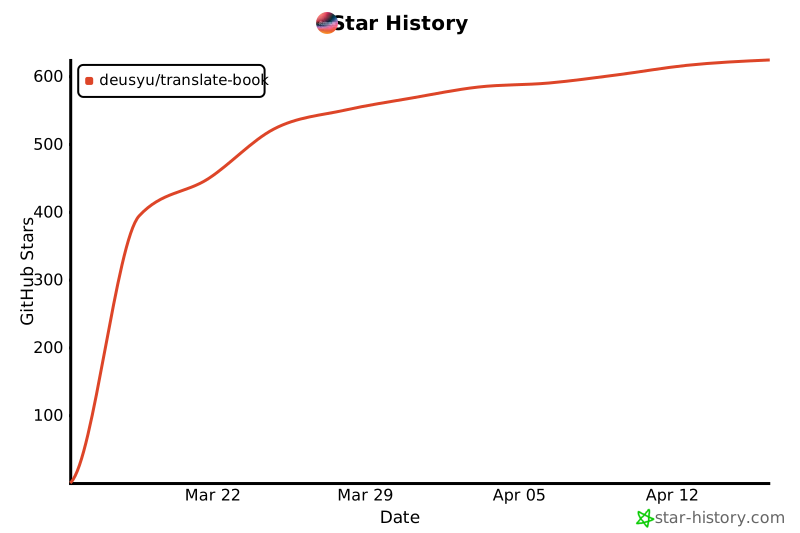
- ## Star History
- If you find this project helpful, please consider giving it a Star ⭐!
- [](https://star-history.com/#deusyu/translate-book&Date)
- ## Sponsor
- If this project saves you time, consider sponsoring to keep it maintained and improved.
- [](https://github.com/sponsors/deusyu)
- ### Commercial sponsorship
- Companies are welcome to sponsor translate-book, and terms are open to discussion. Email [rainman.deus@gmail.com](mailto:rainman.deus@gmail.com).
- Not accepted:
- - Setup guides, base URLs, or environment variables for third-party model platforms or API relays in the README or docs. translate-book does not call any model API itself; translation runs inside the user's own agent host (Codex, Claude Code, OpenClaw).
- ## License
- [MIT](LICENSE)
Ratings and comments
Sign in to rate this skill.
Sign inFree to use. If it’s helped, pass it on.