after-effects-mcp
MCP Server for Adobe After Effects. Enables remote control (compositions, text, shapes, solids, properties) via the Model Context Protocol using ExtendScript.
Safety scan
A static text scan, not a guarantee. Select the badge to see what was scanned and every finding.
Badge for your README

Markdown
[](/listings/dakkshin--after-effects-mcp)HTML
<a href="/listings/dakkshin--after-effects-mcp"><img src="/api/listings/dakkshin--after-effects-mcp/badge.svg" alt="findsafeskills safety rating" /></a>Install
Install instructions from the README
As written by the repo's author. findsafeskills has not verified these steps.
🛠 Prerequisites
- Adobe After Effects (2022 or later) - Node.js (v14 or later) - npm or yarn package manager
📥 Installation
1. **Clone the repository**
   git clone https://github.com/Dakkshin/after-effects-mcp.git
   cd after-effects-mcp
2. **Install dependencies**
   npm install
   # or
   yarn install
3. **Build the project**
   npm run build
   # or
   yarn build
4. **Install the After Effects panel**
   npm run install-bridge
   # or
   yarn install-bridge
This will copy the necessary scripts to your After Effects installation.
🔧 Update MCP Config
Option 1: Using .mcp.json (Recommended for Claude Code)
The repository includes a `.mcp.json` file for easy configuration. Copy or reference it in your MCP settings:
{
  "mcpServers": {
    "AfterEffectsMCP": {
      "command": "node",
      "args": ["PATH/TO/after-effects-mcp/build/index.js"]
    }
  }
}Option 2: Manual Configuration
Go to your client (e.g., Claude or Cursor) and update your config file:
{
  "mcpServers": {
    "AfterEffectsMCP": {
      "command": "node",
      "args": ["C:\\Users\\Dakkshin\\after-effects-mcp\\build\\index.js"]
    }
  }
}▶️ Running the Server
1. **Start the MCP server**
   npm start
   # or
   yarn start
2. **Open After Effects**
3. **Open the MCP Bridge Auto panel** - In After Effects, go to Window > mcp-bridge-auto.jsx - The panel will automatically check for commands every few seconds - Make sure the "Auto-run commands" checkbox is enabled
What was scanned
The files the safety scan read, as written by the repository's author and shown as plain text. Lines with a finding are marked.
README.md · README · 247 lines
View this file on GitHub (read at the repository's current version: the scan did not record which commit it read)
- # 🎬 After Effects MCP Server
- 
- 
- 
- 
- ✨ A Model Context Protocol (MCP) server for Adobe After Effects that enables AI assistants and other applications to control After Effects through a standardized protocol.
- <a href="https://glama.ai/mcp/servers/@Dakkshin/after-effects-mcp">
- <img width="380" height="200" src="https://glama.ai/mcp/servers/@Dakkshin/after-effects-mcp/badge" alt="mcp-after-effects MCP server" />
- </a>
- ## Table of Contents
- - [Features](#features)
- - [Core Composition Features](#core-composition-features)
- - [Layer Management](#layer-management)
- - [Animation Capabilities](#animation-capabilities)
- - [Setup Instructions](#setup-instructions)
- - [Prerequisites](#prerequisites)
- - [Installation](#installation)
- - [Update MCP Config](#Update-MCP-Config)
- - [Running the Server](#running-the-server)
- - [Usage Guide](#usage-guide)
- - [Creating Compositions](#creating-compositions)
- - [Working with Layers](#working-with-layers)
- - [Animation](#animation)
- - [Available MCP Tools](#available-mcp-tools)
- - [For Developers](#for-developers)
- - [Project Structure](#project-structure)
- - [Building the Project](#building-the-project)
- - [Contributing](#contributing)
- - [License](#license)
- ## 📦 Features
- ### 🎥 Core Composition Features
- - **Create compositions** with custom settings (size, frame rate, duration, background color)
- - **List all compositions** in a project
- - **Get project information** such as frame rate, dimensions, and duration
- ### 🧱 Layer Management
- - **Create text layers** with customizable properties (font, size, color, position)
- - **Create shape layers** (rectangle, ellipse, polygon, star) with colors and strokes
- - **Create solid/adjustment layers** for backgrounds and effects
- - **Create camera layers** with configurable zoom and position
- - **Create null objects** for animation control
- - **Modify layer properties** like position, scale, rotation, opacity, timing
- - **Toggle 2D/3D mode** for layers
- - **Set blend modes** (normal, multiply, screen, etc.)
- - **Track matte** support (alpha, luma, inverted)
- - **Duplicate layers** with optional rename
- - **Delete layers** from composition
- - **Create/modify masks** with feather, expansion, and opacity
- ### 🌀 Animation Capabilities
- - **Set keyframes** for layer properties (Position, Scale, Rotation, Opacity, etc.)
- - **Apply expressions** to layer properties for dynamic animations
- - **Batch set properties** across multiple layers at once
- ## ⚙️ Setup Instructions
- ### 🛠 Prerequisites
- - Adobe After Effects (2022 or later)
- - Node.js (v14 or later)
- - npm or yarn package manager
- ### 📥 Installation
- 1. **Clone the repository**
- ```bash
- git clone https://github.com/Dakkshin/after-effects-mcp.git
- cd after-effects-mcp
- ```
- 2. **Install dependencies**
- ```bash
- npm install
- # or
- yarn install
- ```
- 3. **Build the project**
- ```bash
- npm run build
- # or
- yarn build
- ```
- 4. **Install the After Effects panel**
- ```bash
- npm run install-bridge
- # or
- yarn install-bridge
- ```
- This will copy the necessary scripts to your After Effects installation.
- ### 🔧 Update MCP Config
- #### Option 1: Using .mcp.json (Recommended for Claude Code)
- The repository includes a `.mcp.json` file for easy configuration. Copy or reference it in your MCP settings:
- ```json
- {
- "mcpServers": {
- "AfterEffectsMCP": {
- "command": "node",
- "args": ["PATH/TO/after-effects-mcp/build/index.js"]
- }
- }
- }
- ```
- #### Option 2: Manual Configuration
- Go to your client (e.g., Claude or Cursor) and update your config file:
- ```json
- {
- "mcpServers": {
- "AfterEffectsMCP": {
- "command": "node",
- "args": ["C:\\Users\\Dakkshin\\after-effects-mcp\\build\\index.js"]
- }
- }
- }
- ```
- ### ▶️ Running the Server
- 1. **Start the MCP server**
- ```bash
- npm start
- # or
- yarn start
- ```
- 2. **Open After Effects**
- 3. **Open the MCP Bridge Auto panel**
- - In After Effects, go to Window > mcp-bridge-auto.jsx
- - The panel will automatically check for commands every few seconds
- - Make sure the "Auto-run commands" checkbox is enabled
- ## 🚀 Usage Guide
- Once you have the server running and the MCP Bridge panel open in After Effects, you can control After Effects through the MCP protocol. This allows AI assistants or custom applications to send commands to After Effects.
- ### 📘 Creating Compositions
- You can create new compositions with custom settings:
- - Name
- - Width and height (in pixels)
- - Frame rate
- - Duration
- - Background color
- Example MCP tool usage (for developers):
- ```javascript
- mcp_aftereffects_create_composition({
- name: "My Composition",
- width: 1920,
- height: 1080,
- frameRate: 30,
- duration: 10
- });
- ```
- ### ✍️ Working with Layers
- You can create and modify different types of layers:
- **Text layers:**
- - Set text content, font, size, and color
- - Position text anywhere in the composition
- - Adjust timing and opacity
- **Shape layers:**
- - Create rectangles, ellipses, polygons, and stars
- - Set fill and stroke colors
- - Customize size and position
- **Solid layers:**
- - Create background colors
- - Make adjustment layers for effects
- ### 🕹 Animation
- You can animate layers with:
- **Keyframes:**
- - Set property values at specific times
- - Create motion, scaling, rotation, and opacity changes
- - Control the timing of animations
- **Expressions:**
- - Apply JavaScript expressions to properties
- - Create dynamic, procedural animations
- - Connect property values to each other
- ## 🛠 Available MCP Tools
- | Command | Description |
- |-----------------------------|----------------------------------------|
- | `create-composition` | Create a new composition |
- | `run-script` | Run a JS script inside AE |
- | `get-results` | Get script results |
- | `get-help` | Help for available commands |
- | `setLayerKeyframe` | Add keyframe to layer property |
- | `setLayerExpression` | Add/remove expressions from properties|
- | `setLayerProperties` | Set layer properties (position, scale, rotation, opacity, blendMode, threeDLayer, trackMatteType, enabled, etc.) |
- | `batchSetLayerProperties` | Apply properties to multiple layers |
- | `getLayerInfo` | Get layer info (position, 3D status) |
- | `createCamera` | Create camera layer |
- | `createNullObject` | Create null object for animation |
- | `duplicateLayer` | Duplicate a layer |
- | `deleteLayer` | Delete a layer |
- | `setLayerMask` | Create/modify layer masks |
- ## 👨💻 For Developers
- ### 🧩 Project Structure
- - `src/index.ts`: MCP server implementation
- - `src/scripts/mcp-bridge-auto.jsx`: Main After Effects panel script
- - `install-bridge.js`: Script to install the panel in After Effects
- ### 📦 Building the Project
- ```bash
- npm run build
- # or
- yarn build
- ```
- **Note:** This project uses esbuild for fast builds, replacing the previous TypeScript compiler approach that could run out of memory on larger codebases.
- ### 🤝 Contributing
- Contributions are welcome! Please feel free to submit a Pull Request.
- ## Star History
- [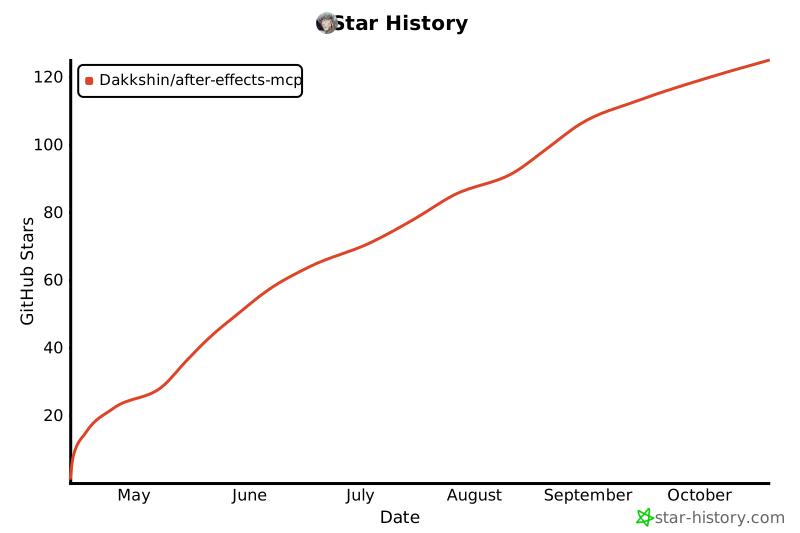](https://www.star-history.com/#Dakkshin/after-effects-mcp&type=date&legend=top-left)
- ## License
- This project is licensed under the MIT License - see the LICENSE file for details.
Ratings and comments
Sign in to rate this skill.
Sign inFree to use. If it’s helped, pass it on.