Back to search
mcp-manager
MCP serverGitHub
simple web ui to manage mcp (model context protocol) servers in the claude app
Safety scan
A static text scan, not a guarantee. Select the badge to see what was scanned and every finding.
Checked today
Badge for your README
Markdown
[](/listings/amxv--mcp-manager)HTML
<a href="/listings/amxv--mcp-manager"><img src="/api/listings/amxv--mcp-manager/badge.svg" alt="findsafeskills safety rating" /></a>Install
i
What was scanned
The files the safety scan read, as written by the repository's author and shown as plain text. Lines with a finding are marked.
README.md · README · 115 lines
View this file on GitHub (read at the repository's current version: the scan did not record which commit it read)
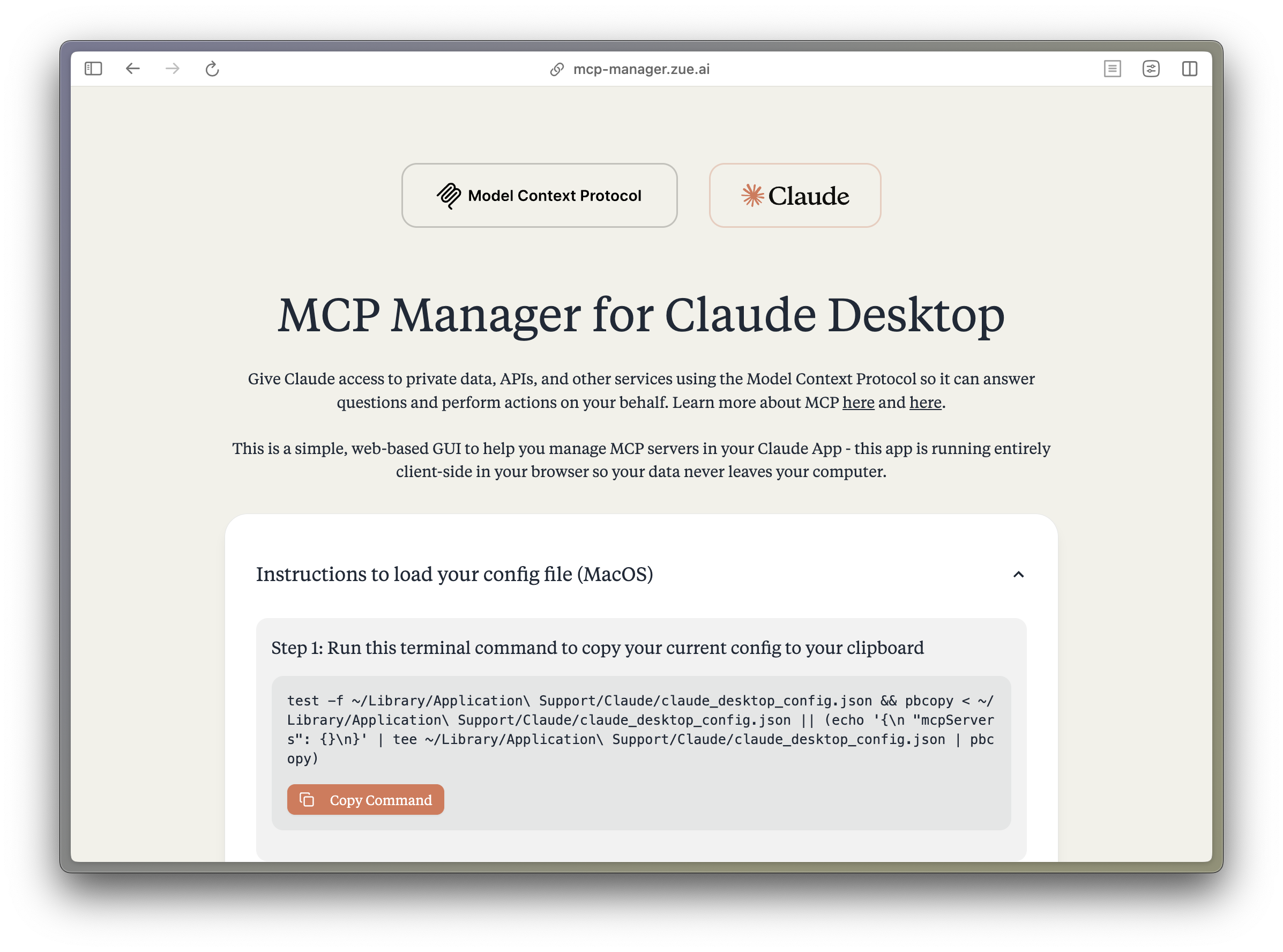
- <h1 align="center">MCP Manager for Claude Desktop</h1>
- <p align="center">A simple web GUI to manage Model Context Protocol (MCP) servers for the Claude Desktop app on MacOS easily. Just follow the instructions and paste a few commands to give your Claude app instant superpowers. </p>
- 
- ## What is MCP?
- The Model Context Protocol (MCP) enables Claude to access private data, APIs, and other services to answer questions and perform actions on your behalf. Learn more about MCP at:
- - [modelcontextprotocol.io](https://modelcontextprotocol.io)
- - [Anthropic's MCP Announcement](https://www.anthropic.com/news/model-context-protocol)
- ## Features
- - 🚀 Easy-to-use interface for managing MCP servers
- - 🔒 Runs entirely client-side - your data never leaves your computer
- - ⚡️ Quick setup for popular MCP servers:
- - Apple Notes - Access and search your Apple Notes
- - AWS Knowledge Base - Access and query AWS Knowledge Base for information retrieval
- - Brave Search - Search the web with Brave Search API
- - Browserbase - Let Claude explore the web with Browserbase
- - Cloudflare - Manage your Cloudflare workers and account resources
- - Everart - Interface with Everart API for digital art and design tools
- - Exa - Search the web with Exa
- - Filesystem - Access and manage local filesystem
- - GitHub - Access your GitHub repositories
- - GitLab - Manage GitLab repositories and resources
- - Google Drive - Access and search files in your Google Drive
- - Google Maps - Access Google Maps API for location services
- - Memory - Give Claude memory of previous conversations
- - Obsidian - Read and search files in your Obsidian vault
- - Perplexity - Search the web with Perplexity API
- - PostgreSQL - Connect and interact with PostgreSQL databases
- - Puppeteer - Automate browser interactions
- - Sequential Thinking - Enable step-by-step reasoning
- - Slack - Access your Slack workspace
- - SQLite - Manage SQLite databases
- - Todoist - Access and search your Todoist tasks
- - YouTube Transcript - Access and search YouTube transcripts
- - 🛠 Simple configuration of environment variables and server settings
- - 📋 One-click copying of terminal commands for installation
- ## Tech Stack
- - **Frontend Framework**: React 18 with TypeScript
- - **Build Tool**: Vite
- - **Styling**:
- - TailwindCSS for utility-first CSS
- - DaisyUI for component styling
- - Tiempos Font to match the Anthropic Design Language
- - **Package Manager**: Bun
- - **Deployment**: Cloudflare Pages for <60s build times
- ## Project Structure
- ```plaintext
- src/
- ├── components/ # React components
- │ ├── server-configs/ # Server-specific configuration components
- │ └── ...
- ├── assets/ # Static assets and fonts
- ├── App.tsx # Main application component
- ├── server-configs.ts # MCP server configurations
- └── utils.ts # Utility functions
- ```
- ## Development
- 1. Install dependencies:
- ```bash
- bun install
- ```
- 2. Start the dev server:
- ```bash
- bun dev
- ```
- 3. Build for production:
- ```bash
- bun run build
- ```
- ## Contributing
- Contributions are extremely welcome! Please open a PR with new MCP servers or any other improvements to the codebase.
- PS. I wasnt able to get fetch, time, and sentry working, if you can help me out, that would be great!
- ## Disclaimer
- This project is not affiliated with Anthropic. All logos are trademarks of their respective owners.
- ## License
- Apache 2.0
- ---
- <br/>
- <br/>
- <p align="center">
- <a href="https://zue.ai#gh-light-mode-only">
- <img src="https://assets.zue.ai/logo_zue_purple.svg" alt="zue logo" width="200" height="auto" style="display: block; margin: 0 auto;" />
- </a>
- <a href="https://zue.ai#gh-dark-mode-only">
- <img src="https://assets.zue.ai/logo_zue_yellow.svg" alt="zue logo" width="200" height="auto" style="display: block; margin: 0 auto;" />
- </a>
- </p>
- <p align="center">
- <a href="https://zue.ai/talk-to-us">Contact us</a> for custom AI automation solutions and product development.
- </p>
Ratings and comments
Sign in to rate this skill.
Sign inFree to use. If it’s helped, pass it on.