Back to search
claude-setup
SkillWorks with Claude CodeGitHub
> A comprehensive configuration setup for Claude Code with Model Context Protocol (MCP) servers, custom commands, and quality-focused workflows.
Safety scan
A static text scan, not a guarantee. Select the badge to see what was scanned and every finding.
Checked today
Badge for your README
Markdown
[](/listings/aizenvoltprime--claude-setup)HTML
<a href="/listings/aizenvoltprime--claude-setup"><img src="/api/listings/aizenvoltprime--claude-setup/badge.svg" alt="findsafeskills safety rating" /></a>Install
i
Install instructions from the README
As written by the repo's author. findsafeskills has not verified these steps.
# 1. Install dependencies
pip install uv

# 2. Clone this configuration
git clone <your-repo> claude-setup
cd claude-setup

# 3. Start using commands
/task implement user authentication
What was scanned
The files the safety scan read, as written by the repository's author and shown as plain text. Lines with a finding are marked.
README.md · README · 528 lines
View this file on GitHub (read at the repository's current version: the scan did not record which commit it read)
- # Claude Code Setup
- > A comprehensive configuration setup for Claude Code with Model Context Protocol (MCP) servers, custom commands, and quality-focused workflows.
- [](https://claude.ai/code) [](https://modelcontextprotocol.io/) [](https://python.org)
- ## Table of Contents
- - [Overview](#overview)
- - [Quick Start](#quick-start)
- - [Prerequisites](#prerequisites)
- - [Installation](#installation)
- - [Features](#features)
- - [Commands](#commands)
- - [Configuration](#configuration)
- - [Troubleshooting](#troubleshooting)
- - [Contributing](#contributing)
- - [License](#license)
- ## Overview
- This project provides a pre-configured environment for Claude Code with enhanced capabilities through:
- - **MCP Servers**: Context7 for library documentation and code context
- - **Custom Commands**: Intelligent workflows for commits, tasks, code review, and prompt optimization
- - **Code Quality Tools**: Modern CLI tool enforcement and validation hooks
- - **Structured Workflows**: Organized task management with best practices
- ## Quick Start
- ```bash
- # 1. Install dependencies
- pip install uv
- # 2. Clone this configuration
- git clone <your-repo> claude-setup
- cd claude-setup
- # 3. Start using commands
- /task implement user authentication
- ```
- ## Prerequisites
- Before using this setup, ensure you have:
- - **Claude Code**: Installed and configured
- - **Python 3.8+**: For hook script execution
- - **uv**: Package manager for Python script execution
- - **Node.js**: For MCP server functionality (npx)
- ### Installation
- #### 1. Install uv (if not already installed)
- ```bash
- # macOS/Linux
- curl -LsSf https://astral.sh/uv/install.sh | sh
- # Windows
- powershell -c "irm https://astral.sh/uv/install.ps1 | iex"
- # After installation, open a new terminal and verify:
- uv --version
- ```
- #### 2. Setup Configuration
- ```bash
- # Copy configuration files to your project
- cp -r .claude/ /your/project/
- cp .mcp.json /your/project/
- ```
- ## Modern CLI Tools Installation Guide
- ### Linux Installation Commands
- #### Ubuntu/Debian (Complete Single Command)
- **Prerequisites - Install Rust (for xsv and sd):**
- ```bash
- curl --proto '=https' --tlsv1.2 -sSf https://sh.rustup.rs | sh
- source "$HOME/.cargo/env"
- ```
- **Complete installation (core tools only):**
- ```bash
- sudo apt update && sudo apt install -y ripgrep bat fd-find && mkdir -p ~/.local/bin && ln -sf /usr/bin/batcat ~/.local/bin/bat && ln -sf /usr/bin/fdfind ~/.local/bin/fd && cargo install sd xsv
- ```
- **Complete installation (core + optional tools):**
- ```bash
- sudo apt update && sudo apt install -y ripgrep bat fd-find jq && mkdir -p ~/.local/bin && ln -sf /usr/bin/batcat ~/.local/bin/bat && ln -sf /usr/bin/fdfind ~/.local/bin/fd && cargo install sd xsv && sudo wget -qO /usr/local/bin/yq https://github.com/mikefarah/yq/releases/latest/download/yq_linux_amd64 && sudo chmod +x /usr/local/bin/yq
- ```
- **What this does:**
- - Updates package lists
- - Installs `ripgrep`, `bat`, `fd-find`, `jq` from apt
- - Creates `~/.local/bin` directory
- - Symlinks `batcat` → `bat` and `fdfind` → `fd` (fixes naming conflicts)
- - Installs `sd`, `xsv` via Cargo (Rust package manager)
- - Downloads and installs `yq` binary
- #### Arch Linux (Simplest Single Command)
- ```bash
- sudo pacman -S ripgrep bat fd sd jq yq
- ```
- **Optional AUR tools:**
- ```bash
- yay -S xsv mdq
- ```
- #### Fedora/RHEL/CentOS
- ```bash
- sudo dnf install -y ripgrep bat fd-find jq && cargo install sd xsv && sudo wget -qO /usr/local/bin/yq https://github.com/mikefarah/yq/releases/latest/download/yq_linux_amd64 && sudo chmod +x /usr/local/bin/yq
- ```
- #### Alpine Linux
- ```bash
- apk add ripgrep bat fd jq yq && cargo install sd xsv
- ```
- ### Windows Installation Commands
- #### Using winget (Recommended)
- **Core tools - Required (single command):**
- ```powershell
- winget install BurntSushi.ripgrep.MSVC && winget install sharkdp.bat && winget install sharkdp.fd && winget install chmln.sd && winget install BurntSushi.xsv.MSVC
- ```
- **Optional tools (for specialized operations):**
- ```powershell
- winget install jqlang.jq && winget install MikeFarah.yq
- ```
- **Individual installations:**
- ```powershell
- # Core tools (required)
- winget install BurntSushi.ripgrep.MSVC
- winget install sharkdp.bat
- winget install sharkdp.fd
- winget install chmln.sd
- winget install BurntSushi.xsv.MSVC
- # Optional tools
- winget install jqlang.jq
- winget install MikeFarah.yq
- ```
- #### Using Scoop
- ```powershell
- scoop install ripgrep bat fd sd jq yq
- ```
- #### Using Chocolatey
- ```powershell
- choco install ripgrep bat fd-find sd jq yq
- ```
- ### macOS Installation
- #### Using Homebrew
- ```bash
- brew install ripgrep bat fd sd jq yq xsv mdq
- ```
- ### Tool Mappings Reference
- | Legacy Tool | Modern Replacement | Package Name | Enforcement |
- | ----------- | ------------------ | ------------------ | ----------- |
- | `grep` | `rg` | ripgrep | **Blocked** |
- | `cat` | `bat` | bat | **Blocked** |
- | `find` | `fd` | fd / fd-find | **Blocked** |
- | `awk/perl` | `sd` | sd | **Blocked** |
- | `cut` | `xsv` | xsv (winget/cargo) | **Blocked** |
- | JSON ops | `jq` | jq | Suggested |
- | YAML ops | `yq` | yq | Suggested |
- | Markdown | `mdq` | mdq (cargo) | Suggested |
- **Blocked**: Hook prevents execution and requires modern tool
- **Suggested**: Hook provides recommendation but allows execution
- ### Verification Commands
- **Verify core tools (required):**
- ```bash
- rg --version
- bat --version
- fd --version
- sd --version
- xsv --version
- ```
- **Verify optional tools:**
- ```bash
- jq --version
- yq --version
- ```
- ### Notes
- **Ubuntu/Debian Naming Conflicts:**
- - `bat` is installed as `batcat` (conflict with `bacula-console-qt`)
- - `fd` is installed as `fdfind` (conflict with `fdclone`)
- - Symlinks in `~/.local/bin` resolve this issue
- **Cargo Requirement:**
- - **Windows**: All core tools available via winget - no Cargo needed!
- - **Linux**: Core tools `sd` and `xsv` require Rust's Cargo package manager
- - Optional tool `mdq` requires Cargo on all platforms
- - **Install Rust (Linux)**: `curl --proto '=https' --tlsv1.2 -sSf https://sh.rustup.rs | sh`
- **PATH Configuration:**
- - Ensure `~/.local/bin` is in your PATH (usually automatic on modern Linux)
- - Add to `~/.bashrc` or `~/.zshrc` if needed: `export PATH="$HOME/.local/bin:$PATH"`
- ## Features
- ### 🎯 Custom Commands
- - **`/commit`**: Intelligent commit workflow with conventional standards
- - **`/code-review`**: Reviews uncommitted changes before committing
- - **`/task`**: Structured problem-solving with best practices and code quality guidelines
- - **`/optimize-prompt`**: Analyzes and optimizes prompts using the 10 golden rules for AI interaction
- ### 🤖 Custom Agents
- - **`code-reviewer`**: Senior code review specialist for quality assurance
- - Reviews changes for quality, security, and maintainability
- - Provides prioritized feedback (critical, warnings, suggestions)
- - Checks for best practices and potential issues
- ### 🔌 MCP Servers
- - **Context7**: Library documentation and code context
- ### ⚡ Hook System
- - **PreToolUse**: Tool validation for modern CLI tool enforcement
- - **Extensible**: Easy to add custom hooks for workflow automation
- - **Documentation**: [Hooks Reference](https://docs.anthropic.com/en/docs/claude-code/hooks) | [Hooks Guide](https://docs.anthropic.com/en/docs/claude-code/hooks-guide)
- ## Commands
- ### `/task` - Structured Problem Solving
- Structured workflow for problem-solving with built-in code quality guidelines.
- **Usage:**
- ```bash
- /task [problem description]
- ```
- **Features:**
- - ✅ Step-by-step analysis before implementation
- - ✅ Edge case identification and handling
- - ✅ Self-documenting code with clear naming conventions
- - ✅ XML documentation for public APIs
- - ✅ Root cause focus (no bandaid fixes)
- - ✅ No unnecessary fallbacks or backwards compatibility
- **Output Format:**
- 1. **Brief Analysis**: Key considerations and edge cases identified
- 2. **Solution**: Clean, production-ready code
- 3. **Summary**: One-line description of changes made
- **Examples:**
- ```bash
- /task implement user authentication system
- /task fix the null reference in payment processing
- /task add validation to the user registration form
- ```
- ### `/optimize-prompt` - Prompt Optimization
- Analyzes and transforms prompts using the 10 golden rules for maximizing AI output quality.
- **Usage:**
- ```bash
- /optimize-prompt [your prompt to analyze]
- ```
- **Features:**
- - ✅ Scorecard evaluation against 10 optimization rules
- - ✅ Detailed improvement recommendations
- - ✅ Fully rewritten optimized prompt
- - ✅ Automatic export to `.claude/optimized-prompts/`
- **The 10 Golden Rules:**
- 1. Tone of Collaboration - Clear, firm, respectful
- 2. Principle of Explicitness - Action + Quantity + Topic + Audience
- 3. Defining Boundaries - Constraints produce better results
- 4. Exploratory Draft - Plan → Refine → Execute
- 5. Output Details - Structured formats (tables, JSON, lists)
- 6. Explaining the "Why" - Context and intent
- 7. Art of Brevity - Specify detail level
- 8. Providing a Scaffold - Templates and examples
- 9. Power Phrases - "Think step-by-step", "Critique your response"
- 10. Divide & Conquer - Break massive tasks into sub-tasks
- ### `/code-review` - Automated Code Review
- Initiates code-reviewer agent to analyze uncommitted changes only.
- **Usage:**
- ```bash
- /code-review
- ```
- **Features:**
- - Focuses exclusively on uncommitted changes
- - Reviews modified files for quality, security, and maintainability
- - Provides prioritized feedback:
- - 🚨 Critical issues (must fix)
- - ⚠️ Warnings (should fix)
- - 💡 Suggestions (consider improving)
- - Includes specific fix examples
- **Example:**
- ```bash
- # After making changes
- /code-review
- # Fix any critical issues
- /commit
- ```
- ### `/commit` - Intelligent Commits
- Streamlined commit workflow following conventional commit standards.
- **Features:**
- - Diff analysis and change summarization
- - Conventional commit message formatting
- - Clean, focused commits
- **Important:** Run `/code-review` before committing to ensure code quality.
- **Example:**
- ```bash
- # Review changes first
- /code-review
- # After fixing issues
- /commit
- ```
- ## Configuration
- ### Directory Structure
- ```
- claude-setup/
- ├── .claude/
- │ ├── settings.json # Permissions and hook configuration
- │ ├── settings.local.json # Local MCP server settings
- │ ├── agents/
- │ │ └── code-reviewer.md # Code review specialist
- │ ├── hooks/
- │ │ └── tool_validation_hook.py # Modern CLI tool enforcement
- │ ├── commands/
- │ │ ├── task.md # Structured task workflow
- │ │ ├── optimize-prompt.md # Prompt optimization workflow
- │ │ ├── code-review.md # Code review workflow
- │ │ └── commit.md # Commit workflow
- │ └── optimized-prompts/ # Auto-generated optimized prompts
- ├── .mcp.json # MCP server configuration
- └── README.md
- ```
- ### Settings Configuration
- The `.claude/settings.json` file contains permissions and hook configurations:
- ```json
- {
- "permissions": {
- "allow": ["WebFetch(domain:docs.anthropic.com)", ...],
- "deny": [...]
- },
- "hooks": {
- "PreToolUse": [
- {
- "matcher": "Bash",
- "hooks": [
- {
- "type": "command",
- "command": "uv run .claude/hooks/tool_validation_hook.py"
- }
- ]
- }
- ]
- }
- }
- ```
- The `.claude/settings.local.json` file enables MCP servers:
- ```json
- {
- "enabledMcpjsonServers": ["context7"],
- "enableAllProjectMcpServers": true
- }
- ```
- ### MCP Configuration
- The `.mcp.json` file defines server configurations:
- ```json
- {
- "mcpServers": {
- "context7": {
- "command": "npx",
- "args": ["-y", "@upstash/context7-mcp"],
- "env": {
- "DEFAULT_MINIMUM_TOKENS": "6000"
- }
- }
- }
- }
- ```
- ## Troubleshooting
- ### Common Issues
- **Hook not triggering:**
- - Ensure `uv` is installed and in PATH
- - Check script permissions: `chmod +x .claude/hooks/*.py`
- - Verify hook configuration in `.claude/settings.json`
- **Modern CLI tools not found:**
- - Install the required tools using the installation commands in the [Modern CLI Tools Installation Guide](#modern-cli-tools-installation-guide)
- - Verify installation with version commands (e.g., `rg --version`, `bat --version`)
- - Ensure tools are in your PATH
- **MCP servers not loading:**
- - Verify Node.js and npx are installed
- - Check `.mcp.json` configuration syntax
- - Ensure MCP packages are available via npx
- - Verify `enabledMcpjsonServers` in `.claude/settings.local.json`
- ### Debug Mode
- Enable debug mode for detailed logging:
- ```bash
- claude --debug
- ```
- ## Contributing
- 1. Fork the repository
- 2. Create a feature branch: `git checkout -b feature-name`
- 3. Make your changes and test thoroughly
- 4. Submit a pull request with detailed description
- ### Adding Custom Commands
- 1. Create markdown file in `.claude/commands/`
- 2. Use `$ARGUMENTS` placeholder for user input
- 3. Define clear instructions and output format
- ### Adding Custom Hooks
- 1. Create script in `.claude/hooks/`
- 2. Make executable: `chmod +x .claude/hooks/your_hook.py`
- 3. Add configuration to `.claude/settings.json`
- 4. Test with sample inputs
- **Resources:**
- - [Hooks Reference Documentation](https://docs.anthropic.com/en/docs/claude-code/hooks)
- - [Hooks Implementation Guide](https://docs.anthropic.com/en/docs/claude-code/hooks-guide)
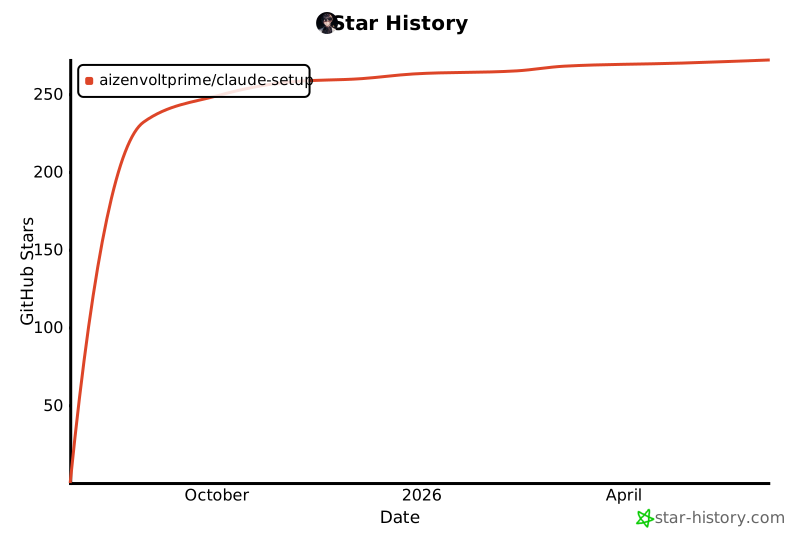
- ## Star History
- [](https://star-history.com/#AizenvoltPrime/claude-setup&Date)
- ## License
- This configuration setup is provided as-is for Claude Code enhancement.
- ---
- **Need help?** Check the documentation:
- - [Claude Code Main Docs](https://docs.anthropic.com/claude-code)
- - [Hooks Reference](https://docs.anthropic.com/en/docs/claude-code/hooks)
- - [Hooks Implementation Guide](https://docs.anthropic.com/en/docs/claude-code/hooks-guide)
- Or open an issue for project-specific questions.
Ratings and comments
Sign in to rate this skill.
Sign inFree to use. If it’s helped, pass it on.