Back to search
on-page-seo
SkillGitHub
On-Page SEO Analyzer - Analyze your website's SEO performance
Safety scan
A static text scan, not a guarantee. Select the badge to see what was scanned and every finding.
Checked today
Badge for your README
Markdown
[](/listings/agricidaniel--on-page-seo)HTML
<a href="/listings/agricidaniel--on-page-seo"><img src="/api/listings/agricidaniel--on-page-seo/badge.svg" alt="findsafeskills safety rating" /></a>Install
i
Install instructions from the README
As written by the repo's author. findsafeskills has not verified these steps.
1. Clone the repository
git clone https://github.com/AgriciDaniel/on-page-seo.git
cd on-page-seo
2. Install dependencies
# Install all dependencies (root, client, and server)
npm run install:all
3. Configure environment
cp .env.example .env
Edit `.env` with your settings, or configure API keys through the app's settings page.
4. Start development servers
npm run dev
This starts both the client (http://localhost:3005) and server (http://localhost:3001).
What was scanned
The files the safety scan read, as written by the repository's author and shown as plain text. Lines with a finding are marked.
README.md · README · 160 lines
View this file on GitHub (read at the repository's current version: the scan did not record which commit it read)
- # On-Page SEO Analyzer
- A comprehensive on-page SEO analysis tool that helps you audit and optimize your website's SEO performance. Analyze up to 500 pages at once with detailed insights on 74 SEO metrics.
- 
- ## How It Was Built
- [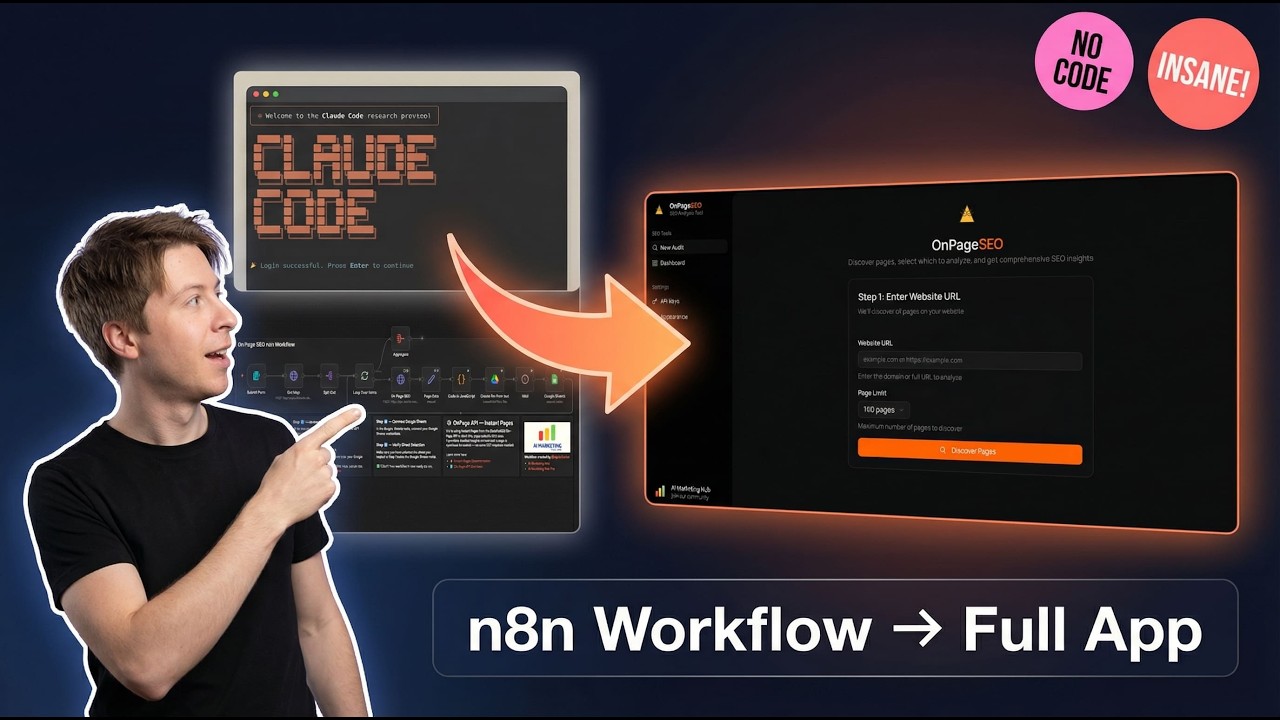](https://youtu.be/jRSx4q8AghU)
- **[Watch the journey from n8n workflow to full app on YouTube](https://youtu.be/jRSx4q8AghU)**
- ## Features
- - **Page Discovery**: Automatically discover pages on your website using Firecrawl
- - **Comprehensive Analysis**: Analyze 74 SEO metrics per page using DataForSEO
- - **Core Web Vitals**: Track LCP, FID, and CLS scores
- - **Real-time Progress**: Watch your audit progress with live updates
- - **Export Results**: Download reports as CSV or JSON
- - **Dark Mode**: Full dark mode support
- ## Tech Stack
- **Frontend:**
- - React 19 with TypeScript
- - Vite for blazing fast builds
- - TanStack Router & React Query
- - Tailwind CSS with Shadcn/ui components
- - Recharts for data visualization
- **Backend:**
- - Node.js with Express
- - SQLite database (better-sqlite3)
- - TypeScript
- - Firecrawl API for page discovery
- - DataForSEO API for SEO analysis
- ## Prerequisites
- - Node.js 18+
- - npm or yarn
- - [Firecrawl API Key](https://firecrawl.dev)
- - [DataForSEO Account](https://dataforseo.com)
- ## Quick Start
- ### 1. Clone the repository
- ```bash
- git clone https://github.com/AgriciDaniel/on-page-seo.git
- cd on-page-seo
- ```
- ### 2. Install dependencies
- ```bash
- # Install all dependencies (root, client, and server)
- npm run install:all
- ```
- ### 3. Configure environment
- ```bash
- cp .env.example .env
- ```
- Edit `.env` with your settings, or configure API keys through the app's settings page.
- ### 4. Start development servers
- ```bash
- npm run dev
- ```
- This starts both the client (http://localhost:3005) and server (http://localhost:3001).
- ## Scripts
- | Command | Description |
- |---------|-------------|
- | `npm run dev` | Start both client and server in development mode |
- | `npm run dev:client` | Start only the client |
- | `npm run dev:server` | Start only the server |
- | `npm run build` | Build both client and server for production |
- | `npm run start` | Start the production server |
- | `npm run install:all` | Install dependencies for root, client, and server |
- ## Project Structure
- ```
- on-page-seo/
- ├── client/ # React frontend
- │ ├── src/
- │ │ ├── components/ # Reusable UI components
- │ │ ├── features/ # Feature-based modules
- │ │ ├── lib/ # API client and utilities
- │ │ ├── routes/ # TanStack Router routes
- │ │ └── types/ # TypeScript types
- │ └── ...
- ├── server/ # Express backend
- │ └── src/
- │ ├── routes/ # API routes
- │ ├── services/ # Business logic
- │ └── db/ # Database layer
- ├── shared/ # Shared types
- │ └── types/
- ├── data/ # SQLite database
- └── ...
- ```
- ## API Endpoints
- | Method | Endpoint | Description |
- |--------|----------|-------------|
- | POST | `/api/audits` | Start a new SEO audit |
- | GET | `/api/audits` | List all audits |
- | GET | `/api/audits/:id` | Get audit details with results |
- | GET | `/api/audits/:id/progress` | SSE stream for real-time progress |
- | GET | `/api/audits/:id/export` | Export audit as CSV or JSON |
- | DELETE | `/api/audits/:id` | Delete an audit |
- | GET | `/api/settings` | Get API configuration status |
- | PUT | `/api/settings` | Update API credentials |
- ## Production Deployment
- ### Build for production
- ```bash
- npm run build
- ```
- ### Start production server
- ```bash
- NODE_ENV=production npm run start
- ```
- The server will serve the built client files and handle API requests on the same port.
- ## Contributing
- Contributions are welcome! Please feel free to submit a Pull Request.
- ## License
- This project is licensed under the MIT License - see the [LICENSE](LICENSE) file for details.
- ---
- > For a full publishing pipeline from analysis to published content, see [Rankenstein](https://rankenstein.pro).
- ## Author
- Built by [Agrici Daniel](https://agricidaniel.com/about) - AI Workflow Architect.
- - [Blog](https://agricidaniel.com/blog) - Deep dives on AI marketing automation
- - [AI Marketing Hub](https://www.skool.com/ai-marketing-hub) - Free community, 2,800+ members
- - [YouTube](https://www.youtube.com/@AgriciDaniel) - Tutorials and demos
- - [All open-source tools](https://github.com/AgriciDaniel)
Ratings and comments
Sign in to rate this skill.
Sign inFree to use. If it’s helped, pass it on.