mcp-bench
MCP-Bench: Benchmarking Tool-Using LLM Agents with Complex Real-World Tasks via MCP Servers
Safety scan
A static text scan, not a guarantee. Select the badge to see what was scanned and every finding.
Badge for your README

Markdown
[](/listings/accenture--mcp-bench)HTML
<a href="/listings/accenture--mcp-bench"><img src="/api/listings/accenture--mcp-bench/badge.svg" alt="findsafeskills safety rating" /></a>Install
Install instructions from the README
As written by the repo's author. findsafeskills has not verified these steps.
Installation
1. **Clone the repository**
git clone https://github.com/accenture/mcp-bench.git
cd mcp-bench
2. **Install dependencies**
conda create -n mcpbench python=3.10
conda activate mcpbench
cd mcp_servers
# Install MCP server dependencies
bash ./install.sh
cd ..
3. **Set up environment variables**
# Create .env file with API keys
# Default setup uses both OpenRouter and Azure OpenAI
# For Azure OpenAI, you also need to set your API version in file benchmark_config.yaml (line205)
# For OpenRouter-only setup, see "Optional: Using only OpenRouter API" section below
cat > .env << EOF
export OPENROUTER_API_KEY="your_openrouterkey_here"
export AZURE_OPENAI_API_KEY="your_azureopenai_apikey_here"
export AZURE_OPENAI_ENDPOINT="your_azureopenai_endpoint_here"
EOF
4. **Configure MCP Server API Keys**
Some MCP servers require external API keys to function properly. These keys are automatically loaded from `./mcp_servers/api_key`. You should set these keys by yourself in file `./mcp_servers/api_key`:
# View configured API keys
cat ./mcp_servers/api_key
Required API keys include (These API keys are free and easy to get. You can get all of them within 10 mins): - `NPS_API_KEY`: National Park Service API key (for nationalparks server) - [Get API key](https://www.nps.gov/subjects/developer/get-started.htm) - `NASA_API_KEY`: NASA Open Data API key (for nasa-mcp server) - [Get API key](https://api.nasa.gov/) - `HF_TOKEN`: Hugging Face token (for huggingface-mcp-server) - [Get token](https://huggingface.co/docs/hub/security-tokens) - `GOOGLE_MAPS_API_KEY`: Google Maps API key (for mcp-google-map server) - [Get API key](https://developers.google.com/maps) - `NCI_API_KEY`: National Cancer Institute API key (for biomcp server) - [Get API key](https://clinicaltrialsapi.cancer.gov/signin) This api key registration website might require US IP to open, see Issue #10 if you have difficulies for getting this api key.
Basic Usage
# 1. Verify all MCP servers can be connected
##You should see "28/28 servers connected"
##and "All successfully connected servers returned tools!" after running this
python ./utils/collect_mcp_info.py

# 2. List available models
source .env
python run_benchmark.py --list-models

# 3. Run benchmark (gpt-oss-20b as an example)
##Must use o4-mini as judge model (hard-coded in line 429-436 in ./benchmark/runner.py) to reproduce the results.
## run all tasks
source .env
python run_benchmark.py --models gpt-oss-20b

## single server tasks
source .env
python run_benchmark.py --models gpt-oss-20b \
--tasks-file tasks/mcpbench_tasks_single_runner_format.json

## two server tasks
source .env
python run_benchmark.py --models gpt-oss-20b \
--tasks-file tasks/mcpbench_tasks_multi_2server_runner_format.json

## three server tasks
source .env
python run_benchmark.py --models gpt-oss-20b \
--tasks-file tasks/mcpbench_tasks_multi_3server_runner_format.json
Optional: Add other model providers
To add new models from OpenRouter:
1. **Find your model on OpenRouter** - Visit [OpenRouter Models](https://openrouter.ai/models) to browse available models - Copy the model ID (e.g., `anthropic/claude-sonnet-4` or `meta-llama/llama-3.3-70b-instruct`)
2. **Add the model configuration** - Edit `llm/factory.py` and add your model in the OpenRouter section (around line 152) - Follow this pattern:
   configs["your-model-name"] = ModelConfig(
       name="your-model-name",
       provider_type="openrouter",
       api_key=os.getenv("OPENROUTER_API_KEY"),
       base_url="https://openrouter.ai/api/v1",
       model_name="provider/model-id"  # The exact model ID from OpenRouter
)3. **Verify the model is available**
   source .env
   python run_benchmark.py --list-models
   # Your new model should appear in the list
4. **Run benchmark with your model**
source .env
What was scanned
The files the safety scan read, as written by the repository's author and shown as plain text. Lines with a finding are marked.
README.md · README · 349 lines
View this file on GitHub (read at the repository's current version: the scan did not record which commit it read)
- # MCP-Bench: Benchmarking Tool-Using LLM Agents with Complex Real-World Tasks via MCP Servers
- [](https://arxiv.org/abs/2508.20453)
- [](https://huggingface.co/spaces/mcpbench/mcp-bench)
- [](https://opensource.org/licenses/Apache-2.0)
- [](https://www.python.org/downloads/)
- [](https://github.com/anthropics/mcp)
- 
- ## Overview
- MCP-Bench is a comprehensive evaluation framework designed to assess Large Language Models' (LLMs) capabilities in tool-use scenarios through the Model Context Protocol (MCP). This benchmark provides an end-to-end pipeline for evaluating how effectively different LLMs can discover, select, and utilize tools to solve real-world tasks.
- ## News
- * [2025-09] MCP-Bench is accepted to NeurIPS 2025 Workshop on Scaling Environments for Agents.
- ## Leaderboard
- | Rank | Model | Overall Score |
- |------|-------|---------------|
- | 1 | gpt-5 | 0.749 |
- | 2 | o3 | 0.715 |
- | 3 | gpt-oss-120b | 0.692 |
- | 4 | gemini-2.5-pro | 0.690 |
- | 5 | claude-sonnet-4 | 0.681 |
- | 6 | qwen3-235b-a22b-2507 | 0.678 |
- | 7 | glm-4.5 | 0.668 |
- | 8 | gpt-oss-20b | 0.654 |
- | 9 | kimi-k2 | 0.629 |
- | 10 | qwen3-30b-a3b-instruct-2507 | 0.627 |
- | 11 | gemini-2.5-flash-lite | 0.598 |
- | 12 | gpt-4o | 0.595 |
- | 13 | gemma-3-27b-it | 0.582 |
- | 14 | llama-3-3-70b-instruct | 0.558 |
- | 15 | gpt-4o-mini | 0.557 |
- | 16 | mistral-small-2503 | 0.530 |
- | 17 | llama-3-1-70b-instruct | 0.510 |
- | 18 | nova-micro-v1 | 0.508 |
- | 19 | llama-3-2-90b-vision-instruct | 0.495 |
- | 20 | llama-3-1-8b-instruct | 0.428 |
- *Overall Score represents the average performance across all evaluation dimensions including rule-based schema understanding, LLM-judged (o4-mini as judge model) task completion, tool usage, and planning effectiveness. Scores are averaged across single-server and multi-server settings.*
- ## Quick Start
- ### Installation
- 1. **Clone the repository**
- ```bash
- git clone https://github.com/accenture/mcp-bench.git
- cd mcp-bench
- ```
- 2. **Install dependencies**
- ```bash
- conda create -n mcpbench python=3.10
- conda activate mcpbench
- cd mcp_servers
- # Install MCP server dependencies
- bash ./install.sh
- cd ..
- ```
- 3. **Set up environment variables**
- ```bash
- # Create .env file with API keys
- # Default setup uses both OpenRouter and Azure OpenAI
- # For Azure OpenAI, you also need to set your API version in file benchmark_config.yaml (line205)
- # For OpenRouter-only setup, see "Optional: Using only OpenRouter API" section below
- cat > .env << EOF
- export OPENROUTER_API_KEY="your_openrouterkey_here"
- export AZURE_OPENAI_API_KEY="your_azureopenai_apikey_here"
- export AZURE_OPENAI_ENDPOINT="your_azureopenai_endpoint_here"
- EOF
- ```
- 4. **Configure MCP Server API Keys**
- Some MCP servers require external API keys to function properly. These keys are automatically loaded from `./mcp_servers/api_key`. You should set these keys by yourself in file `./mcp_servers/api_key`:
- ```bash
- # View configured API keys
- cat ./mcp_servers/api_key
- ```
- Required API keys include (These API keys are free and easy to get. You can get all of them within 10 mins):
- - `NPS_API_KEY`: National Park Service API key (for nationalparks server) - [Get API key](https://www.nps.gov/subjects/developer/get-started.htm)
- - `NASA_API_KEY`: NASA Open Data API key (for nasa-mcp server) - [Get API key](https://api.nasa.gov/)
- - `HF_TOKEN`: Hugging Face token (for huggingface-mcp-server) - [Get token](https://huggingface.co/docs/hub/security-tokens)
- - `GOOGLE_MAPS_API_KEY`: Google Maps API key (for mcp-google-map server) - [Get API key](https://developers.google.com/maps)
- - `NCI_API_KEY`: National Cancer Institute API key (for biomcp server) - [Get API key](https://clinicaltrialsapi.cancer.gov/signin) This api key registration website might require US IP to open, see Issue #10 if you have difficulies for getting this api key.
- ### Basic Usage
- ```bash
- # 1. Verify all MCP servers can be connected
- ##You should see "28/28 servers connected"
- ##and "All successfully connected servers returned tools!" after running this
- python ./utils/collect_mcp_info.py
- # 2. List available models
- source .env
- python run_benchmark.py --list-models
- # 3. Run benchmark (gpt-oss-20b as an example)
- ##Must use o4-mini as judge model (hard-coded in line 429-436 in ./benchmark/runner.py) to reproduce the results.
- ## run all tasks
- source .env
- python run_benchmark.py --models gpt-oss-20b
- ## single server tasks
- source .env
- python run_benchmark.py --models gpt-oss-20b \
- --tasks-file tasks/mcpbench_tasks_single_runner_format.json
- ## two server tasks
- source .env
- python run_benchmark.py --models gpt-oss-20b \
- --tasks-file tasks/mcpbench_tasks_multi_2server_runner_format.json
- ## three server tasks
- source .env
- python run_benchmark.py --models gpt-oss-20b \
- --tasks-file tasks/mcpbench_tasks_multi_3server_runner_format.json
- ```
- ### Optional: Add other model providers
- To add new models from OpenRouter:
- 1. **Find your model on OpenRouter**
- - Visit [OpenRouter Models](https://openrouter.ai/models) to browse available models
- - Copy the model ID (e.g., `anthropic/claude-sonnet-4` or `meta-llama/llama-3.3-70b-instruct`)
- 2. **Add the model configuration**
- - Edit `llm/factory.py` and add your model in the OpenRouter section (around line 152)
- - Follow this pattern:
- ```python
- configs["your-model-name"] = ModelConfig(
- name="your-model-name",
- provider_type="openrouter",
- api_key=os.getenv("OPENROUTER_API_KEY"),
- base_url="https://openrouter.ai/api/v1",
- model_name="provider/model-id" # The exact model ID from OpenRouter
- )
- ```
- 3. **Verify the model is available**
- ```bash
- source .env
- python run_benchmark.py --list-models
- # Your new model should appear in the list
- ```
- 4. **Run benchmark with your model**
- ```bash
- source .env
- python run_benchmark.py --models your-model-name
- ```
- ### Optional: Using only OpenRouter API
- If you only want to use OpenRouter without Azure:
- 1. **Set up .env file with only OpenRouter:**
- ```bash
- cat > .env << EOF
- OPENROUTER_API_KEY=your_openrouterkey_here
- EOF
- ```
- 2. **Modify the code to access Azure models through OpenRouter:**
- Edit `llm/factory.py` and comment out the Azure section (lines 69-101), then add Azure models through OpenRouter instead:
- ```python
- # Comment out or remove the Azure section (lines 69-109)
- # if os.getenv("AZURE_OPENAI_API_KEY") and os.getenv("AZURE_OPENAI_ENDPOINT"):
- # configs["o4-mini"] = ModelConfig(...)
- # ...
- # Add Azure models through OpenRouter (in the OpenRouter section around line 106)
- if os.getenv("OPENROUTER_API_KEY"):
- # Add OpenAI models via OpenRouter
- configs["gpt-4o"] = ModelConfig(
- name="gpt-4o",
- provider_type="openrouter",
- api_key=os.getenv("OPENROUTER_API_KEY"),
- base_url="https://openrouter.ai/api/v1",
- model_name="openai/gpt-4o"
- )
- configs["gpt-4o-mini"] = ModelConfig(
- name="gpt-4o-mini",
- provider_type="openrouter",
- api_key=os.getenv("OPENROUTER_API_KEY"),
- base_url="https://openrouter.ai/api/v1",
- model_name="openai/gpt-4o-mini"
- )
- configs["o3"] = ModelConfig(
- name="o3",
- provider_type="openrouter",
- api_key=os.getenv("OPENROUTER_API_KEY"),
- base_url="https://openrouter.ai/api/v1",
- model_name="openai/o3"
- )
- configs["o4-mini"] = ModelConfig(
- name="o4-mini",
- provider_type="openrouter",
- api_key=os.getenv("OPENROUTER_API_KEY"),
- base_url="https://openrouter.ai/api/v1",
- model_name="openai/o4-mini"
- )
- configs["gpt-5"] = ModelConfig(
- name="gpt-5",
- provider_type="openrouter",
- api_key=os.getenv("OPENROUTER_API_KEY"),
- base_url="https://openrouter.ai/api/v1",
- model_name="openai/gpt-5"
- )
- # Keep existing OpenRouter models...
- ```
- This way all models will be accessed through OpenRouter's unified API.
- ## MCP Servers
- MCP-Bench includes 28 diverse MCP servers:
- - [BioMCP](https://github.com/genomoncology/biomcp) - Biomedical research data, clinical trials, and health information
- - [Bibliomantic](https://github.com/d4nshields/bibliomantic-mcp-server) - I Ching divination, hexagrams, and mystical guidance
- - [Call for Papers](https://github.com/iremert/call-for-papers-mcp) - Academic conference submissions and call announcements
- - [Car Price Evaluator](https://github.com/yusaaztrk/car-price-mcp-main) - Vehicle valuation and automotive market analysis
- - [Context7](https://github.com/upstash/context7) - Project context management and documentation services
- - [DEX Paprika](https://github.com/coinpaprika/dexpaprika-mcp) - Cryptocurrency DeFi analytics and decentralized exchange data
- - [FruityVice](https://github.com/CelalKhalilov/fruityvice-mcp) - Comprehensive fruit nutrition information and dietary data
- - [Game Trends](https://github.com/halismertkir/game-trends-mcp) - Gaming industry statistics and trend analysis
- - [Google Maps](https://github.com/cablate/mcp-google-map) - Location services, geocoding, and mapping functionality
- - [Huge Icons](https://github.com/hugeicons/mcp-server) - Icon search, management, and design resources
- - [Hugging Face](https://github.com/shreyaskarnik/huggingface-mcp-server) - Machine learning models, datasets, and AI capabilities
- - [Math MCP](https://github.com/EthanHenrickson/math-mcp) - Mathematical calculations and computational operations
- - [Medical Calculator](https://github.com/vitaldb/medcalc) - Clinical calculation tools and medical formulas
- - [Metropolitan Museum](https://github.com/mikechao/metmuseum-mcp) - Art collection database and museum information
- - [Movie Recommender](https://github.com/iremert/movie-recommender-mcp) - Film recommendations and movie metadata
- - [NASA Data](https://github.com/AnCode666/nasa-mcp) - Space mission data and astronomical information
- - [National Parks](https://github.com/KyrieTangSheng/mcp-server-nationalparks) - US National Parks information and visitor services
- - [NixOS](https://github.com/utensils/mcp-nixos) - Package management and system configuration tools
- - [OKX Exchange](https://github.com/esshka/okx-mcp) - Cryptocurrency trading data and market information
- - [OpenAPI Explorer](https://github.com/janwilmake/openapi-mcp-server) - API specification exploration and testing tools
- - [OSINT Intelligence](https://github.com/himanshusanecha/mcp-osint-server) - Open source intelligence gathering and analysis
- - [Paper Search](https://github.com/openags/paper-search-mcp) - Academic paper search across multiple research databases
- - [Reddit](https://github.com/dumyCq/mcp-reddit) - Social media content and community discussions
- - [Scientific Computing](https://github.com/Aman-Amith-Shastry/scientific_computation_mcp) - Advanced mathematical computations and data analysis
- - [Time MCP](https://github.com/dumyCq/time-mcp) - Date, time utilities, and timezone conversions
- - [Unit Converter](https://github.com/zazencodes/unit-converter-mcp) - Measurement conversions across different unit systems
- - [Weather Data](https://github.com/HarunGuclu/weather_mcp) - Weather forecasts and meteorological information
- - [Wikipedia](https://github.com/Rudra-ravi/wikipedia-mcp) - Encyclopedia content search and retrieval
- ## Project Structure
- ```
- mcp-bench/
- ├── agent/ # Task execution agents
- │ ├── __init__.py
- │ ├── executor.py # Multi-round task executor with retry logic
- │ └── execution_context.py # Execution context management
- ├── benchmark/ # Evaluation framework
- │ ├── __init__.py
- │ ├── evaluator.py # LLM-as-judge evaluation metrics
- │ ├── runner.py # Benchmark orchestrator
- │ ├── results_aggregator.py # Results aggregation and statistics
- │ └── results_formatter.py # Results formatting and display
- ├── config/ # Configuration management
- │ ├── __init__.py
- │ ├── benchmark_config.yaml # Benchmark configuration
- │ └── config_loader.py # Configuration loader
- ├── llm/ # LLM provider abstractions
- │ ├── __init__.py
- │ ├── factory.py # Model factory for multiple providers
- │ └── provider.py # Unified provider interface
- ├── mcp_modules/ # MCP server management
- │ ├── __init__.py
- │ ├── connector.py # Server connection handling
- │ ├── server_manager.py # Multi-server orchestration
- │ ├── server_manager_persistent.py # Persistent connection manager
- │ └── tool_cache.py # Tool call caching mechanism
- ├── synthesis/ # Task generation
- │ ├── __init__.py
- │ ├── task_synthesis.py # Task generation with fuzzy conversion
- │ ├── generate_benchmark_tasks.py # Batch task generation script
- │ ├── benchmark_generator.py # Unified benchmark task generator
- │ ├── README.md # Task synthesis documentation
- │ └── split_combinations/ # Server combination splits
- │ ├── mcp_2server_combinations.json
- │ └── mcp_3server_combinations.json
- ├── utils/ # Utilities
- │ ├── __init__.py
- │ ├── collect_mcp_info.py # Server discovery and tool collection
- │ ├── local_server_config.py # Local server configuration
- │ └── error_handler.py # Error handling utilities
- ├── tasks/ # Benchmark task files
- │ ├── mcpbench_tasks_single_runner_format.json
- │ ├── mcpbench_tasks_multi_2server_runner_format.json
- │ └── mcpbench_tasks_multi_3server_runner_format.json
- ├── mcp_servers/ # MCP server implementations (28 servers)
- │ ├── api_key # API keys configuration file
- │ ├── commands.json # Server command configurations
- │ ├── install.sh # Installation script for all servers
- │ ├── requirements.txt # Python dependencies
- │ └── [28 server directories]
- ├── cache/ # Tool call cache directory (auto-created)
- ├── run_benchmark.py # Main benchmark runner script
- ├── README.md # Project documentation
- ├── .gitignore # Git ignore configuration
- └── .gitmodules # Git submodules configuration
- ```
- ## Citation
- If you use MCP-Bench in your research, please cite:
- ```bibtex
- @article{wang2025mcpbench,
- title={MCP-Bench: Benchmarking Tool-Using LLM Agents with Complex Real-World Tasks via MCP Servers},
- author={Wang, Zhenting and Chang, Qi and Patel, Hemani and Biju, Shashank and Wu, Cheng-En and Liu, Quan and Ding, Aolin and Rezazadeh, Alireza and Shah, Ankit and Bao, Yujia and Siow, Eugene},
- journal={arXiv preprint arXiv:2508.20453},
- year={2025}
- }
- ```
- ## Star History
- [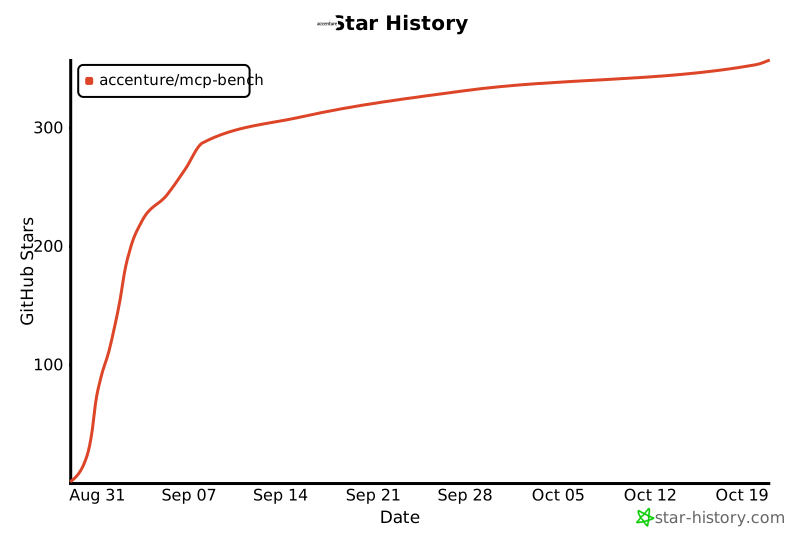](https://star-history.com/#accenture/mcp-bench&Date)
- ## Acknowledgments
- - Built on the [Model Context Protocol](https://github.com/anthropics/mcp) by Anthropic
- - Thanks to all open-sourced MCP servers implemetation used
Ratings and comments
Sign in to rate this skill.
Sign inFree to use. If it’s helped, pass it on.